




Squarespace Hosting in 2026 Performance Security and Uptime Compared
Article
Introduction
Starting an online business in 2026 should feel exciting. But for many small and mid-sized business owners, the technical side of getting online feels like a burden. You have a product to sell, customers to reach, and a brand to build. The last thing you want to worry about is server settings, security protocols, and domain configurations.
Here is the thing. The choices you make about your website hosting have a direct impact on your business growth. According to the VikingCloud 2026 SMB Threat Landscape Report, 58% of small businesses experienced website downtime in the past year.
That is more than half of all SMBs losing money and customer trust because of hosting problems. On top of that, the top operational challenge for SMBs in 2026 is reaching customers and growing sales, as highlighted by recent industry research from Prospeo.
This is where Squarespace hosting comes into the picture. Squarespace offers an all-in-one solution that combines website building, hosting, and domain management. You get squarespace domain registration included with most annual plans, which simplifies the setup process. Understanding squarespace domain cost helps you avoid surprises in your monthly budget.
Many business owners compare Squarespace to alternatives like GoDaddy website builder or Hostinger website builder. Each platform has strengths, but the key is matching the tool to your specific needs.
In this guide, we break down everything you need to know about Squarespace hosting. We analyze performance and speed benchmarks, security features, scalability options, and real customer support quality. We also highlight common hosting mistakes small businesses must keep in mind as they grow.
If you value a streamlined experience with less technical hassle, Squarespace could be your answer. But if you need more advanced control or specialized performance, you might prefer a provider like Prism Webhost, which offers enterprise-grade security checks and isolated hosting environments. By the end of this article, you will know exactly which path fits your business.
What Is Squarespace Hosting? An Overview of Plans and Features
So, what exactly is Squarespace hosting? Put simply, it is a fully managed service. You do not have to worry about server updates, security patches, or speed tuning. Squarespace handles all of that technical work for you. You just focus on building your site and selling your products.
This makes it very different from traditional hosting where you have to configure everything yourself.
What is included in every Squarespace plan?
When you sign up for Squarespace, several key features come built in.
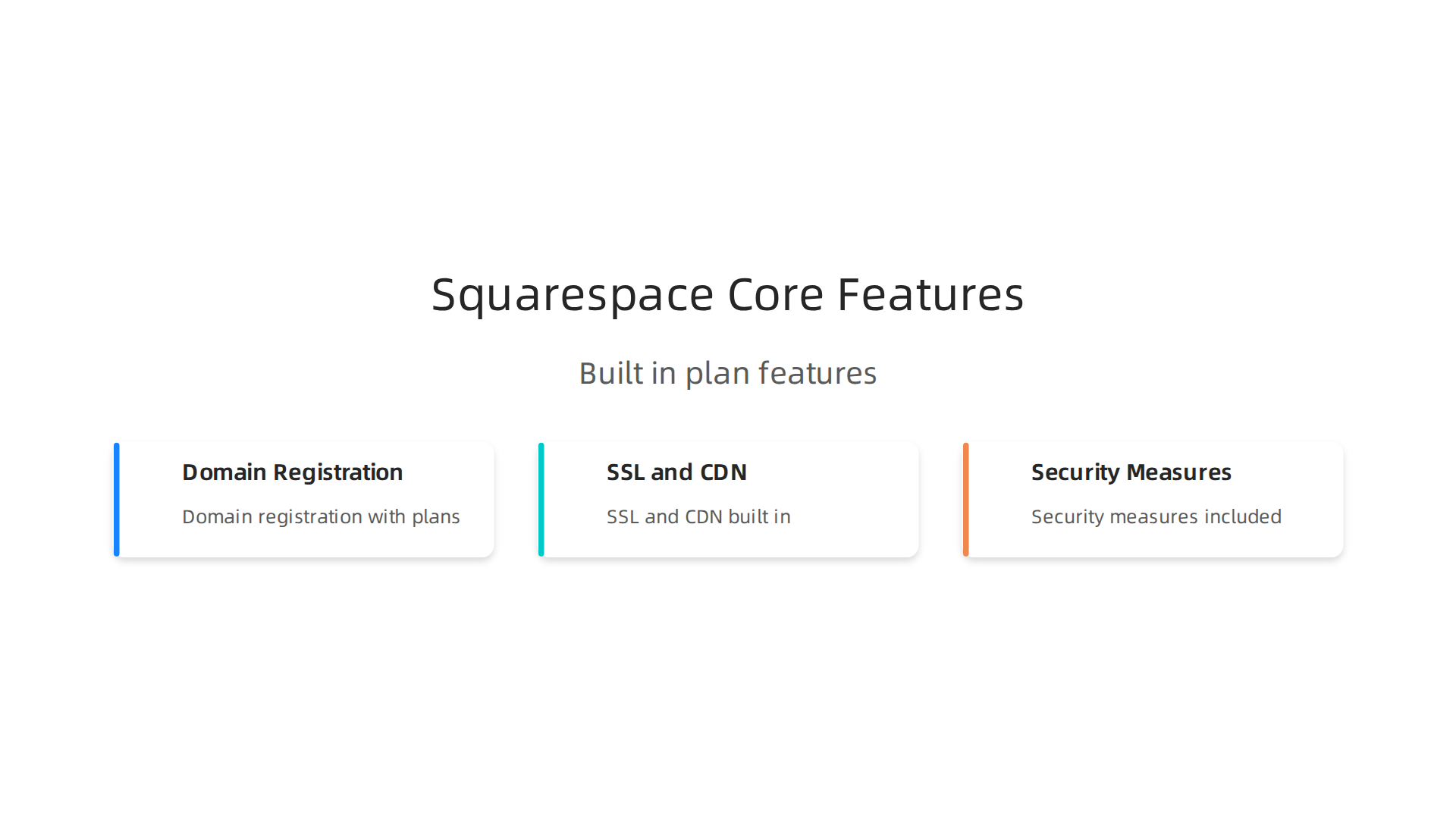
- Domain registration: Every plan includes squarespace domain registration for the first year (on annual billing). You search for and buy your domain right inside the platform. No separate accounts needed. Knowing the squarespace domain cost upfront helps you avoid surprises later.
- SSL and CDN: Every site gets a free SSL certificate to protect visitor data. A built-in CDN makes your pages load fast for people around the world.
- Security: All payment integrations follow strict security standards. In fact, Squarespace is compliant with PCI-DSS, as you can see on their Security page.
This matters more than ever. Recent research shows that cyberattacks are now the top threat to small businesses in 2026. Built-in protection gives you real peace of mind.
Which Squarespace plan fits your needs?
Squarespace keeps things simple with four main plans.
- Personal: Best for blogs, portfolios, or simple informational sites. Includes standard storage and bandwidth.
- Business: Adds a professional Google email address and basic eCommerce tools. You can sell unlimited products here.
- Commerce Basic: Designed for small to medium online stores. Includes point of sale and customer accounts.
- Commerce Advanced: For growing stores. Adds abandoned cart recovery and advanced discounts.
What makes Squarespace different from alternatives?
You might compare Squarespace to the GoDaddy website builder or the Hostinger website builder. What sets Squarespace apart is how deeply everything connects. You get a drag-and-drop builder that does not require any coding. You also get integrated analytics, so you see your traffic and sales data instantly without extra plugins.
But here is the trade off. With that ease of use, you give up some control. You cannot change server settings or install custom software. If your business needs isolated hosting environments or custom security policies, you might outgrow Squarespace. Many growing businesses turn to Prism Webhost for its enterprise-grade infrastructure and dedicated support.
Before making your final choice, learn which common hosting mistakes small businesses must avoid. Knowing these pitfalls will help you pick the right home for your website.
For most solopreneurs and small teams, Squarespace hosting removes the technical headaches and lets you focus on what matters most: your customers.
Website Performance: Loading Speed and Core Web Vitals
You have probably clicked away from a slow website before. We all have. That is why page speed matters so much.

A one second delay in load time can lower conversions by 7%. It also hurts your search rankings. Google cares about speed.
Squarespace hosting includes a built in CDN and optimized servers. That helps. But not all Squarespace sites load the same way. Your plan, your template, and how many images or custom code you add all affect performance.
How does Squarespace handle Core Web Vitals?
Google uses three main metrics to measure user experience: Largest Contentful Paint (LCP), First Input Delay (FID), and Cumulative Layout Shift (CLS). These are called Core Web Vitals. To rank well in 2026, your site must hit Google’s thresholds.
So where does Squarespace stand? A detailed speed comparison between WordPress, Webflow, and Squarespace found that Webflow wins on default speed and CLS stability. WordPress gives you more room to optimize. Squarespace sits in the middle. It is decent out of the box, but you have limited control over the backend.
For example, LCP measures how fast the biggest element on your page loads. On Squarespace, that could be a hero image. If your image is too large, LCP suffers. And since you cannot tweak server level caching, your options are limited.
Can Squarespace handle high traffic?
Squarespace says its servers can support significantly high amounts of traffic, as noted in their support documentation. That is true for most small to medium sites. But as your business grows, you might see slowdowns during traffic spikes.
The bottom line? Squarespace works well for most solopreneurs and small teams. But if speed and Core Web Vitals are your top priority, you might want more control. That is where a dedicated hosting provider like Prism Webhost shines. They offer isolated environments, LiteSpeed servers, and NVMe storage. Real performance you can count on.
Before you decide, learn how to optimize your website for speed and security in 2026 in our guide. It covers the exact steps to keep your Core Web Vitals healthy.
Security Features: DDoS Protection, SSL, and Data Privacy
You have probably worried about hackers, data leaks, or losing your site to an attack. That fear is real. A breach can cost you customers, money, and trust. The good news? Squarespace hosting takes security seriously so you do not have to think about it every day.
What security does Squarespace include?
Every Squarespace site gets a free SSL certificate. That means the padlock icon shows up in your browser, and all data between your visitors and your site is encrypted.
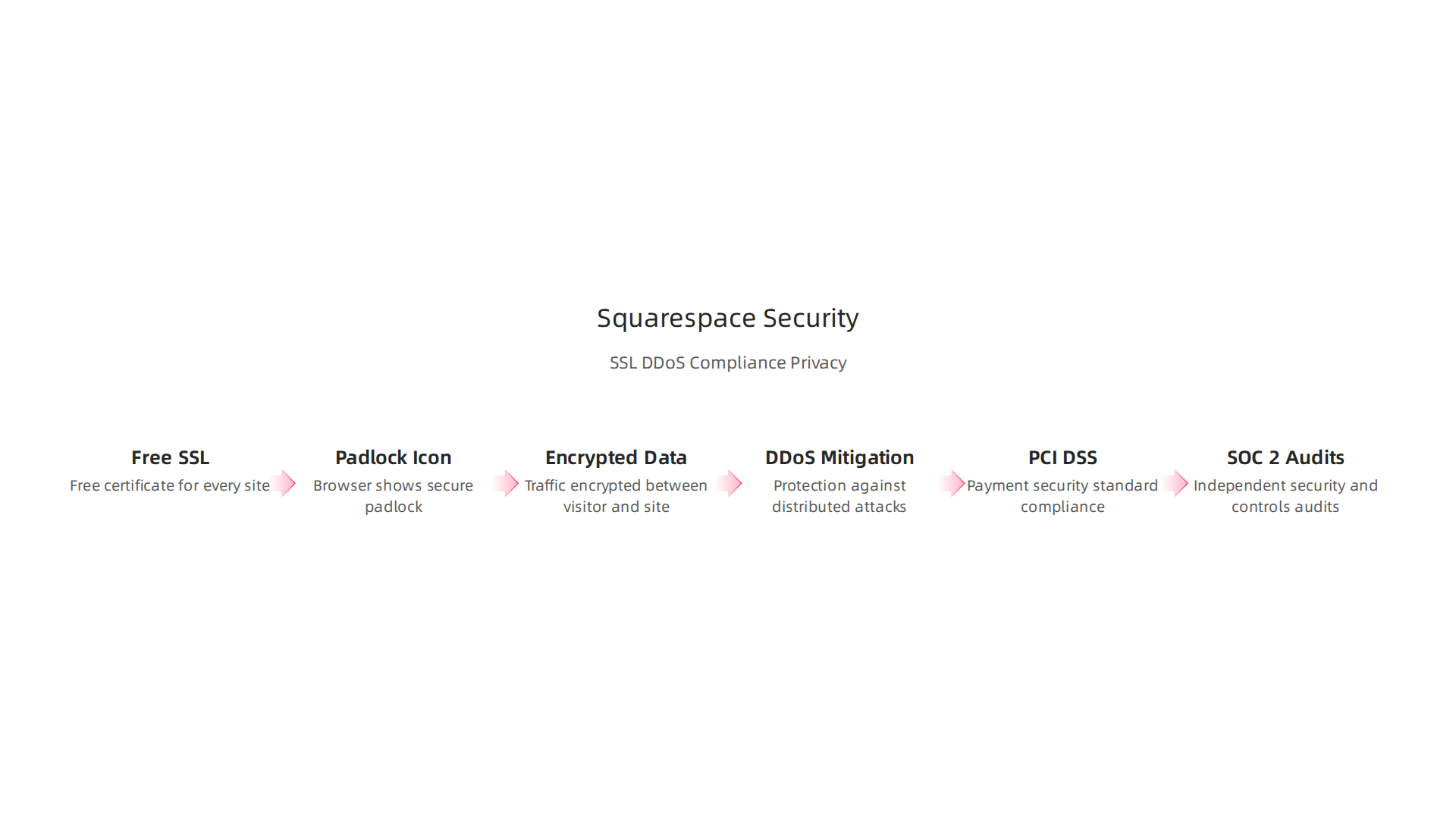
Squarespace also handles DDoS mitigation at the network level. If a bad actor tries to flood your site with traffic, their system filters it out before it reaches you. Automated backups run in the background too, so you can restore your site if something goes wrong.
Squarespace describes the full list of safeguards on their Security Measures and Safeguards page. They cover everything from access controls to encryption.
Is Squarespace compliant with regulations?
If you run an online store, you need to follow PCI DSS rules. That is a set of standards for handling credit card data. Squarespace says all their built-in payment integrations are PCI DSS compliant. Sensitive card data never touches Squarespace’s servers. It goes straight to the payment processor. Check their official security page for details.
For data privacy laws like GDPR, Squarespace gives you tools to design a compliant site. Their Data privacy and Squarespace guide explains how you can add cookie banners, manage consent, and handle user data requests.
Squarespace also undergoes SOC 2 audits and follows ISO 27001 standards. That is a big deal. It means an outside party checks their security controls every year. You can read about their SOC reports for ISO 27001 (PDF) to see how they stack up.
Where does Squarespace fall short?
The managed approach is great for most small businesses. You get solid protection without needing a security expert. But you have zero control over the backend settings. If you need custom firewall rules, isolated server environments, or more frequent backups, Squarespace cannot give you that.
That is where Prism Webhost offers a stronger option. With features like 17Tbps+ DDoS protection, free SSL, DNSSEC, and point-in-time backups, you get enterprise grade security. Plus you have full control over your hosting environment. If security is a top concern for your business, it is worth looking at Prism Webhost.
Before you make a final decision, read our web hosting template checklist for small business growth in 2026. It helps you compare what different hosts offer for security and peace of mind.
Uptime Reliability: SLAs and Real-World Performance
Security matters, but your site also needs to stay online. If visitors cannot reach you, they cannot buy from you. That is why uptime is just as important as protection. Let us look at how Squarespace hosting really performs when it comes to keeping your site live.
What does the Squarespace uptime guarantee say?
Squarespace promises a 99.9% uptime SLA. On paper, that sounds solid. It means your site could be down for about 8.7 hours per year. But actual numbers tell a slightly different story.
According to Squarespace’s own status page, their site loading uptime for March 2026 was 99.81%.
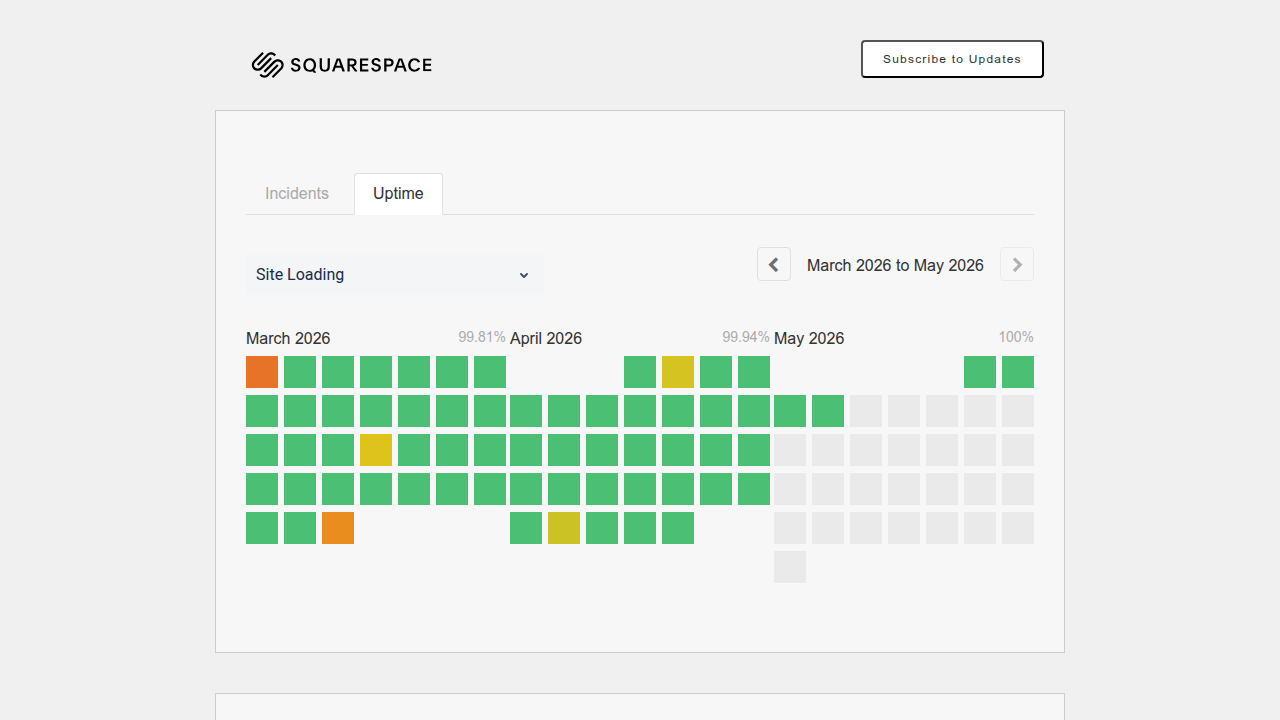
That is below their guarantee. April came in at 99.94%, and May hit 100% so far. Those fluctuations matter for businesses that rely on steady traffic.
Real incidents you should know about
On March 31, 2026, Squarespace faced connectivity issues that affected many users. Tools like Uptime.com and StatusGator track these outages. Their outage history shows multiple incidents over the past year.
Here is the kicker: Squarespace has no built-in uptime monitoring or downtime alerts. A guide from Notifier.so explains how to get instant downtime alerts for your Squarespace site using third-party tools. That is an extra step you will need to take.
How much does downtime really cost?
The difference between 99% and 99.9% uptime might seem tiny. But according to Website Uptime Statistics 2026, that 0.9% gap can mean hours of lost revenue. For an e-commerce store every minute of downtime hurts your bottom line and your reputation.
Where Squarespace falls short on uptime
You cannot tweak server settings or set up custom failover with Squarespace. Their managed platform handles everything for you, but you also lose control. If their global network has an issue, your site goes down with it.
That is where Prism Webhost offers a stronger alternative. We provide a 99.99% uptime SLA, 17Tbps+ DDoS protection, and point-in-time backups. You get enterprise reliability without needing a tech team. See our web hosting solutions for details.
Want to learn from real mistakes? Read our article on how a Wordle unlimited website crash reveals 3 hosting mistakes and avoid them for your own site.
Uptime is trust. Make sure your host delivers.
Scalability: Growing Your Site Without Technical Headaches
Your site is doing well. Traffic is climbing. You add more products, more pages, more content. That is a great problem to have.

But can your hosting handle it without slowing you down?
How Squarespace handles growth behind the scenes
Squarespace claims all its websites can support significantly high amounts of traffic. The platform scales automatically. You do not need to touch server settings or call support when a post goes viral. That is the upside of managed hosting.
But here is the catch. Automatic scaling works only within your plan’s resource limits. Every Squarespace plan comes with storage caps and bandwidth allowances. Once you hit those, your site may slow down or stop serving content. And if you run an online store, you face a hard limit of 10,000 products with 250 variants per product. That is plenty for most small businesses, but not for a rapidly growing catalog.
Upgrading plans is easy, but costs add up
When you outgrow your current plan, upgrading is seamless. You can jump from the Core plan to a higher tier with a few clicks. The Core plan drops transaction fees on physical products and unlocks more features. But each upgrade costs more monthly, and you still cannot customize server resources.
For many business owners, the question becomes: do I keep paying more for a closed system, or look elsewhere?
When you need more than Squarespace offers
If your traffic outgrows Squarespace’s infrastructure, you have a few options. You can migrate to a more flexible host that gives you dedicated resources. That is where Prism Webhost comes in. We offer automated scalability with no plan caps, along with 99.99% uptime and enterprise security. You get room to grow without hitting artificial ceilings.
Want to plan your hosting upgrade wisely? Check out our web hosting template checklist for small business growth in 2026 to compare what matters most.
Growth should not come with headaches. Make sure your host grows with you.
Domain Management: Registration, Transfer, and Email Integration
That same thinking about growth applies to your domain name. It is the address of your online business. Managing it well matters just as much as your hosting.
Squarespace hosting makes domain registration simple. You can buy a domain right inside your account. No need to log in to a separate service like a godaddy website builder or hostinger website builder. This saves time when you start. But here is the thing you should think about. Convenience at the start can make things harder later if you want to move.
You can also add a custom business email. It gives your brand instant credibility. Squarespace supports Google Workspace directly. You get Gmail, Calendar, and Drive all in one spot. They also work with other providers like Office 365 and Zoho Mail. This is great for looking professional right away.
The problem comes when you outgrow the system or want more control. Squarespace domain transfer policies can slow you down if you want to leave. Their DNS management options are simpler than what many growing businesses need. You might find cheaper renewal rates and better DNS tools elsewhere. It pays to know your options for moving domains and managing DNS settings.
If you want total control over your domain and a hosting setup that works flawlessly, Prism Webhost gives you the flexibility you need. You get complete DNS control and enterprise security, all with an easy setup.
Before you lock in your domain, learn about the real costs and risks of different registrars so you can make a smart choice.
Customer Support: Quality, Availability, and Expert Assistance
Here is something you will learn fast as your site grows. When something breaks, you need help right away. You cannot wait days for an email reply. Your business depends on your site staying live.

Squarespace hosting offers 24/7 customer support through live chat and email. That sounds great on paper. Phone support is also available, but only if you are on one of the higher priced plans. For basic plans, you get chat and email only.
Here is where things get tricky. Response times and resolution rates vary a lot. Some users report fast chat replies. Others tell stories of waiting hours for a simple answer. And when the issue is technical, the first line support team sometimes cannot solve it. They have to pass you up the chain. That takes more time.
On the plus side, Squarespace has a solid knowledge base. You can find detailed guides on things like setting up a custom business email or connecting third party services like Office 365. It helps if you like fixing things yourself.
But there is a catch. The knowledge base covers basic tasks well. Advanced troubleshooting? Not so much. And the community forum can be hit or miss.
Compare that to a host that treats support as a priority, not an afterthought. A provider that actually helps you when things go wrong.
If consistent uptime and real human support matter to your business, avoid the common hosting mistakes that cost businesses time and money. Then check out Prism Webhost for a setup where expert help is always part of the plan.
Squarespace Hosting vs. Competitors: Side-by-Side Comparison
So here is the deal. Squarespace hosting is an easy choice when you are starting out. It handles everything for you. But as your business grows, your hosting needs grow too.
Let us compare Squarespace with three major providers, plus an option that covers all the gaps.
| Feature | Squarespace | WP Engine | SiteGround | Bluehost | Prism Webhost |
|---|---|---|---|---|---|
| Best For | Beginners, creatives | High-traffic WordPress | Bloggers, SMBs | Entry-level sites | Growing SMBs, online brands |
| Performance | Decent, limited settings | Very fast, premium CDN | Fast, best Core Web Vitals | Average, gets slow | Excellent (LiteSpeed, NVMe SSD) |
| Security | Simple, managed | Advanced, dedicated firewall | Proactive, AI driven | Basic | Enterprise-grade (DNSSEC, RPKI, 17Tbps DDoS) |
| Starting Price | $16/mo (all-in-one) | $20/mo (hosting only) | $3/mo (intro) | $3/mo (intro) | Competitive, transparent |
| Scalability | Hard limits | Excellent (auto-scaling) | Good (cloud) | Limited | Automated |
| Support | 24/7 chat, email | 24/7 phone, chat | 24/7 phone, chat | 24/7 phone, chat | 24/7 expert support |
Let’s break this down.
On performance. A 2026 speed comparison shows that Squarespace is good, but not great. WP Engine and SiteGround are faster. But even SiteGround vs WP Engine reviews note that neither is considered very fast. Prism Webhost uses LiteSpeed servers and NVMe SSD storage to deliver top tier speed without the slowdowns.
On reliability. Squarespace experienced connectivity issues as recently as March 2026. For a small business, even 30 minutes of downtime can cost real sales. Prism Webhost offers a 99.99% uptime SLA so you stay open for business.
On security. Squarespace handles basic security well. But if you want true enterprise-grade protection including DNSSEC, SSL/TLS, DMARC, and RPKI checks, you need a host that specializes in proactive defense.
On pricing. Squarespace bundles squarespace domain registration and the builder together. That is convenient. But it also locks you in. A GoDaddy website builder or Hostinger website builder might have lower upfront costs, but they often lack the support you need when things go wrong.
On support. Squarespace offers 24/7 chat and email. That sounds good until you have a technical emergency and need someone on the phone. Prism Webhost provides 24/7 expert support from people who actually understand your setup.
The bottom line. Squarespace is great for getting online fast. But if you want speed, security, and support without the hidden limits, you need a host that treats your business like a priority.
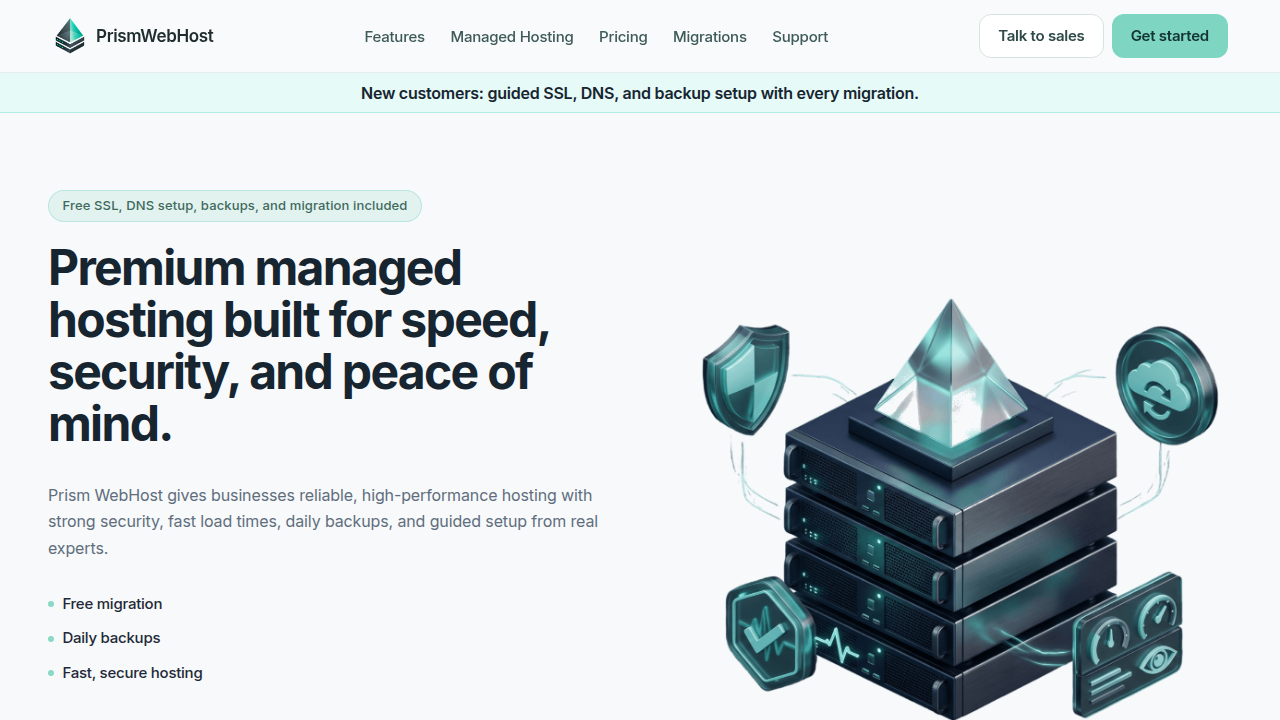
Check out Prism Webhost for high-performance hosting that grows with your business.
And if you are still planning your site, use our web hosting template checklist for small business growth in 2026 to make sure you pick the right foundation from day one.
Summary
This article is a practical guide to Squarespace hosting for small and mid-sized businesses, explaining what the platform includes, how its plans differ, and when it’s a smart choice versus a more flexible host. It covers built-in features like domain registration, SSL, CDN, and PCI-compliant payments, and walks through performance topics such as Core Web Vitals, LCP, and how template choices and images affect speed. The guide also reviews security and uptime—what Squarespace provides, common limitations, and real-world incidents—plus scalability limits, domain management, and support expectations. Throughout, the article compares Squarespace to alternatives (including Prism Webhost) so you can decide whether convenience or granular control matters more for your growth. By reading it you’ll know which plan fits your needs, how to reduce downtime and speed problems, and when to consider migrating to a host with enterprise-grade performance and security.
