



Web Hosting Template Checklist for Small Business Growth in 2026
Article
Think about the last time you visited a slow website. Did you stay? Probably not. You left.

Most visitors do the same thing.
If your website is slow, insecure, or down, it hurts your business directly. You lose sales. You lose trust. In 2026, small and medium sized businesses (SMBs) feel this pain more than ever. Custom-Built Website vs Template: Which Is Right for Your Business in 2026?
Actually, there is a great way to fix this. Pre built web hosting templates and website builders make building a website much easier. You do not need to be a developer. Platforms like the GoDaddy website builder and the Hostinger website builder make setup simple.
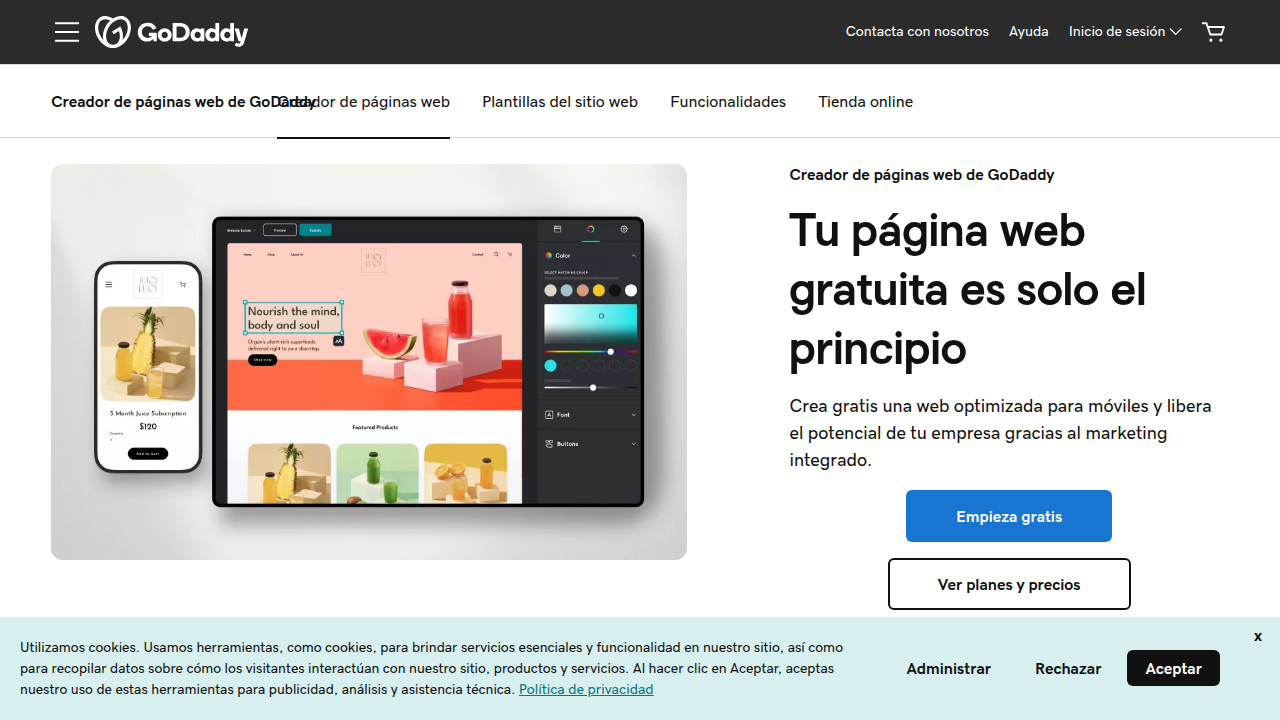

Others, like Webflow hosting and the Showit website platform, give you more creative freedom.
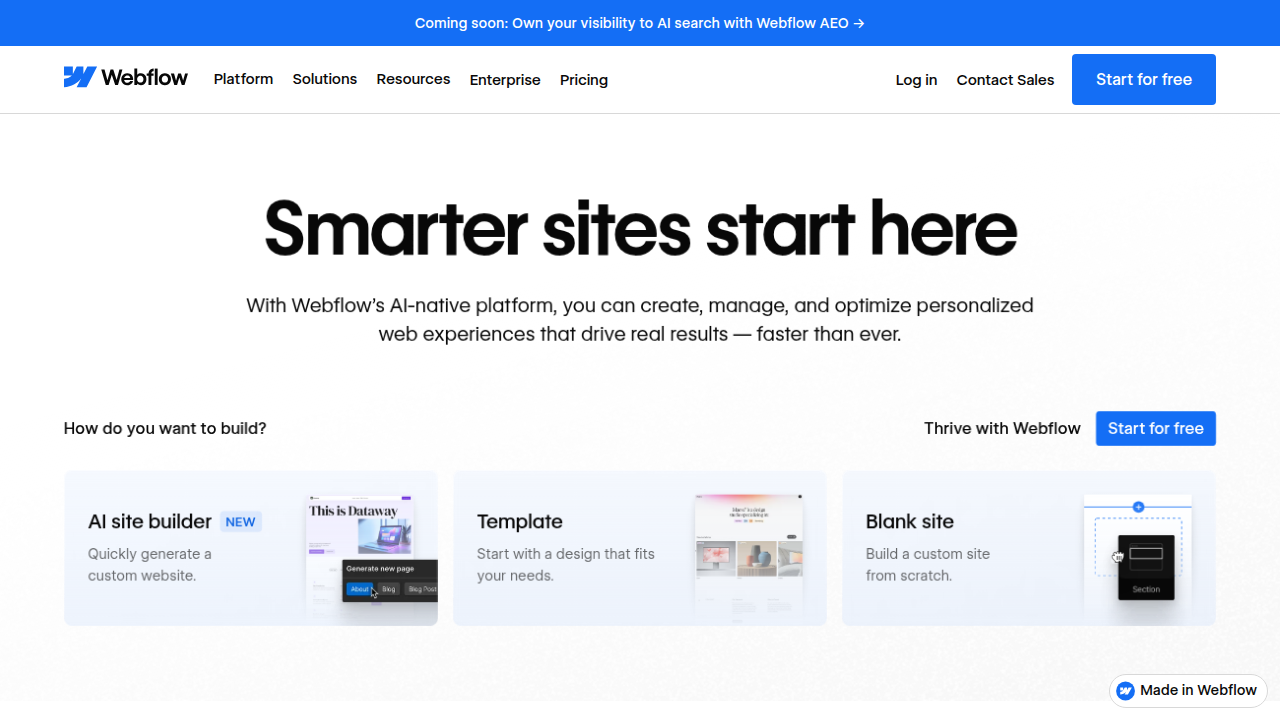
Best Drag and Drop Website Builders: 8 Top Picks Compared (2026)
But here is the thing. Picking the wrong one will cause the same old problems. You need a foundation that is fast, secure, and reliable. This is why finding a truly dependable setup is so important. For example, knowing how to check your online services regularly can prevent nasty surprises. We have a useful guide on how to check online services status to help you stay ahead.
That is what this listicle is for. We wrote it to give you actionable insights. You will learn exactly what to look for in a web hosting template and a builder. We want to help you make a smart choice. A choice that supports your business growth. A choice that keeps your site running fast and safe. For a truly worry free experience, start with a host built for performance and security, like Prism Webhost.
We just covered how a slow website pushes visitors away. The main reason often starts with a bad foundation. Your web hosting template is the base of your whole site. If that base is weak, nothing else matters.
A well-coded template makes your site load fast. It works perfectly on phones. And it helps search engines find you. That is the core of good SEO.

Platforms like the GoDaddy website builder or Hostinger website builder offer templates that cut setup time to minutes. That is a huge win for non-technical owners. But not all templates are built the same.
A poor template choice loads slowly and looks bad on mobile. This makes visitors leave right away. That is a high bounce rate. And it directly hurts your sales. You lose trust and conversions.
So pick a strong foundation. One that supports your template with fast servers and solid security. You need a host using modern tech like LiteSpeed servers and NVMe SSD storage. This keeps your site fast. You also need automatic backups and DDoS protection to keep your data safe. We have a useful guide on how to prevent downtime to help you stay ahead.
The right web hosting template with the right host is a winning combo. It saves you time and grows your business. For a worry-free setup built for performance, check out Prism Webhost. You get cPanel, free SSL, and a 99.99% uptime guarantee.
2. Built-In Security Features: DDoS Protection and Data Breach Prevention
A fast foundation is great. But a secure foundation is absolutely essential. A good web hosting template needs built-in security to protect you and your visitors.
Here is the reality. Cyberattacks are getting worse. In 2026, data breaches have gone up by 40% worldwide according to SentinelOne. And small businesses are the main target. Research shows that 43% of all cyberattacks target small and mid-sized businesses, as reported by GSD Solutions. That is a big number. And a single attack can put you out of business.
So what should your hosting template include?
A Web Application Firewall (WAF) is a must. It filters out bad traffic before it even touches your site.

Think of it as a guard at the door. It blocks hackers, bots, and malicious requests automatically.
Automatic SSL certificates are also non-negotiable. SSL encrypts data between your site and your visitors. Without it, any information someone types into a form can be stolen. Plus, Google flags sites without SSL as unsafe. That kills your trust and your SEO.
DDoS mitigation is another layer of protection you need. A DDoS attack floods your site with fake traffic until it crashes. With the right hosting template, this protection is built in. Your site stays online even during large attacks. That keeps your sales flowing and your reputation safe.
Many business owners think they are too small to be a target. That is a dangerous myth. In fact, according to StrongDM, 61% of small businesses experienced a breach in the past year. Outdated or poorly coded templates are often the entry point for hackers.
You should also follow best practices to find reputable domain registrars that protect your business from the start.
The safest path is choosing a host that builds security into every layer.

Prism Webhost includes 17Tbps+ DDoS protection, free SSL, and enterprise-grade security checks in every hosting plan. You get peace of mind without any technical fuss. Check out Prism Webhost to see how secure hosting should feel.
Sure. Here is the next section of the article.
3. How Template Architecture Influences Site Speed and SEO Rankings
Security is your foundation. Speed is your engine. A great web hosting template does not just look good. It performs well under the hood. The code structure of your template directly affects how fast your site loads. And in 2026, speed is everything.
Here is a simple truth. Google’s March 2026 core update made Core Web Vitals even more important for rankings, as reported by Digital Applied. If your template is bloated with heavy scripts, unused CSS, or too many plugins, your page will load slow. And that kills your SEO.
Template bloat is a silent killer. Many popular templates pack in features you never use. Every extra line of code adds weight. Google recommends page loads under 800 milliseconds according to Seobility. But bloated templates often push load times over 2 seconds. That is a penalty zone.
The problem gets worse on mobile. Over 62% of web traffic now comes from phones. A slow mobile experience increases bounce rates. Google’s own research shows that cutting load time from 3 seconds to 1 second can boost conversion rates significantly, according to Interact Marketing. So every second counts.
What should you look for in a template architecture?
- Lightweight code. Fewer HTTP requests and smaller file sizes mean faster rendering.
- Efficient CSS and JavaScript. The template should load only what is needed for each page.
- Mobile-first design. The template must be built for smaller screens from the ground up.
- Built-in caching support. Server-side caching paired with a CDN makes a huge difference.
Speaking of CDNs, your hosting template should play nice with content delivery networks. If the template is optimized for CDN delivery, static assets like images and stylesheets load from servers closest to your visitors. That cuts load time drastically.
If you are using a platform like webflow hosting or a godaddy website builder, the template choices are often locked. But with Prism Webhost, you have the freedom to pick or build a custom template that runs on LiteSpeed servers and NVMe SSD storage. That combination is fast. And it keeps your Core Web Vitals in the green zone.
To protect your investment, you should also know how to check Epic Online Services status to prevent downtime. That same principle applies to your hosting infrastructure.
The bottom line is clear. Template architecture is not just a design choice. It is an SEO ranking factor. If you want better search position, start with a clean, fast template. And pair it with hosting built for speed. Explore Prism Webhost for hosting that makes your template fly.
4. Uptime Guarantees and Reliability: What to Look for in a Hosting Template
You picked a beautiful web hosting template. But then your site goes down for hours. Frustrating, right? Here is the catch. Some templates are tightly tied to a specific host. If that host has an outage, you cannot just move your template to a better provider. That locks you into downtime.
So what should you check?
Minimize external dependencies. Many templates pull in fonts, analytics scripts, and widgets from third-party servers. If one of those servers goes down, your site might break or load partially. Look for templates that keep resources local. That reduces failure points.
Know the SLA fine print. Hosting companies often promise 99.9% uptime in their Service Level Agreements. But those guarantees usually exclude issues caused by your template or plugins. According to a 2026 analysis by Scalify, budget shared hosts routinely advertise "99.9% uptime" while actual performance falls short. So even with a solid host, a bloated template can cause downtime that is not covered.
Portable templates win. A good template works on any host. That way, if you are unhappy with your current provider, you can switch. Platforms like godaddy website builder or hostinger website builder lock you into their ecosystem. Portable templates give you freedom.
To protect your site from unexpected outages, learn to monitor service status proactively. Check out our guide on how to check Epic Online Services status to prevent downtime for a strategy you can apply to any service.
The bottom line? Reliability starts with the template design. Choose a lightweight, portable template and pair it with reliable hosting. We built Prism Webhost to deliver the speed and uptime your template needs to perform.
5. Scaling Your Hosting Infrastructure with Flexible Templates
Your site is doing well. Traffic is picking up. Maybe you are adding a store or a membership area. The question is, can your current setup handle the growth?
The global web hosting market is projected to hit $149.30 billion in 2026, according to recent industry data. A lot of that growth comes from businesses like yours scaling their online presence. You need a web hosting template that can grow with you, not hold you back.
Modular templates make expansion easy. Look for a template that lets you plug in features when you need them. E-commerce, multi-language support, or a members-only section. You want to add these modules without rebuilding your whole site from scratch.
Your hosting must flex too. A good template works with caching layers, database optimizations, and cloud auto-scaling. If a big traffic spike hits, your site stays fast. This is where platforms like godaddy website builder or hostinger website builder can trap you. They limit how much you can customize the backend.
Plan for the move from static to dynamic. Maybe you started with a simple brochure site. Now you need user accounts or a blog that updates constantly. A flexible template makes this migration smoother. You do not lose your design or your SEO progress.
To keep everything organized as you grow, it helps to start with a solid foundation. Learn how to pick a provider you can trust in our guide on how to find reputable domain name registrars that protect your business.
This is exactly why we built Prism Webhost. We give you a scalable, secure environment with LiteSpeed servers, NVMe SSD storage, and automated backups. It is the infrastructure your growing business needs to thrive.
6. Support and Customer Service: The Hidden Variable in Template Success
You found the perfect design. It matches your brand and does what you need. But here is the thing. A great web hosting template is only as good as the support behind it.
Hosting support has limits. Most providers, including big names like godaddy website builder or hostinger website builder, handle infrastructure issues. If your server goes down, they fix it. But if your template has a broken layout or a module stops working, they often pass the buck. That leaves you searching forums at 2 AM.
Active communities save the day. A template with a strong community and thorough documentation reduces your need for direct support. When you hit a snag, you can find answers from people who have been there before. Using a system to track your issues as they pop up helps too. The folks at Jotform show how customizable templates in an issue tracking system can help you stay organized when bugs appear.
Premium support is worth the cost. Paying a bit more for a premium template with dedicated help can save you serious time. According to AutoSolve Labs, using the right tools can help you reclaim 10 to 15 hours each week. That is hours lost less to troubleshooting and gained back for your business.
What to check before you buy:
- Does the template have a knowledge base or help center?
- Is there an active user forum?
- Does the template creator offer direct support?
When your hosting provider also offers reliable infrastructure, the whole equation gets simpler. That is where Prism Webhost comes in. We combine LiteSpeed servers with solid support so your template runs smooth and fast.
Support might not be the flashy part of picking a template. But it is often the thing that keeps your site running when things go wrong. And to keep your whole online presence secure, start with a trustworthy foundation. Learn more in our guide on how to find reputable domain name registrars that protect your business.
7. Drag-and-Drop Website Builders vs. Traditional Hosting Templates: A Head-to-Head Comparison
You saw how support can make or break your template choice. But the biggest decision might be this: should you use a drag-and-drop builder or a traditional hosting template?
Each path has a clear trade-off.
Drag-and-drop builders are fast and easy. Tools like Godaddy website builder or Hostinger website builder let you design a page in minutes. No code needed. But there is a catch. You are locked into their hosting and limited in what you can change later. According to this 2026 comparison of website builders, simplicity often comes at the cost of flexibility.
Traditional hosting templates give you real control. You pick your host. You choose your template. You own your data. This matters more than ever in 2026 because Google’s March 2026 core update made site speed a bigger ranking factor. With a traditional web hosting template on fast infrastructure, you can optimize load times down to under 800 milliseconds. That improvement directly boosts your conversions.
Hybrid options are growing. Services like Webflow hosting and Showit website combine drag-and-drop ease with the ability to export your template code. This gives you the best of both worlds.
Here is the thing. If you want maximum performance and ownership, traditional templates win every time. And to run them well, you need a hosting partner that keeps your speed high and your downtime low. That is exactly what Prism Webhost delivers with LiteSpeed servers and enterprise-grade security.
Before you pick a path, make sure your domain foundation is solid. Read our guide on how to find reputable domain name registrars that protect your business.
8. Essential Integrations: E-Commerce, CMS, and Marketing Tools
You picked a beautiful web hosting template. But here is the real test. Will it connect to your online store, your blog, and your email list? A template that looks great but works alone is not much help.
Look for templates with native e-commerce support. If you plan to sell products, you want built-in connections to platforms like WooCommerce or Shopify. This saves you from messy custom code later. Traditional templates give you that freedom. Drag-and-drop builders like Godaddy website builder or Hostinger website builder often lock you into their own store tools, making it hard to switch.
CMS compatibility matters too. WordPress templates are everywhere, but also check for Joomla or other systems if you use them. Your content management flow should feel smooth, not clunky.
Marketing tool integrations save hours. The best templates come with ready-made connections for email marketing, analytics, and even customer survey tools. In fact, ready-to-use templates for funnels, emails, and ads are now available to streamline your entire sales process see this SMB CRM update. And to truly understand your customers, you can pair your site with a simple survey tool that collects feedback without extra work check out the best customer survey tools for 2026.
Before you install any integrations, make sure your domain foundation is solid. Read our guide on how to find reputable domain name registrars to protect your business identity.
And remember: all these integrations need fast, reliable hosting to work. That is exactly what Prism Webhost delivers with LiteSpeed servers and 99.99% uptime so your tools never slow down.
9. Future-Proofing Your Hosting: Mobile, AI, and 2026 Trends
You picked a great web hosting template. But will it still work a year from now? The web changes fast. If you want your site to keep up, you need to think ahead.
Mobile-First Is No Longer Optional
Google now judges your site based on how it performs on phones.

Core Web Vitals score your loading speed, responsiveness, and visual stability. If your web hosting template isn’t built for mobile from the start, your rankings can drop. In 2026, mobile-first design is a must for every business check out these key web design trends for 2026. That means your template must look great and load fast on any screen size.
AI-Driven Personalization
More templates now include smart blocks that change content based on who visits. AI can show different headlines, images, or product suggestions to each user. This trend is growing fast in 2026 learn more about AI personalization in web design. Platforms like Webflow hosting and Showit website builders offer these features. But they only work well if your hosting can handle the extra processing. Slow servers ruin the experience.
Sustainable Hosting Matters
Customers care about the environment. Hosting providers that run on green data centers are becoming a selling point see the 2026 web design trends focusing on sustainability. When you choose a web hosting template, ask about the energy source behind it.
What This Means for You
Don’t just pick a template that looks good today. Pick one that can grow with these trends. Fast mobile performance, room for AI tools, and a host that cares about the planet. That is where reliability matters most.
Before you decide, make sure your hosting foundation is solid. Check out our guide on how to check Epic Online Services status to prevent downtime and boost security for tips on staying live.
And for a hosting provider that delivers fast LiteSpeed servers, 99.99% uptime, and eco-friendly practices, look at Prism Webhost. It gives you the speed and stability to make all those 2026 trends work for real.
10. How to Evaluate Web Hosting Templates: A Step-by-Step Checklist for SMBs
You look at a web hosting template and the price looks great. But is that enough? Not really. Here is a simple checklist to help you pick a hosting plan that actually works for your business.
Step 1: Check Performance Benchmarks
Load time and mobile score matter more than any ad. Use tools like Google PageSpeed Insights to test speed before you commit. Also check real uptime records. Many budget hosts advertise 99.9% uptime but independent monitors find lower numbers check out the cost of downtime in 2026. You want at least 99.99% uptime, which means less than an hour of downtime per year see the ideal uptime standard. A host like Prism Webhost delivers on these benchmarks with LiteSpeed servers and NVMe storage.
Step 2: Review Support Policies and Community Activity
When your site goes down, you need help fast. Look for 24/7 support via chat or phone. Also check community forums. An active community often means quicker fixes and shared tips. Some builders like GoDaddy website builder or Hostinger website builder offer basic support, but dedicated hosting providers often respond faster. For tips on preventing downtime, read our guide on how to check Epic Online Services status to prevent downtime and boost security.
Step 3: Test Scalability with Staging Environments
Your business will grow. Your hosting must keep up. Look for hosts that offer staging environments where you can test changes before they go live. Also check if they have tiered plans (shared, VPS, dedicated) so you can upgrade without moving to a new provider. For example, Webflow hosting is great for designers but may cost more as you scale. Showit website is popular for creatives but has limits on advanced features. Choose a host that grows with you.
Final Check
Use this checklist to compare hosts side by side. The right choice saves you money and keeps your site fast. For a host that wins in all three areas, take a look at Prism Webhost. It gives you the performance, support, and scalability your business needs in 2026.
Summary
This article explains how the choice of web hosting templates and builders directly affects site speed, security, uptime, and growth for small and medium businesses in 2026. It walks you through the critical features to look for—lightweight code, mobile‑first design, built‑in security (WAF, SSL, DDoS protection), and CDN/caching compatibility—so your site loads fast and ranks well. The piece compares drag‑and‑drop builders to traditional templates, highlights the importance of portable templates and transparent SLAs, and shows how modular designs and staging environments support scaling. You’ll also learn why support, integrations (e‑commerce, CMS, marketing tools), and future trends like AI personalization and sustainability matter. By following the checklist and monitoring tips, readers will be able to pick a dependable template‑plus‑host setup that protects their brand, keeps downtime minimal, and improves conversions.
