




The Website Domain Definition Every Small Business Owner Needs
Article
Introduction: Demystifying the Domain Name
It starts with a simple question: What is a website domain, exactly? You hear the term website domain definition thrown around, but what does it actually mean for your small business? Getting this one concept right is the foundation of your entire online identity.

Think of a web domain meaning as your street address on the internet. It is the friendly, easy-to-remember name someone types into a browser to find you. Behind the scenes, the domain points to a specific IP address. According to Cloudflare, a domain name is a unique, human-readable address that maps to an IP address.
Here is the thing that trips a lot of business owners up. They mix up their web address with their web hosting. Your domain name is the address. Your hosting is the house. If you treat them as the same thing, you open yourself up to mismanagement and security risks. For example, if you lose control of your domain, someone else can point it to a fake website. That is why knowing the domain name meaning from the start is so important.
To keep your business safe, you need to work with trustworthy registrars. Check out our guide on how to find reputable domain name registrars that protect your business.
Once you understand what a website domain is, you also need a solid home for it. A reliable hosting provider like Prism Webhost makes sure your online address actually leads to a fast, secure experience.
This article gives you a complete website domain definition. We will cover exactly how domains work, why they matter for your brand, and how to keep yours secure. By the end, you will have a strong grip on this fundamental piece of your online business.
What Is a Website Domain? A Clear Definition
So, let’s get a clear website domain definition down on paper. Think of a domain name as the unique, human-friendly label you type into a browser. According to Wikipedia, it is a string that identifies a specific area of control or authority on the internet. Every domain points to a numeric IP address, which is what computers actually use to find each other.
Every domain name has two main parts. You have the second-level domain, which is your brand name, like "prismwebhost." Then you have the top-level domain, or TLD, which is the extension like ".com" or ".org."
The Britannica explains that domain names are often organized in a three-level format. This structure helps keep the web organized and easy to navigate.
But who makes sure all these names work? That is where ICANN comes in. ICANN, or the Internet Corporation for Assigned Names and Numbers, oversees the entire domain name system.
It sets the rules and manages the domain name industry. When you register a domain, you are essentially leasing the rights to use that unique name for a set period.
Now that you understand the web domain meaning, you also need a reliable place to park it. Check out this handy web hosting checklist to make sure your site gets a fast, secure home. A domain is just the start, and having the right hosting partner makes all the difference. For dependable hosting that keeps your site running smoothly, look at Prism Webhost.
Domain vs URL vs Web Hosting: What’s the Difference?
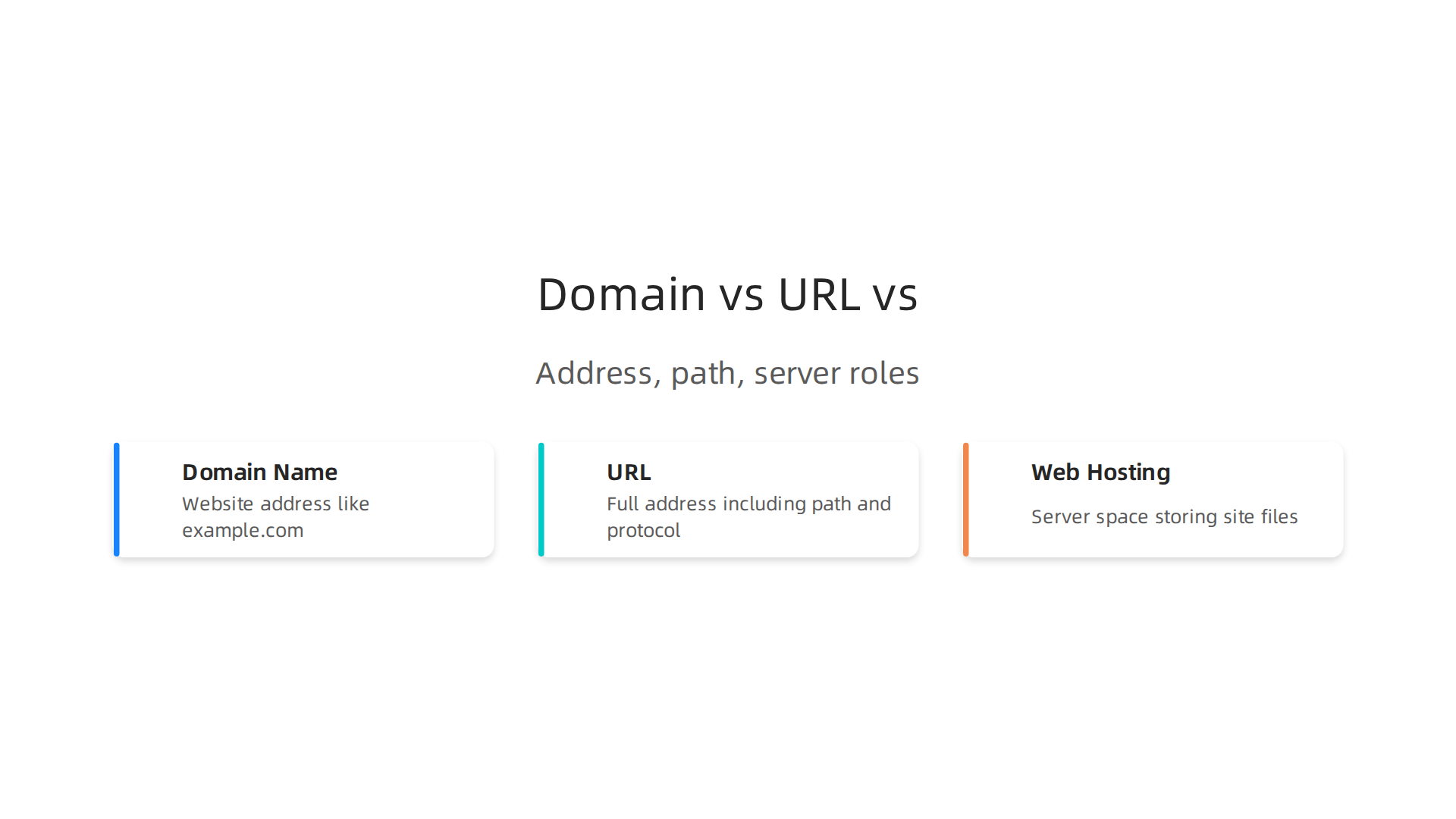
A lot of small business owners grab a domain name and think they are done. But a domain is not the same as a URL or web hosting.
Let’s break it down.
A URL (Uniform Resource Locator) is the full web address you see in your browser bar. It includes the protocol (like "https://") and the path to a specific page. A domain name is just one piece of that URL. As Cloudflare explains, the domain maps to an IP address. The URL tells your browser which protocol to use and where exactly to go. So your domain "example.com" is part of the URL "https://example.com/about-us".
Now, web hosting is something else entirely. Hosting stores all your website files like images, text, and videos on a server. The domain simply points visitors to that server. Think of it like this: your domain is your street address. The hosting is the actual building. Without a building, your address leads nowhere.
Many people mistakenly buy a domain thinking it includes hosting. It does not. You need both. If you are looking for a reliable place to store your site, check out Prism Webhost for secure, fast hosting. And if you are still choosing a domain name registrar, our guide on how to find reputable domain name registrars that protect your business can help you avoid scams.
Once you understand the web domain meaning and how it differs from URLs and hosting, you will be ready to build a solid online presence.
How Domain Names Actually Work: The DNS Explained
You type a domain name into your browser. A few seconds later, your website loads. That seems simple, right? But behind the scenes, a system called the Domain Name System (DNS) is doing all the heavy lifting.
Think of DNS as the internet’s phonebook. When you enter a website domain definition like "example.com," your browser does not know where to go. Computers communicate using IP addresses, which are long strings of numbers. So DNS translates your easy-to-remember domain into the correct IP address.
This translation process is called DNS resolution. It involves multiple servers working together:
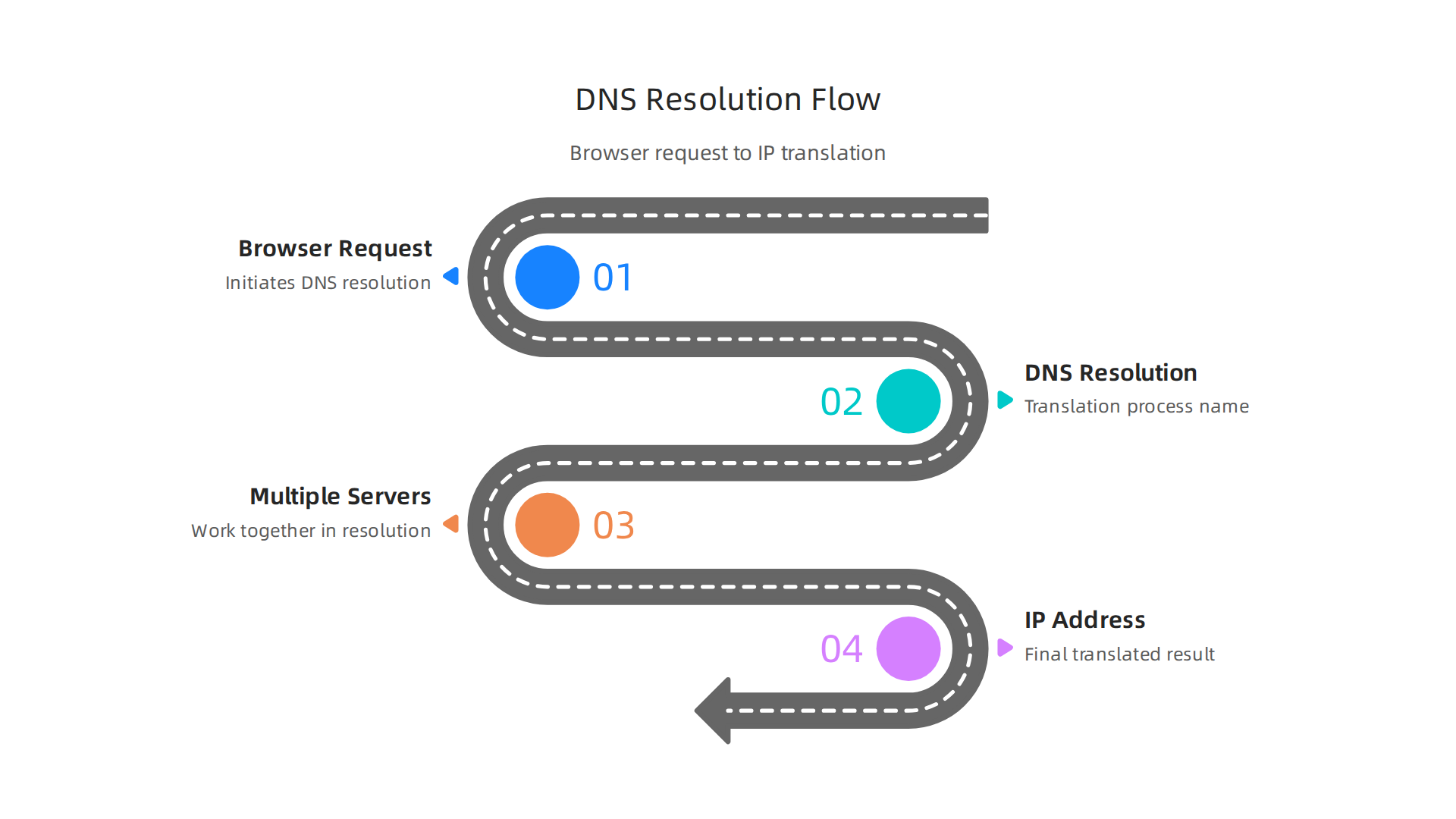
- Recursive resolver: Your internet provider’s server receives your request.
- Root server: It points to the right top-level domain (like .com or .org).
- TLD server: It finds the authoritative nameserver for your specific domain.
- Authoritative nameserver: This is the final stop. It holds the actual DNS records, like A records and CNAME records.
A CNAME record, for example, acts as an alias. As IBM explains, it redirects one domain name to another instead of mapping directly to an IP address.
This is useful when you want "www.example.com" to point to "example.com."
Proper DNS configuration is critical. If you set it up wrong, your website can go offline or your email can bounce. That is why choosing a trusted host matters.
If you want a solid hosting setup with correct DNS management, Prism Webhost can keep your web address pointing where it should. And if you are still picking a domain, our guide on how to find reputable domain name registrars that protect your business will help you avoid headaches.
Getting the domain name meaning right is just the start. Understanding DNS puts you in control.
Now that you understand how DNS works, let’s break down the specific records that do the actual work. Think of these records as the instructions inside that phonebook. If they are wrong, your visitors won’t find you.
A-record (Address Record)
This is the simplest type. An A-record maps your website domain definition directly to an IPv4 address. It points your domain like "example.com" to the specific server where your site lives. Without a correct A-record, no one reaches your homepage.
CNAME record (Canonical Name Record)
A CNAME record acts as an alias. Instead of pointing to an IP address, it points one domain name to another. As IBM explains, it redirects names like "www.example.com" to "example.com." This is handy if you want all variations of your web address to lead to the same place. You only update one record, and the alias follows along.
MX record (Mail Exchange Record)
If you want email to work on your domain, you need an MX record. It tells the internet where to send emails addressed to you@yourdomain.com. Misconfigured MX records are a top cause of email failures.
Here is the thing. A single misconfigured record can take your site offline or break your email. That is why managing your domain name meaning carefully matters. Before you start changing records, make sure your hosting foundation is solid. Prism Webhost gives you reliable infrastructure and easy DNS tools to keep everything pointing right. And for a full checklist, read our web hosting template checklist for small business growth in 2026 to avoid common setup mistakes.
How to Choose the Right Domain Name for Your Business
So you understand the DNS records that make your site work. But before you set all that up, you need a solid website domain definition to build on. Your web address is often the first thing people see. Pick the wrong one, and you could lose trust before anyone even visits your homepage.

What makes a good domain name? Start by keeping it short and easy to spell. If someone hears your domain on a podcast or radio ad, can they type it without guessing? That is the "radio test" described by SmartBrief. Avoid hyphens, numbers, and weird spellings. They confuse people and make your brand look less professional.
Your domain name meaning should also match your business. Including a relevant keyword helps people understand what you do right away. As Shortdot explains, short, simple words that describe your company work best. But do not stuff keywords. Your web domain meaning is about building a brand, not just ranking in search.
Another critical step many skip: check social media and trademark availability before you register. You want the same handle everywhere. Get.it.com calls this a domain name strategy checklist, and it saves headaches later.
Once you pick a domain, you need a home for it. That is where reliable hosting comes in. Prism Webhost gives you the infrastructure to make your domain work fast and securely. And if you want step-by-step help avoiding common mistakes, read our guide on how to find reputable domain name registrars that protect your business. It walks you through choosing the right registrar and avoiding scams.
Top-Level Domains (TLDs) Compared: Which Is Best for Your Brand?
You found a great name. Now you need the right extension. Your top-level domain (TLD) is the part after the dot. It shapes how people see your web address and your business.
The .com extension is still the most trusted and memorable choice. Most people type .com first when they look for a company. For building instant credibility, .com is usually the safest bet.
Newer extensions like .io, .co, and .store can work well for specific niches. As Shortdot explains, your domain name meaning should match your industry. A tech startup fits .io, while an online shop works perfectly with .store. These choices can help your web domain meaning stand out.
Country-code TLDs (like .ca or .de) boost local SEO. They tell search engines you serve one specific area. But Bishopi reminds you to think about future growth. A ccTLD can limit your reach if you want to expand globally later.
Your TLD choice affects how people feel about your brand. Pick one that builds trust and fits your goals. Once you decide, you need a reliable place to host your site. Check out our web hosting template checklist for small business growth in 2026 to plan your next move. And Prism Webhost gives you the fast and secure infrastructure to launch your new domain with confidence.
Domain Security: Protecting Your Digital Asset
Your domain name meaning is more than just a web address. It is the foundation of your online brand. Attackers know this. Domain hijacking, DDoS attacks, and phishing are direct threats to your digital asset.
Domain hijacking happens when someone steals your domain registration. CM Alliance says this threat is growing fast. DDoS attacks try to knock your site offline. They are becoming more common, with a 168% increase in 2025. Phishing is a top risk, linked to 40% of security incidents (SentinelOne).
So, how do you protect yourself?
Enable registrar lock and two-factor authentication (2FA) on your domain account. This stops unauthorized changes. Use DNSSEC to protect your DNS records. Turn on WHOIS privacy to hide your personal contact details from public view. This reduces spam and social engineering risks.
Understanding the what is a website domain question means knowing how to defend your property. A full website domain definition includes the safety measures you put around it.
Choosing the right partners helps a lot. Learn more in our guide on how to find reputable domain name registrars that protect your business. For hosting, you need a provider that prioritizes security. Prism Webhost offers enterprise-grade DDoS protection, free SSL, and a secure environment from day one. This lets you focus on your business, not on security worries.
Domain Privacy & WHOIS Protection: What Every Owner Should Know
Now that you have locked down your domain, let us talk about another layer of your website domain definition: who can see your personal information.
Every time you register a domain, your name, address, email, and phone number go into a public database called WHOIS. Anyone can look this up. That means spammers, scammers, and even potential attackers can find your contact details with a simple search. According to CM Alliance, exposing this data makes domain hijacking easier because attackers use your personal info for social engineering.
Here is the good news. Privacy laws like GDPR have reduced public WHOIS access in some regions. But that does not mean you are fully protected everywhere. Your domain name meaning should include keeping your private life separate from your public website.
That is where domain privacy protection comes in. It masks your real contact details and shows generic information instead. Many registrars charge extra for this service, but some include it for free.
If you want a provider that gives you privacy protection without the hidden fees, check out our guide on how to find reputable domain name registrars that protect your business. And if you are looking for a hosting partner that includes privacy protection right out of the box, Prism Webhost bundles it with every plan. No upsells. No surprises. Just one less thing to worry about when you are building your web address and brand online.
Domain vs Web Hosting: What’s the Difference and Why It Matters
Now that you know how to protect your website domain definition, let’s clear up one of the biggest points of confusion: the difference between a domain and web hosting. You really need both to have a live site, but they do very different jobs.
Think of it this way. Your domain name meaning is the exact address someone types to find you. Your web hosting is the land where your website actually lives. The Hostinger tutorial on domain vs. hosting explains it perfectly: a domain identifies your site, while hosting makes it accessible. So you can register a web domain meaning without any hosting (that’s called domain parking). You can even have hosting without a domain (but then visitors need a long IP address). For a real what is a website domain question, just remember you need both parts working together.
Here’s the thing that trips up many small business owners. They buy their web address from one company and their hosting from another. That often means higher costs, more login dashboards to manage, and sometimes compatibility headaches. You end up overpaying because everything is separate.
A smarter move is to find a provider that bundles both services from the start. This saves you money and keeps everything in one place. If you are looking for a simple way to launch your site, check out Prism Webhost where domain registration and hosting come together with no hidden fees. Also, our guide on the web hosting template checklist for small business growth in 2026 can help you pick the right plan once you have your domain sorted.
How Prism Webhost Integrates Domain and Hosting for Better Performance
When you keep your web address and hosting in separate accounts, you end up doing extra work. You have to manually point DNS records, remember two login dashboards, and wait longer for changes to take effect. That is where an integrated solution like Prism Webhost makes a real difference.
With Prism Webhost, your domain and hosting live under one roof. DNS configuration happens automatically. Renewal reminders come from one place. And if something goes wrong, you talk to a single support team that sees everything at once. The InMotion Hosting blog on domain vs. web hosting explains that DNS management is what connects your domain to your server. When both are managed together, those connections happen faster.
You also get built-in benefits that separate setups often miss. Faster DNS propagation means your site goes live sooner after setup. Free SSL certificates encrypt every visit. And enterprise-grade DDoS protection keeps attackers away from your site from day one. Customers who switch to Prism Webhost report fewer downtime incidents and quicker fixes when issues do pop up.
If you are tired of juggling multiple accounts and want everything in one place, check out Prism Webhost to see how integrated domain and hosting works.

And for extra help choosing a safe domain provider, read our guide on how to find reputable domain name registrars that protect your business.
Common Domain Management Mistakes and How to Avoid Them
Understanding the website domain definition is just the start. Actually managing your domain over the long run is where many small business owners slip up. A few simple oversights can take your whole site offline or even cost you your domain.
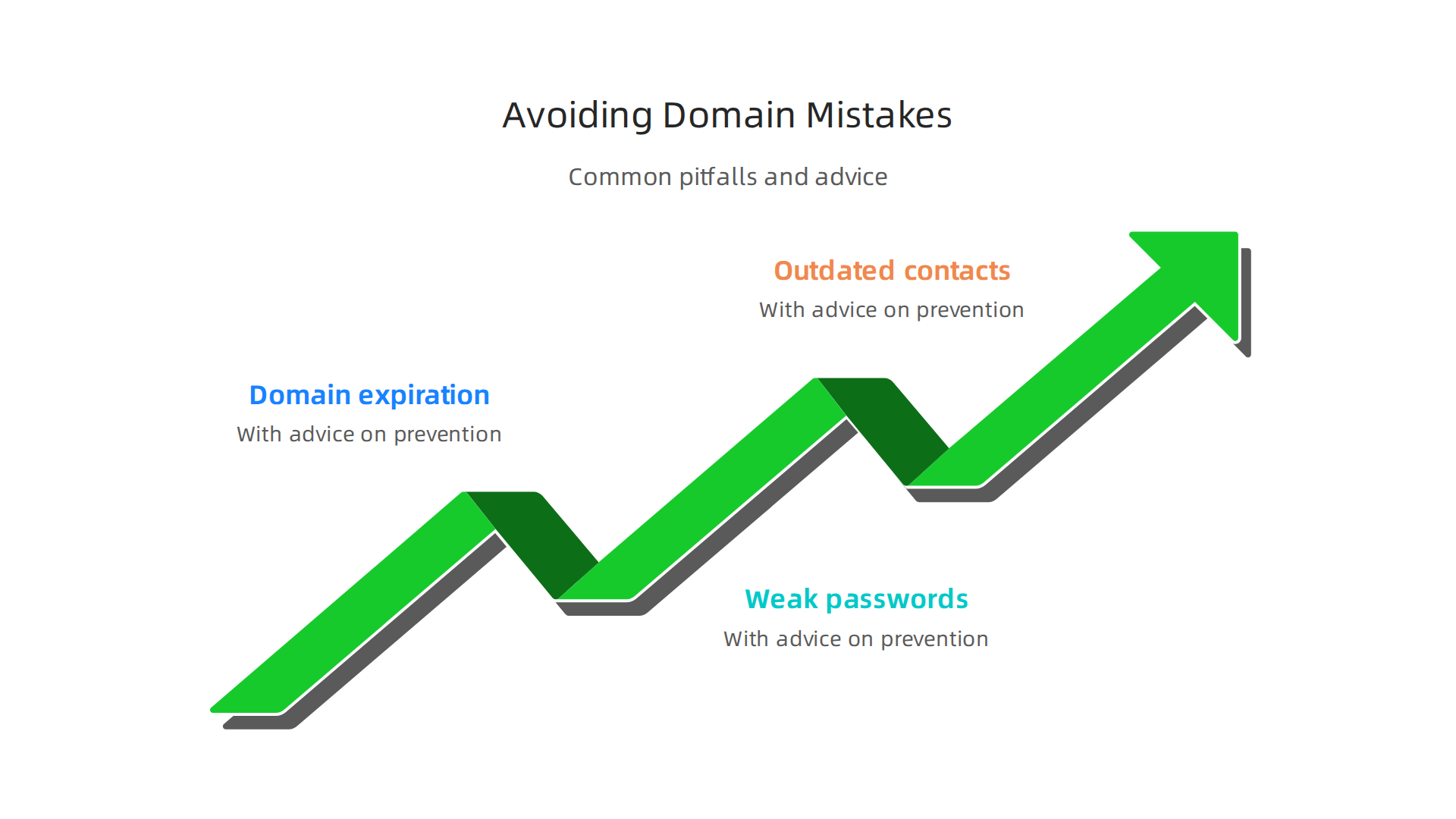
Let’s look at the three most common mistakes and how to avoid them.
1. Letting Your Domain Expire
This is the biggest one. You get busy and miss a renewal email. Then one day your website is gone, and your customers see an error page instead of your business. An expired domain can also be snapped up by someone else before you realize what happened. In fact, experts warn that forgetting to renew is the #1 cause of business disruption online. The easiest fix is to turn on auto-renewal and keep everything in one place. That way you only have one account to worry about.
2. Using Weak or Recycled Passwords
Your registrar account holds the keys to your web address. If you use the same password for your domain account that you use for other sites, you are asking for trouble. A single data breach on another platform could expose your password. Then someone else could hijack your domain and redirect your traffic. That is a nightmare. Protect your domain name meaning your ownership by using a strong, unique password. Most good hosting dashboards make this easy.
3. Forgetting to Update Your Contact Info
Did you change your email address or move offices last year? If your registrar tries to reach you about a security issue or renewal and your contact info is wrong, you might not find out until it is too late. This is a quiet mistake that can lead to losing your domain entirely. It is smart to log in and review your details at least once a year.
The best way to avoid these risks is to work with a provider that makes management simple. If you are ready for a hosting experience where your domain stays safe and your site stays online, check out Prism Webhost for reliable infrastructure that handles the hard parts for you. And for a deeper look at picking a safe partner, read our guide on how to find reputable domain name registrars that protect your business.
The Future of Domain Names: Trends to Watch in 2026
Now that you know how to avoid the common mistakes, let’s look ahead. The world of the web address is changing fast. In 2026, a few big trends are already reshaping how we choose and manage our domain name meaning online presence. Here are the three you need to know about.
New Top-Level Domains (gTLDs) Keep Growing
Remember when your only choices were .com, .net, and .org? Those days are long gone. Organizations like ICANN continue to approve new generic top-level domains (gTLDs) that let you pick something far more specific. Need a tech brand? Try .ai or .cloud. Running a local business? Look at .nyc or .tokyo. These new extensions help your web address stand out and give visitors an instant clue about what you do. According to Cloudflare, a domain name is still just a human-readable address, but now you can choose one that works harder for your brand.
Blockchain Domains Are Emerging but Still Early
You may have heard about blockchain based domains like .eth. These aren’t managed by traditional registrars. Instead they live on a decentralized ledger. The idea is you own them outright no renewal fees and no central authority can take them away. That sounds great. But there is a catch. Most browsers and email services still do not support them well, as Wikipedia notes that domain names rely on the DNS system. So while blockchain domains are cool and worth watching, they are not ready to replace your main website domain definition just yet. For now, stick with traditional gTLDs for your primary site.
AI Is Automating Domain Management
This is the trend that actually helps you sleep better at night. Artificial intelligence is stepping in to handle the boring and scary parts of managing your web domain meaning. In 2026, many hosting providers use AI to automatically optimize your DNS settings for speed and security. It can monitor for threats, suggest changes, and even renew your domain before it expires. No more manual checks or panicked emails. Tools that used to need a tech expert are now handled quietly in the background.
As these trends unfold, one thing stays the same. You need a reliable foundation. If you want a hosting setup that keeps up with the future and protects your web address every step of the way, take a look at Prism Webhost for secure, AI aware infrastructure. And if you are still picking a domain name, our guide on how to find reputable domain name registrars that protect your business will help you make a smart choice.
Summary
This article explains what a website domain is, why it matters for small businesses, and how it fits into the larger web ecosystem. It defines domains, TLDs, and URLs, and shows how DNS translates a friendly name into the numeric IP address your browser needs. You’ll learn the essential DNS records (A, CNAME, MX) and practical steps for choosing a memorable domain name and the right extension for your brand. The guide also covers domain security—registrar locks, DNSSEC, two-factor authentication—and WHOIS privacy to reduce hijacking and spam risks. It highlights common management mistakes like missed renewals and weak passwords, and explains the practical benefits of keeping domain registration and hosting together. Finally, it looks ahead at trends such as new gTLDs, blockchain domains, and AI tools that automate domain management so you can protect and grow your online presence with confidence.
