



Web Domain Meaning What Every Business Owner Must Know
Article
Think of the internet like a giant city. Each house or business in this city needs a special address so people can find it.

On the internet, your website is like that house or business, and it also needs an address. This address is what we call a web domain meaning or a domain name meaning.
Simply put, a web domain is the easy-to-remember name people type into their web browser to find your website. For example, "google.com" or "amazon.com" are domain names. Instead of remembering a long string of numbers that computers use (called an IP address), you just type in a simple name What Is a Domain Name? Your Complete Guide to Choosing and …. It’s your website’s unique spot on the internet, your very own web address What Is a Domain Name? A Guide For Beginners. Without a domain, your website can’t be easily found by customers.
So, what is a website domain and why does it matter so much for your business in 2026? A good web domain does three important things:
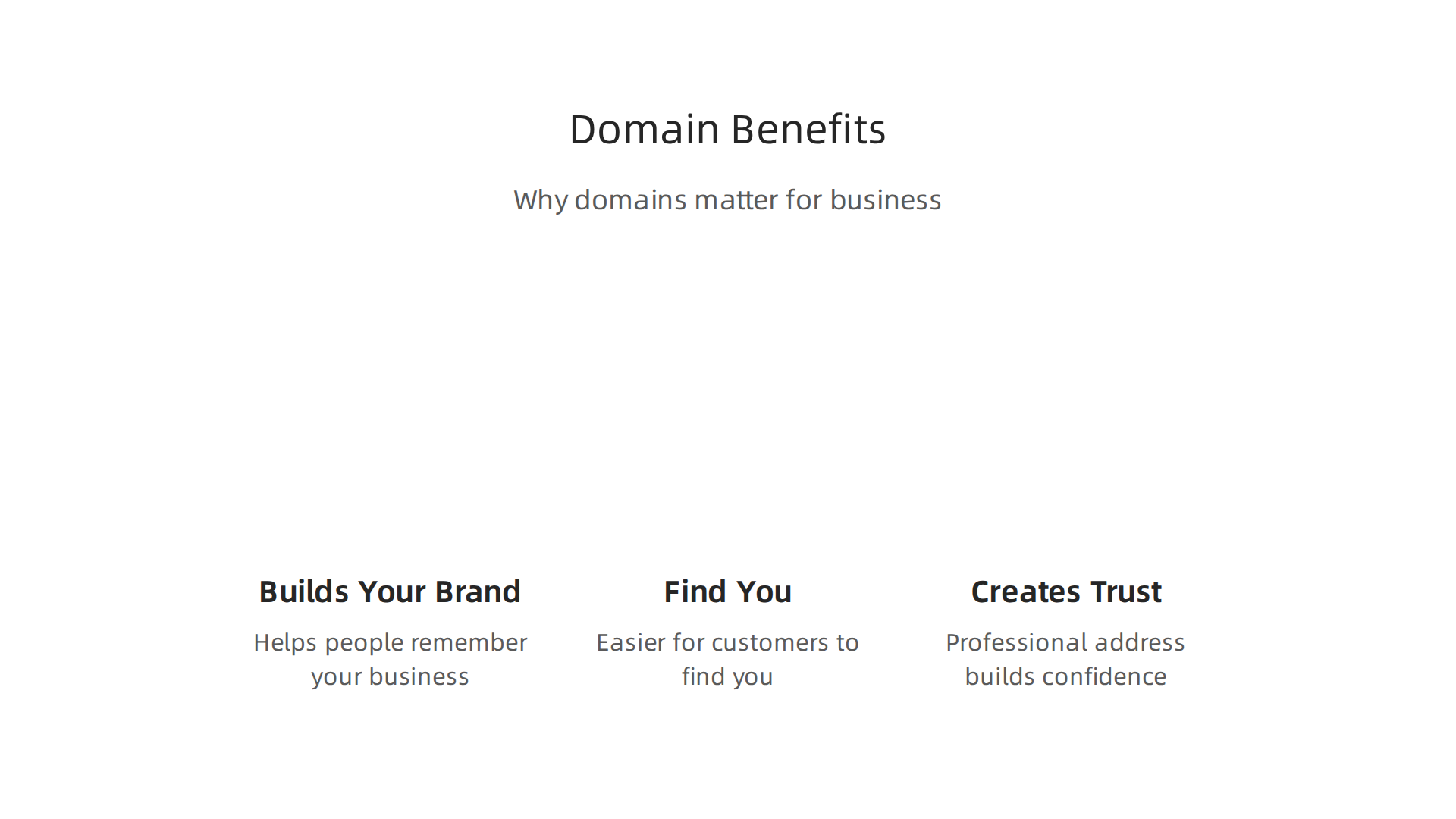
- Builds Your Brand: Your domain name is a big part of your brand identity. It helps people remember your business and makes you look professional. Choosing a name that matches your business helps customers recognize you online.
- Helps People Find You: A clear and relevant domain makes it easier for customers to find you when they search online. It’s like having a clear sign for your business that guides people right to your door. This is super important for getting noticed.
- Creates Trust: A professional web address builds confidence with your customers. It shows you’re a real business and helps them feel safe interacting with your site.
Setting up your domain is just the first step. You also need web hosting meaning a service that stores your website’s files and makes them available to everyone on the internet. To understand more about what makes up your online address, you can explore our guide on Web Address Explained. A reliable hosting service works hand-in-hand with your domain to ensure your website is always fast, secure, and ready for visitors.
After learning about the basic web domain meaning and how it helps your business, it’s good to understand that a domain name is just one piece of your online puzzle.

People often get confused between a domain name, a URL, and what a website actually is. Let’s make it simple.
What a domain actually is: address vs. website vs. URL
Imagine your business has a physical store.
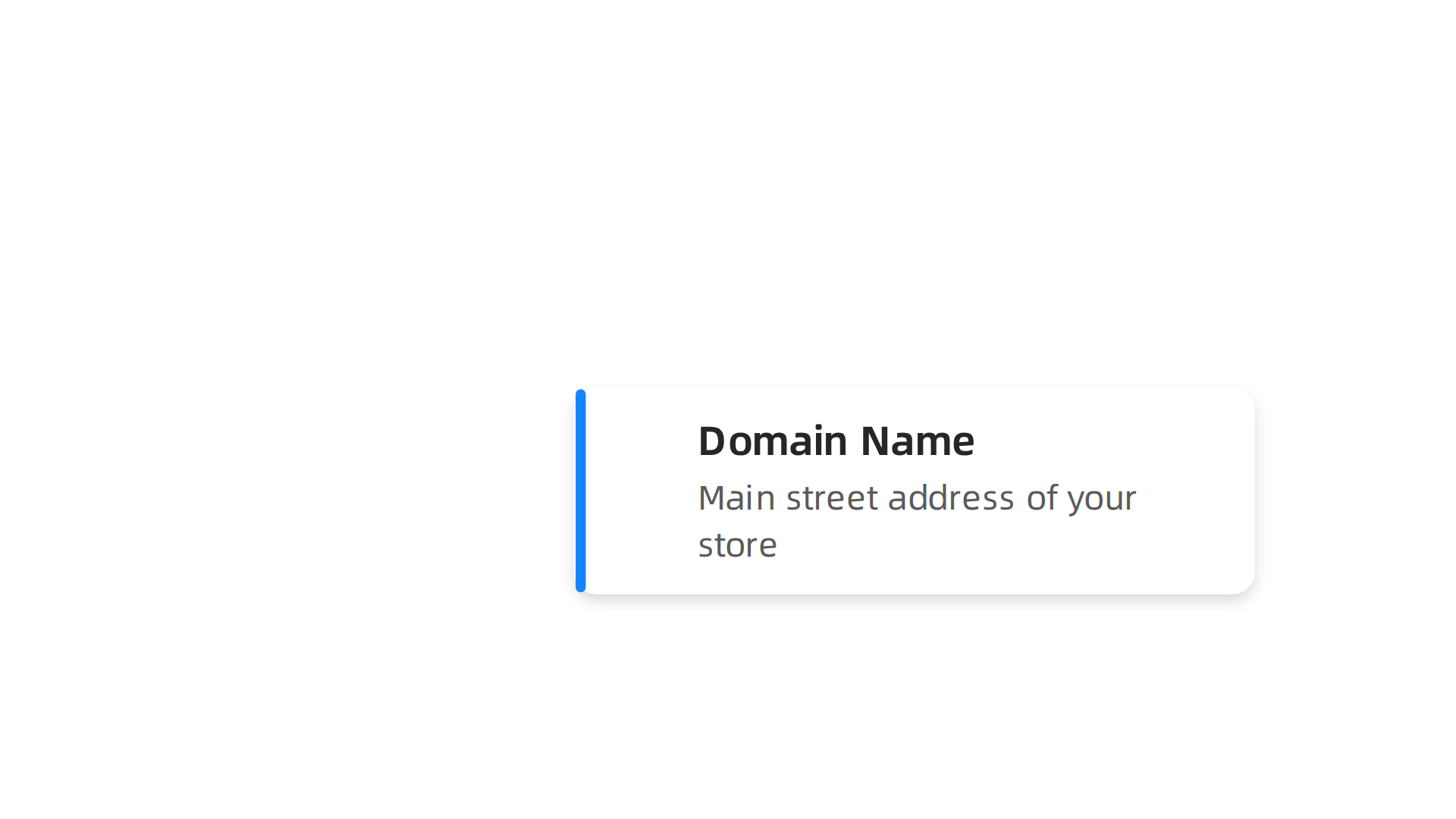
- Your domain name is like the main street address of your store, such as "123 Main Street" or "prismwebhost.com". It’s the unique, easy-to-remember name that guides people to your online home What is a domain name? Domains vs URLs – Ultimate guide. This is your core web address.
- Your website is the actual store itself. It’s everything inside the building: the products, the shelves, the decor, the checkout counter. Online, your website means all the pages, text, pictures, videos, and tools your visitors see and use. This content lives on servers, made available by your web hosting meaning a place to store all your website files.
- A URL (Uniform Resource Locator) is a more detailed map. Think of it like a complete set of directions to a specific item or section within your store. For example, if your domain is "prismwebhost.com", a URL might be "https://www.prismwebhost.com/services/hosting-plans" Domain Name vs URL: An Actionable Guide for Business. It includes the domain name, but also "https://" (which tells your browser how to connect safely) and the exact path to a certain page or file.
So, when you type "google.com" into your browser, you’re using a domain name meaning you’re telling the internet where to go. The computer then uses a full URL, like "https://www.google.com", to find the specific content that makes up the website, which is the search page you see. Without a good understanding of what is a website domain, it’s easy to get lost in the technical details.
The main difference is that a domain name is the overall identity, like your business name on a street sign. A URL is the exact path to one part of that identity, like specific directions to the shoe department inside your store Domain vs URL: What’s the difference? – Wix.com. Users mostly type the simple web address (the domain), and the internet fills in the rest of the URL to get them to the right spot. For more on these differences, check out our guide on The Website Domain Definition Every Small Business Owner Needs.
We just learned that your domain name is your online street address, your unique way for people to find you. But just like a street address can have different parts (like building numbers and street names), your web address also has different pieces. Understanding these parts helps you truly grasp the web domain meaning and how to choose the best one for your business.
Let’s look at a common website domain like blog.yourcompany.com to see its parts:
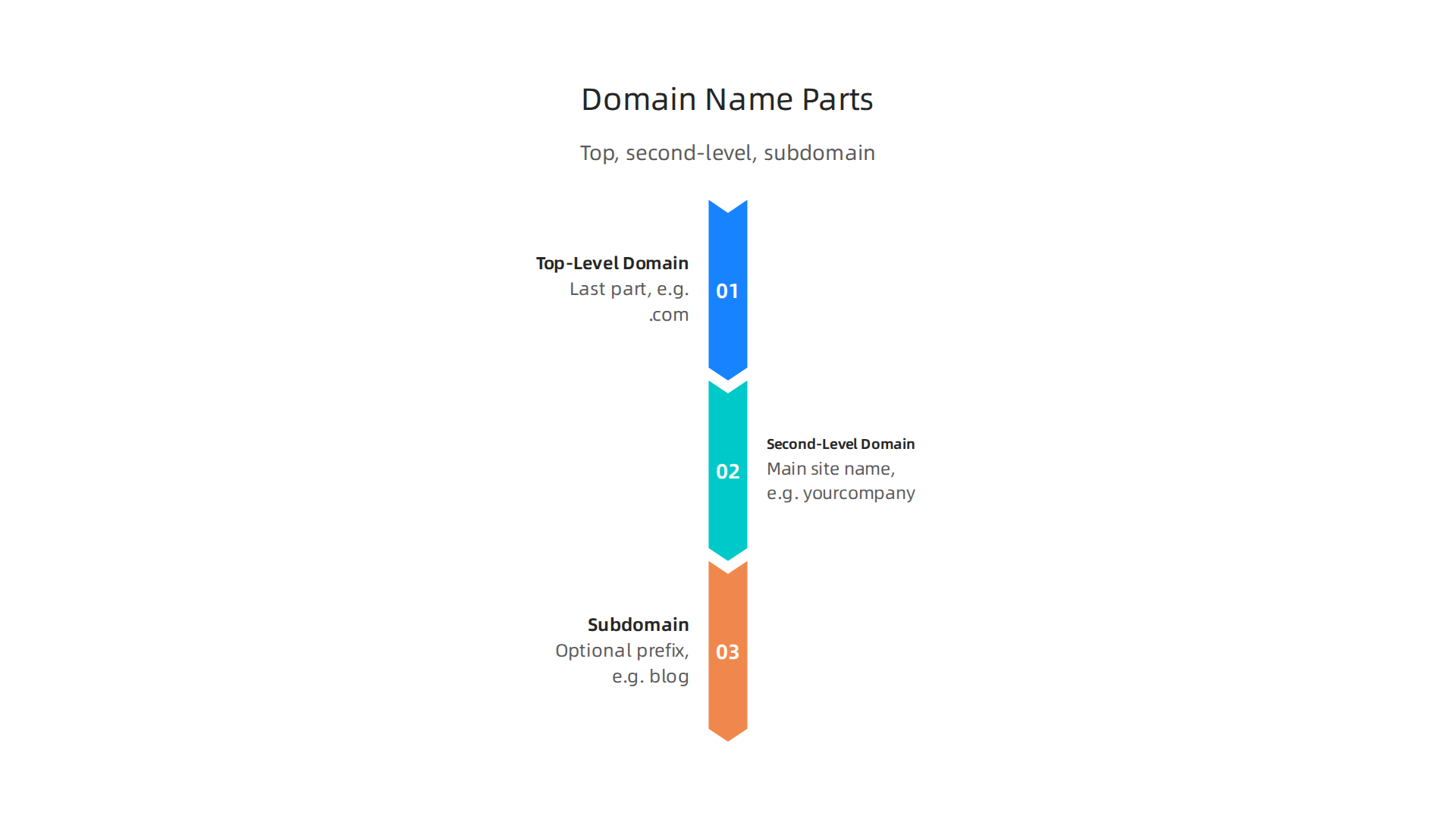
Top-Level Domain (TLD)
This is the very last part of your web address, like .com, .org, .net, or even newer ones like .io or .shop. It’s called the "top-level" because it’s at the highest level of the domain system. Think of TLDs as big categories for websites What Is a Domain Name? A Guide For Beginners.
You don’t get to choose or make up TLDs yourself. They are set and managed by big groups, like the Internet Corporation for Assigned Names and Numbers (ICANN), which keeps the internet organized. When you pick a domain, you choose from a list of available TLDs.
Second-Level Domain (SLD)
This is the part right before the TLD. In our example blog.yourcompany.com, "yourcompany" is the second-level domain. This is the main part you choose for your brand. It’s the unique name that identifies your business online. For many businesses, picking a strong, easy-to-remember second-level domain is key to their online success What Is a Domain Name? Definition, Types, and Examples. This is the core of your "domain name meaning" your brand’s identity.
You have full control over choosing and registering this part of your domain name, as long as it’s available and you follow the rules set by domain registrars.
Subdomain
This is the part that comes before the second-level domain, separated by a dot. In our example blog.yourcompany.com, "blog" is the subdomain. Another common subdomain is "www" (as in www.yourcompany.com).
Subdomains are like separate sections or departments of your main website. You can create many subdomains for different uses, such as:
shop.yourcompany.comfor an online storesupport.yourcompany.comfor customer helpapp.yourcompany.comfor a web application
You have complete control over creating and managing your subdomains. They help you organize your website content without needing to buy a whole new domain name for each section. Understanding these parts helps clarify what is a website domain and how it helps visitors navigate your online space. If you want to dive deeper into picking the right online identity, check out our guide on domain name meaning how to understand your web address and choose the right one.
All these parts come together to form your full web address. When you set up your website, your web hosting meaning the place where your website files live makes sure these parts work together so people can find your content correctly. For more simple answers, read our guide on what is a website domain simple answers for business owners.
Now that you know the different parts of a web address, let’s look at the kinds of Top-Level Domains, or TLDs, you can choose. This helps you understand the full web domain meaning for your business. There are a few main types of TLDs, and each one works best for different goals.

Generic Top-Level Domains (gTLDs)
These are the most common TLDs you see every day, like .com, .org, and .net. They are called "generic" because they don’t belong to any specific country or group, though some are for special uses. For example, .edu is mainly for educational places in the U.S., and .gov is for government sites ICANN & DNS Basics.
Most businesses want a .com domain because it’s the most trusted and easiest for people to remember. When you pick a gTLD, it shows your web address is for a general or global audience. It’s a great choice if your business serves customers all over the world.
Country-Code Top-Level Domains (ccTLDs)
These TLDs are made for specific countries or areas. You can spot them because they are usually two letters, like .uk for the United Kingdom or .fr for France Domain Registration Policy Strategies and the Fight against Online …. These are managed by groups within each country WHOIS Right? An Analysis of WHOIS and RDAP Consistency.
If your business only serves people in one country, using a ccTLD can be a very smart move. It tells customers right away that you are local. This can also help your website show up higher in search results for people in that specific country. For example, a small shop in London might choose myshop.uk to show its local roots.
New and Specialty TLDs
In recent years, many new kinds of TLDs have become available. These are often more specific, like .shop for online stores, .blog for personal or business blogs, .tech for technology companies, or .io for tech startups. They give you more choices if your favorite .com is already taken or if you want a web address that really shows what your business is about.
These new TLDs can be good for branding and making your domain name meaning clearer from the start. They can help you stand out and give your brand a modern feel. However, some of these TLDs might have different costs or come with their own risks that are good to know about before you pick one. You can learn more about picking these by reading our guide on the cheapest domain extensions and their risks.
Choosing the Right TLD
When you choose a TLD, think about your audience and your brand.

- Audience: Who are you trying to reach? Global users might prefer
.com, while local customers might like a ccTLD. - Branding: Does the TLD fit your business name and what you do? A
.shopTLD makes sense for an online store. - SEO: While Google mostly treats all TLDs equally, a ccTLD can help with local search.
The right TLD helps make your full web address easy to remember and find. It’s a big part of how your business shows up online and fits into the overall web hosting meaning of getting your site seen by the right people. For a complete look at how your choice impacts your online identity, you might want to review our guide on domain name meaning the business guide to web identity seo and security.
Once you pick the right type of web address, it’s helpful to know what happens behind the scenes to make your website appear. This is where the Domain Name System, or DNS, comes in. Understanding this helps you truly grasp the full web domain meaning.
How DNS Works: The Internet’s Phone Book
Think of the internet like a huge city with many houses. Each house has a street address (like an IP address) that computers understand. But people remember names better than numbers. That’s where DNS helps. It’s like a giant phone book that translates easy-to-remember website names, like yourbusiness.com, into the numerical IP addresses that computers need to find your site.
When you type a web address into your browser, your computer doesn’t know its number address right away. So, it asks a special computer called a DNS server, "Hey, where can I find yourbusiness.com?" The DNS server looks it up in its "phone book" and tells your computer the correct IP address. This whole process is called DNS resolution. It happens super fast, often in milliseconds, so you don’t even notice it.
Nameservers: The Key Keepers
Nameservers are very important for your web domain meaning. They are the computers that store the actual records for your domain. These records tell the internet where your website lives, where your email should go, and other key details. Every domain has at least two nameservers that hold its information DNS Complete Guide: Name Servers, DDNS, nslookup.
When you first set up your website or move it to a new web hosting meaning provider, you’ll need to update your domain’s nameservers. This tells the internet where to find your website’s new home. For more help with how your web address works, check out our guide on Web Address Explained URL Domain Hosting and DNS for Businesses.
Propagation: Waiting for Changes to Spread
After you change your domain’s nameservers or other DNS settings, it takes a little time for these changes to spread across the entire internet. This process is called "propagation." It’s like telling all the phone books around the world about a new address. It doesn’t happen instantly because there are thousands of DNS servers worldwide that need to update their records.
The time it takes depends on something called "Time To Live," or TTL. TTL is a setting for each DNS record that tells other DNS servers how long they should remember the information before checking for updates DNS Propagation Guide 2026: Why Changes Take Hours Worldwide. A common TTL value is 3600 seconds, which is one hour, but it can be much longer, up to 48 hours for worldwide updates DNS: TTL. This means that even after you make a change, some people might still see your old website for a while until their local DNS servers get the new information.
Understanding how DNS, nameservers, and propagation work gives you a deeper insight into what is a website domain and why choosing a reliable web host is so important.
Understanding how DNS works is key, but the next step for any website is registering its web domain meaning you make it officially yours. This process involves choosing a domain name, picking a registrar, and understanding some important rules to keep your site safe and active.
How to Register a Domain: Registrars, WHOIS, Privacy, and Renewal Traps to Avoid
First, you need to find a good company called a "registrar." Registrars are businesses that help you buy and manage your domain names, like yourbusiness.com. They work with official organizations that run the internet’s naming system, making sure each domain is unique. When you want a new web address, you must first check if it is available, meaning no one else is using it 1. General Information.
Choosing a Domain Registrar
Picking the right registrar is important. Some web hosting companies also offer domain registration, which can make things simpler. Look for a registrar with clear pricing, good customer support, and tools to manage your domain name meaning you can easily update settings. You can find helpful advice on how to find reputable domain name registrars for your business.
When you register a domain, you’ll need to provide your contact information. This data is kept in a public database called WHOIS WHOIS Right? An Analysis of WHOIS and RDAP Consistency. This includes your name, address, email, and phone number. It’s actually a legal requirement to provide this information when you register a domain name Domains & Virtual Hosts :: CIS 527 Textbook.
Protecting Your Privacy
Because WHOIS information is public, many people choose to buy "domain privacy protection." This service hides your personal details from the public WHOIS database, replacing them with the registrar’s information. This helps protect you from spam or unwanted calls. When registering your web domain meaning business privacy, this protection is a smart choice.
Avoiding Renewal Traps
One common pitfall is forgetting to renew your domain name. Domains are registered for a set period, usually one year. If you forget to renew, your website could go offline, and someone else could even buy your domain. Imagine losing your web address to a competitor! To avoid this, always turn on auto-renewal or mark your calendar well in advance. Hidden fees during renewal are also common, so make sure you understand the domain name renewal price comparison to avoid overpaying. Transferring domain ownership can also be tricky, so ensure all details are correct if you ever sell your business or move your domain to another owner.
For reliable web hosting and domain services, including easy registration and strong security, consider checking out PrismWebHost — Web Hosting & Domain Services. They can help you secure your digital presence with enterprise-grade features.
Securing your web domain meaning keeping your online home safe from harm, is just as vital as picking the right name and registering it.

While you’ve learned about choosing a registrar and avoiding renewal traps, there are deeper technical steps to protect your website.
Domain security essentials: DNSSEC, SSL, and protecting your ownership
Your website is like a house, and its web domain meaning its address on the internet, needs good locks and alarms. In 2026, simply registering your domain isn’t enough. You need to add key protections to keep your site and visitors safe.
One important protection is called DNSSEC. This is like adding a special stamp of approval to your domain’s address book (DNS). It makes sure that when someone types in your web address, they are sent to the real website, not a fake one set up by attackers. This helps prevent "DNS attacks," where bad actors try to send your visitors to dangerous places. Many providers, like Cloudflare, make it easy to turn on DNSSEC with just one click, adding a strong layer of defense for your DNS Security Dashboard. Without DNSSEC, attackers could tamper with your DNS records, leading to serious issues for your web address explained.
Another key security feature is TLS/SSL, which stands for Transport Layer Security/Secure Sockets Layer. You’ve probably seen a small padlock icon in your browser’s address bar. That padlock means the website is using an SSL certificate to encrypt the connection between your browser and the website. This keeps information, like your passwords or credit card details, private when you send it to the site. Having SSL is crucial for any business website, especially e-commerce, as it builds trust and protects customer data.
Beyond these technical measures, securing your actual domain account at your registrar is super important. Think of it as protecting the keys to your website’s front door.
- Strong Passwords: Always use long, unique passwords for your registrar account.
- Two-Factor Authentication (2FA): This adds an extra step to log in, often by sending a code to your phone. Even if someone guesses your password, they can’t get in without that code. Experts recommend using 2FA for all domain registrar and DNS services for better security in 2026, as noted in a report on Domain and DNS Security measures.
Understanding Business Risks
Without proper security, your business faces real dangers.
- Domain Hijacking: This is when someone illegally takes control of your domain name. They could redirect your website to a competitor’s site, steal your customer information, or even use your brand for harmful activities. Cases of domain hijacking are unfortunately not new, with studies tracking these events over the years to help detect them in real time Practical Real-time Detection of IPv4 Record Classical Domain Hijacking at Scale. This is a big threat to your website domain definition.
- DNS Attacks: As mentioned, these attacks can mess with your website’s traffic, sending visitors to the wrong place. These attacks can also make your website slow or even completely unavailable. DNS-based attacks made up a large portion of network attacks in the first half of 2026, showing how common and dangerous they are Cloudflare DDoS Threat Report H1 2026.
- Expired Domains: Forgetting to renew your domain can lead to it being bought by someone else, or worse, used for malicious purposes. More than 22% of newly registered domains between June 2025 and June 2026 were used for threats, highlighting the risk of letting your domain lapse Dangling DNS records and reverse DNS gaps give ….
Overall, only about 11% of the biggest companies globally use strong domain security measures. This means many businesses are leaving their web presence open to risks, as highlighted in the Domain Security Report 2026 – CSC. Protecting your domain name meaning securing your digital identity, should be a top priority for any business owner.
Your website has two main parts that work together: its web domain meaning its address, and its web hosting meaning the space where your website files live. Think of your domain name meaning the street address for your house, like "123MainStreet.com." Web hosting meaning where your website is stored, is like the actual house or building on that land. You can’t have one without the other for a working website. You need both a place to live (hosting) and an address to find it (domain).
Even though they work together, your web domain and your web hosting are often managed by different companies or different parts of the same company. When you register a domain, you’re buying the right to use that specific web address. When you get web hosting, you’re renting server space to store all your website’s photos, text, and code.
How Domains and Hosting Connect
The secret to how your web address finds your website is called DNS, or Domain Name System. DNS is like a phone book for the internet. When someone types your web address into their browser, DNS looks up your domain and finds the special numbers (IP address) that point to your hosting server.
Here’s how it usually works:
- You pick a domain name and register it with a domain registrar.
- You choose a web hosting company to store your website files. If you need reliable web hosting meaning stable and secure service, many providers offer great options. To understand more about what this service involves, you can learn about what is web hosting services.
- Your hosting company gives you nameservers. These are like special DNS addresses for your hosting.
- You update your domain’s settings at your domain registrar to use these nameservers. This tells the internet that your domain’s "house" is located at your hosting company.
- You set up your website on your hosting server.
- You install an SSL certificate on your hosting, which makes your website secure (remember that padlock icon we talked about?).
This process connects your chosen web address to your website files.
Avoiding Common Setup Mistakes and Minimizing Downtime
Connecting your domain to hosting or moving your website to a new host can feel tricky. But with a checklist, you can avoid big problems like your site going offline. Here are key steps:
- Back Everything Up: Before you make any changes, copy all your website files, databases, and emails.
- Document Settings: Write down important details like your current PHP version, database names, and email records (like MX records).
- Lower DNS Time To Live (TTL): About 24 to 48 hours before you plan to switch, change your domain’s TTL to a lower number, like 300 seconds (5 minutes). This makes sure that when you update your DNS, the changes spread across the internet faster.
- Set Up New Hosting First: Fully build and test your website on the new hosting server before you change your domain’s settings. Make sure everything works perfectly, including forms, links, and pictures.
- Install SSL on New Host: Ensure your SSL certificate is installed and working on the new hosting environment right away. This keeps your site secure and prevents error messages. For a step-by-step guide to moving your website, check out this guide on How to Migrate Your Website to a New Host (2026 Step-by-Step).
- Test After Switch: Once you change your domain’s nameservers, check your website many times to make sure it’s working properly everywhere.
By following these steps, you can help make sure your web domain meaning your brand’s online home, stays up and running smoothly during any changes. For businesses looking for reliable web hosting and domain services, a good provider can make all these steps much easier. Find out more about how our services can help secure and power your online presence at PrismWebHost — Web Hosting & Domain Services.
Summary
This article defines what a web domain is and why a clear, secure domain name matters for any business in 2026. It explains how a domain differs from a URL and a website, breaks down domain parts (TLD, second-level domain, subdomain), and outlines the main types of TLDs and how to choose one for your audience and brand. You’ll learn how the Domain Name System (DNS), nameservers, and propagation translate your human-friendly address into the IP address that servers use. The guide also covers practical steps to register a domain, protect WHOIS privacy, avoid renewal traps, and compare renewal costs. It highlights essential security measures—DNSSEC, TLS/SSL, strong passwords and two-factor authentication—to prevent hijacking and DNS attacks. Finally, the article shows how to connect your domain to hosting and offers a migration checklist to minimize downtime and keep your site secure.
