




Domain Name Meaning The Business Guide to Web Identity SEO and Security
Article
Why ‘domain name meaning’ matters for entrepreneurs and SMBs
Have you ever thought about what makes your favorite website easy to find online? It all comes down to its special name, known as a domain name. Understanding the "domain name meaning" is super important for anyone with a business or a brand that wants to shine on the internet in 2026.

Think of a domain name as your website’s home address. Just like you need an address for your physical store, your online store or business needs a unique web address so customers can find it.
Basically, a domain name is the name you type into a web browser to visit a website, like "yourbusiness.com". This web address explained is a key part of your online identity. It tells people who you are and helps them remember you. Without a proper understanding of what is a website domain, small businesses and entrepreneurs can run into big problems. For instance, choosing the wrong name can make it hard for customers to find you. Or, not knowing how to keep your domain safe can lead to security risks, like losing control of your website. The rules for these names are set by groups that oversee the internet, including how many characters they can have and what kind of endings (like .com or .org) are allowed, as explained in resources about Domain Name Rules.
Many small businesses struggle with the technical side of getting online. They worry about setting up their site, keeping it safe from online attacks, and making sure it loads fast. A big part of this worry comes from not fully grasping what a domain name really means and how it works with things like web hosting. "Web hosting meaning" refers to the service that stores your website files and makes them available to people around the world. When you understand both, you can avoid common issues like slow websites, which can make customers leave, or security problems that can damage your brand. In fact, keeping your domain secure is a key step, involving things like strong passwords and special locks for your domain account, as noted in expert guides on How to Secure a Domain Name.
This guide will break down the true "web domain meaning" in simple terms. We’ll show you how to choose the perfect name for your business, how to officially register it, and how to connect it to your web hosting. You’ll also learn the best ways to keep your domain safe and working smoothly, helping you build a strong and trustworthy online presence. For more basics on this topic, consider reading up on what is a website domain.
Let’s get right to it. At its heart, the "domain name meaning" is quite simple. A domain name is the friendly, easy-to-remember name you type into your internet browser to find a website. Think of it like your favorite store’s name sign above its door. It’s how people know where to go.
This helpful name, like "yourbusiness.com," is what people use instead of a complicated string of numbers. Those numbers are called an IP address, and they are what computers use to talk to each other. So, while computers might use "192.0.2.1" to find a website, you, as a person, use "example.com." A domain name acts like a phone book, turning the easy-to-read name into the computer’s number, as explained in discussions about Special-Use Domain Names Problem Statement.
It’s important to understand that a domain name isn’t the whole "web address," also known as a URL. A web address includes more details, like "https://" at the start and maybe "/products" at the end. The domain name, however, is the core part, the main identity in that address.
Every web domain meaning has two main parts you’ll see. For "yourbusiness.com," "yourbusiness" is the second part, and ".com" is the very last part, called the top-level domain or TLD. There are many types of TLDs, like .org for organizations, .net for networks, or specific ones for countries like .uk. You can explore a List of Internet top-level domains to see how many there are.
When you type a domain name, it tells your computer where to look for the files that make up a website. These files are stored on a special computer called a web server, which is part of "web hosting meaning." So, your domain name points to your web host, and your web host shows everyone your website. Understanding the layers, from the simple domain name to the complex hosting setup, is key to building a strong online presence. To dive deeper into choosing the right name, you can learn more about how to understand your web address and choose the right one.
A domain name is like a special address, and it has different parts, just like a street address has a house number, street name, and city.

Let’s look closer at these parts to fully understand the "web domain meaning."
Anatomy of a domain: TLDs, SLDs, subdomains, and WHOIS
We already know that the last part of a domain name, like the ".com" in "yourbusiness.com," is called the Top-Level Domain (TLD). This is the highest level in the internet’s naming system, managed by groups like the Internet Assigned Numbers Authority (IANA). You can think of TLDs as big categories for websites. For example, ".org" is often for organizations, and ".gov" is for government sites. There are also country-specific TLDs like ".uk" for the United Kingdom. Knowing about these different TLDs helps you understand "what is a website domain" and how different sites are grouped.
Right before the TLD is the Second-Level Domain (SLD). In "yourbusiness.com," "yourbusiness" is the SLD. This is usually the main name you choose for your website. It’s the most important part for your brand because it’s what people will remember and type to find you. The rules for what characters you can use in an SLD, and how long it can be, are quite specific, often limiting names to letters, numbers, and hyphens. You can learn more about these Domain Name Rules.
Then come subdomains. You might have seen "www.example.com" or "blog.example.com." Here, "www" and "blog" are subdomains. They act like smaller sections or pages under your main domain. For instance, a business might use "shop.yourbusiness.com" for its online store or "support.yourbusiness.com" for its help center. Subdomains help organize a large website and can also play a role in how a full "web address" is structured.
Every time a domain name is registered, information about who owns it is usually kept in a public database called WHOIS. This database contains details like the registrant’s name, address, email, and phone number. However, privacy is very important, especially for businesses. In 2026, many rules around WHOIS are changing to better protect people’s personal information, especially for common TLDs, as organizations like ICANN oversee these updates to WHOIS and Registration Data Directory Services. This means you might not always see all the owner details publicly available anymore.
The choice of your SLD and TLD is key for your brand and how people trust your site. A clear, easy-to-remember SLD combined with a fitting TLD helps build confidence. For instance, a local business might prefer a country-code TLD, while a global company might stick with ".com." Carefully picking these parts ensures your "domain name meaning" clearly shows what your website is about and helps you build a strong online presence. To help small business owners understand all the parts of their web address, including domains and hosting, check out this guide on what is a website domain simple answers for business owners.
Choosing the right domain name is a really big step for your brand. It’s more than just an address on the internet; it’s how people will find and remember you.

Getting it right the first time can save you a lot of trouble later on. So, how do you pick a name that works well for your business?
Naming Strategies for Your Domain
When picking your domain, think about these three main ideas:
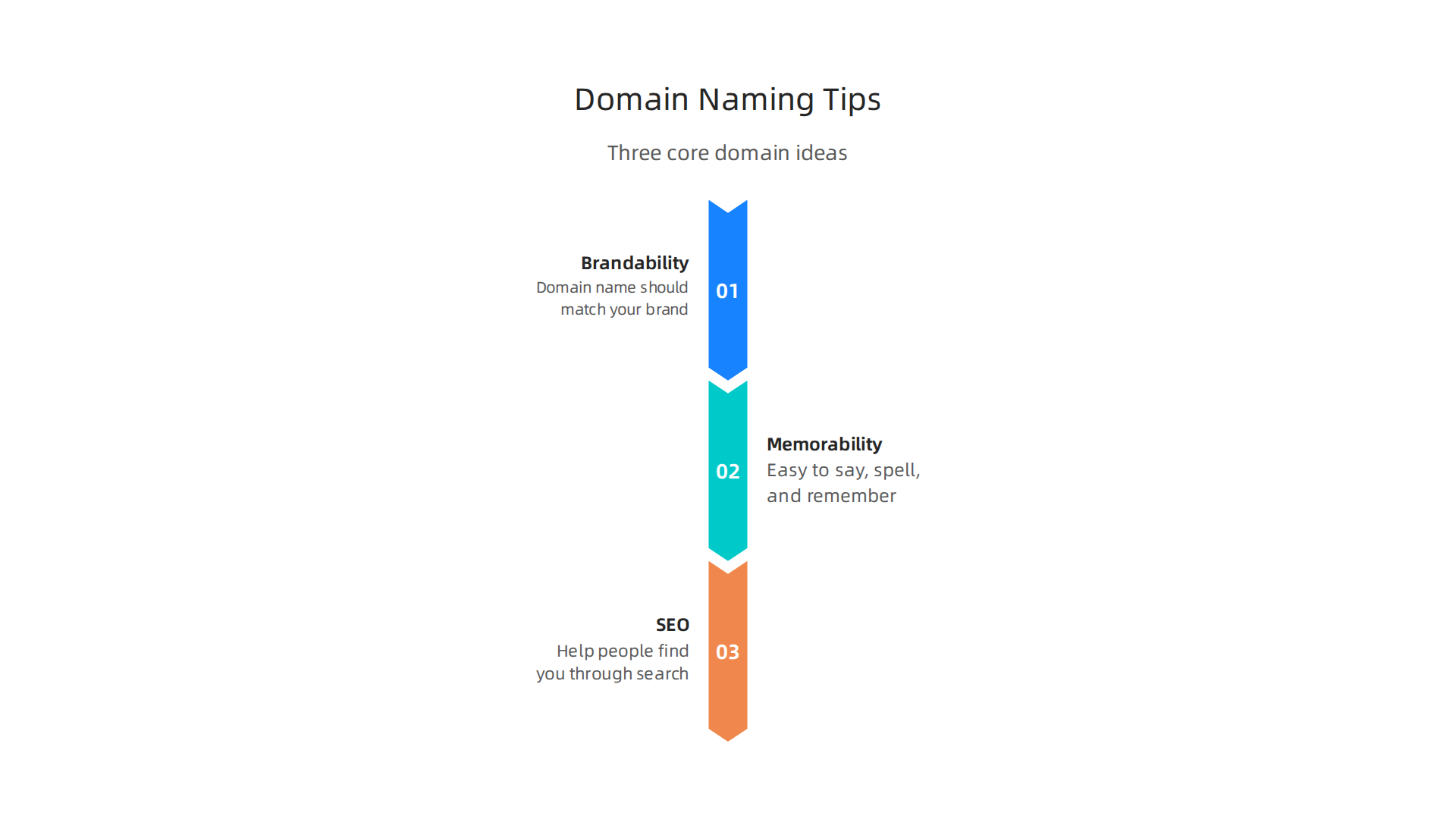
- Brandability: Your domain name should match your brand. It should feel like you. A strong brand name is easy to recognize and stands out.
- Memorability: Keep it simple. A good domain name is easy to say, spell, and remember. Avoid strange spellings or numbers that confuse people. Think about how your customers might tell their friends about your site.
- SEO (Search Engine Optimization): This is about helping people find you through search engines like Google. While your main brand name is key, sometimes including a relevant keyword can help. For example, if you sell "tasty cookies,"
tastycookies.commight be a good fit. But don’t just stuff keywords in. Your brand name comes first.
Finding the balance between these helps create a strong online identity.
Common Pitfalls to Avoid
There are some common mistakes people make when choosing a domain name. Try to steer clear of these:
- Trademark Issues: Before you pick a name, make sure it does not belong to someone else. Using a name that is already a registered trademark can lead to big legal problems.
- Confusing Characters: Stay away from hyphens, numbers, or double letters if you can. For example, "best-business.com" is often less memorable than "bestbusiness.com." And "businesss.com" (with three s’s) is just asking for typos.
- Too Long or Hard to Type: Longer, complex domain names are harder for people to type correctly. Keep it short and sweet.
- The Cost of Changing Later: It’s super important to choose wisely now because changing your domain name later can hurt your website’s standing in search engines. When you change your domain, search engines need to recheck your entire site, which can cause your rankings to drop for a while, even if you set up redirects correctly to guide visitors to your new address. Studies show that even with good planning, you might see a temporary drop in traffic for a few months if you change your domain name, and poorly done changes can cause much bigger losses that last a long time. This is why it’s better to choose carefully now than face issues later on. You can learn more about how changing domain name affects SEO.
When to Use Alternative TLDs or Exact-Match Keywords
While ".com" is often best, it might not always be available. Here’s when other options make sense:
- New TLDs: In 2026, there are many new TLDs like ".app," ".store," or ".tech." These can be great if they fit your business perfectly, like
yourcool.appfor an app company. - Country-Code TLDs: If your business serves only a specific country, a country-code TLD like ".uk" or ".ca" can be a good choice. This shows local customers that you are right for them.
- Exact-Match Keywords (EMD): Sometimes, a domain name that exactly matches a popular search term (like
bestcoffeemugs.com) can help with SEO. However, search engines are now smarter. They care more about good content than just matching keywords in the domain. Use an EMD only if it also sounds good and is brandable.
No matter which path you choose, remember that your domain name is an important part of your overall website domain definition. Thinking about the bigger picture, including domain cost per year and how your web address will work with your web hosting meaning, will help you make the best decision for your business.
When you have picked the perfect name for your business, the next big step is to make it yours. This means registering your domain name and connecting it to your website.
Registration, Registrars, and Connecting a Domain to Hosting (DNS Basics)
First, you need to register your domain name. You do this through a company called a "domain registrar." Think of a registrar as a special office that handles reserving website names. They make sure no two people have the exact same web address. The process is usually simple: you find a name you like, check if it’s available, and then pay a yearly fee to the registrar to keep it. This is how you make sure your chosen domain name meaning becomes a real, working web address.
Once you own your domain, you need to tell it where your website lives. This is where DNS, or the Domain Name System, comes in. DNS is like the internet’s phone book. When someone types your web address into their browser, DNS helps guide them to the right server where your website files are stored. These directions are called DNS records.
There are a few main types of DNS records you should know about:

- A Records: These connect your domain name directly to the computer (server) where your website is hosted. It’s like telling people the exact street address of your house.
- CNAME Records: These point one domain name to another. For example, you might use a CNAME to connect a special part of your website, like a blog, to another service.
- MX Records: These are for your email. They tell the internet which server should handle emails sent to your domain, like
yourname@yourbusiness.com.
Setting up these records is key to how your web domain meaning actually works with your web hosting meaning. Your web host or registrar will usually help you set these up.
It is super important to keep your domain name safe, especially when you think about transferring it or just managing it over time. Here’s a quick checklist to keep your domain secure in 2026:
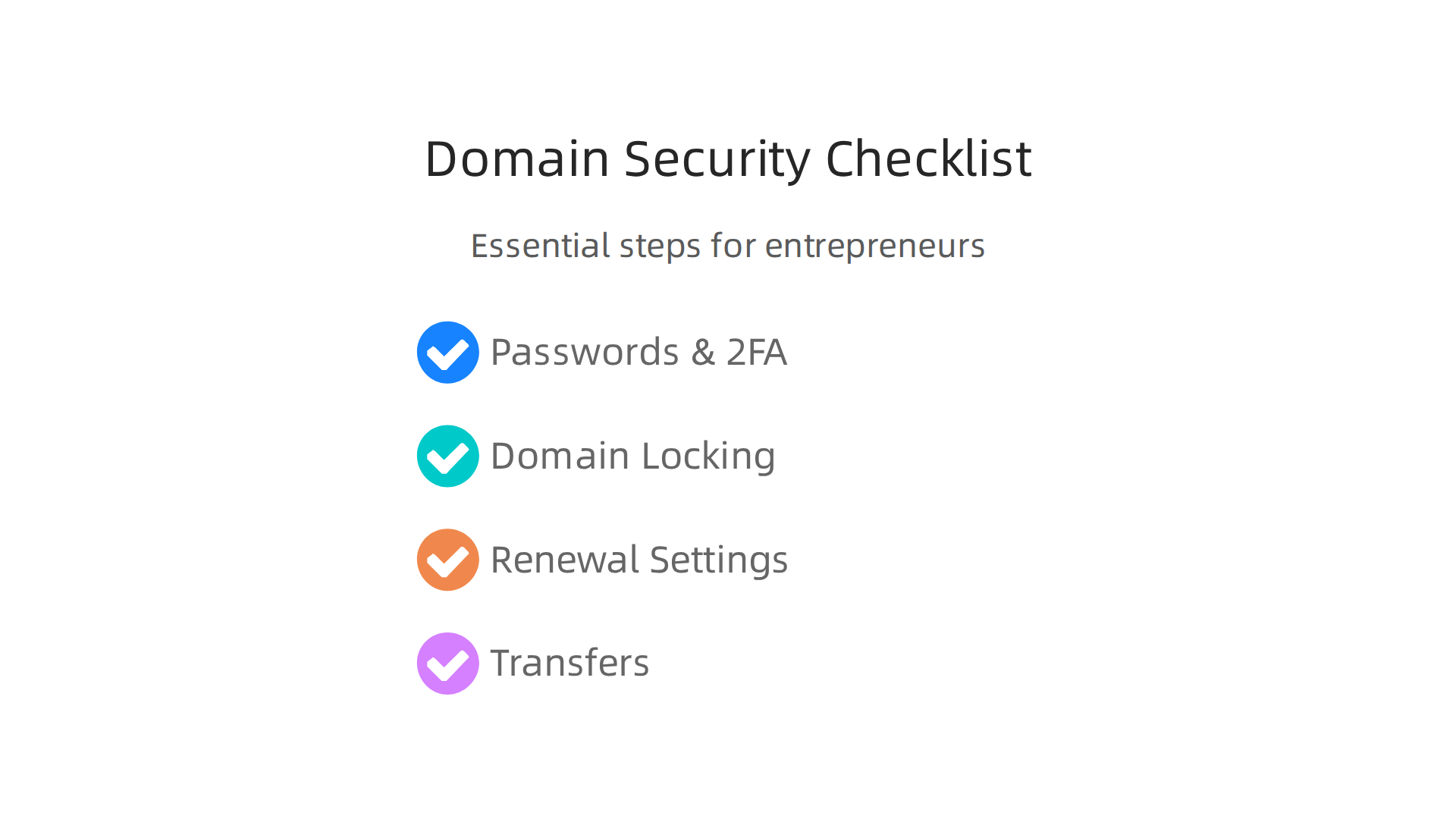
- Use Strong Passwords and 2FA: Always use hard-to-guess passwords and turn on two-factor authentication (2FA) for your registrar account. This adds an extra layer of security, like needing a special code from your phone in addition to your password. Many experts suggest using authenticator apps or physical security keys over SMS codes for better protection against fraud
Domain Security Guide: Best Practices. - Enable Domain Locking: Most registrars offer a "registrar lock" that stops anyone from moving your domain without your permission. Some even offer a stronger "registry lock" for added protection, which requires extra steps to unlock
Registry Lock, Transfer Lock And Blocking Unauthorized Unauthorized Changes. Always make sure this lock is on
How to Secure a Domain Name. - Check Renewal Settings: Make sure your domain is set to auto-renew so you do not accidentally lose it. If you are changing registrars or selling a domain, make sure you know how to unlock it and get an authorization code, also called an EPP code
Ensuring Secure Transfers in Domain Name Transactions. - Be Careful with Transfers: If you ever need to transfer your domain to a different registrar, be very careful. Use an escrow service if you are buying or selling a valuable domain. This service holds the money and the domain until both sides are happy, making the transfer safe for everyone involved
Securely Buy & Sell Domains & Websites Online. Always verify the current owner and ensure the domain is ready for transfer
Domain Transfer Checklist: Keep DNS and Ownership Safe.
Learning about these steps helps you manage your online presence like a pro. With a solid [web hosting meaning] and a carefully managed domain, your business will have a strong foundation online.
Once you have your domain, keeping it safe is super important. Think of your domain name meaning as the key to your online store. You wouldn’t leave your shop unlocked, right? The same goes for your web address.
Domain security: preventing hijacks, DDoS risk, and privacy protections
There are some bad things that can happen to your domain if you are not careful. Let’s look at them and how to protect your business.
What are the Dangers to Your Domain?
- Domain Hijacking: This is when someone takes control of your domain name without your permission. They can then make your web address point to their own website, or even sell your domain. This is a big problem because your customers won’t be able to find you.
- DDoS Risk: DDoS stands for "Distributed Denial of Service." This is like a massive traffic jam that stops real visitors from reaching your website. Attackers flood your site with so much fake traffic that it slows down or completely crashes. This can cost your business money and trust. Good web hosting meaning providers often have special tools to fight these attacks.
How to Protect Your Domain Name
To keep your domain safe from these threats, here are some key steps:
- Use Strong Passwords and 2FA: Always make sure your password for your domain registrar account is very strong and hard to guess. Also, turn on two-factor authentication (2FA). This means you need two ways to prove it’s you, like a password and a special code from your phone. This extra step makes it much harder for hackers to get into your account. Many experts agree that using an authenticator app or a physical key is better than getting codes by text message because text messages can be less secure How to Secure a Domain Name in 12 Ways.
- Keep Your Domain Locked: Most registrars offer a "registrar lock." This is a setting that prevents anyone from moving your domain to another company without your approval. Make sure this lock is always turned on. Some registrars even offer a stronger "registry lock" for added protection.
- Keep Authorization Codes Secret: If you ever need to transfer your domain to a different registrar, you will need a special code called an EPP code or authorization code. Treat this code like a secret key.
DNS Security (DNSSEC)
Another important security feature is DNSSEC. This is short for Domain Name System Security Extensions. Think of DNSSEC as adding a digital signature to your website’s directions (the DNS records). This signature helps make sure that when someone types in your web domain meaning, they are truly directed to your correct site and not a fake one. This helps stop bad guys from sending your visitors to unsafe places. Using a registrar that offers DNSSEC is a smart way to protect your business online DNS Security Best Practices Checklist. Choosing a web host that takes security seriously, like Prism Web Host, is a smart move because they often include advanced security features like DNSSEC and strong DDoS protection.
Privacy for Your Domain (WHOIS Privacy)
When you register a domain, your contact information (like your name, address, email, and phone number) can often be found in a public database called WHOIS. This is to make it easy to contact the domain owner if needed.
However, many people do not want their personal information publicly available. This is where "WHOIS privacy" or "domain privacy" services come in. For a small fee, your registrar can hide your details from the public WHOIS database and show their own information instead. This keeps your personal information private, helping to prevent spam and unwanted contact.
While privacy is good, sometimes legal or business contacts might need to reach the actual owner of the domain. So, it’s a good idea to think about what is best for your business.
Protecting your domain name is super important, and thinking about what’s best for your business includes understanding how your web address affects how people find you online. This means looking at SEO, or Search Engine Optimization. SEO helps search engines like Google understand what your website is about so they can show it to the right people.
Domain names and SEO: myths vs. evidence
When it comes to your domain name meaning and how it helps your website show up in search results, there are some ideas that are true and some that are not so true.
What Really Matters for Your Domain and SEO?
Let’s clear up some common thoughts:
- Domain Age: Some people think that an older domain name automatically ranks better. Actually, search engines look at many things, not just how old your domain is. A brand new website with great content and strong connections can do very well.
- Keywords in Your Domain: Using keywords like "best-shoes-online.com" used to be a big deal for SEO. Today, it’s not as important. Search engines are much smarter and understand what your site is about even without the exact words in your web address. A unique brand name is often better.
- Domain History: This one is actually important. If a domain was used for something bad or spammy in the past, it might carry that history with it. A clean history is always best.
Changing Your Domain Name: A Big Step for SEO
Here’s a key piece of evidence: changing your web domain meaning definitely affects your website’s search performance. It’s like moving your entire business to a new street. Search engines need to learn your new address all over again.
- Temporary Ranking Drops: When you change your domain, search engines treat your site as new for a while. This can cause your website’s rankings to drop for a short time, and you might see less traffic. Some studies in 2026 show that even with careful planning, traffic can drop temporarily, sometimes for several months, while search engines reindex everything. Losing website traffic can be a big concern for any business, as it directly impacts customer reach and sales. You cannot simply "transfer your rankings" from one domain to another Changing Domain Name with Minimal SEO Impact in 14 Steps.
- Link Value: One of the strongest signals for search engines is backlinks. These are links from other websites pointing to yours. If these links are not properly updated or redirected, your site could lose this valuable "link equity" The SEO Impact of Changing Domain Names – Digitlab.
Steps to Protect Your SEO When Changing Domains
If you decide to change your domain name, you need to be very careful to keep your SEO strong. This process is called a domain migration.
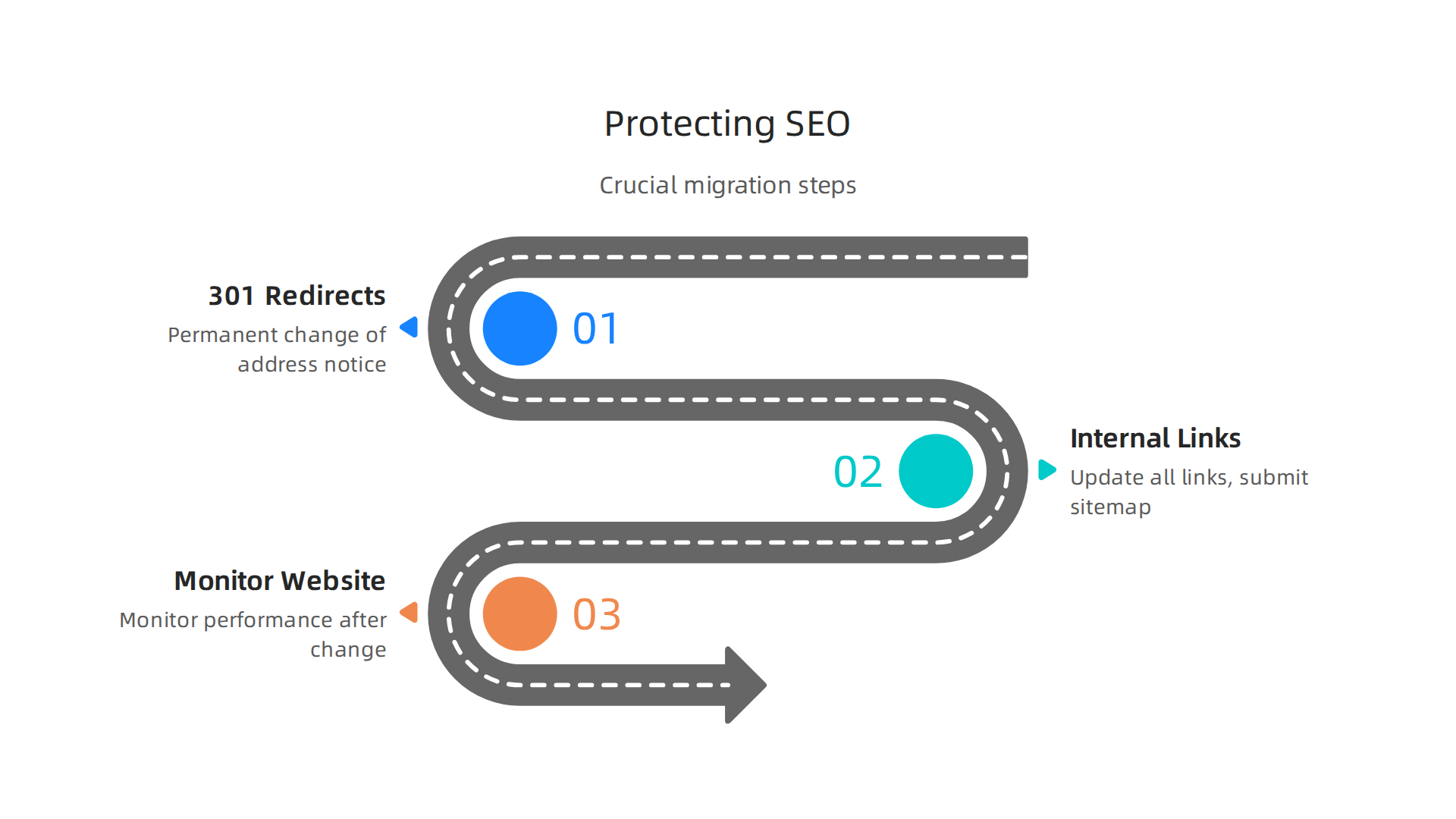
- Set Up 301 Redirects: This is the most critical step. A 301 redirect is like a "permanent change of address" notice for search engines. Every single page on your old domain must point to its matching new page. This tells search engines where to find your content and helps transfer most of your website’s value Domain Migration without losing SEO – Pagepro.
- Update Internal Links and Sitemap: After moving, go through your entire website and update all the links that point to other pages on your site. Also, submit a new sitemap to search engines. This helps them understand the new layout right away.
- Monitor Your Website: Keep a close eye on your website’s performance after the change. It’s important to check your rankings and traffic to make sure everything is recovering as it should.
Changing your domain is a big task that needs careful planning to avoid losing your spot in search results. For a detailed guide on how to safely move your website, you can learn more about how to migrate WordPress site to new domain safely in 2026. It will help you protect your SEO during the process.
Changing your domain name carefully is important, but what about managing your domain as your business grows? As your company gets bigger, keeping control of your web address becomes even more key. This means thinking about renewals, transferring domains, and even buying special "premium" domains from online markets.
Keeping Your Domain Name Safe and Sound
Once you have your domain name meaning, you need to make sure you don’t lose it.
-
Renewals are Super Important: Your domain name isn’t yours forever. You rent it, usually for a year or more, and then you have to renew it. If you forget to renew, someone else can buy your domain. That’s a huge problem, as it means your website and emails could stop working. It’s smart to set up automatic renewals so this never happens. Missing a renewal can even lead to legal troubles, as shown in some cases in 2025 where businesses lost their domains due to simple oversights Legal Challenges in Domain Name Renewals and Expirations. Keeping track of your domain cost per year and renewal dates is a must for any business.
-
Who Controls What? As your business grows, more people might need to touch your domain settings. Make sure only trusted people have access. It’s also good to have clear rules about who can change what, and keep notes of all important details like billing and contact info. Good planning helps keep your domains safe and running smoothly Domain Renewal Risk as Governance Signal for DNS Portfolios.
Buying and Moving Domains
Sometimes, a business might need a new domain that’s already owned by someone else. This is where domain transfers and marketplaces come in.
-
Premium Domains and Marketplaces: Imagine your perfect web domain meaning is taken, but the owner is willing to sell it. You might find this domain on a "domain marketplace." These are websites where people buy and sell domain names. These are often called "premium domains" because they are usually short, catchy, and easy to remember.
-
Safe Transfers with Escrow: When you buy a domain from someone else, especially a high-value one, it’s really important to do it safely. This is where an "escrow service" like Escrow.com helps. It acts like a trusted middleman. The buyer sends money to the escrow service, and the seller transfers the domain. Once both sides have done their part and everything is confirmed, the money is released to the seller. This protects both the buyer and the seller Securely Buy & Sell Domains & Websites Online – Escrow.com.
-
The Transfer Process: Moving a domain from one owner or company to another usually involves getting a special code called an "Auth Code" or "EPP Code" from the current owner. This code is like a secret key that allows the transfer to happen. It’s important to use a reputable registrar when you transfer a domain to make sure the process is smooth and secure How to Transfer a Domain: The Best & Safest Method. Finding a good company to handle your web hosting meaning and domain can make all the difference.
Prism Web Host helps businesses manage their web presence with reliable services, making sure your website is always online and secure. To learn more about how Prism Web Host can support your business, visit our main landing page.
Summary
This article explains why understanding
