




Web Hosting Meaning Explained for Business Owners
Article
Having an online presence is a must for any business in 2026. But to have a website, you need two main things: a web address and a place for your website to live. This is where understanding web hosting meaning comes in. It might sound a bit technical, but it’s really quite simple when you break it down.
What ‘Web Hosting’ Actually Means
Think of your website like a physical shop or office. For your shop to be open for customers, it needs a building or space to exist, right? Web hosting is just like that building for your website. It’s a service that puts all your website’s files, like text, pictures, and videos, onto a special computer called a server. These servers are always connected to the internet, so anyone in the world can visit your website at any time.
So, the web hosting meaning is simply the service of storing your website files and making them available for people to see online Web Hosting Explained. Without web hosting, your website can’t be seen by anyone, no matter how great it looks.
Your Website’s Address and Home
To find your website’s "building," people need an address. This is where your domain name meaning becomes important. A domain name is like your street address and building name rolled into one. It’s the unique name people type into their browser, like "yourbusiness.com." Together, your domain name and web hosting make up your complete web address. If you’re wondering more about this, you can learn all about what is a website domain in detail. It’s what helps customers find you online. For a deeper dive into what a web domain meaning truly entails, you can also explore our guide on web domain meaning.
Why Web Hosting Matters for Your Business
For small business owners and entrepreneurs, choosing the right web hosting can feel like a big puzzle.

Many worry about:
- Technical challenges: Setting up hosting can seem complex.
- Security: Keeping your website safe from hackers and online threats is a top concern.
- Speed: Slow websites can make customers leave and even hurt your search engine rankings.
- Downtime: If your website is often offline, you lose sales and trust.
- Growing pains: As your business gets bigger, your website needs to grow with it, but scaling hosting can be tricky.
You need a partner that makes launching and maintaining your website easy, secure, and fast. This is exactly what reliable web hosting solutions provide. When you look for a place to host your website, you’re looking for a service like Prism Web Host that offers solid performance, strong security, and simple management.
This guide will give you a clear roadmap to understand, choose, secure, and grow your web hosting setup, so you can focus on running your business, not wrestling with technical issues.
Web hosting explained: the core components
Now that you understand the basic web hosting meaning, let’s look at the important parts that work together to make your website show up online. It’s like building a team where everyone has a special job.

Servers and Storage: Your Website’s Digital Home
At the heart of web hosting meaning are servers. These are very powerful computers that run all the time. They store all the pieces of your website, like your pictures, words, videos, and code Web Hosting | PDF. Think of these files as all the furniture and items you put inside your shop. The server’s storage is like the shelves and rooms where everything is kept safe and organized. Since these special computers are always connected to the internet, your website is always ready for visitors.
Your Domain Name: The Easy-to-Remember Address
We talked about your domain name meaning earlier. It’s that unique name, like "yourbusiness.com," that people type to find you. It’s your website’s street address. But how does that name know where to find your server, your website’s home?
DNS: The Internet’s Phone Book
This is where DNS comes in. DNS stands for Domain Name System. It’s like a giant phone book for the internet. When someone types your web address, like your domain name meaning, into their web browser, the DNS system quickly looks it up. It finds the special numeric address (called an IP address) of the server where your website lives. Without DNS, people would have to remember long strings of numbers instead of easy names.
How These Parts Work Together
So, here’s the simple process when someone wants to visit your website:
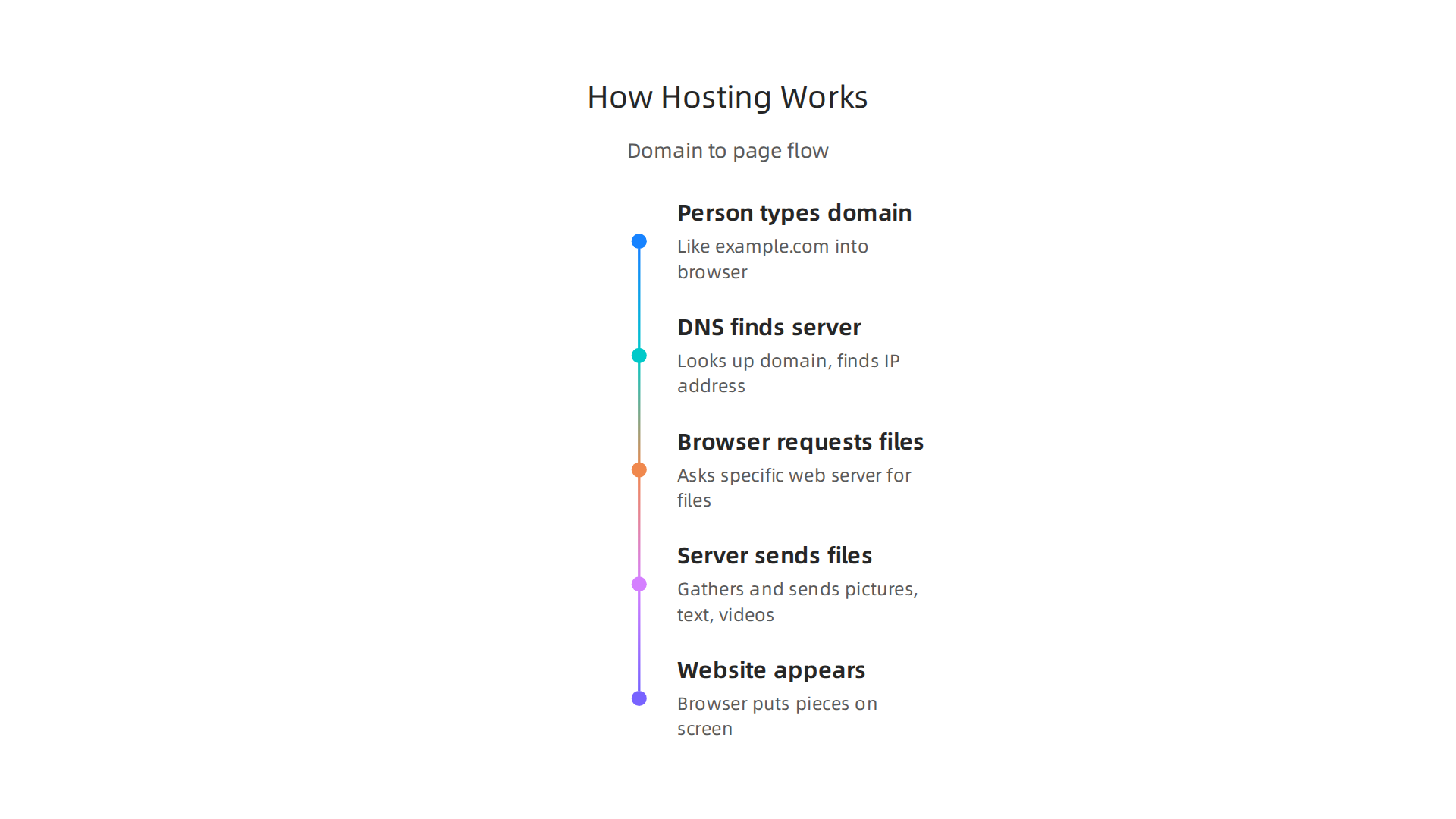
- A person types your website’s
domain name meaning(like example.com) into their browser. - The DNS "phone book" finds the server’s exact location, much like finding a phone number for a person’s name.
- The browser then asks that server for your website’s files.
- The server sends all those files (pictures, text, videos) back to the browser.
- Voila! Your website appears on the visitor’s screen.
This whole process happens very fast, often in less than a second. This teamwork of your domain name, DNS, and the web hosting server is how your website becomes accessible to anyone, anywhere, at any time [How Does Web Hosting Really Work? A Simple Analogy for Absolute Beginners](https://www.serverspan.com/en/blog/how-does-web-hosting-really-work-a-simple-analogy-for-absolute-begi nners). Understanding this core web hosting meaning helps you see why each part is so important. If you want a deeper look into the whole concept of a web address, we have a guide on Web Address Explained: URL, Domain, Hosting, and DNS for Businesses.
Hosting Is the Infrastructure, Not the Content
It’s important to know the difference between your web hosting and your actual website content.
- Hosting infrastructure is the server, the storage space, the internet connection, and the security systems. It’s the building and the land.
- Website content/management systems are what you use to create and manage what your visitors see. This could be a website builder (like Wix or Squarespace), a content management system (like WordPress), or even just simple files you’ve made yourself. These systems and your content live on your hosting.
So, your hosting is the foundation, and your website builder or content system is how you design and fill that space. If you want a more detailed explanation of the what is web hosting services, we have you covered.
Practical Examples of Web Hosting
Different types of websites use web hosting, but the core idea remains the same:
- A Blog: If you run a blog, your
web hosting meaninginvolves storing all your blog posts, images, and visitor comments. Good hosting makes sure your articles load fast and are always there for your readers. - An E-commerce Store: For an online shop, hosting stores all your product pictures, descriptions, prices, and customer information. Fast and secure hosting is a must for smooth shopping, quick checkouts, and keeping customer data safe.
- A Portfolio Site: Artists, photographers, or freelancers use portfolio sites to show off their work. Hosting keeps all those high-quality images and project details ready to be viewed by potential clients without any delays.
No matter what kind of online presence you have, reliable web hosting is the backbone that makes it all possible. For more information on your specific needs regarding your online identity, check out our resource on Domain Name Meaning: The Business Guide to Web Identity, SEO, and Security.
No matter what kind of online presence you have, reliable web hosting is the backbone that makes it all possible. Now that you know the basic pieces, let’s look closer at how a website actually gets from the server to someone’s screen, and how we make it super fast for everyone.
How web hosting works: step-by-step for non-technical teams
When you visit a website, a lot happens very quickly behind the scenes. It’s a bit like ordering food at a restaurant.
- You ask for something: First, you type a
web addressordomain name meaning(like "yourshop.com") into your web browser. This is your request. - The internet’s phone book helps: Your computer sends this request to the Domain Name System (DNS). The DNS acts like a phone book, looking up "yourshop.com" and finding the exact number (IP address) for the server where your website lives.
- Your order goes to the kitchen: The browser now knows which server to talk to. It sends your request to that specific web server, asking for the website files.
- The server prepares your order: The server gathers all the pieces of your website, like the pictures, text, and videos. Web hosting services make sure these files are always ready What Is Web Hosting and How Does It Work? | PDF.
- Your order is delivered: The server sends these files back to your browser.
- Your website appears: Your browser puts all those pieces together, and you see the website on your screen!
This entire journey often takes less than a blink of an eye.
Making your website super fast with caching and CDNs
Imagine you have a popular ice cream shop. If every customer asked for a fresh scoop of ice cream from the back freezer, it would take a long time. So, you keep popular flavors ready at the front counter. That’s a bit like caching for a website.
- Caching: This means your web hosting service stores copies of your website’s files closer to your visitors. The next time someone visits, the website loads much faster because the files are already handy.
Now, what if you have customers all over the world? You wouldn’t want someone in another country to wait for ice cream from your local shop. You’d set up other shops closer to them. This is like a Content Delivery Network (CDN).
- CDNs: A CDN is a network of servers spread across many different places. When someone visits your website, the CDN sends them the website files from the server closest to them. This makes your website load much, much faster, especially for people far away from your main server. A good CDN can make websites about 2.7 times faster in 2026 Cdn And Core Web Vitals: Lcp…. Using a CDN also helps a website handle many visitors at once and boosts its "cache hit ratio," meaning more visitors get the faster, cached version of your site Best CDN 2026: Cloudflare vs CloudFront vs Fastly vs Bunny.
This focus on speed is a big part of what makes good web hosting meaning today.
Your simple website launch checklist
Ready to get your own website online? Here’s a simple checklist for your non-technical team:
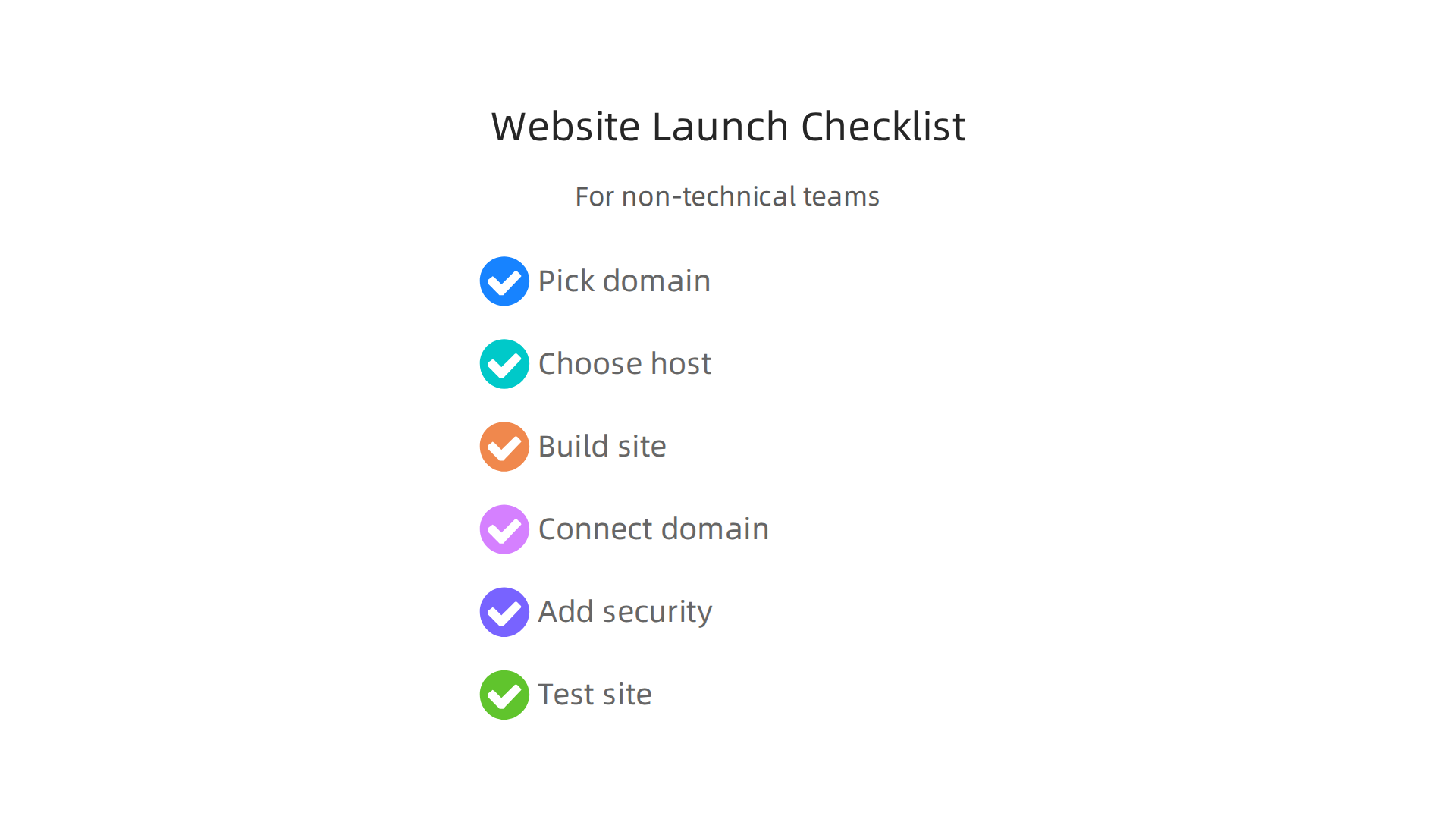
- Pick your
web domain meaning: Choose a memorableweb addressfor your business. This is your unique spot online. If you’re unsure, learn more about Web Domain Meaning: What Every Business Owner Must Know. - Choose your web host: Find a reliable web hosting company. Think about what you need for speed, security, and how much help you might need. Check out our guide on Choosing a Web Hosting Company: A Business Guide to Speed and Security.
- Build your website: Create your website using a website builder or by uploading your files.
- Connect your domain: Tell your domain name where your web hosting server is. Your hosting provider will help you with this simple step.
- Add security: Make sure your website has an SSL certificate. This keeps information safe between your visitors and your site.
- Test everything: Open your website on different devices and browsers to make sure it looks and works great.
Following these steps will help you launch your website smoothly and ensure your web hosting meaning becomes a foundation for your online success.

Picking the right home for your website is a big step, just like choosing the right type of building for your business. Different websites need different kinds of homes. Some might be fine in a shared apartment, while others need a whole building to themselves. Understanding the different kinds of web hosting helps you make the best choice for your online presence. Let’s look at the main types of web hosting meaning and what they offer.
Shared Hosting: The Apartment Building
Shared hosting is like living in an apartment building. Many websites live on one big server, all sharing its resources like power, memory, and storage space Types of Web Hosting: Shared, VPS, Dedicated, and Cloud ….
- Pros: It’s usually the cheapest and easiest option. Most beginners start here because the hosting company handles all the technical stuff. It’s great for small blogs or simple websites that don’t get a lot of visitors.
- Cons: Because you’re sharing, if another website on the same server gets a lot of visitors or uses too many resources, your site might slow down. You also have less control over the server settings.
- Best for: New businesses, personal websites, small online portfolios, or blogs with low to medium traffic.
VPS Hosting: The Condo
VPS stands for Virtual Private Server. Think of it as a condo. You’re still in a building with others, but you have your own dedicated space and resources. The server is split into several smaller virtual servers, and each one gets its own set amount of power, memory, and storage, not shared with others Hosting differences: Understanding shared, VPS, and ….
- Pros: Better performance and more control than shared hosting. Your site is less affected by what other sites on the server are doing. It’s also more secure.
- Cons: It costs more than shared hosting and might need a bit more technical know-how to manage, unless you choose a managed VPS plan.
- Best for: Growing businesses, e-commerce stores, or websites that need custom software or have medium to high traffic. If your website is getting too big for shared hosting, VPS is a great next step. Many small businesses find VPS to be a great value for boosting speed and security.
Dedicated Hosting: Your Own House
With dedicated hosting, you get an entire physical server all to yourself. It’s like owning your own house. You have full control over everything on that server What are the Different Types of Web Hosting?.
- Pros: Maximum power, speed, security, and control. Your website will have the best performance because no one else is sharing its resources.
- Cons: This is the most expensive option and requires strong technical skills to manage, or you’ll need to pay for a managed service.
- Best for: Very large businesses, high-traffic websites, complex web applications, or online stores that handle a lot of transactions and sensitive data. For a business with critical needs, this is top-tier web hosting.
Cloud Hosting: The Flexible City
Cloud hosting uses a network of many connected servers, not just one. If one server goes down, another can instantly take over, so your website stays online. It’s like having your website spread across a whole city of servers, drawing resources as needed.
- Pros: Very scalable and reliable. If your website suddenly gets a lot of visitors, the hosting can automatically give it more resources. You often pay only for what you use. This makes it a very flexible type of web hosting.
- Cons: Costs can be harder to predict since they depend on usage, and it can be more complex to set up if you need very specific tools.
- Best for: Businesses with unpredictable traffic, large-scale applications, media-heavy websites, or those that need top-notch reliability and flexibility.
Managed Hosting: Having a Caretaker
Managed hosting isn’t a type of server itself, but rather a service level that can be applied to shared, VPS, dedicated, or cloud hosting. With managed hosting, the provider takes care of the server’s technical tasks, like security updates, backups, and even some website maintenance All types of Web hosting explained (shared, VPS…).
- Pros: You get peace of mind and can focus on your business without worrying about server technicalities. The host handles updates, security, and performance tuning.
- Cons: It typically costs more than unmanaged versions of the same hosting type.
- Best for: Any business that lacks an in-house IT team or simply wants to save time and effort on server management. It lets you focus on building your business and improving your content.
Choosing Your Web Hosting: What to Consider
When deciding on the best web hosting meaning for your business, think about these things:
- Your Budget: How much can you afford to spend each month? Shared hosting is the cheapest, while dedicated and managed hosting are more expensive. You can also explore how to master your web hosting cost in 2026.
- Your Website’s Traffic: How many visitors do you expect? A brand-new blog won’t need the same resources as a popular online store. Your site needs to handle traffic growth Business Web Hosting Checklist: 15 Questions to Ask – cohosta.
- Your Technical Skills: Do you feel comfortable managing server settings, or would you prefer someone else handle it? Managed hosting is great if you want less technical work.
- Your Growth Plans: Do you expect your website to grow a lot in the next few years? Choose a hosting type that can easily scale up with your needs.
Here’s a simple comparison to help you weigh the trade-offs:
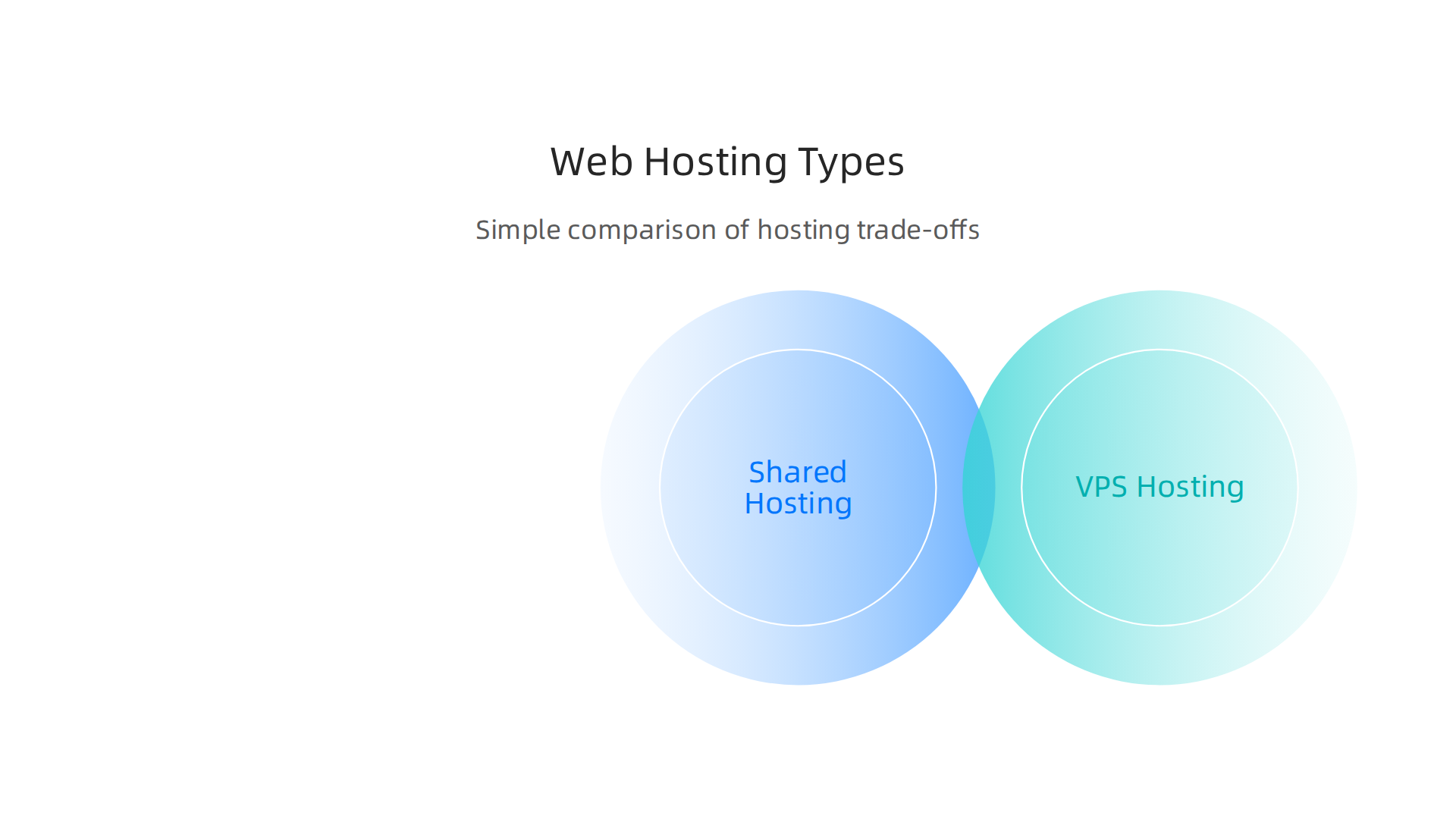
| Hosting Type | Cost | Control | Performance | Technical Skill Needed | Best For |
|---|---|---|---|---|---|
| Shared | Low | Low | Basic | Low | Small sites, new blogs, tight budgets |
| VPS | Medium | Medium | Good | Medium (or low with managed) | Growing businesses, e-commerce, custom needs |
| Dedicated | High | High | Excellent | High (or medium with managed) | Large sites, high traffic, complex apps |
| Cloud | Flexible | Medium-High | Very Scalable | Medium | Variable traffic, large-scale projects |
| Managed | Adds to Base Cost | Depends on type, but less management for you | Optimized | Low for you | Any business wanting less tech hassle |
Ultimately, the best web hosting meaning for your small business balances cost, control, performance, and how much technical help you need. As you explore options, remember to look for hosts that prioritize speed, security, and good support, as these are vital for any online business in 2026 How to Choose Web Hosting for Your Small Business. You can learn more about finding the right provider by checking out our guide on selecting the best web hosting for small business in 2026.
When you choose web hosting meaning, you’re also picking the guardian for your online business. Making sure your website is safe and always working is just as important as how fast it loads. In 2026, customers expect websites to be secure and available all the time. Let’s look at how good hosting protects your site and keeps it online.
Keeping Your Website Safe: Security Features
A good web host has many tools to keep your website away from bad actors.
Think of these as the locks and alarms for your online home.
- SSL/TLS Certificates: This is super important. An SSL (Secure Sockets Layer) or TLS (Transport Layer Security) certificate encrypts the connection between your website and your visitor’s computer. This means any information exchanged, like passwords or credit card numbers, is scrambled and safe from prying eyes. Websites with these certificates show a padlock symbol in the browser and start with "https" instead of "http". This helps build trust and is vital for your website domain. You can learn more about SSL costs by checking out our guide on Godaddy ssl certificate cost 2026 avoid hidden fees and renewal surprises.
- Regular Backups: What if something goes wrong? Good hosting services make copies of your entire website often. This means if your site ever breaks or gets attacked, they can bring it back to a recent working version. Think of it like having spare keys and copies of important documents in a safe place.
- Access Controls: This means only authorized people can get into your server’s important settings. Features like multi-factor authentication (MFA), where you need more than just a password to log in, are key. Hosts should also use strong encryption for data that is stored and data that is sent across the internet The Role of Compliance in Hosting: 2026 Guide.
- DDoS Mitigation: DDoS (Distributed Denial of Service) attacks try to flood your website with so much fake traffic that it slows down or crashes. A strong host has systems to block these attacks, keeping your site available to real visitors Building Client Trust Through the Hosting SLA.
- Patching and Updates: Software needs regular updates, just like your phone apps. Web hosts are responsible for keeping their server software updated to fix security holes and keep everything running smoothly.
Keeping Your Website Online: Reliability
Reliability is about your website being available when people want to visit it. You don’t want your web address to lead to a blank page.
- Uptime Service Level Agreements (SLAs): This is a promise from your host about how much time your website will be online. It’s often given as a percentage, like "99.9% uptime." In 2026, many top hosts offer 99.99% uptime, which means your site should be down for less than an hour a year The Anatomy of a Pro-Level SLA: 7 Mandatory Clauses for 2026.
- Redundancy: This means having backup systems in place. If one server or piece of equipment fails, another can instantly take over so your website doesn’t go down. It’s like having a spare engine ready to kick in.
- Monitoring and Incident Response: Good hosts constantly watch their servers for problems. If something goes wrong, they have teams ready to fix it quickly. Some even use external monitoring from different places around the world to ensure accurate uptime checks The 2026 Website Uptime Checklist for Business-Critical Sites. This helps prevent downtime.
Your Security and Reliability Checklist for a Host
Before picking a host for your business, ask these questions:
- Do they offer free SSL certificates and renew them automatically?
- How often do they back up my website, and how easy is it to restore a backup?
- What kind of DDoS protection do they have?
- Do they use strong access controls, like two-factor authentication for my hosting account?
- What is their uptime guarantee (SLA), and what happens if they don’t meet it?
- Do they monitor servers 24/7 and have quick support if there’s a problem?
By looking into these security and reliability features, you can make sure your chosen web hosting provides a safe and dependable home for your online business. It’s a critical part of understanding what is a website domain and how to keep it protected. For businesses concerned with legal compliance and security, understanding how to stay compliant with secure web hosting is also important.
Moving from security, let’s talk about speed. A fast website makes your visitors happy and keeps them on your pages. In 2026, nobody likes a slow website. Good web hosting also makes sure your site can grow with your business without slowing down. This is what we call performance and scalability.
Important Numbers for Website Speed
When we talk about how fast a website is, some key numbers matter a lot:
- Page Load Time: This is simply how long it takes for everything on your web page to show up. People expect websites to load very fast. If your site takes too long, they might leave before it even finishes loading.
- Time to First Byte (TTFB): This number tells you how long it takes for your web browser to get the very first piece of information from the server after you ask for a page. It’s a sign of how quickly your web hosting responds. A good TTFB is generally under 600 milliseconds in 2026, with under 200 milliseconds being great for speeding up your site’s main content load, known as Largest Contentful Paint (LCP) Core Web Vitals & Website Performance Guide 2026 – Involve Digital.
- Throughput: This means how much data your server can send out over a certain time. Think of it like a highway: higher throughput means more cars (data) can travel at once without traffic jams.
Growing Your Website: Scaling Options
As your business grows, your website will get more visitors and need more power. Your web hosting should be able to handle this. This is called scalability.
- Vertical Scaling: This is like giving your existing server more power. Imagine upgrading your car’s engine to make it faster. It means adding more memory or a stronger processor to one server.
- Horizontal Scaling: This is like adding more cars to your fleet. Instead of one super-powerful server, you add more servers that work together. This is usually better for very busy websites because it means if one server has a problem, others can keep your site running.
- Auto-Scaling: Some modern web hosts can automatically add more power or servers when your website gets very busy, and then scale back down when things are quieter. This saves you money and keeps your site fast.
- Managed Scaling Services: With this, your web host handles all the tricky parts of scaling for you. They watch your site and make sure it always has enough power, so you don’t have to worry about it.
Making Your Website Even Faster
Even with good web hosting, there are things you can do to make your website zing:
- Caching: This is like making a copy of your website’s pages and keeping them closer to your visitors. When someone visits your site again, they get the saved copy, which loads much faster.
- Content Delivery Networks (CDNs): A CDN uses many servers around the world. When a visitor comes to your site, the CDN sends your website’s files from the server closest to them. This can make your website load much faster, especially for visitors far away from your main web hosting server. A properly set up CDN can cut page load times by about 63% and make websites almost three times faster by greatly reducing TTFB Cdn And Core Web Vitals: Lcp….
- Image Optimization: Large pictures can slow down your site. Making sure your images are the right size and quality helps them load quicker without looking bad.
- Resource Budgeting: This means making sure your website code and parts are efficient. Think of it like tidying up your closet so it’s easier to find things. Less clutter means faster loading.
Choosing a web host that focuses on speed and has options for growth means your online business will always be ready for your customers. It’s an important part of understanding the whole web hosting meaning and making sure your web address works perfectly. For more details on what to look for, check out our guide on choosing a web hosting company that balances speed and security.
Choosing the right home for your website is a big decision for any small business or entrepreneur. It means looking beyond just how fast your site loads and thinking about the full picture. When you pick a web host, you’re not just buying a service; you’re building a partnership that affects your online business every day.

Here’s a simple checklist to help you choose wisely in 2026.
How to choose a hosting provider: checklist for SMBs and entrepreneurs
When you’re looking for a good web host, keep these key things in mind:
- Reliability (Uptime): Your website needs to be online all the time. Uptime means how much time your website is working without problems. Look for a host that promises at least 99.9% uptime. This means your website is almost always available for your customers.
- Security Features: Protecting your website is super important. A good host will offer things like free SSL certificates to keep your visitors’ data safe. They should also provide automatic backups, so you never lose your website’s information, and protection against attacks, known as DDoS protection Web Hosting Selection Checklist 2026 — How to Pick the Right …. This keeps your website safe and sound.
- Performance (Speed and Scalability): We talked about speed before. Make sure the host can keep your website fast. Also, as your business grows, your website will need more power. Your web host should be able to grow with you, offering different plans like shared hosting for beginners or VPS for more power Types of Web Hosting: Shared, VPS, Dedicated, and Cloud …. This is called scalability, and it’s key for a growing business. You need a host that can scale with your traffic growth to prevent slowdowns later on Business Web Hosting Checklist: 15 Questions to Ask – cohosta.
- Customer Support: When things go wrong, you need help fast. Look for a host with support that is easy to reach, like 24/7 chat, phone, or email. Good support can save you a lot of headaches. Make sure they can answer questions about your
web addressor even yourdomain name meaning. - Pricing and Renewal Costs: Be careful here! Many hosts offer low prices to start, but then the cost goes up a lot when it’s time to renew. Always check the renewal price, not just the first-year deal How to Choose a Web Hosting Provider: 10-Point Checklist (2026) | UWeb Solutions. Hidden fees can surprise you, so ask about all costs upfront.
- Ease of Use: If you’re managing your own site, a simple control panel like cPanel can make things much easier. Also, make sure they support the tools you want to use, like WordPress or other website builders A Practical Web Hosting Checklist for Small Businesses.
Red Flags to Watch Out For
Sometimes, a deal looks too good to be true. Here are some red flags:
- Unclear Contract Terms: Read the fine print. If a host makes it hard to move your website away from them, that’s a sign of "vendor lock-in." You want freedom to choose what’s best for your business.
- Poor Support Levels: If you can’t find clear information about how to get help or if reviews say their support is slow and unhelpful, that’s a big warning. Good support is vital for your website.
- Surprise Costs: If a host doesn’t clearly show all costs, especially renewal fees or extra charges for basic features like an SSL certificate, it’s best to look elsewhere.
Moving Your Website: Migration Basics
What if you pick a host and later want to move your website to a new one? This is called website migration.
- What to Expect: Moving a website involves copying all your files and databases to the new host and then telling the internet where your website’s new home is. This often involves changing your
web domain meaningsettings. - Costs: The cost to move a website can range from free (if your new host offers to do it for you) to thousands of dollars for very complex sites Website Migration Cost in 2026 (+ Downloadable Checklist). It really depends on how big and tricky your website is.
- Planning is Key: Don’t just pick up and move. You need a plan to make sure your website stays online and doesn’t lose its place in search engines. Back up everything first, and make sure your new host can handle your site. Many guides offer a full checklist to make the move smooth, from planning to launch Website Migration Checklist: Step-by-Step for 2026.
Choosing the right web hosting provider might seem like a lot to think about, but taking your time upfront can save you many problems later. By focusing on reliability, security, speed, good support, and clear pricing, you can find a host that truly helps your business succeed online. To explore hosting options designed for businesses like yours, take a look at our Prism Web Host — Web Hosting Products & Services.
Summary
This article explains the meaning of web hosting in plain language and shows how hosting, domain names and DNS work together to make a website visible online. It breaks down the core components — servers, storage, DNS, and content management — and explains real-world examples like blogs, e-commerce stores, and portfolios. You’ll learn the main types of hosting (shared, VPS, dedicated, cloud, and managed), when to pick each one, and the trade-offs for cost, control and performance. The guide covers essential security and reliability features such as SSL, backups, DDoS protection and uptime SLAs, plus practical speed tools like caching and CDNs. There’s a simple launch checklist for non-technical teams and a buying checklist to evaluate hosts on support, pricing, and scalability. Overall, the article gives entrepreneurs and small businesses a clear roadmap to choose, secure, and scale hosting so they can focus on running their business instead of fighting technical issues.
