



Domain Name Meaning How to Understand Your Web Address and Choose the Right One
Article
Introduction
Have you ever stopped to think about what happens when you type a web address into your browser?

It all starts with a domain name. Actually, every single website on the internet has one. Without a domain name, you would need to memorize a long set of numbers just to visit your favorite site. That is why domain names are so important.
So what does the term "web domain meaning" really mean? A domain name is the address people type to find your website. Think of it like your home address. But instead of a street name and house number, you get something like "mybusiness.com." The Wikipedia entry on domain names calls it a string that identifies a realm of administrative control. That sounds technical. But really, it is just a friendly name that points to a website.
The technical side is handled by something called the Domain Name System, or DNS. The DNS is the system that connects your domain name to the server where your website lives. As explained in RFC 1591, this system has a clear structure that includes top-level domains, second-level domains, and sometimes subdomains.
Let me give you a clear domain name example. Take "whois.icann.org" as shown by ICANN. "Org" is the top-level domain. "Icann" is the second-level domain. "Whois" is a subdomain. Each part has a job to do. Together, they point to a specific website. This is the same structure used by every web address you type every day.
In this guide, we will break down everything about domain names. You will learn the domain name meaning in plain English. You will see how the web domain meaning connects to real websites. And you will get plenty of examples so you feel confident choosing your own web address.
If you want to start with the very basics, check out our guide on the website domain definition every small business owner needs. It covers the fundamentals in a simple, clear way that builds on what you just learned here.
What Is a Domain Name? Definition and Structure
Let’s get one thing clear right away. A domain name is the human-friendly address you type into a browser to visit a website. It’s a lot easier to remember "google.com" than a string of numbers like 142.250.80.46. As Wikipedia puts it, a domain name is a string that identifies a realm of administrative control. In plain English, it’s the name that points to your website.
So how is a domain name built? Every domain name has two main parts: the second-level domain (SLD) and the top-level domain (TLD). Look at google.com. "Google" is the second-level domain. "Com" is the top-level domain. This simple structure makes every web address unique.
The whole system follows a hierarchy. RFC 1034 explains that domain names are organized in a tree-like structure. The root sits at the top. Then come top-level domains like .com, .org, .net, and .uk. Below those sit second-level domains like "google" or "wikipedia." Sometimes you even see a third level, called a subdomain, like "mail.google.com."
Let’s look at a concrete domain name example to see how this works. Take "whois.icann.org" as described by ICANN. "Org" is the TLD. "Icann" is the SLD. "Whois" is a subdomain. Each level plays a role. Together they lead your browser to the exact server that holds the ICANN whois tool. That’s the web domain meaning in action.
Why does this matter for you? Every website you visit uses this system. Your own site will need a domain name too. And understanding the domain name meaning helps you choose a good one. You want a second-level domain that matches your brand. You want a top-level domain that fits your purpose, like .com for business or .org for a nonprofit.
Now, to get a domain name you have to register it through a domain registrar. That’s the company that lets you buy the rights to use that name for a year or more. If you are starting your own website, you will need to pick a registrar you can trust. For a step by step guide on picking one, check out our article on how to find reputable domain name registrars that protect your business.
So to sum up this part: a domain name is your web address. It has an SLD (your brand name) and a TLD (like .com). This structure is what makes the what is a website domain question easy to answer. Next, we will look at the different types of top-level domains and which one might be right for you.
Common Domain Name Examples by Type
By now you understand how a domain name is built. Let’s look at some real-world domain name examples to see the different types in action.
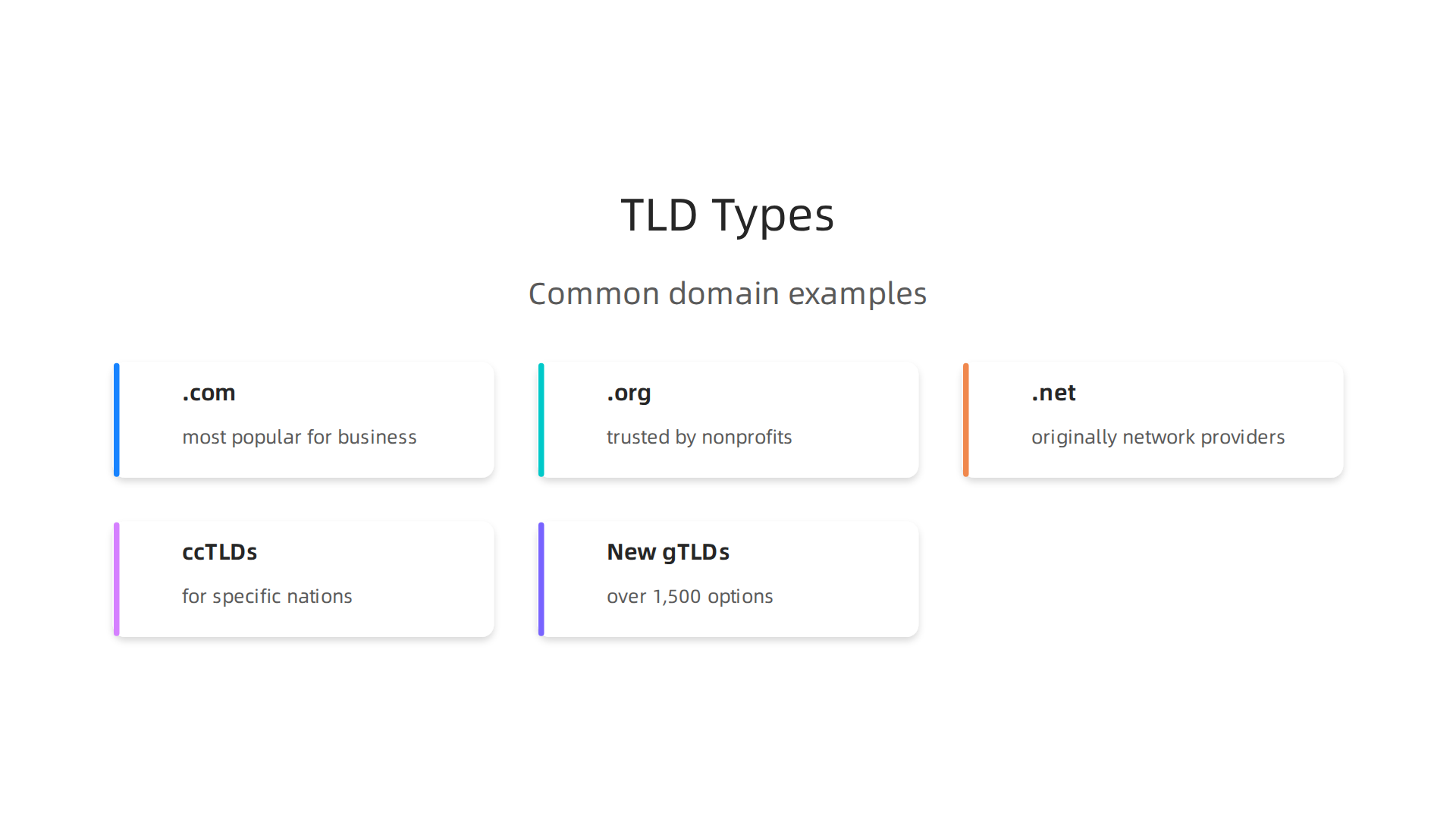
Each top-level domain (TLD) serves a unique purpose. Your choice tells visitors something about your site before they even click.
The big three. .com is still the most popular TLD by a huge margin. According to InstantDomainSearch, .com registrations nearly doubled to 303 million in 2026. It is the default for most businesses. Think google.com, amazon.com, or your local bakery’s site. .org is trusted by nonprofits and community groups, like wikipedia.org or redcross.org. .net was originally built for network providers, but now anyone can use it. Well known examples include slideshare.net and behance.net, as listed by GoDaddy. These three remain the most authoritative and widely used TLDs, according to Trustname.
Country code TLDs (ccTLDs) are meant for specific nations. If you target local audiences, one of these can build instant trust. For example, .uk is used by British companies like bbc.co.uk. .de is for Germany, .jp for Japan, and .cn for China. As of early 2026, the top 10 ccTLDs include .cn, .de, and .uk, as reported by BusinessWire. If you run a local shop in London, a .uk domain might feel more familiar to your customers.
New generic TLDs (gTLDs) have exploded in popularity. There are now over 1,500 TLDs to pick from, per Trustname’s list. .io became a favorite among tech startups and SaaS companies. .xyz grew 240% in recent years. .online, .tech, and .shop also give you more options when your first choice is taken. These newer extensions can be creative and memorable, but they may not carry the same trust level as .com yet.
So what does this mean for you? Pick a TLD that matches your brand and audience. If you want the most recognized option, go with .com. If you serve a specific country, a ccTLD like .uk can help. If you need something catchy and available, try a new gTLD. And once you secure your domain, pair it with fast hosting. For more on what your domain will actually cost over time, check out our guide on domain cost per year.
How to Choose a Memorable Domain Name
Now you know what a good domain name example looks like. But picking the right one for your own site can feel tricky. Don’t overthink it. Just follow a few simple rules that experts agree on.

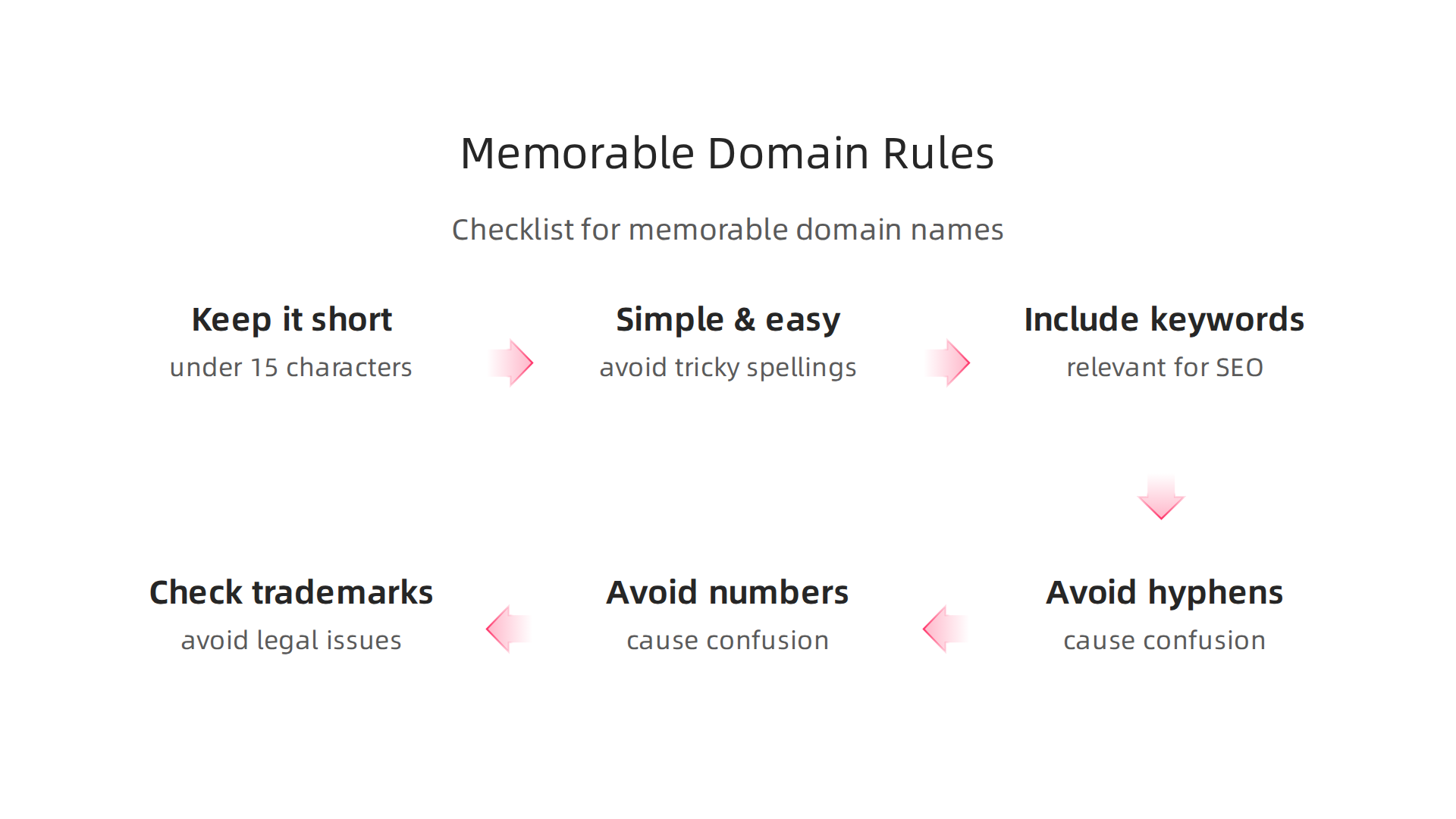
Keep it short, simple, and easy to spell.
This is rule number one for a reason. Short names are easier to remember and harder to mess up. Experts suggest keeping your domain under 15 characters if possible, as noted by Liquid Web. That way people can type it from memory without guessing.
Also, say it out loud. If you have to explain how to spell it, pick something else. The Netim Blog recommends keeping your domain simple and understandable. Avoid tricky words, weird spellings, or inside jokes. Your domain should be easy to pass along in a conversation.
Include relevant keywords for SEO.
Adding a keyword that describes what you do helps people and search engines understand your site. The web domain meaning becomes clear right away. For example, if you sell handmade soap, a name like handmadesoap.shop tells visitors exactly what to expect. The SPARK Services guide advises including keywords in your domain and sticking with .com when you can.
But don’t stuff keywords in just for SEO. Keep it natural. A web address that reads like a real business name is better than one that sounds robotic.
Avoid hyphens, numbers, and trademark issues.
Hyphens and numbers cause confusion. When someone hears your domain name over the phone, they never know if it’s "4" or "four," "store" or "store-now." The GoDaddy blog suggests avoiding hyphens and numbers entirely. They just add friction.
Also, check for trademarks before you fall in love with a name. The last thing you want is a legal headache after you’ve built your brand. Do a quick search on the UK Intellectual Property Office or USPTO database to make sure your name is safe.
Take your time with this decision. Your domain is the foundation of your online identity. And once you have it, you need fast, secure hosting to back it up. That’s where a service like Prism Web Host comes in, giving you reliable infrastructure so your site performs as well as your name sounds. For more on how to lock in affordable pricing from day one, read our breakdown of domain cost per year.
The Meaning and Importance of Domain Extensions (TLDs)
You’ve picked a great domain name example like handmadesoap.shop. But what does that last part, the ".shop," actually mean? That’s the domain extension, also called a top-level domain or TLD. It’s more than just a decoration. It tells visitors and search engines a lot about your site.
So, what is a website domain extension exactly? Think of it as the category label for your web address. It signals what kind of site you run or where you’re based.
TLDs convey purpose or geography.
Some extensions are obvious. .edu means education. .gov means government. .org usually means a non-profit organization. Others point to a location. .uk means United Kingdom. .de means Germany. .ca means Canada.
When someone sees your web domain meaning, they get an instant clue about your site’s focus. This can build trust right away. For example, a .gov site feels official because only verified government bodies can use it.
Do TLDs affect SEO?
Here’s the short answer. Not directly. Google treats all TLDs the same way in search rankings. A .shop site can rank just as high as a .com site if everything else is equal. The Name.com blog confirms that domain extensions don’t directly affect SEO rankings. Another source, Site.pro, backs this up by saying search engines do not rank sites higher or lower based on TLDs.
But here’s the catch. TLDs can affect trust and click-through rates. And those things do influence SEO over time. As of 2026, there are over 1,500 top-level domains to choose from, according to TrustName. That’s a lot of options. But not all of them carry the same weight with users.
Trust matters more than novelty.
Some TLDs, like .edu and .gov, come with built-in trust because they are tightly controlled. Others, like new niche extensions such as .pizza or .photography, are open to anyone. The HostPapa guide points out that your domain extension influences how people perceive your brand. It can boost trust or make your site look less credible.
So, if you run a local business in the UK, a .co.uk extension might feel more relevant and trustworthy to your audience than a generic .com. On the other hand, .com is still the most recognized and trusted TLD worldwide.
New TLDs offer availability but watch for trust issues.
New TLDs like .blog, .store, or .tech give you more chances to find an available name. Your perfect domain name example might be taken as .com but free as .blog. That’s a win for availability. But some users may hesitate to click a less familiar extension. The Jimdo blog recommends choosing a TLD that matches your audience’s expectations.
My advice? Stick with .com or your country’s ccTLD if possible. If those are taken and you’re considering a newer one, make sure it clearly fits your brand. A .pizza extension for a pizzeria makes perfect sense. A .xyz extension for a law firm? Maybe not so much.
Once you’ve locked in your TLD choice, the next step is pairing it with reliable hosting. That way your site actually loads fast and stays secure. Check out our guide on domain cost per year to understand what you’ll pay after year one.
Real-World Domain Name Examples from Successful Brands
Now that you understand how TLDs work, let us see how big brands use their domains. Looking at real-world domain name examples is a great way to learn what works.

The Exact Match Strategy
Think about Google. You type google.com. The web domain meaning is clear. It matches the brand exactly. Microsoft uses microsoft.com. This is a perfect domain name example of the direct approach. These companies built their entire online presence around their brand name. By 2026, .com remains the most popular extension. According to InstantDomainSearch, .com registrations have nearly doubled to over 303 million. Locking in your brand name as a .com is a powerful move if it is available.
The Creative Brandable Domain
Now look at Amazon. The word ‘Amazon’ is a river. It has nothing to do with selling products. But Amazon made that word famous. The domain name meaning here is not literal. It is emotional. The web address amazon.com is now one of the most recognized in the world. Think about how you use the word ‘amazon’ today. You probably think of the store first. That is the power of a strong brand. A 2026 study on domain name statistics shows most top websites use short, brandable names. This tells us your domain name does not have to describe your product. It just has to be memorable.
The Local Country-Code Domain
Take the BBC for instance. Their main site is bbc.co.uk. They use a country-code TLD (.uk) because they serve the UK first. This signals locality and trust. A local audience often trusts a .co.uk more than a .com. The GoDaddy guide on common extensions notes that ccTLDs like .uk remain very large. If you serve one country first, using that country’s TLD is a smart choice.
What This Means For You
The best domain name example for your business balances brandability, trust, and local relevance. It can be a direct brand name, a creative word, or a local domain. Once you have a few name ideas, the next step is keeping them safe. Learn more about finding a reputable registrar to protect your new domain.
Domain Name Structure Explained: Subdomains, Subdirectories, and More
Have you ever seen a web address like blog.yourdomain.com or yourdomain.com/blog and wondered what the difference is? You are not alone. Understanding the parts of a web address helps you organize your content better. It also helps with search engine optimization (SEO). Let us break down the domain name structure so you can make smart choices for your site.
The Parts of a Web Address
Every web address has several parts. Think of it like a mailing address. Each part tells the internet where to go. Here is a simple breakdown using the URL https://blog.example.com/about.
The first part is the protocol. This is the https:// part. It tells your browser how to talk to the server. Next comes the subdomain. In this example, "blog" is the subdomain. After that is the domain name meaning itself, "example". Then comes the top-level domain (TLD), which is ".com". Finally, the path "/about" tells the server which page to show.
According to ICANN, the organization that manages domain names, a domain like "whois.icann.org" has three levels of hierarchy. "org" is the top-level. "icann" is the second-level. "whois" is the third-level. This hierarchy is what makes the internet work smoothly.
Subdomains vs. Subdirectories: What Is the Difference?
Now let us talk about two common ways to organize your content: subdomains and subdirectories.
A subdomain looks like blog.yourdomain.com. It is a separate section of your main site. Search engines often treat subdomains as separate websites. This means the authority of your main domain does not always pass to the subdomain.
A subdirectory looks like yourdomain.com/blog. It is a folder within your main site. Search engines see it as part of your main domain. This means any link authority your blog earns helps your entire site.
Which One Should You Use?
Use subdomains when you have a completely different type of content. For example, a separate online store or a help desk. These often need their own platform and settings. According to the Wikipedia entry on domain names, a web domain meaning identifies a realm of administrative autonomy. This means a subdomain can act as its own separate area.
Use subdirectories when you want to keep everything under one roof. This is usually better for SEO. Every page you add helps build authority for your main domain. Most experts recommend subdirectories for blog content, service pages, and product pages.
A Note on SEO
When you choose subdirectories, you pass link equity to your main domain. This helps your site rank higher in search results. Subdomains do not share this link equity as easily. If you are starting a new site, subdirectories are often the smarter choice.
Wrapping Up
Understanding what is a website domain and how its parts work gives you control over your online presence. You now know the difference between subdomains and subdirectories. You also know how each choice affects your SEO. To learn more about managing your domain and boosting your search rankings, check out our guide on domain listings and SEO. It will show you how to get more visibility for your business.
Common Mistakes to Avoid When Picking a Domain Name
You now know how domain names work and how to organize your site. But picking the actual name can trip you up if you are not careful. A bad domain name example can hurt your brand before you even launch. Let us look at three common mistakes so you can avoid them.
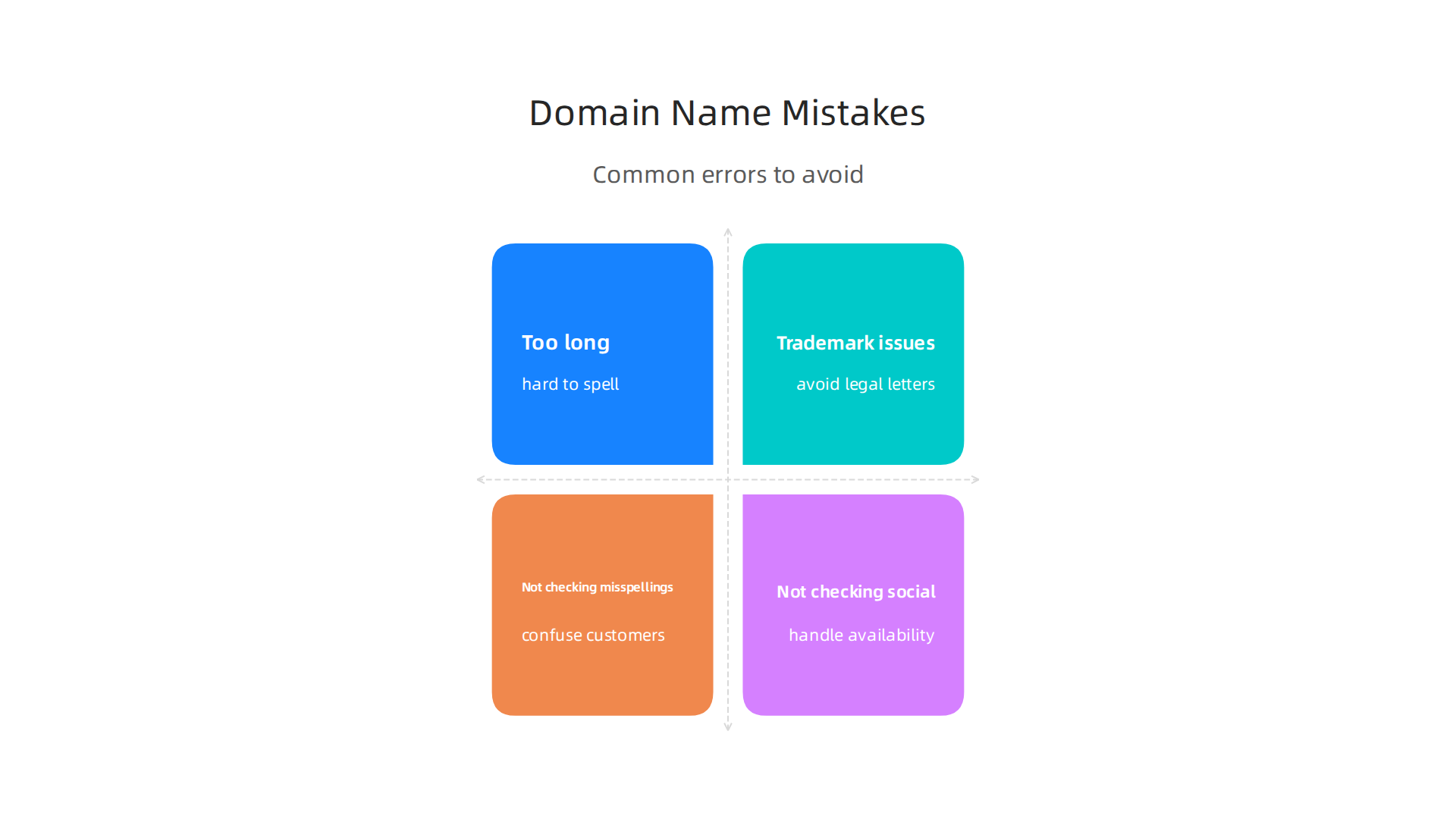
Mistake 1: Choosing a name that is too long or hard to spell.
Short names are easier to remember and type. Experts at Liquid Web recommend keeping your domain under 15 characters. If someone has to think twice about how to spell your web address, they might give up and go to a competitor.
Imagine you run a coffee shop in London. A domain name example like "thebestcoffeeinlondonuk.com" is way too long. A better choice would be "londonbrew.com". Short, clear, and easy to type. The Netim Blog also says to avoid numbers and hyphens because people mix them up.
Mistake 2: Ignoring trademark and copyright infringement.
This one can cost you real money. If your domain name sounds like an existing brand, you could get a legal letter or even lose the domain. Always do a quick search on the UK Intellectual Property Office or use a trademark database. The GoDaddy Blog suggests checking before you buy. Even if you are a small business, protecting your web domain meaning is smart. You do not want to rebrand later because of a legal issue.
Mistake 3: Not checking for potential misspellings or social media handles.
Think about how people might mishear or misspell your domain name meaning. If your domain is "quickfixz.com", someone might type "quickfixs.com" and end up on another site. Also, check that the same name is available on major social platforms. If your domain is available but @yourbrand is taken on X or Instagram, you will confuse customers.
A good trick is to list common misspellings and see if those domains are parked or active. You can also register the misspelled version to redirect traffic. For more tips on managing your domain after you pick it, check out our guide on domain name renewal price comparison to avoid overpaying later.
Once you choose a short, clear, and trademark-safe name, you need a reliable place to host it. Prism Web Host provides fast, secure hosting with free SSL and DDoS protection so your site stays up and safe. That way, your what is a website domain question becomes a distant memory as you focus on growing your business.
Summary
This article explains the meaning and structure of domain names in clear, non-technical language, showing how web addresses like example.com are built from top-level domains (TLDs), second-level domains (SLDs) and optional subdomains. It walks through the main TLD types—.com, .org, ccTLDs and newer gTLDs—why the extension you choose matters for trust and audience, and why search engines treat TLDs similarly while users may not. You’ll learn practical naming rules (keep it short, avoid hyphens/numbers, check trademarks), when to use subdomains versus subdirectories, and how brand examples use domains strategically. The guide also covers common pitfalls, registration basics and links to deeper resources on costs, renewals and registrars so you can pick, protect, and host a domain that supports your brand and SEO goals.
