




How to Set Up a Vercel Custom Domain and Avoid Surprise Bills
Article
So you built something great on Vercel. Maybe it’s a portfolio site, a small SaaS app, or a client project that needs to look professional. Now you want to put your own brand on it with a vercel custom domain. That should be straightforward. But for many small business owners, it turns into a headache.

The problem is that configuring a custom domain on Vercel sounds easy until you run into DNS settings, CNAME records, and unexpected billing. One minute you are on a free Hobby plan. The next minute you get a surprise charge because you crossed a usage limit you did not know existed. According to the Vercel pricing page, the Pro plan starts at $20 per month per developer seat.

But that is just the base cost. As the MakerKit guide to Vercel costs points out, after the base plan you get billed on at least seven separate axes.
That adds up fast for a growing business.
And it is not just Vercel. If you compare cloudflare hosting pricing or cloudflare pages pricing, the landscape can feel just as confusing. Every platform has its own fee structure, bandwidth limits, and hidden costs that only show up after you deploy.
This guide is here to clear all of that up. We will break down exactly what you need to know about setting up a vercel custom domain, the true vercel hosting cost at every tier, and how vercel hosting pricing compares to alternatives. You will also get step-by-step setup instructions so you can avoid DNS headaches and surprise bills.
If you are looking for a more predictable hosting experience with transparent pricing and reliable support, check out Prism Webhost’s hosting and custom domain services.
Their platform is built for small and medium businesses that want performance without hidden fees.
For more background on how domain names work and what affects renewal prices, take a look at our guide on domain name meaning and choosing the right web address. Understanding the basics makes everything else easier.
Let us dive into the full picture of Vercel custom domains and what they actually cost you.
What Is a Vercel Custom Domain and Why Does It Matter?
Let’s get the definition out of the way first. A Vercel custom domain is simply your own web address (like yourbrand.com) pointed to a site that you host on Vercel. Instead of visitors seeing yoursite.vercel.app, they see your real brand name in the browser bar. That small change makes a huge difference.
Why does it matter so much? For starters, it is the first thing people notice about your business. A custom domain signals professionalism. According to a GoDaddy survey, 75% of consumers trust small businesses more when they use a custom domain email address. The same logic applies to your website. If your URL ends in vercel.app, it can feel temporary or unprofessional. When you use your own domain, visitors feel safer.
There is also a strong business case. Research shows that 28% of small businesses still don’t have a website, but those that do earn 39% more revenue. Having a website with a custom domain puts you ahead of that 28% and gives you a competitive edge. On top of that, search engines tend to favor custom domains over subdomains of free platforms, which can help your SEO.
For small and medium businesses, the benefits pile up quickly:
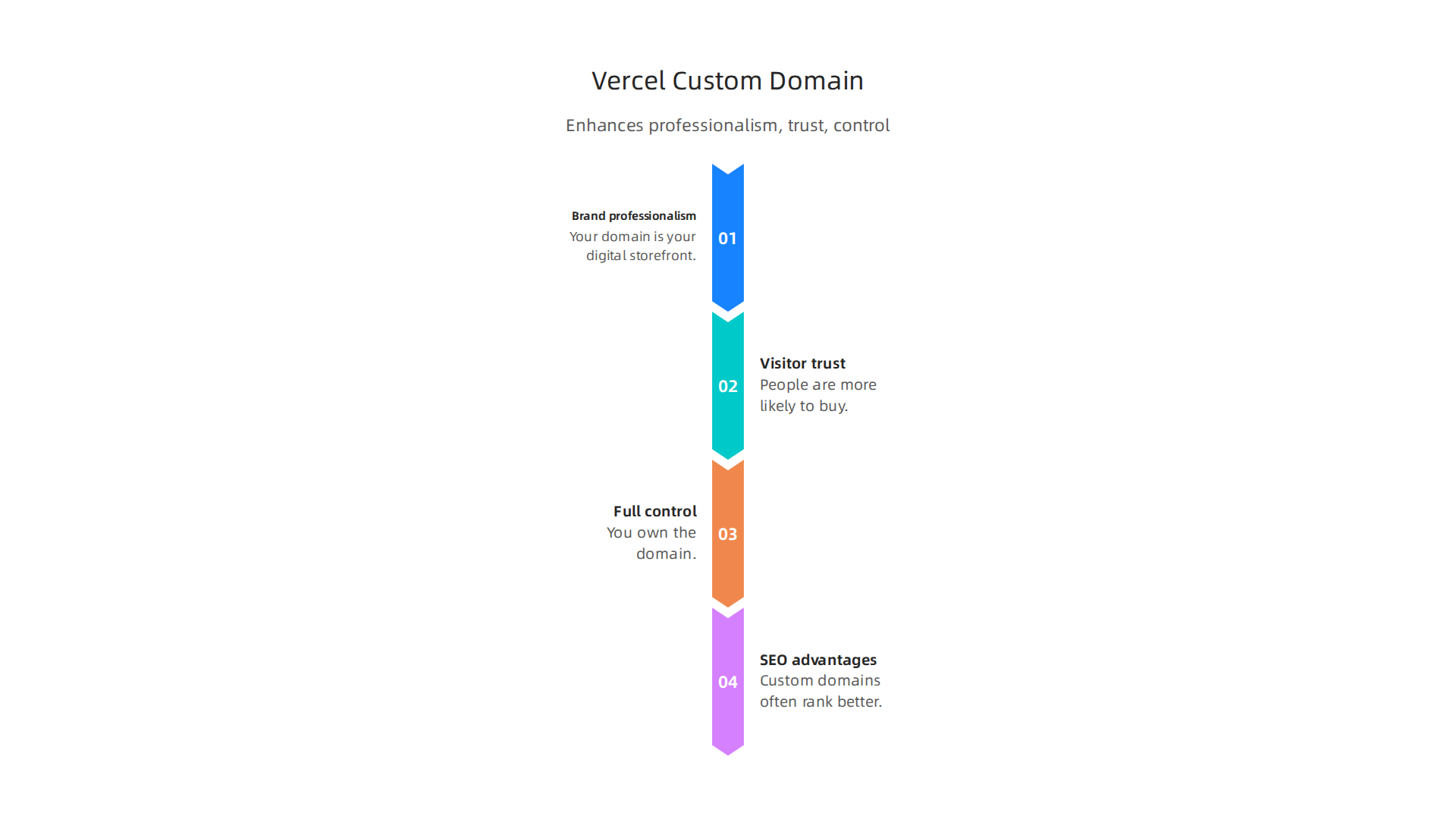

- Brand professionalism: Your domain is your digital storefront. A clean, branded URL makes you look established.
- Visitor trust: People are more likely to type in their email or buy something from yourbrand.com than from yourbrand.vercel.app.
- Full control: You own the domain. You can move it to another host or use it for email later. Vercel does not own it.
- SEO advantages: Custom domains often rank better in search results compared to subdomains of hosting platforms.
How Vercel Handles Domains Differently
Vercel takes a modern approach. Instead of messing with complex DNS records, you usually just add a CNAME record pointing to cname.vercel-dns.com. Vercel then automatically provisions a free SSL certificate through Let’s Encrypt. You do not need to buy or manage SSL. The traffic routes through Vercel’s global edge network, which speeds up load times for visitors anywhere in the world.
That sounds simple, and for developers it often is. But for a small business owner who is not technical, the DNS setup can still feel confusing. You still need to log into your domain registrar, find the DNS settings, and paste the right values. One wrong character and your site breaks.
Also, remember that Vercel’s free Hobby plan gives you a decent start, but if you need features like password protection or team collaboration, you must upgrade to Pro at $20 per month per seat. Then the extra usage charges can pile up fast, as we covered earlier.
That is why choosing a reliable domain registrar and a hosting provider with transparent pricing is so important. The best domain services in 2026 combine clear renewal prices, built-in security, and easy DNS management. You want a host that does not surprise you with hidden fees.
If you prefer a more predictable approach with hands-on support, take a look at Prism Web Host’s hosting and custom domain services. Their plans include unlimited subdomains, free SSL, and a 99.99% uptime guarantee. No surprise bills.
For more on managing domain costs and renewals, check out our guide on domain name renewal price comparison. It helps you avoid overpaying after the first year.
In short, a Vercel custom domain is worth the effort for the trust and control it gives your brand. But you need to understand the setup and the costs involved. Next, we will walk through the exact steps to connect your domain to Vercel without the headache.
Vercel Pricing Tiers: What You Pay for Custom Domains
You have a domain name ready. But do you know what Vercel’s pricing tiers actually charge for using it? The answer is not as simple as "$0 per month." Depending on your plan, you could face hidden fees that stack up fast.
Let’s break down each tier so you can see exactly what you pay for a Vercel custom domain.
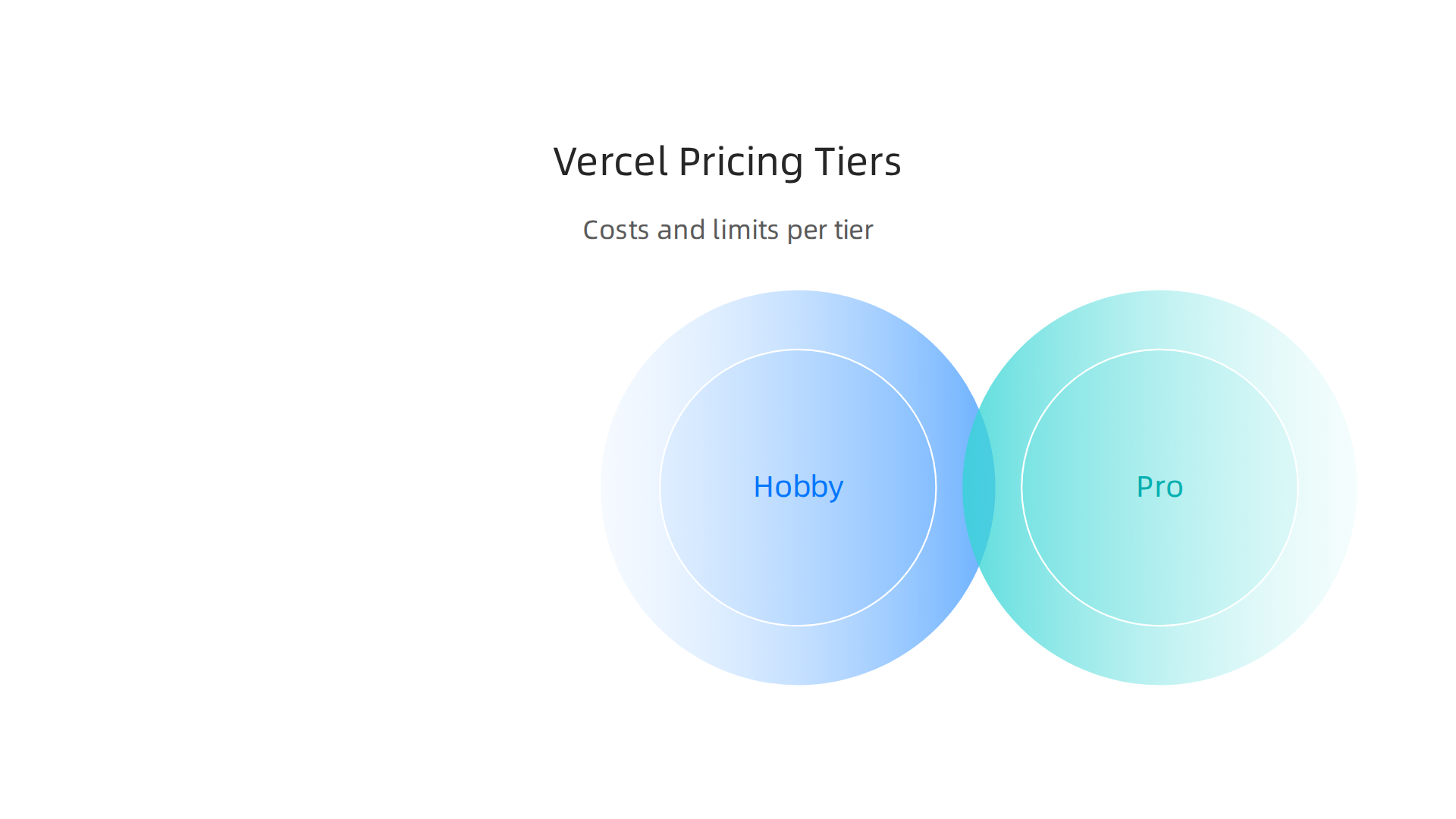
Hobby (Free)
The Hobby plan is free to start. You get basic analytics, a limited number of build minutes, and a small amount of bandwidth. According to Vercel’s official pricing page, the Hobby plan works well for side projects or personal sites.
Custom domains on Hobby? You can add them, but the number is limited. Most users can connect just a few domains. For a small business, this might feel too restrictive if you need multiple domains for different campaigns or locations. Also, you miss out on features like password protection and team collaboration.
Pro ($20 per seat per month)
The Pro plan starts at $20 per seat per month, according to the Vendr pricing guide. Each developer seat costs $20. You can add free viewer seats for stakeholders.
Pro gives you more of everything. More build minutes, more bandwidth (up to 1,000 GB per month as per Vercel’s docs), and more custom domains. You also get advanced analytics, password protection, and priority support.
But here is where the hidden costs creep in. According to a detailed cost analysis, you are billed on at least seven separate axes beyond the base fee. That includes compute time, bandwidth overage, and build minutes.
For instance, FocusReactive breaks down the overage costs: standard compute costs $0.014 per minute. If your site gets a traffic spike, that cost can balloon fast.
| Plan | Monthly Cost | Custom Domains | Bandwidth |
|---|---|---|---|
| Hobby | $0 | Limited | 100 GB |
| Pro | $20/seat | More (unlimited with limits) | 1,000 GB |
| Enterprise | Custom | Unlimited | Custom |
Enterprise (Custom Pricing)
Enterprise is for large teams and high-traffic sites. Pricing is custom, negotiated directly with Vercel’s sales team. You get dedicated infrastructure, custom SLAs, and unlimited custom domains.
Most small businesses do not need Enterprise. But if you do, expect to pay significantly more.
Additional Costs You Should Not Ignore
Beyond the base plan, watch for these extra charges:
- Domain purchase fees: If you buy a domain through Vercel, you pay their markup. It is usually cheaper to buy from an external registrar.
- Overage charges: Go over your bandwidth or compute minutes, and you pay extra. The Schematic pricing guide notes that the Pro plan charges $0.30 per action for certain services.
- Add-ons: SAML SSO costs $300 per month. Additional developer seats cost $20 each.
How Custom Domains Are Charged
On the Hobby plan, you can add a few custom domains for free. But if you run multiple sites or need many domains, you must upgrade to Pro. On Pro, you can add more domains, but there is still a soft limit. Enterprises get unlimited domains.
The real cost is not the domain itself. It is the risk of overage fees when your traffic grows.
A Better Way to Handle Domains
If you want transparent pricing and no surprise bills, consider a host like Prism Web Host. Their plans include unlimited subdomains, free SSL, and a 99.99% uptime guarantee. No complicated billing axes. Just a flat monthly rate.
For tips on choosing a registrar with clear renewal rates, check out our guide on domain cost per year. It helps you compare costs and avoid overpaying after the first year.
In short, Vercel’s pricing works if you stay within the free tier. But once you need more custom domains or higher traffic, the costs can surprise you. Know the limits before you commit.
Step-by-Step: Connecting Your Custom Domain to Vercel
Now that you know what Vercel’s pricing tiers really cost, let us walk through the actual setup. Connecting your vercel custom domain is doable, but you need to be careful with your DNS settings. One wrong record and your site stays offline.
What You Need Before Starting
You need two things ready.
- A domain name registered with a provider like Namecheap, Google Domains, or Cloudflare.
- Access to your DNS control panel (this is where you manage the domain’s records).
If you are shopping for a new domain or want to make sure you are getting fair renewal rates, read our guide on domain name meaning and our tips for finding reputable domain name registrars.
Step 1: Add Your Domain in the Vercel Dashboard
Log into your Vercel account and go to your project. Click on Settings and then Domains. Type in your custom domain (for example, yourdomain.com) and click Add. Vercel will immediately show you the DNS records you need to set.
For the official walkthrough, see Vercel’s Add a Domain documentation.
Step 2: Update Your DNS Records (The Make or Break Step)
This is where most mistakes happen. You need to create two different records depending on your domain setup.
| Record Type | Name/Host | Value/Target |
|---|---|---|
| A | @ (or your root domain) |
76.76.21.21 |
| CNAME | www |
cname.vercel-dns.com |
The A record points your root domain (like yourdomain.com) to Vercel’s server IP address.
The CNAME record points the www version (like www.yourdomain.com) to Vercel’s DNS name.
If you use Cloudflare as your DNS provider, you must turn off the proxy (the orange cloud icon) for Vercel to verify your domain. This GitHub Gist shows a full Cloudflare setup example.
For a complete visual guide, you can watch this Vercel domain setup tutorial from 2026.
Vercel’s official Managing DNS Records guide also has precise instructions for every record type.
Step 3: Wait for DNS Propagation
DNS changes do not happen instantly. It can take anywhere from a few minutes to 48 hours for your domain to start working. If your site does not load right away, be patient. Check back after a few hours.
Step 4: Verify Your SSL Certificate
Vercel automatically generates a free SSL certificate for your custom domain. This usually takes 5 to 15 minutes. If you see an "Invalid Configuration" error in your dashboard, your DNS records are likely wrong or still propagating. The Vercel community forum has threads with troubleshooting tips for this exact issue.
Common Pitfalls to Avoid
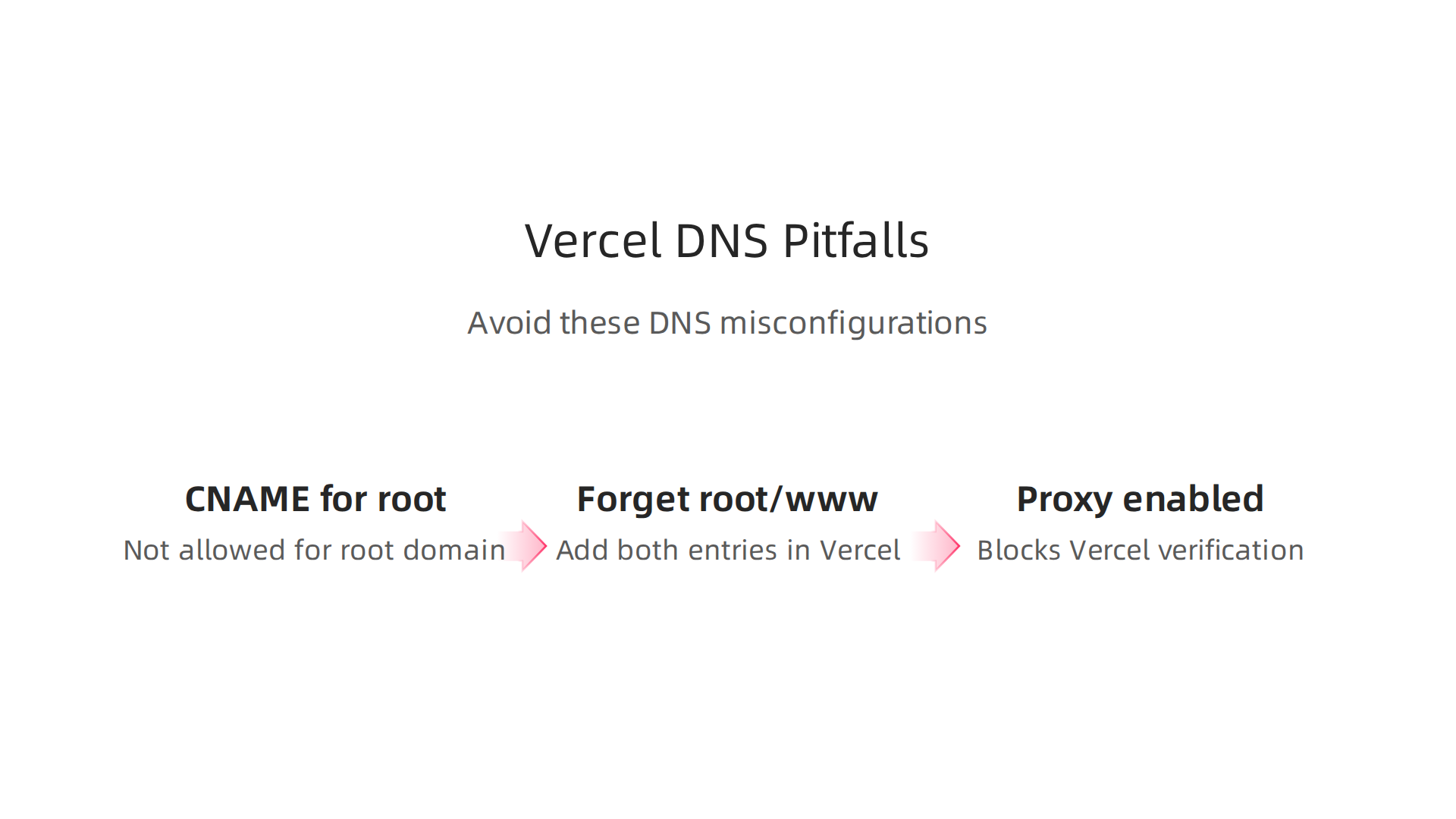
- Using a CNAME for the root domain. This is not allowed. The root domain must use an A record.
- Forgetting to add both the root and www domain. You often need both entries in Vercel for the automatic redirect to work smoothly.
- Proxy enabled on Cloudflare. This blocks Vercel’s verification system. Turn off the proxy for the A and CNAME records.
A Simpler Approach to Hosting
If managing DNS records and worrying about Vercel’s complex billing axes feels like too much work, you have options. You just want your site to load fast and stay secure without the manual setup.
That is where Prism Web Host comes in. They offer unlimited subdomains, free SSL certificates, and a 99.99% uptime guarantee. No hidden overage fees. No seven different billing axes. Just a flat monthly rate and a simple control panel.
To compare your total hosting costs across providers, check out our breakdown of web hosting cost in 2026. It helps you spot hidden fees before you commit.
Common Errors and How to Fix Them (Security & Performance)
So you followed the steps, added your domain in the Vercel dashboard, updated your DNS records, and waited. But something is still not working. Maybe you see a browser warning saying your connection is not secure. Or your site loads but then redirects in a loop. Or worse, it just shows a blank page.
These issues are frustrating, but they are also common. And most of the time the fix is simple once you know where to look.
SSL Certificate Not Provisioning
The most common error after connecting a vercel custom domain is an SSL certificate that never finishes generating. This usually means your DNS records are not pointing to Vercel correctly. The certificate request fails because Vercel cannot verify that you own the domain.
Check your A record first. Make sure the root domain (yourdomain.com) points to 76.76.21.21. If you used a CNAME for the root, that is your problem. The root must use an A record. Verify your CNAME for www points to cname.vercel-dns.com.
If both look correct, wait a bit longer. DNS propagation can take up to 48 hours. But if you still see an "Invalid Configuration" error in your Vercel dashboard after a day, check the Vercel community forum. Many users have posted fixes for this exact error.
Another common cause: Cloudflare’s proxy. If you use Cloudflare for DNS, you must turn off the proxy (the orange cloud icon) for both the A and CNAME records. Vercel’s verification system requires direct access to your DNS. The GitHub Gist showing the Cloudflare setup explains this clearly.
Domain Redirect Loops
Redirect loops happen when your browser keeps bouncing between your domain and the www version without ever landing. This often occurs if you added both yourdomain.com and www.yourdomain.com in Vercel but did not set the right redirect rules. Or it can happen if you enabled Cloudflare’s proxy while also using Vercel’s built-in redirect.
If you use Cloudflare, disable the proxy for both records. If you do not use Cloudflare, check your Vercel domain settings to make sure only one version is set as the primary domain.
CNAME Flattening Issues
Some DNS providers offer a feature called CNAME flattening that lets you use a CNAME for the root domain. But Vercel expects the root to use an A record. If your DNS provider automatically flattens your CNAME, it might still work, but it can cause verification delays or SSL errors. Stick with the A record for the root. Vercel’s Managing DNS Records guide is the best reference here.
DDoS Protection and Security Gaps
Vercel provides a Web Application Firewall (WAF) and basic DDoS mitigation for all plans. That is enough for most small business websites. But if you expect heavy traffic or need advanced security rules, you may want additional protection.
The catch is that Vercel’s security features vary by plan. On the free or Pro plan, you get standard protection. If a real DDoS attack hits, your site might slow down or go offline. Some businesses add Cloudflare in front for extra DDoS protection, but that complicates the setup and can break SSL verification as we already discussed.
A Simpler Hosting Path
If these DNS headaches and security concerns are making you question your choice, you are not alone. Many small business owners just want hosting that works without needing a technical manual.
That is where Prism Web Host comes in. They handle the DNS setup for you, include enterprise-grade DDoS protection (17Tbps+ capacity), and give you a free SSL certificate that works immediately. No proxy conflicts. No redirect loops. Just a flat monthly rate and a control panel that makes sense. They even offer a 99.99% uptime guarantee and NVMe SSD storage for speed.
If you are still comparing providers, check out our guide on web hosting cost in 2026 to see how different hosting companies stack up on both price and security.
Vercel Custom Domain vs Traditional Hosting: Cost and Feature Comparison
By now you have seen that setting up a vercel custom domain can be tricky. DNS records need to be perfect. SSL certificates take time. And security features vary by plan. So you might be wondering: is Vercel actually the best value for a small business?
The honest answer depends on what you need. Vercel shines for frontend developers who love Jamstack frameworks. But for a typical small business owner who just wants a fast, secure website with no fuss, traditional managed hosting often wins on total cost of ownership.
Let me break down the real differences.
Vercel vs Managed Hosting: Side by Side
| Feature | Vercel Free / Pro | Typical Managed Hosting (cPanel) |
|---|---|---|
| Monthly cost | Free or $20/month + overage fees | $10 to $30/month flat rate |
| Custom domain setup | Manual DNS changes, SSL delays | Automatic setup, SSL ready in minutes |
| Included SSL | Free via Let’s Encrypt | Free SSL, activated immediately |
| Scalability | Auto-scales, but costs can spike | Clear upgrade paths, predictable billing |
| Customer support | Community forum, ticket-based | 24/7 live chat and phone support |
What the Numbers Actually Mean
Let us start with vercel hosting pricing. The free tier sounds great. No monthly fee. But you pay for bandwidth overages. If your small business site gets a sudden traffic spike, your bill jumps. The Pro plan at $20 per month includes more bandwidth, but you still face usage-based costs for serverless functions and edge requests.
Compare that to a managed hosting provider. For around the same $20 per month, you get a flat rate with no surprise charges. No overage fees. Just one predictable bill. As the TechRadar best web hosting guide for 2026 points out, many small businesses prefer flat-rate pricing because it makes budgeting easier.
Vercel hosting cost also hides in the setup time. Remember all those DNS errors we just covered? Every hour you spend debugging is an hour you are not running your business. A managed host handles the vercel custom domain configuration for you. They point your domain, install the SSL, and test everything before you even log in.
Cloudflare Pages pricing is another option some consider. But Cloudflare has its own quirks with custom domains, and you still need to manage DNS records yourself.
Why Ease of Use Matters More Than You Think
Here is the thing. Managed hosting providers use cPanel or similar control panels. These tools have been around for years. They are not flashy, but they work. You can add a domain, install WordPress, and set up email in minutes.
And when something breaks, you call or chat with a real person. Not a ticket system that replies in 24 hours. Not a community forum where you hope someone answers. As the Elementor article on managed hosting explains, you are paying for specialized expertise and support. That peace of mind is hard to put a price on.
The Hidden Value of All-Inclusive Security
Vercel gives you basic DDoS protection and a WAF. That is fine for many sites. But if you are handling customer data or running an ecommerce store, you may want more. Enterprise-grade DDoS protection (17Tbps+ capacity), isolated hosting environments, and point-in-time backups are standard with premium managed hosts, not add-ons you pay extra for.
Which One Should You Choose?
If you are a developer building a Next.js app with high traffic potential, Vercel makes sense. The platform is optimized for that workflow.
But if you are a small business owner, a freelancer, or a marketing manager who just wants your website to work without drama, go with a managed host. You will save time, avoid hidden fees, and sleep better knowing support is one call away.

Want to see how the numbers play out for different scenarios? Check out our guide on web hosting cost in 2026 for a deeper breakdown.
If you are ready for hosting that handles the hard stuff for you, take a look at Prism Web Host. They include free SSL, automatic domain setup, enterprise DDoS protection, and a 99.99% uptime guarantee all in one flat monthly rate. No DNS headaches. No overage bills. Just a fast, secure website that lets you focus on your business.
Expert Tips for SMBs: Maximize Value and Avoid Surprises
By now you have seen the full picture. Vercel works great for some projects. But for most small businesses, the hidden costs and setup headaches make it a risky choice.
Here are three practical tips to help you get the most out of your setup without falling into common traps.
Tip 1: Use a Separate Domain Registrar
Do not buy your domain through Vercel. Many people do this because it seems easier. But you pay more in the long run.
Vercel does not specialize in domain registration. Their renewal prices are often higher than what you get from a dedicated registrar. And if you ever want to move your domain away from Vercel, you face extra steps and potential downtime.
Instead, use a registrar like Namecheap or Cloudflare. Keep your DNS management simple and separate from your hosting. This way, you control your domain no matter what happens with your hosting provider. You can change hosts anytime without touching your domain settings.
If you want a deeper look at how domain renewal pricing works and how to avoid expensive surprises, check out our guide on domain cost per year. It covers exactly what determines renewal prices and how to lock in lower rates.
Tip 2: Enable Vercel Analytics to Track Domain Issues
One of Vercel’s best features is its built-in analytics. Turn it on from day one. It shows you real data on traffic, page views, and user behavior.
Why does this matter for your custom domain? Because if your domain setup has problems, you will see it in the numbers. A sudden drop in traffic might mean your DNS records are not resolving correctly. Visitors may see a "not secure" warning if your SSL certificate fails to renew. Without analytics, you might not notice these issues for days or weeks.
Vercel’s Pro plan at $20 per month includes advanced analytics. For many businesses, that single feature helps catch problems before they hurt your bottom line.
Tip 3: Try a Hybrid Approach to Control Costs
Here is a strategy that works for many budget-conscious SMBs. Use Vercel for your frontend. It is fast, it scales well, and it handles static sites beautifully. Then use a traditional managed host for your backend processing, databases, or content management.
Why? Because Vercel charges extra for serverless functions, edge requests, and build minutes. As this detailed breakdown of Vercel cost in 2026 shows, the Pro plan starts at $20 per seat per month but after that you face charges on at least seven different usage axes. Those costs add up fast when you run a lot of backend logic.
A managed host like Prism Web Host gives you a flat monthly rate for the backend piece. No function charges. No edge request fees. Just predictable billing.
With this hybrid setup, you get Vercel’s speed on the front where it matters most. And you get stable, predictable hosting costs for everything else. The best of both worlds.
The Bottom Line for SMBs
A vercel custom domain can work. But only if you go in with your eyes open. Use a separate registrar to avoid lock-in. Track your traffic with analytics so you catch problems quickly. And consider splitting your frontend and backend between Vercel and a traditional host to keep your monthly bills predictable.
When you add up vercel hosting pricing against these strategies, the savings are real. You avoid the hidden fees that catch most people off guard.

If you are ready for hosting that handles the hard stuff for you, take a look at Prism Web Host. They include free SSL, automatic domain setup, enterprise DDoS protection, and a 99.99% uptime guarantee all in one flat monthly rate. No DNS headaches. No overage bills. Just a fast, secure website that lets you focus on your business.
How to Monitor Domain Performance on Vercel
Once your vercel custom domain is live, you need to keep an eye on it. A slow domain hurts your visitors and your search rankings.
Start with Vercel Analytics. It is built right into your dashboard. Turn it on to see real time data on page load times and traffic. If your domain starts resolving slowly, you will spot the dip in performance metrics quickly.
But built in tools only show you part of the picture. Use third‑party tools like GTmetrix or Pingdom to test your domain from different locations around the world. These tools measure DNS resolution time and SSL handshake speed. A slow DNS lookup means your domain provider might be the problem. A slow SSL handshake could point to certificate renewal issues.
Set up performance budgets and alerts. For example, keep your DNS resolution under 50 milliseconds. If it goes above that, you get a warning. You can configure alerts in Vercel or through your monitoring tool.
Monitoring your domain performance helps you catch problems before they cost you customers. If you want a deeper look at how hosting costs affect your bottom line, check out our guide on web hosting cost in 2026. It explains how performance and pricing connect for small businesses.
Most managed hosting providers include performance monitoring as a standard feature, as highlighted by G2’s review of managed hosting platforms. With Vercel, you have to set it up yourself. A few minutes of configuration now saves you from hidden slowdowns later.
Summary
This article explains how to add and manage a Vercel custom domain while exposing the real costs and operational pitfalls many small businesses face. It walks you through Vercel’s pricing tiers (Hobby, Pro at $20/seat, and Enterprise), what charges can appear beyond the base plan, and why unexpected overage fees happen. You’ll get a clear, step‑by‑step setup for DNS records (root A record to 76.76.21.21 and www CNAME to cname.vercel-dns.com), what to check during SSL provisioning, and how to avoid Cloudflare proxy conflicts. The guide also compares Vercel to traditional managed hosting, recommends practical SMB strategies (separate registrar, analytics, hybrid hosting), and shows how to monitor performance so your site stays fast and predictable. After reading, you’ll be able to connect a domain correctly, spot the common mistakes that break SSL or redirects, and choose a hosting approach that fits your budget and support needs.
