




Web Hosting Cost in 2026: How to Compare Pricing Models and Avoid Hidden Fees
Article
Picking a web host can feel like trying to solve a puzzle without the picture on the box.

You see low numbers like $2.99 a month. But by the time you check out, the price jumps. Add-ons, renewal rates, and hidden fees make the real hosting price hard to spot.
In 2026, website hosting cost ranges from about $2 a month for basic shared plans to over $300 a month for a dedicated server [TrueHost]. Shared hosting typically runs between $4 and $15 per month, while cloud hosting can start as low as $5 to $20 per month for small sites [DevPanel]. Dedicated servers start around $100 to $1,000 per month, depending on hardware and bandwidth [CherryServers, Elementor].
The gap between the advertised price and what you actually pay can be huge. That is why you need a clear way to compare value, not just upfront cost.
This guide breaks down hosting price models, common hidden fees, and the key decision criteria for businesses in 2026. You will learn how to compare Hostinger pricing, HostGator pricing, and GoDaddy cost side by side. And you will know exactly what questions to ask before you buy.
For business owners who want simple, secure, and reliable hosting without surprises, Prism Webhost offers enterprise-grade features like 99.99% uptime, NVMe SSD storage, and 17Tbps+ DDoS protection.
It is built for entrepreneurs who need performance without the complexity.
Understanding Hosting Pricing Models
Now that you know the general price ranges, let’s look at the three main hosting models.
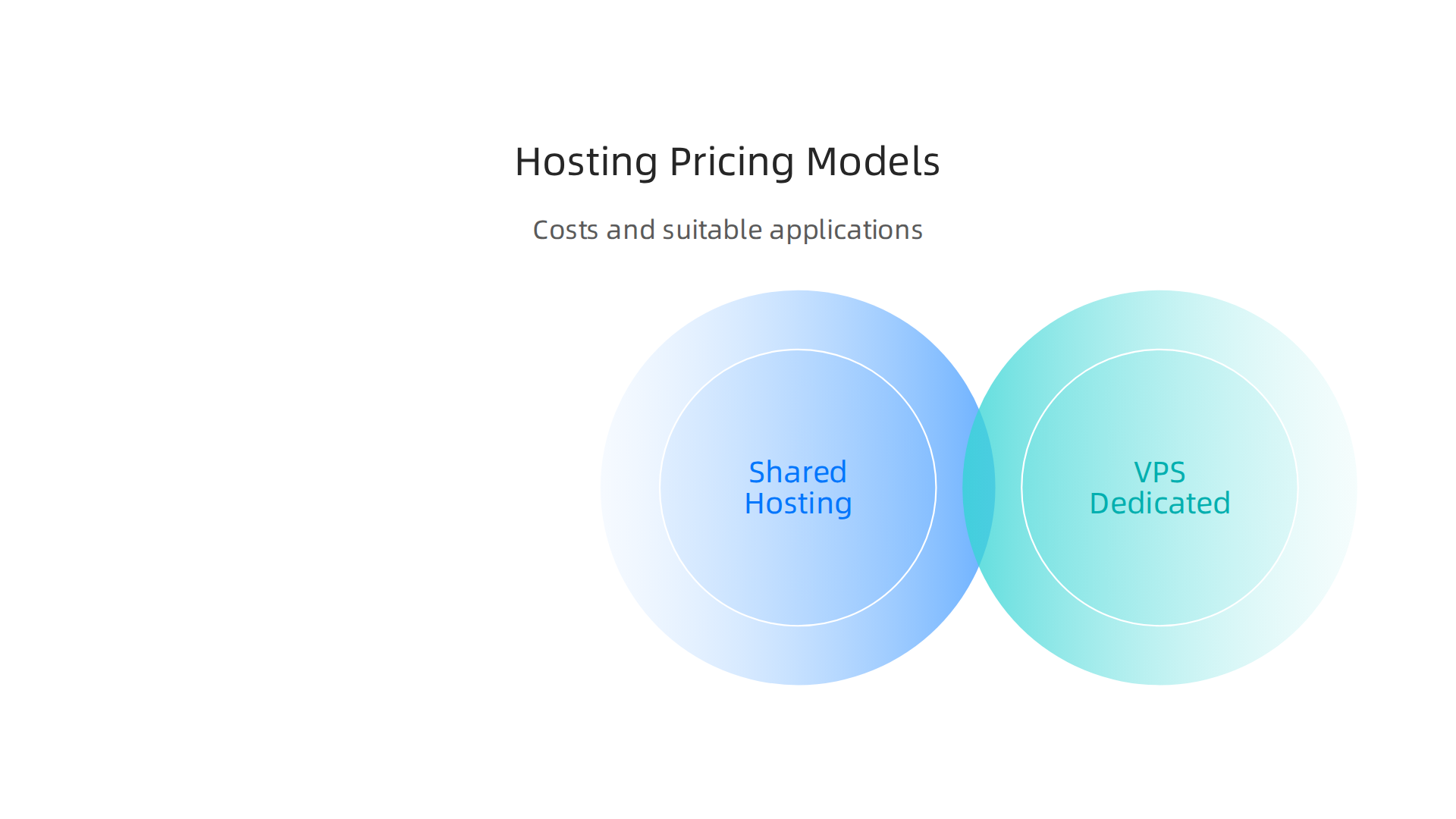
Each one works differently, and the right choice depends on your site’s size, traffic, and budget. The biggest mistake? Picking the cheapest option without understanding the trade-offs.
Shared Hosting: The Budget Starter
Shared hosting is the most affordable web hosting cost you’ll find. Multiple websites share one server, so the cost stays low. In 2026, shared plans typically run between $4 and $15 per month [DevPanel]. This model works well for personal blogs, small portfolios, or brand-new businesses that don’t expect a ton of visitors.
But here’s the catch: you share server resources like CPU and RAM with your neighbors. If one site on your server gets a traffic spike, yours could slow down or even crash. You also have less control over security settings. That’s why many businesses outgrow shared hosting quickly.
VPS and Dedicated Plans: Full Control, Higher Cost
When shared hosting isn’t enough, you move up to a Virtual Private Server (VPS) or a dedicated server. A VPS gives you your own slice of a server, so you don’t compete with other sites. It’s like renting a private apartment instead of sharing a dorm.
Dedicated servers take it a step further. You get the whole machine to yourself. Prices for dedicated servers start around $100 to $1,000 per month, depending on the hardware and bandwidth you need [CherryServers]. This option is ideal for e-commerce stores, high-traffic media sites, or businesses that handle sensitive customer data.
Cloud Hosting: Pay as You Grow
Cloud hosting is the modern middle ground. Instead of relying on one physical server, your site runs on a network of virtual servers. You only pay for what you use, and you can scale resources up or down in minutes.
Cloud hosting costs can start as low as $5 to $20 per month for a small site [DevPanel], but they can climb to $1,439 per month for high-demand applications [Cybernews]. That flexibility makes cloud hosting a popular choice for growing businesses. If you expect seasonal traffic spikes or plan to launch new products, cloud hosting lets you adjust without moving your entire site.
The key takeaway? Your hosting price should match your current needs and allow room for growth. If you want a model that combines the simplicity of shared hosting with better performance and security, take a look at what Prism Webhost offers. We use isolated hosting environments and enterprise-grade features so you get dedicated-like performance without the complexity. For a deeper breakdown of how different providers compare, check out our web hosting services reviews.
Key Factors That Affect Hosting Price
So why do two hosting plans that look almost the same have different monthly prices? The answer comes down to a few key factors.
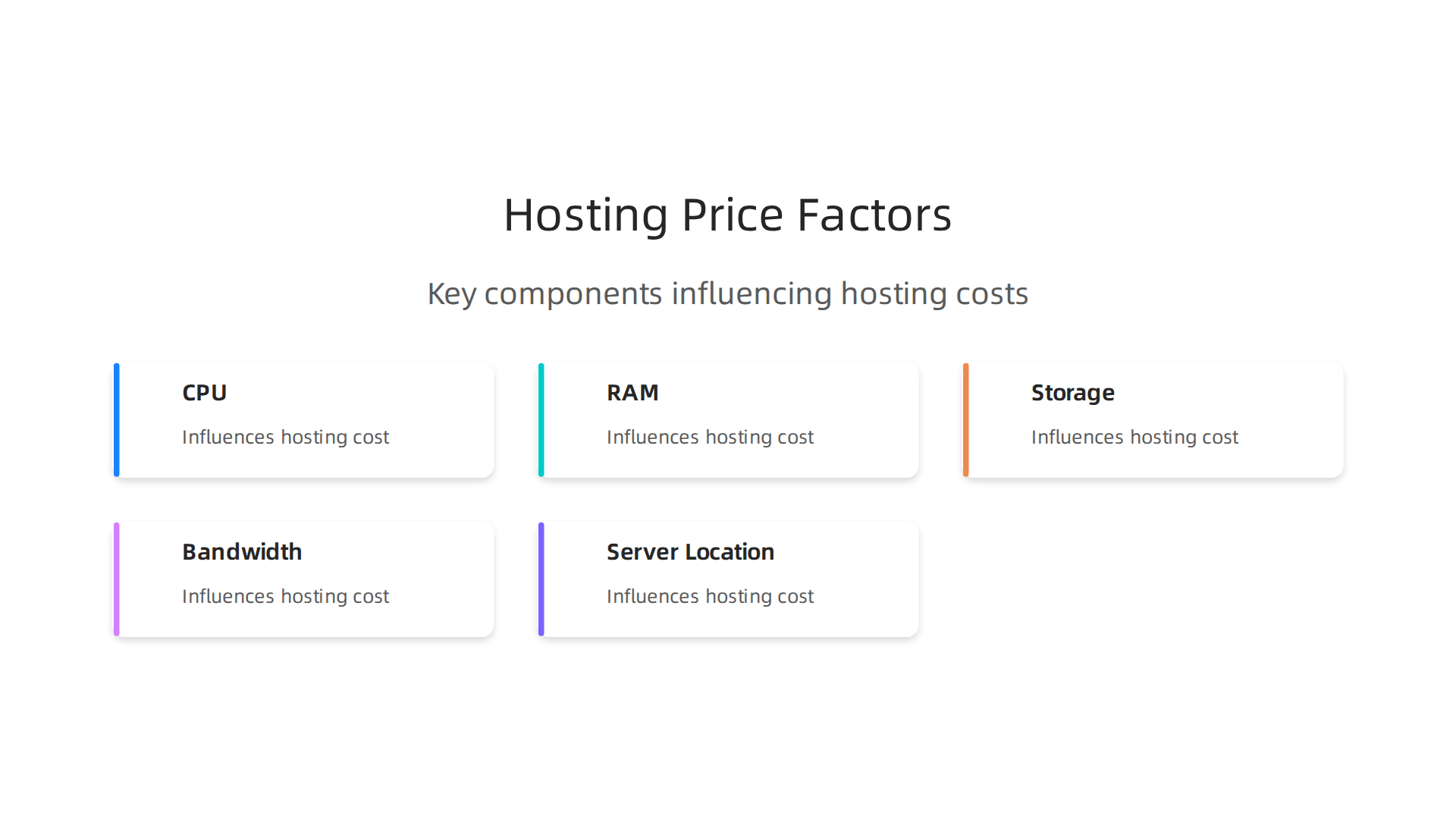
Once you understand them, you’ll know exactly what you’re paying for.
CPU, RAM, and Storage
The hardware behind your plan is the biggest driver of hosting price. More CPU cores, higher RAM, and faster storage cost the provider more, so they charge you more. A basic shared plan might give you 1 CPU core and 1 GB of RAM. A VPS plan could offer 4 cores and 8 GB of RAM. That jump can double or triple your monthly fee. According to Hostinger’s 2026 statistics, performance and storage are major factors that make prices vary between plans.
Storage type matters too. SSDs are faster than old-school hard drives, and NVMe SSDs are even faster. Plans with NVMe storage usually cost more but load your site much quicker. If you want a deeper look at how resource limits affect your choice, check out our data-backed guide to choosing a reliable host.
Bandwidth, Site Limits, and SSL
Bandwidth determines how much data your site can transfer each month. Higher bandwidth means you can handle more visitors without slowdowns. Many budget hosts cap you at 10 GB or 50 GB of bandwidth. Unlimited bandwidth sounds nice, but read the fine print. The number of websites you can host also changes the price. A single-site plan is cheaper than an unlimited-site plan.
SSL certificates used to be an extra cost, but now most hosts include a free Let’s Encrypt SSL. Still, some providers charge for premium SSL certificates or for automated backups. As Network Solutions points out, the features you need directly affect your web hosting cost.
Data Center Location and Green Energy
Where your server sits matters too. Data centers in expensive regions like the US West Coast or Western Europe cost more to operate. Hosts pass some of that cost to you. On the flip side, choosing a data center closer to your audience can improve speed.
Green energy has become a bigger factor in 2026. Some hosts use renewable energy to power their servers, which can add a small premium. The WebPros 2026 report shows the industry is moving toward higher efficiency, but eco-friendly infrastructure isn’t always the cheapest.
When you compare hosting price options, remember that paying a bit more often gets you better performance, security, and support. The trick is finding a provider that delivers real value without hidden costs. That’s exactly what Prism Webhost focuses on: transparent pricing with resources that actually match your needs.
Tiered Pricing Comparison: Shared, VPS, Dedicated, Cloud
Now that you know what drives the cost, let’s look at the actual numbers. A side-by-side comparison reveals what you get at each price level. This will help you match a plan to your real needs, not just the cheapest option you see.
Quick Overview of the Main Hosting Tiers
Here is a simple breakdown of the four most common types of hosting and their typical hosting price ranges in 2026. As Truehost notes, costs can go from $2 a month all the way to over $300 for a dedicated server.
- Shared hosting: $2 to $15 per month. You share server resources with many other sites. Best for beginners, small blogs, or simple business sites.
- VPS (Virtual Private Server) hosting: $20 to $100 per month. You get your own slice of the server with dedicated resources. Great for growing sites that need more power and control.
- Dedicated hosting: $80 to $500+ per month. You get an entire physical server to yourself. Perfect for high-traffic sites, online stores, or apps that need maximum performance.
- Cloud hosting: Pricing varies widely, often starting around $10 and scaling up based on usage. Resources can grow on demand, so you only pay for what you use.
According to the WebPros 2026 report, the industry faces pressure from both rising costs and price competition. That means many providers bundle features differently, so the same web hosting cost can get you more or less depending on the host.
What Each Tier Actually Includes
Let’s get a bit more specific. The table below shows typical resources you can expect at each level.

| Hosting Type | Typical Monthly Price Range | CPU / RAM | Storage | Monthly Visitors (rough) |
|---|---|---|---|---|
| Shared | $2 – $15 | 1 core / 1 GB | 10-50 GB SSD | Up to 10,000 |
| VPS | $20 – $100 | 2-4 cores / 4-8 GB | 50-200 GB SSD | 10,000 – 50,000 |
| Dedicated | $80 – $500+ | 4-16 cores / 16-64 GB | 500 GB+ NVMe | 50,000+ |
| Cloud | $10 – $500+ | Variable / scalable | 20 GB+ SSD | Depends on scale |
The Shopify blog on hosting costs points out that how long you commit also matters. Monthly plans usually cost more per month than yearly ones. So if you lock in a longer term, your hosting price per month goes down.
How to Choose the Right Tier
Understanding these ranges helps you narrow down suitable options. Ask yourself two questions:
- How many visitors do I expect each month?
- How much control do I need over the server setup?
If you are starting a personal blog or a small business site, shared hosting at $5 to $10 a month will likely do the job. If your site is growing and you need better performance, VPS is the logical next step. Dedicated hosting is for large projects where speed and security are top priorities. Cloud hosting works well if your traffic jumps up and down.
But remember: the cheapest plan isn’t always the best deal. The Network Solutions blog reminds us that the features you actually need should guide your choice, not just the price tag.
A Note on Renewal Rates
Many hosts offer low introductory prices, then jump up when it’s time to renew. Shared plans might start at $2, but renew at $10 or more. Always check the renewal price before you sign up. For a deeper look at how this works with specific brands, check out our breakdown of GoDaddy’s shared, VPS, and WordPress hosting prices.
Getting More for Your Money
If you want reliable performance without surprises, look for a host that gives you solid resources at a fair price. Prism Webhost focuses on transparent pricing with NVMe storage, LiteSpeed servers, and real uptime guarantees. No hidden renewal spikes, just clear value that grows with your site. That way you spend your budget on what matters: your business.
Hidden Costs: Renewal Rates, Add-ons, and Migration Fees
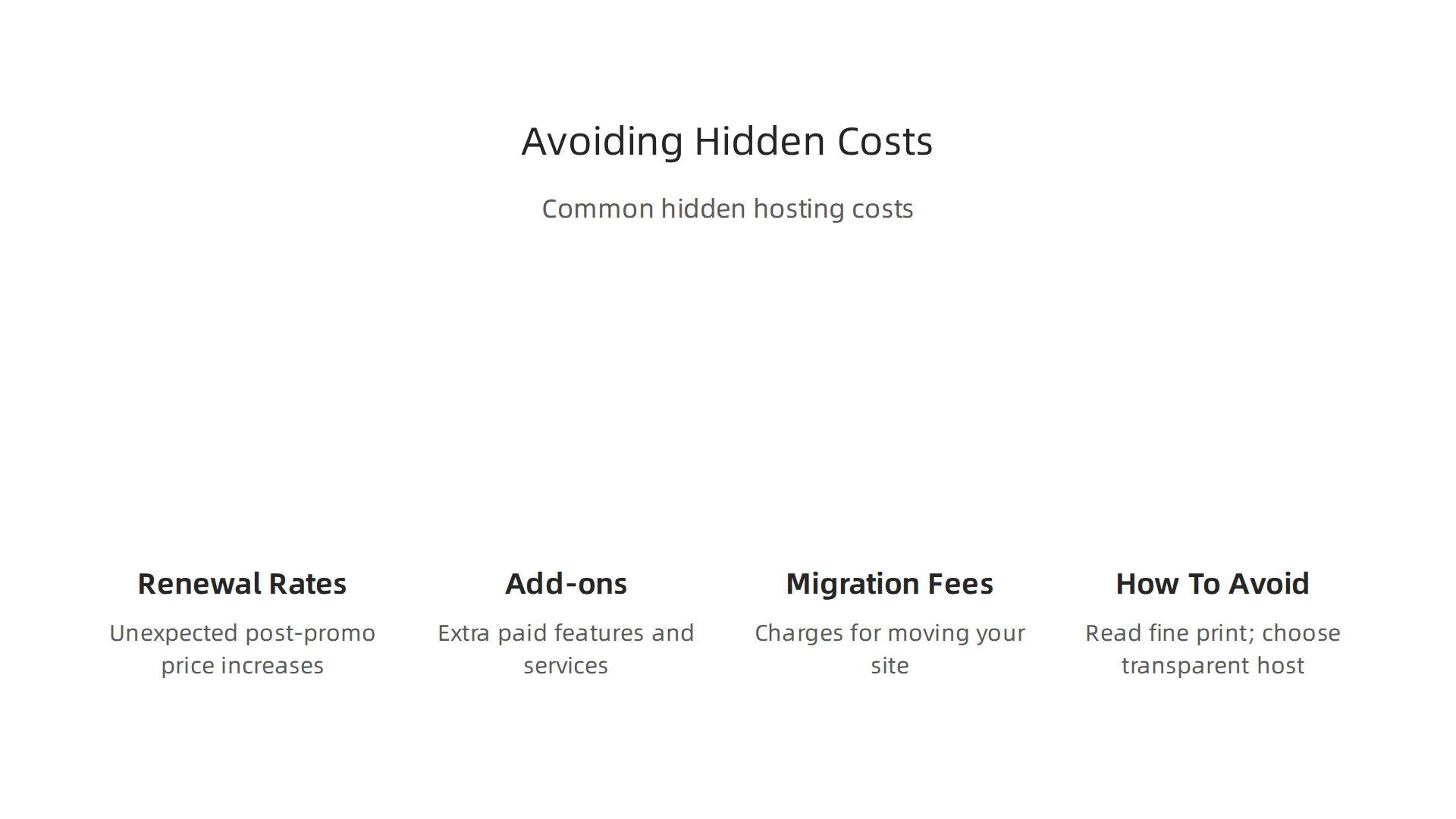
You see a price like $2 per month and think, "That’s a steal." But here’s the thing: that price often doubles or triples after the first term ends. Many hosts hook you with a low introductory rate, then hit you with a much higher renewal price. This is one of the biggest surprises in the web hosting cost game.
According to the JIM blog on small business website costs, ongoing costs most owners overlook add $1,100 to $5,000 per year for hosting, security, backups, and marketing tools. So that $2 plan might turn into $10 or more when it’s time to renew. Always check the renewal rate before you sign up.
Add-ons That Sneak Up on You
Essential extras can increase your monthly bill by 30 to 50 percent. Things like SSL certificates, daily backups, dedicated IP addresses, and premium support are often not included in the base price. The HostAdvice guide on hidden costs of VPS hosting points out that these fees can really add up, especially if you need managed services or extra security.
If you want to avoid surprises, look for a host that bundles these features upfront. Some providers, like the ones covered in our web hosting template checklist, include free SSL and regular backups as standard.
Migration and Setup Fees
Switching hosts? Don’t forget the cost of moving your site. Some companies charge a migration fee, usually between $10 and $50 per site. Others offer free transfers, but only for a limited time. If you don’t plan ahead, you could end up paying more than expected.
The Web Pros 2026 report notes that security overhead also adds to costs, with outdated software and malware being top risks. So if your host charges extra for security features, that’s another hidden expense.
How to Protect Your Budget
The best way to avoid these traps is to read the fine print and choose a host with transparent pricing.
We recommend Prism Webhost because they include NVMe storage, LiteSpeed servers, free SSL, and daily backups in every plan. No hidden renewal spikes, no surprise fees. You get clear value that grows with your site, so you can focus on your business, not the bill.
Security and Support: The Real Cost of Cheap Hosting
That low monthly fee might look good on paper, but here’s the trade-off: cheap hosts often cut corners on security and support. You could end up with no DDoS protection, no malware scanning, and no automated backups. The Web Hosting Trends Report 2026 from WebPros found that outdated software and malware are the top security risks for small sites. And the JIM blog on small business website costs reminds us that ongoing security and backup expenses can add $1,100 to $5,000 per year if you have to patch things together.
Slow or Missing Support Costs You More Than Money
When your site goes down, every minute of downtime can mean lost sales and damaged trust.

But many budget hosts offer support that’s slow, outsourced, or simply unavailable. The Cutthroat Marketing article on cheap hosting dangers explains that cheap hosting often costs you far more in lost leads and headaches than you save on the monthly bill. If you struggle to reach a live person when your site crashes, that’s a sign your hosting price is too good to be true.
Protect Your Brand with Secure, Reliable Hosting
Investing a little more upfront in a host that takes security and support seriously protects your reputation and your revenue. Instead of chasing the lowest web hosting cost from providers with Hostinger pricing or HostGator pricing that spikes later, look for a plan that includes real protection. We recommend Prism Webhost because every plan comes with enterprise-grade DDoS protection, free SSL, daily backups, and a 99.99% uptime guarantee. You get a support team that actually helps, not a chatbot that runs you in circles. For more tips on what to look for, check out our data-backed guide to choosing a reliable web host.
How to Choose the Right Plan for Your Business Stage
You know cheap hosting can hurt you. Now you need a plan that fits where your business is right now and where it’s heading.

Here’s how to match your hosting price to your actual needs.
Solo Entrepreneurs: Start Simple, Keep an Upgrade Path
If you’re just starting out on your own, shared hosting is usually plenty. It’s the most affordable web hosting cost, and many shared plans today deliver solid speed. For example, tests from 01net show that Hostinger’s shared hosting achieves response times under 230 ms with 100% uptime. That’s fast enough for a small blog or portfolio. The trick is to pick a provider that lets you upgrade easily later. You don’t want to be stuck with a cheap plan that can’t scale when your traffic grows. Look for clear paths to VPS or cloud hosting, not just low introductory rates.
Growing E‑commerce Stores: Reliability Beats Low Price
Once you start selling products or handling customer data, shared hosting can become a bottleneck. Slow load times and downtime directly cost you sales. A review of top hosting providers in 2026 found that VPS and cloud solutions maintained 99.9%+ uptime consistently, while lower-tier options had unexplained outages. For e‑commerce, a small dip in performance can scare away buyers. So invest a bit more in a plan that guarantees resources and offers features like dedicated IPs, SSL, and automated backups. The right hosting price here pays for itself in prevented lost revenue.
Match Your Plan to Your Skills and Traffic
Your technical comfort matters too. If you’re not a server expert, managed hosting can save you hours of frustration. And if you expect a big launch or seasonal spikes, choose a host with auto-scaling. Assess your monthly traffic, bandwidth needs, and how much hands‑on time you have. That way you avoid overpaying for resources you don’t use yet, but also avoid outgrowing your plan overnight.
At Prism Webhost, every plan is designed to grow with you. Whether you need shared hosting today or plan to move to VPS tomorrow, we offer scalable hosting solutions with enterprise-grade security and support. For more help comparing plans, read our complete guide to choosing a reliable web host.
Performance and Uptime: What Price Guarantees?
So you’ve matched your plan to your business stage. But the real test of any hosting price is how your site actually performs once it goes live. Cheaper hosting might save you money upfront, but it can cost you trust and sales down the road.
Here’s the thing. A low web hosting cost usually comes with a lower uptime SLA. You might see a 99.5% uptime guarantee on budget plans. That sounds fine at first. But that small percentage difference matters. 99.5% uptime means your site could be down for almost 44 hours per year. A premium plan with a 99.99% SLA drops that to under an hour. When customers get a 500 error instead of your checkout page, even a few minutes of downtime can hurt your reputation.
Page load times change a lot by tier too. Faster sites rank better on Google and turn more visitors into buyers. Tests from 01net show that even some budget picks like Hostinger can hit a TTFB under 230 ms with 100% uptime. But many ultra-cheap plans use older hardware or crowded servers. That means slower loads and higher bounce rates. You can see the real impact of speed in this breakdown of GoDaddy hosting prices and how they compare with premium options.
Also, look closely at the wording of uptime guarantees. Most providers offer a credit if they break the SLA. But the credit is often tiny. A 99.5% guarantee might give you a 5% refund on one month of service. That barely covers the lost revenue from being offline. So the hosting price is only part of the story.
For a plan that guarantees real reliability, check out Prism Webhost. We offer a 99.99% uptime SLA, NVMe SSD storage, LiteSpeed servers, and enterprise-grade security so your site stays fast and available when it matters most.
Making a Cost-Effective Decision: A Step-by-Step Guide
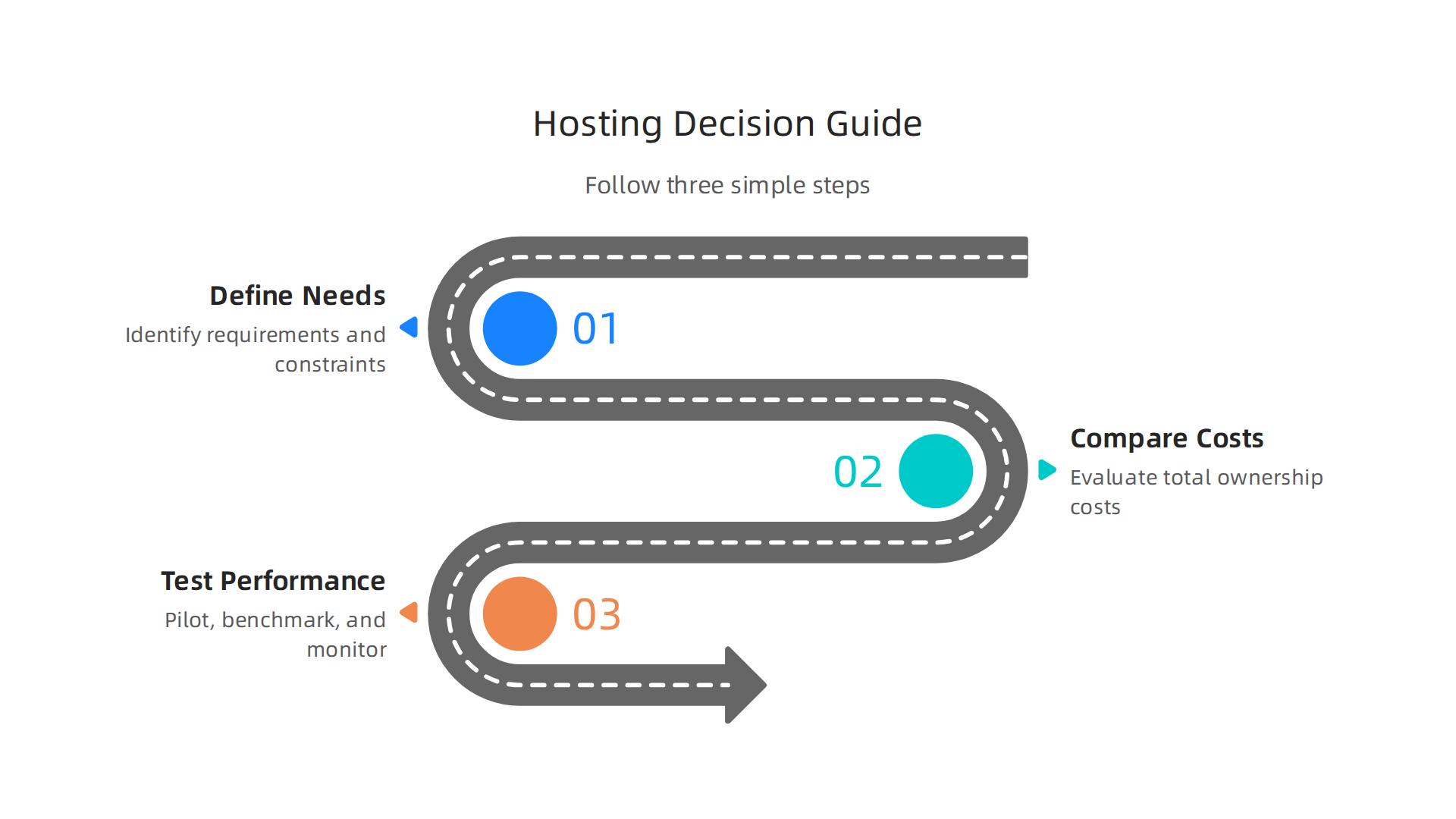
By now you know that a low hosting price can hide performance trade-offs. So how do you actually pick the right plan? Follow these three steps to make a smart, cost-effective choice.
-
Define your must-have features. Before you compare web hosting cost, list what your site absolutely needs: free SSL, daily backups, 24/7 support, and a control panel like cPanel. According to a comprehensive 2026 web hosting guide, the best hosts balance performance, security, scalability, and support. Without these basics, even a cheap plan won’t serve you well. For a full checklist, see our web hosting template checklist.
-
Compare total cost over 24 months. Intro prices are tempting, but always check the renewal rate. A $2.99/month offer might jump to $12.99 after the first term. Look at the full two-year cost including add-ons like domain privacy and site backups. As tips for finding affordable hosting explain, you want to avoid overpriced traps. Hostinger pricing, HostGator pricing, and GoDaddy cost often rise sharply after renewal. A higher monthly fee upfront can actually save you money in the long run.
-
Test support and performance during a trial period. Most providers give a 30-day money-back guarantee. Use that time to contact support with a tough question and run speed tests. This step-by-step choosing guide recommends checking response times and server performance. If support is slow or your site lags, move on. You can try Prism Webhost’s reliable infrastructure with LiteSpeed servers and NVMe SSD storage to see how fast your site can really be.
A little upfront effort on these steps will help you avoid costly mistakes and find a hosting price that truly fits your business.
Summary
This article explains how to read web hosting prices in 2026 so you pay for value, not marketing copy. It covers the major hosting models (shared, VPS, dedicated, cloud), typical price ranges, and the hardware and features that drive cost like CPU, RAM, NVMe storage, and bandwidth. You’ll learn about common hidden charges—introductory rates, renewal spikes, SSL/backups, migration fees—and why cheap plans often skimp on security and support. The guide shows how uptime and page speed affect revenue, gives concrete tier comparisons, and offers a three-step method to pick the right plan: list must-have features, compare total 24‑month cost, and test support/performance. It emphasizes planning for growth, avoiding surprise fees, and choosing hosts that bundle essential protections so your site stays fast and reliable.
