




Understand and Optimize Your AWS Hosting Cost for Small Businesses
Article
Why AWS hosting cost matters for entrepreneurs and SMBs
For many small businesses and growing online brands, moving to the cloud feels like a smart step. You get powerful tools and the ability to grow fast. But here’s the thing: understanding the true AWS hosting cost can be tricky. Many entrepreneurs and small to medium-sized businesses (SMBs) run into common problems when they first look at cloud hosting.

One big challenge is that the pricing can seem very complex. There are many different services, and each has its own way of charging. This can lead to surprises and what some call "hidden fees" if you don’t know what to look for. Think about how much data you move around. For example, moving data between different regions on Amazon S3 or EC2 might have different costs per gigabyte, depending on where it’s going and where it’s coming from. Even moving data from one area to another within AWS can have a charge, like the $0.02 per GB for data going from US-West to US-East in some cases, according to Amazon’s own pricing information for S3. Knowing these details is key.
Another problem is that costs can change a lot as your business grows. What starts as a small bill can quickly get bigger if you don’t manage things well. This can make planning your budget hard. Comparing AWS to other options like Vercel hosting cost or even looking into how to self-hosting your website set up, manage, secure your business in 2026 can feel overwhelming.
This article is here to help you get a clear picture of AWS hosting cost. We will break down what makes up your bill, like compute time, storage, and network use, which are the main cost factors for most companies, making up a large portion of the overall cloud bill. We’ll also show you real ways to keep your spending in check. You will learn how to decide between managing your own hosting on AWS or using a service that takes care of it for you. Our goal is to give you clear, easy-to-use tips that you can act on right away. We’ll also point you to helpful tools like the official AWS Pricing Calculator where you can get your own cost estimates.
Moving your business online with AWS is exciting, but it’s super important to know how the costs add up. The main parts of your AWS bill often come from four big areas: how much computer power you use, how much storage you need, how much data moves in and out, and any special services you pick.
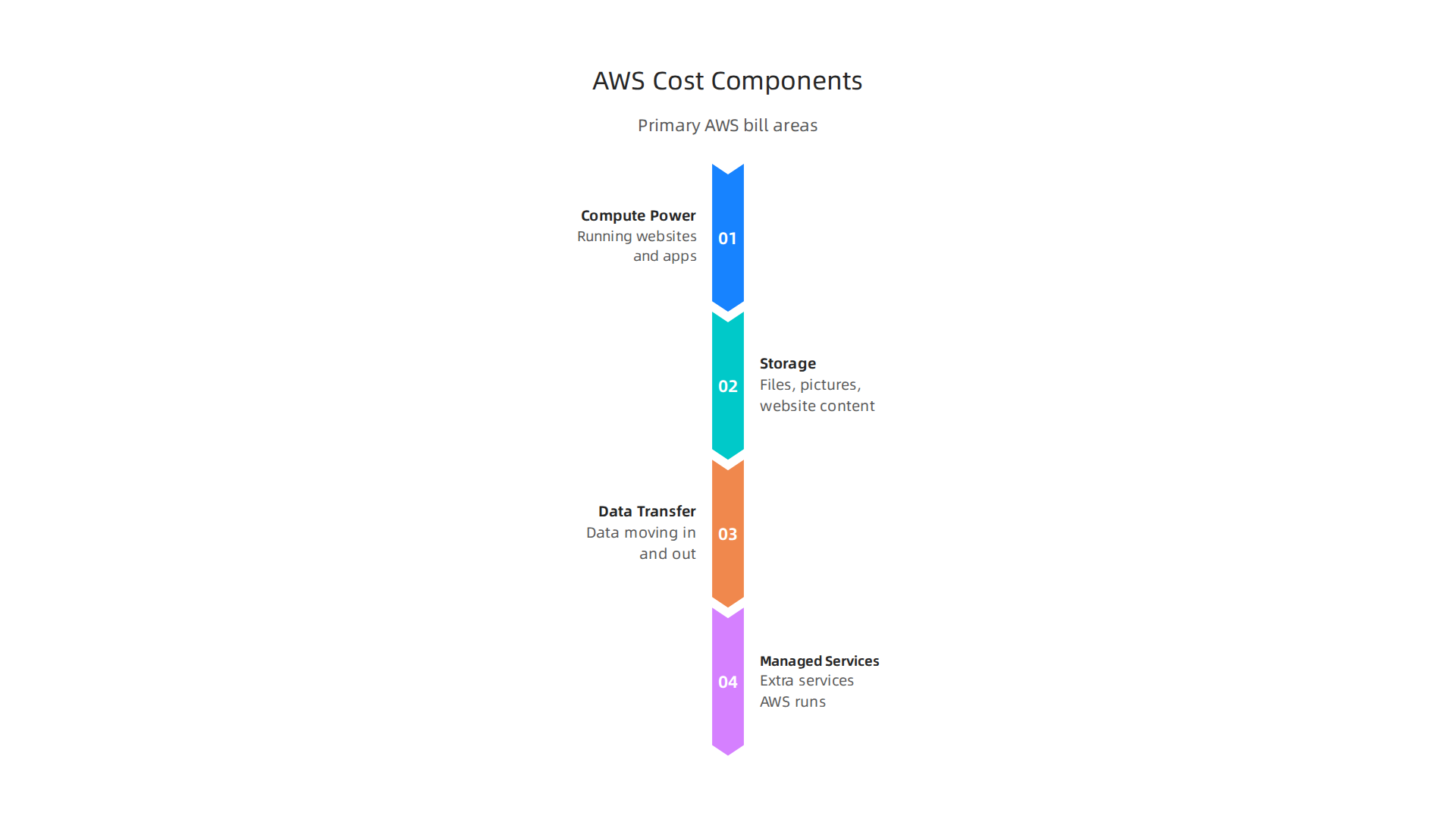
For most companies, the biggest part of their cloud bill, about 40-60%, goes to compute services like EC2 according to one estimate in 2026.
Let’s break down these main cost parts:
Computer Power (Compute)
This is about running your websites and apps. Think of it like renting a computer in the cloud.
- Virtual Servers (EC2): These are like cloud computers. You pay for how long they run, usually by the second or hour. The cost changes based on how powerful the server is, like how many virtual CPUs it has and how much memory.
- Serverless Options (Lambda, Fargate): With these, you don’t manage a server yourself. You only pay when your code runs. This can be great for saving money if your app doesn’t need to run all the time.
Storage
This is where your files, pictures, and website content live.
- Object Storage (S3): This is like a huge online locker for all your data. You pay for how much space you use each month and how many times you access your files. For example, storing data with Amazon S3 Standard costs a certain amount per GB each month.
- Block Storage (EBS): This is storage that connects directly to your virtual servers. It’s like a hard drive for your cloud computer. You pay for the amount of storage you set up in GB per month, even if you don’t use all of it. Snapshots, which are backups of your EBS volumes, also add to the cost, costing around $0.05 per GB each month if not managed carefully. More details on pricing for this can be found in the Amazon EBS pricing information.
- Managed Databases (RDS): If you use a database service like Amazon RDS, you’ll pay for the database’s size, its uptime, and any special features you use.
Data Transfer
This refers to how much data moves in and out of AWS.
- Data In (Ingress): Moving data into AWS is usually free.
- Data Out (Egress): Moving data out of AWS to the internet usually costs money. This is often called "egress" and it’s a common surprise for new users. For example, sending data from your EC2 instance to the internet can start at $0.09 per GB. The costs can be tiered, meaning the more data you move, the lower the price per GB might get, as explained in the AWS Data Transfer & Egress Pricing Explained (2026) guide.
- Data Between AWS Services/Regions: Moving data between different AWS services or different AWS regions can also have a cost. For example, data transfer from EC2 to a different Availability Zone for RDS in the same region costs $0.01 per GB in each direction.
Managed Services
These are extra services that AWS runs for you, so you don’t have to set them up yourself.
- Content Delivery Network (CloudFront): This service helps your website load faster for people all over the world. While transferring data from S3 to CloudFront in the same region is free, sending data from CloudFront to your users starts around $0.085 per GB in places like North America and Europe, with prices going down as you send more data. You can also find CDN Pricing, Plans & Free Tier – Amazon CloudFront options, including flat-rate plans.
- Load Balancers: These help spread website traffic evenly across your servers so your site doesn’t crash if many people visit at once. They add to your overall web hosting cost.
- Support Plans: AWS offers different support levels, from basic (free) to enterprise (more expensive), which provide faster help when things go wrong.
How AWS Bills You
AWS uses a "pay-as-you-go" model. This means you only pay for what you use, when you use it. Most services bill by the second or based on usage metrics like API calls. Some key pricing models include:
- On-Demand: You pay for resources by the hour or second with no long-term contracts. This is flexible but can be more expensive.
- Reserved Instances (RIs) and Savings Plans: If you know you’ll need a certain amount of computer power or database usage for one or three years, you can commit to it and get a big discount.
- Spot Instances: These let you use spare AWS capacity for a much lower price, but AWS can take them back if it needs the capacity. Good for tasks that can be stopped and restarted.
It’s common for people to be surprised by billing mechanics like per-second charges, minimum usage fees, or how data egress adds up. Understanding these small details is key to keeping your overall AWS hosting cost in check. To avoid unexpected charges and truly calculate your web hosting cost, it’s wise to use tools and compare options. For a broader look at managing website expenses, you might find our guide on how to Calculate Your True Web Hosting Cost and Avoid Hidden Fees in 2026 helpful.
Figuring out your overall AWS hosting cost can feel tricky, even with all the details about each service.

So, let’s look at how these costs usually add up for real small businesses running different kinds of websites. We’ll explore small blogs, simple brochure sites, and small online shops.
Small Blog or Brochure Website
For a basic website with mostly text and a few images, like a small blog or a company’s "about us" page, the web hosting cost on AWS can be quite low.
- Compute (Lightsail): Instead of complex EC2 servers, many small businesses use Amazon Lightsail. This service offers simple, fixed-price plans that include a virtual server, storage, and data transfer. A small Lightsail plan can start around $5 USD per month, which covers a small server with enough power for a few thousand visitors each month. This is a common choice for self hosting a website.
- Storage (S3): Your website’s pictures and files can live in Amazon S3. For a small site, this might only be a few GBs, costing less than $1 per month.
- Content Delivery (CloudFront): To make your site fast for everyone, you’d use CloudFront. Data transfer from S3 to CloudFront is often free if they are in the same region, and then CloudFront charges you for sending data to your users. For a small site sending out under 100 GB of data a month, this could add roughly $8-$12 to your bill after the free tier allowance, as noted by some experts in 2026 in their Using CloudFront with S3: Cost Analysis review.
Usage Drivers: Monthly visitors, how many pictures are on each page (page weight), and how often your site is updated are key things that can push this aws hosting cost up or down.
Small E-commerce Store
An online shop has more moving parts because it needs to remember customer information, product lists, and orders.
- Compute (Lightsail or EC2): For a smaller e-commerce site, you might still start with a slightly larger Lightsail plan (perhaps $12-$20 per month for more power and data transfer). As the shop grows, you might move to EC2 instances for more control and power, which means higher
aws hosting costbased on server size and run time. - Storage (S3): Product images and other static assets go into S3. E-commerce sites tend to have more media, so this cost will be higher than a simple blog, perhaps $5-$15 per month for many product photos.
- Database (RDS): This is crucial for storing product details and customer orders. Amazon RDS will add a cost based on its size, how long it runs, and how many requests it handles. A small RDS database can cost around $15-$30 per month.
- Content Delivery (CloudFront): Essential for fast loading product pages and images. The data egress costs will depend on how many people visit your shop and how many large images they view.
Usage Drivers: The number of products, customer accounts, daily orders (dynamic requests), and the amount of traffic all heavily influence your total web hosting cost. Backups of your database also add to storage costs. If you are looking into managing your own web presence, our guide on self hosting your website can offer more insights.
What Makes Costs Go Up or Down?
Understanding these "usage drivers" is key to predicting your aws hosting cost:
- Monthly Visitors: More visitors mean more data moving out of AWS (egress) and more computer power needed.
- Page Weight: Large images or videos make your pages "heavy," leading to higher data transfer costs.
- Media Storage: The more files you store in S3, the more you pay for storage.
- Backups: Regular backups of your databases and files are important but add to your storage bill.
- Dynamic Requests: If your website changes a lot based on user actions (like adding items to a cart), this uses more database and server power.
To help you get a clearer picture, we will soon put together a table showing example costs for these services based on typical usage ranges. This way, you can estimate your own monthly expenses and better plan your budget for AWS.
Calculating the direct aws hosting cost for your website is only one part of the story. Beyond the monthly service fees for things like Lightsail, S3, and CloudFront, there’s another big piece of the puzzle: how much time and effort you spend managing everything yourself. This is where comparing self-managed AWS to a managed hosting provider becomes very important.
Direct Costs: Self-Managed AWS
When you choose to self hosting website on AWS, your direct costs come from the services you use. We’ve seen how these add up for a blog or an online shop. You pay for server power, storage, data moving in and out, and databases.
To keep these direct web hosting cost down, AWS offers special pricing plans. For example, you can use Savings Plans or Reserved Instances to get big discounts on your computer power, often up to 72% off regular prices, by agreeing to use a certain amount for one or three years. Another option is Spot Instances, which can save you up to 90%, but these are for spare capacity and can be taken back by AWS at any time. Learning about options like AWS Reserved vs Savings Plans vs Spot: 90% Off [2026] can help you lower your direct expenses.
Indirect Costs: The Hidden Price of Doing It Yourself
Managing your website on AWS yourself means you’re responsible for many tasks that add to your total aws hosting cost, even if they don’t appear on your AWS bill:
- Maintenance Time: You need to update server software, fix small problems, and make sure everything is running smoothly. This takes a lot of your time or an employee’s time.
- Security Checks: Keeping your website safe from hackers means constantly patching security holes, watching for strange activity, and protecting against attacks like DDoS. This is a big job.
- Backups: You must set up and check backups regularly. If something goes wrong, you need to know how to restore your site quickly.
- On-Call Support: What happens if your site goes down in the middle of the night? Someone needs to be ready to fix it 24/7. This often means hiring skilled staff or staying up yourself.
These hidden costs can quickly make self hosting website on AWS more expensive than you first thought, especially if you don’t have a dedicated tech team.
How Managed Hosting Changes the Game
A managed hosting provider, like Prism WebHost — Cost-Effective AWS Hosting, takes care of all these tricky indirect tasks for you. They offer a service where they manage the servers, security, and updates. This means you get:
- Lower Operational Overhead: You don’t spend hours on maintenance or worry about security updates.
- Expert Support: Teams of experts are ready to fix problems fast, often before you even know they exist.
- Better Security: Managed hosts provide enterprise-level security, including advanced protection against DDoS attacks, making your site much safer.
- Guaranteed Uptime: Many providers offer a promise of how often your site will be online, like a 99.99% uptime guarantee, which is crucial for businesses.
This can free up your time to focus on your business, not your servers. While a managed service adds a monthly fee, it often lowers your overall web hosting cost by removing those hidden indirect costs and risks. For more help understanding all your options, you can explore how to master your web hosting cost in 2026 compare pricing and avoid hidden fees.
Making Your Decision: A Quick Checklist
To decide if self hosting website on AWS or choosing a managed provider is right for you, ask yourself these questions:

- Do I have the technical skills and time (or staff) to manage servers, updates, and security 24/7?
- How important is a guaranteed uptime and strong security against attacks for my business?
- Am I comfortable dealing with unexpected technical problems, or would I prefer someone else handle them?
- When I add up all the direct AWS costs and my time/staff costs, how does that compare to a clear monthly fee from a managed host?
For many small to medium-sized businesses, the peace of mind and time savings from a managed hosting provider often make it the more cost-effective choice in the long run, even if the direct AWS costs seem lower at first glance.
When you choose to run your website on AWS, there are clever ways to lower your aws hosting cost beyond just picking the right service. It’s all about being smart with how you use AWS tools.
Cost optimization tactics: rightsizing, Savings Plans, Reserved Instances, spot, and caching
One of the best ways to cut your web hosting cost is called rightsizing. This means making sure your AWS servers and other tools are the perfect size for what your website actually needs. You don’t want to pay for a big, powerful server if your website only gets a few visitors each day. AWS gives you reports that show if your servers are doing too little work. If they are, you can make them smaller or even turn them off, which directly saves you money. Using data to make these choices is key for Rightsizing AWS Resources for Cost Optimization.
Next, let’s talk more about special pricing plans that can greatly reduce your aws hosting cost. These are Savings Plans and Reserved Instances. They give you big discounts if you promise to use a certain amount of computer power for one or three years. Savings Plans are more flexible because they apply to many different types of AWS services. Reserved Instances are for specific types of servers. Both can save you a lot, sometimes up to 72% off the usual prices. It’s smart to compare these options to see AWS Savings Plans vs Reserved Instances vs Spot: Which One Is ….
Then there are Spot Instances. These let you use extra AWS computer power that’s not being used right now. They can be super cheap, up to 90% less than regular prices. The catch is that AWS can take them back if it needs that power. So, Spot Instances are great for tasks that can be stopped and restarted without hurting your website, like processing data in the background or running tests. They might not be the best for your main website server if you need it to be online all the time without any breaks.
Another smart move is using caching strategies. Imagine your website loads the same picture or information for many visitors. Instead of getting that item fresh every single time, caching stores a copy closer to the users or in a faster spot. This uses less power from your main servers and databases, which means you pay less for them and less for data moving around. Setting a "Time To Live" (TTL) tells the cache how long to keep an item before checking for a new version. This helps keep your content fresh while still saving money.
To keep your aws hosting cost in check over time, you need good monitoring and governance. This means:
- Budgets and Alerts: Set up spending limits in AWS. If you’re about to go over your budget, AWS can send you an alert, so you can check what’s happening.
- Tagging: Label all your AWS resources with tags (like "project:myblog" or "department:marketing"). This helps you see exactly where your money is going and understand your
web hosting costbetter. - Automated Scaling Rules: For websites that get busy at certain times, you can set up rules to automatically add more server power when needed and then reduce it when things quiet down. This prevents you from paying for too much power when your website is not busy.
By using these tactics, you can make sure your aws hosting cost stays as low as possible while keeping your website fast and reliable.
AWS Cost Optimization Checklist
To help you remember these tactics, here’s a quick checklist:
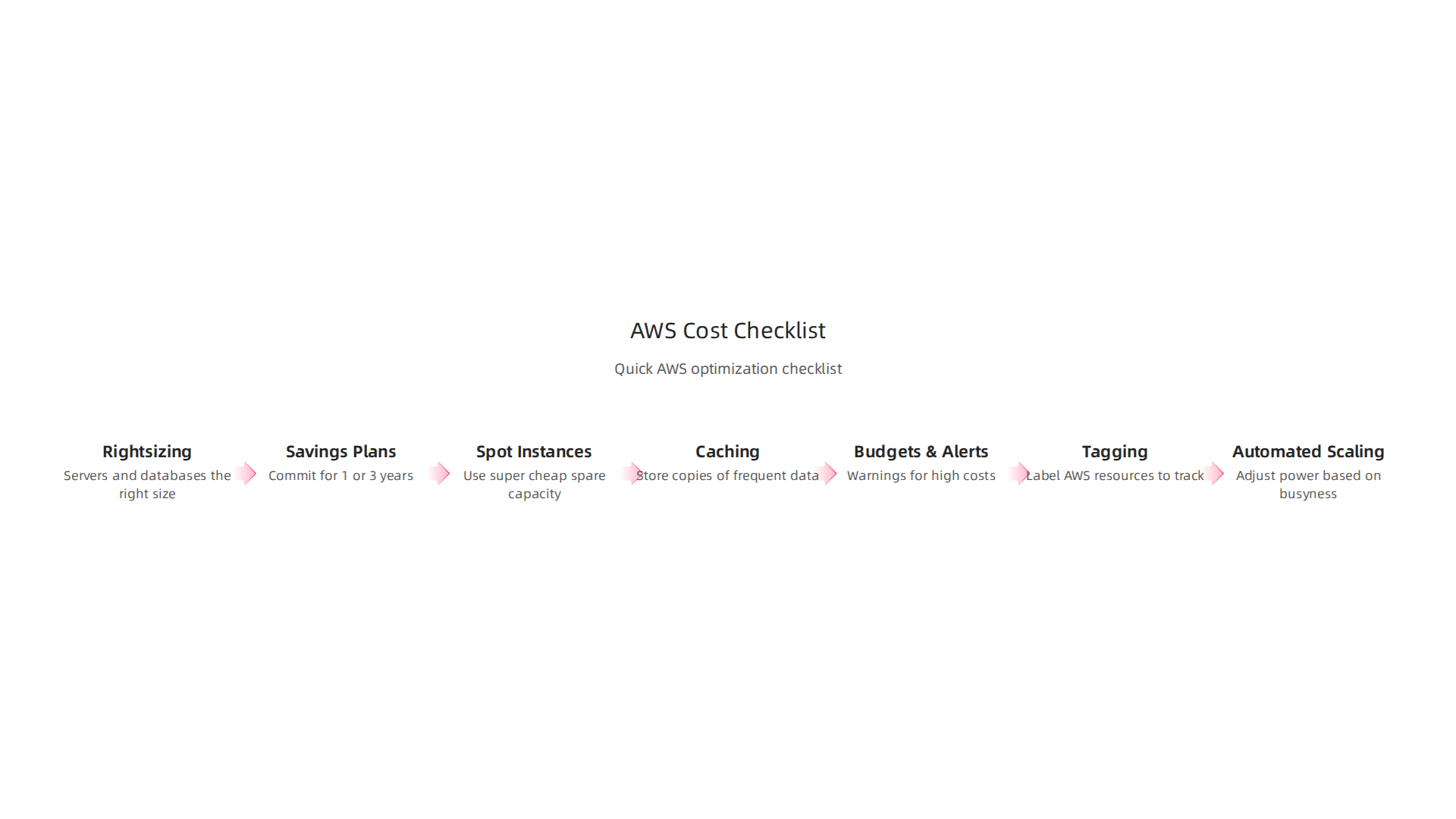
- Rightsizing: Are your servers and databases the right size? Not too big, not too small?
- Savings Plans/Reserved Instances: Can you commit to using some computer power for 1 or 3 years for big discounts?
- Spot Instances: Can you use super cheap spare capacity for tasks that don’t need to run all the time?
- Caching: Are you storing copies of frequently used data to save server power and speed things up?
- Budgets & Alerts: Do you have warnings set up for when your costs get too high?
- Tagging: Are you labeling all your AWS resources to track costs easily?
- Automated Scaling: Does your website automatically get more or less power based on how busy it is?
By regularly checking these points, you can make smarter choices and avoid unexpected aws hosting cost surprises. It’s like checking your regular bills to make sure you’re not paying for things you don’t need. For more help understanding how to manage all your website costs, you can learn how to calculate your true web hosting cost.
Even with smart cost-saving steps, some expenses on AWS can be tricky to spot. These are often called "hidden costs" because they might not be obvious at first glance. Understanding these can help you better manage your overall aws hosting cost.
Often Overlooked AWS Costs
When running your website on AWS, keep an eye on these frequently missed costs:
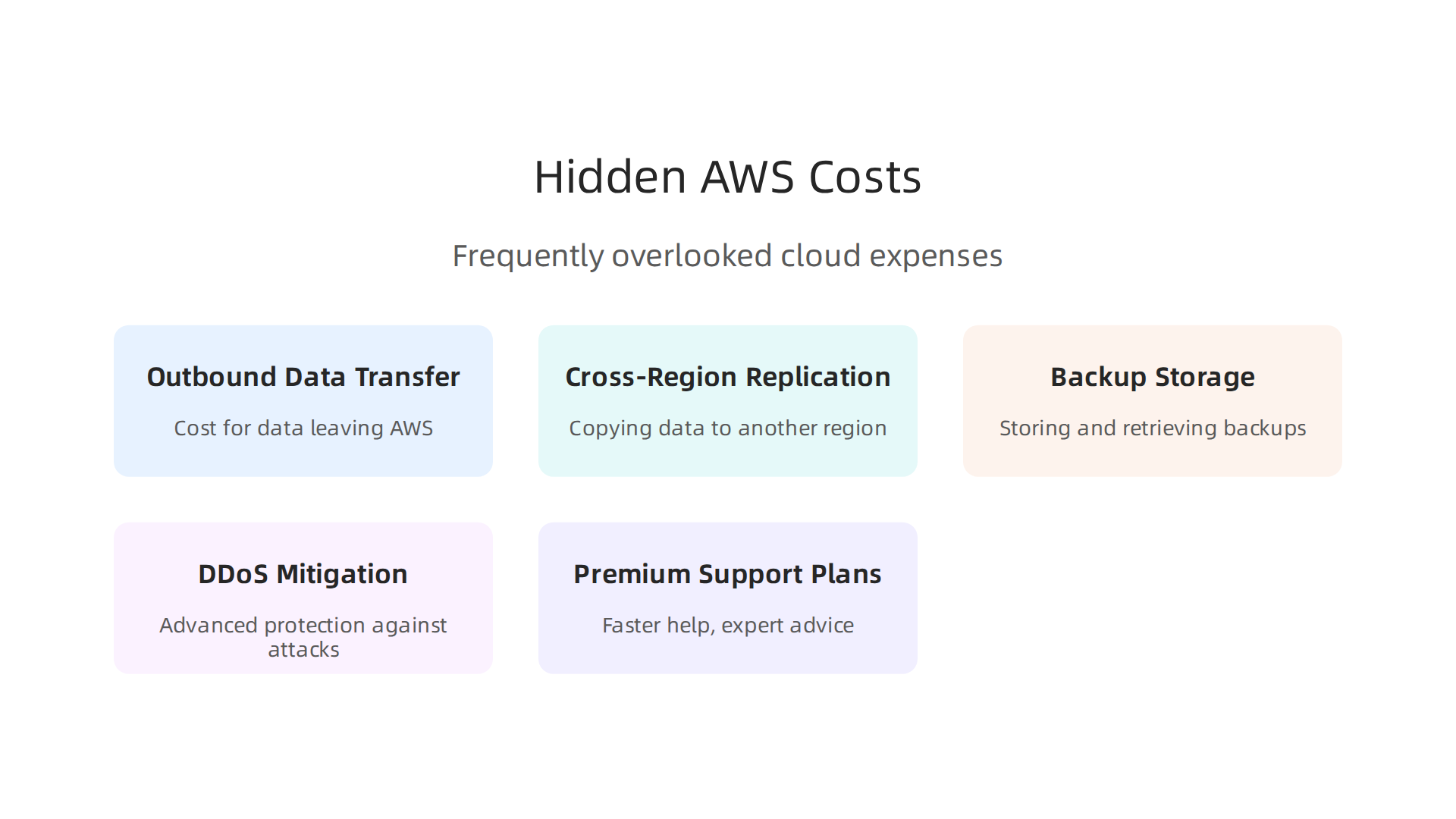
- Outbound Data Transfer (Egress): This is the cost for data leaving AWS and going to the internet. If many people visit your website and download large files or watch videos, this cost can add up. For example, moving 1 terabyte of data out of AWS in a month can cost around $90 after the first free gigabyte. Data moving between different AWS zones can also cost a bit, about $0.01 per gigabyte each way, as explained in an article about AWS Cloud Migration: Costs, Tools & Step-by-Step [2026].
- Cross-Region Replication: If you copy your website’s data to another AWS region far away for safety, that copying itself costs money. Each piece of data replicated is seen as data leaving the first region, triggering standard fees. This can range from $0.02 to $0.09 per gigabyte, depending on the regions involved, as noted in an article on The True Cost of Cloud Data Egress And How to Manage It.
- Backup Storage and Retrieval: Keeping backups of your website is super important. AWS Backup pricing depends on how much data you store and how often you need to get it back. Getting data from "cold" storage (cheaper for long-term saving) can cost more to retrieve than from "warm" storage (quicker access), according to a guide on AWS Backup Pricing: 7 Cost Components and How to Cut …. These costs show up in the "Backup" part of your AWS bill.
- DDoS Mitigation: Protecting your website from bad attacks (DDoS) is a must. While AWS offers some free protection, more advanced defenses or a managed Web Application Firewall (WAF) to block harmful traffic will add to your
aws hosting cost. These security measures are vital for keeping your website online and your brand safe. - Premium Support Plans: AWS offers different levels of support. If you need faster help or expert advice for complex problems, you might opt for a higher-tier support plan, which comes with an extra fee.
Migration Expenses
If you’re moving your website to AWS from another place (like if you’re stopping to self hosting your website), there are costs involved with the move itself:
- Data Transfer During Migration: Moving all your website files and databases to AWS will incur data transfer costs, much like the egress costs mentioned earlier.
- Downtime Risk: While you move your website, there’s a chance it might be offline for a bit. This downtime can mean lost sales or unhappy customers, which is a hidden cost for your business.
- Re-architecting Apps: Sometimes, your website might need to be changed or rebuilt a bit to work best with AWS services. This can involve extra work from developers.
- Consulting Fees: Many businesses get help from experts to move their websites to AWS. These consulting fees can vary greatly. For small to medium-sized businesses, migration costs can range from €3,000 to €8,000, and for more complex setups, it can be higher, as detailed in a 2026 guide on the Cost of Migrating to AWS for SMEs. Overall, moving to AWS can cost anywhere from $50,000 for smaller tasks to much more for bigger companies, according to research on How Much Does AWS Migration Cost? 2026 Pricing Guide.
Security and Support Considerations
Protecting your website and making sure it runs well are ongoing tasks that affect your web hosting cost. Good security tools like managed WAFs and DDoS protection are not just nice to have; they are essential. They guard your website against attacks that could damage your brand and stop you from making money. Regular monitoring also helps you spot problems early. By planning for these security and support needs, you prevent bigger, more costly issues later.
To really get a handle on your total spending, it’s wise to consider all these potential costs. Comparing different services and understanding their full pricing models is key to managing your aws hosting cost effectively in 2026. For a broader look at managing your overall website expenses, learn how to master your web hosting cost in 2026.
After understanding the many costs involved with AWS, the next big step is choosing the right setup for your business.

This choice directly affects your total aws hosting cost and how easy it is to manage your website.
Choosing the right AWS setup for your business and when to opt for a managed partner
Picking the best AWS services means thinking about what your business really needs. No two websites are exactly alike, so your choice should fit your unique situation.
- Your Website’s Traffic: Does your website get a lot of visitors all the time, or does it have quiet periods with sudden busy times? This helps decide how much power your server needs.
- Your Budget: How much money can you spend each month? AWS offers options for many budgets, from very small to very large.
- Special Rules (Compliance): Some businesses, like those handling health information, have strict rules about how data must be stored and kept safe. AWS has services for these special needs.
- Your Team’s Skills: Do you have a team of experts who know AWS well, or is your team smaller and focused on other business tasks? This is often called "engineering bandwidth." If your team is small, a managed partner might be a better fit.
AWS offers different ways to host your website:
- Lightsail: This is great for small websites or blogs. It has a simple, fixed monthly price, which makes planning your
aws hosting costeasy. - EC2 + RDS: These are powerful tools for bigger websites that need more control. EC2 gives you virtual computers, and RDS helps manage databases. They offer lots of features but need more setup and ongoing management.
- Serverless Options (like Lambda or S3): These let your website scale up and down automatically. You only pay for what you use, which can save money for apps with changing traffic. For example, if you build a website using something like
render web hostingorvercel hosting costoptions, you might lean towards serverless ideas. - Managed Hosting Partner: Sometimes, businesses prefer to have experts handle all the complex AWS technical stuff. A managed partner takes care of security checks, keeps your website running fast, and handles scaling. This lets you focus on your core business without worrying about the daily tasks of managing your
web hosting coston AWS.
Making Smart Choices: A Quick Checklist
To pick the right setup, here are some things to think about:
- Server Power (Instance Types): Don’t pick a super powerful server if your website is small. You’ll end up paying for power you don’t use. Match the server size to your expected website traffic.
- Storage Types: Different kinds of data need different storage. Fast storage is good for your active website files, but cheaper storage works fine for backups or less-used data. For example, storage-related fees can make up a large part of cloud bills, as shown in the Wasabi 2026 Cloud Storage Index Report.
- Support Levels: Basic AWS support is often free, but if you need faster help or expert advice for serious issues, you might pay extra for a premium support plan.
It’s helpful to think about the Total Cost of Ownership Model for Cloud Computing Infrastructure. This means looking at all costs over time, not just the monthly bill. These include costs for setting up, running, and even leaving a service. In 2026, forecasting the total cost can be a challenge for businesses, especially when expanding things like AI adoption, as noted in a 2026 Enterprise AI Infrastructure Survey.
Getting Real Cost Estimates
To get the most accurate picture of your aws hosting cost:
- Use the AWS Pricing Calculator: This free tool lets you choose different services and estimate your monthly bill.
- Run Small Pilot Projects: Try running a small part of your website or a new feature on AWS first. This helps you see how it actually performs and what the real costs are before you move everything over.
- Add a Buffer for Growth and Security: Always plan for a little extra. Your website might get more popular, needing more space or power. Also, new security tools might become necessary. This helps avoid sudden
web hosting costsurprises.
For many businesses, finding the right web hosting cost balance means choosing a service that offers both performance and value. If you’re looking for guidance on general web hosting options, consider learning how to select the best web hosting for small business in 2026.
If managing these complex AWS setups feels like too much, remember that a managed hosting partner can make things much simpler. They handle the technical details, keeping your site fast, secure, and always online. Prism WebHost — Cost-Effective AWS Hosting helps businesses avoid hidden fees and ensures reliable performance with enterprise-grade security and automated scalability.
Summary
This article explains why understanding AWS hosting cost is essential for entrepreneurs and small-to-medium businesses, and it walks through the elements that make up an AWS bill: compute, storage, data transfer, and managed services. It shows how pricing models (on‑demand, reserved/savings, spot) affect monthly bills and gives realistic cost examples for small blogs and e‑commerce stores. The piece highlights often‑overlooked expenses—egress, backups, cross‑region replication, security, and migration fees—and compares self‑managed AWS to managed hosting providers, explaining the hidden operational costs of doing it yourself. Practical cost‑saving tactics are covered, including rightsizing, caching, Savings Plans, Spot Instances, tagging, budgets, and automated scaling. The article finishes with checklists and decision steps so readers can estimate their true costs, choose the right architecture, and decide whether a managed partner is the smarter long‑term option.
