




Navigate cPanel Pricing: Choose the Right License, Cut Hosting Costs
Article
Why cPanel pricing matters for small businesses and online brands
If you run a small business or an online brand in 2026, you know how important your website is. It’s like your shop window, office, and sales team all in one. But keeping your website online and running smoothly costs money. A big part of that cost can come from something called cPanel. Understanding cPanel pricing is a must for any business owner.

cPanel is a special tool that helps you manage your website hosting easily. Think of it like a dashboard for your website. Many web hosting companies use cPanel because it makes things simple for users. But here’s the thing: hosting companies have to pay a license fee to use cPanel, and that fee often gets passed on to you. This means cPanel licensing directly affects your overall web hosting cost.
The choices you make about cPanel pricing don’t just affect your monthly bill. They also impact how easily your website can grow. This is called scalability. If your website suddenly gets popular, can your hosting plan and cPanel license handle more visitors? What about the help you get if something goes wrong? These are called support options. A low-cost cPanel plan might limit your website’s ability to grow or the kind of support you receive.
For many small businesses, figuring out cPanel pricing can be a real headache. You might see many different plans, or "tiers," that are confusing to understand. What looks cheap at first might become expensive later. This can lead to unexpected billing, where your costs jump up without warning, especially when it’s time to renew. Some businesses also worry about how cPanel choices impact how fast their website runs or how safe it is from bad actors. For example, if you’re looking at specific hosting like Hetzner pricing 2026 or Hetzner VPS pricing 2026, the cPanel license will be part of that total picture. The same goes for providers like AWS; you need to understand and optimize your AWS hosting cost, which can include control panel fees.
Picking the right cPanel plan helps you avoid these problems. It ensures your website stays fast, safe, and ready to grow, all while keeping your budget in check.
What cPanel actually is — and why a license matters
In the last section, we talked about cPanel as a "dashboard" for your website. Let’s dig a bit deeper into what that means. Simply put, cPanel is a web-based control panel that helps you manage your web hosting account. It’s like the main control center where you can handle many important tasks for your website without needing to know a lot of complex computer code. Most small businesses find it super helpful because it makes website management much easier.
Think of everything you need to run a website:
- Adding new web pages or pictures
- Setting up email addresses for your business, like
info@yourbusiness.com - Creating or fixing parts of your website’s database
- Keeping your website files organized
- Setting up new domains or subdomains
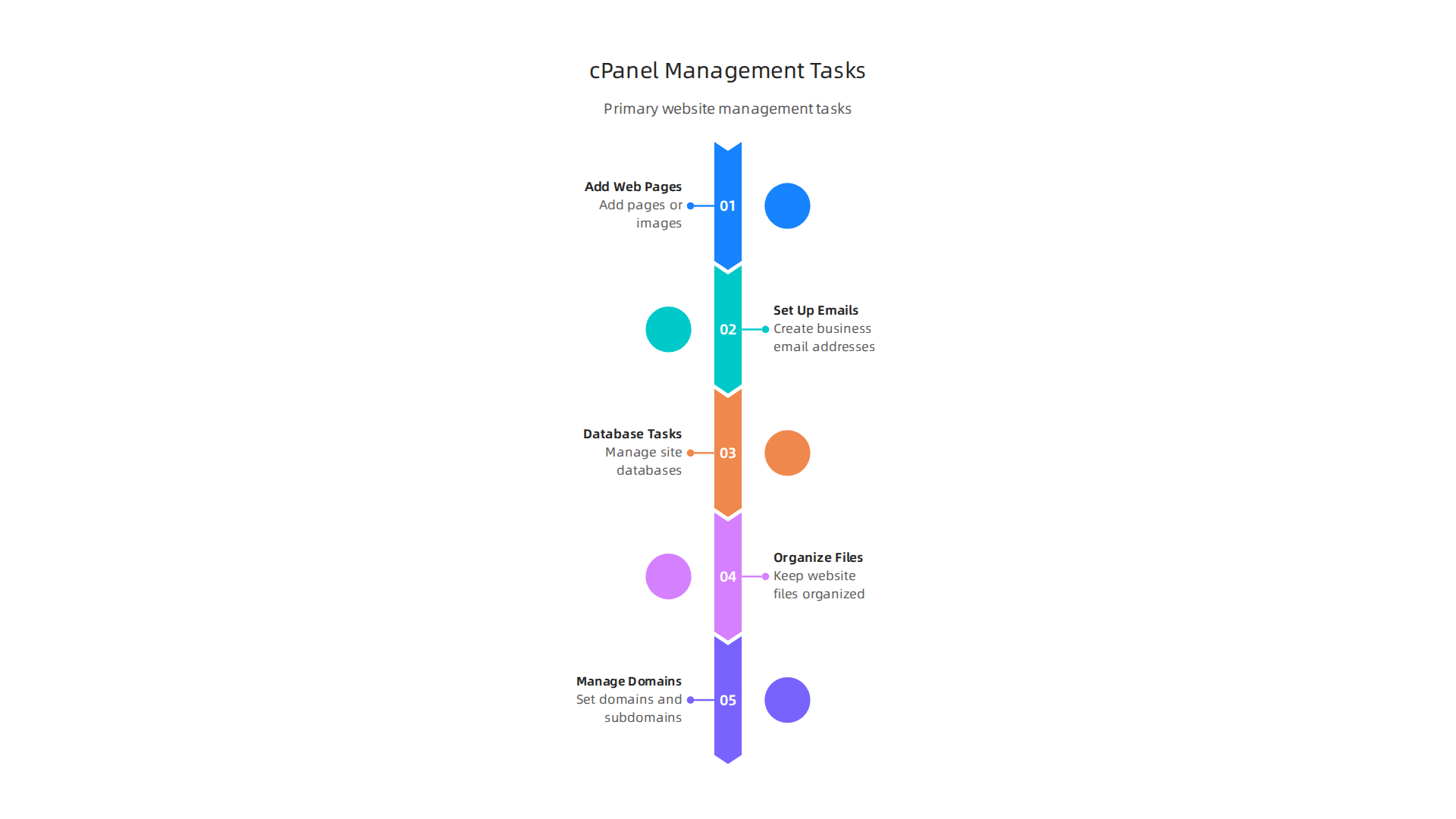
cPanel gives you easy tools for all these things and more. It helps you manage your website, files, and email through a simple, visual interface. Many hosting companies offer cPanel because it makes their services user-friendly, allowing you to manage your online presence with ease. It’s often bundled with various web hosting services to give you a complete package.
Now, why does a cPanel license matter? Just like you pay for software on your computer, web hosting companies need to pay a license fee to use cPanel. This is because cPanel is a product built by a company that invests a lot in making it better and keeping it safe. This license fee covers:
- Development costs: It pays for the smart people who create and update cPanel.
- New features: It helps bring you new tools and improvements, like better security or faster ways to manage your site. For example, cPanel is always working on updates, like expanded NGINX support planned for 2026, to help websites run even faster and smoother.
- Security patches: The license makes sure cPanel stays safe from online threats. They regularly release updates to fix security issues and keep your site protected. In fact, cPanel released version 136 with a security update in April 2026 and continues to make improvements to its interface security regularly, like in version 138.
- Vendor support: It means the cPanel company can offer help and support if hosting providers run into big problems.
The type of cPanel license your hosting company has also directly affects what you can do with your website. For example, licenses are often based on the number of accounts you can have. Some common types include Solo (for one account), Admin (for up to 5 accounts), Pro (for up to 30 accounts), and Premier (for 100 or more accounts)
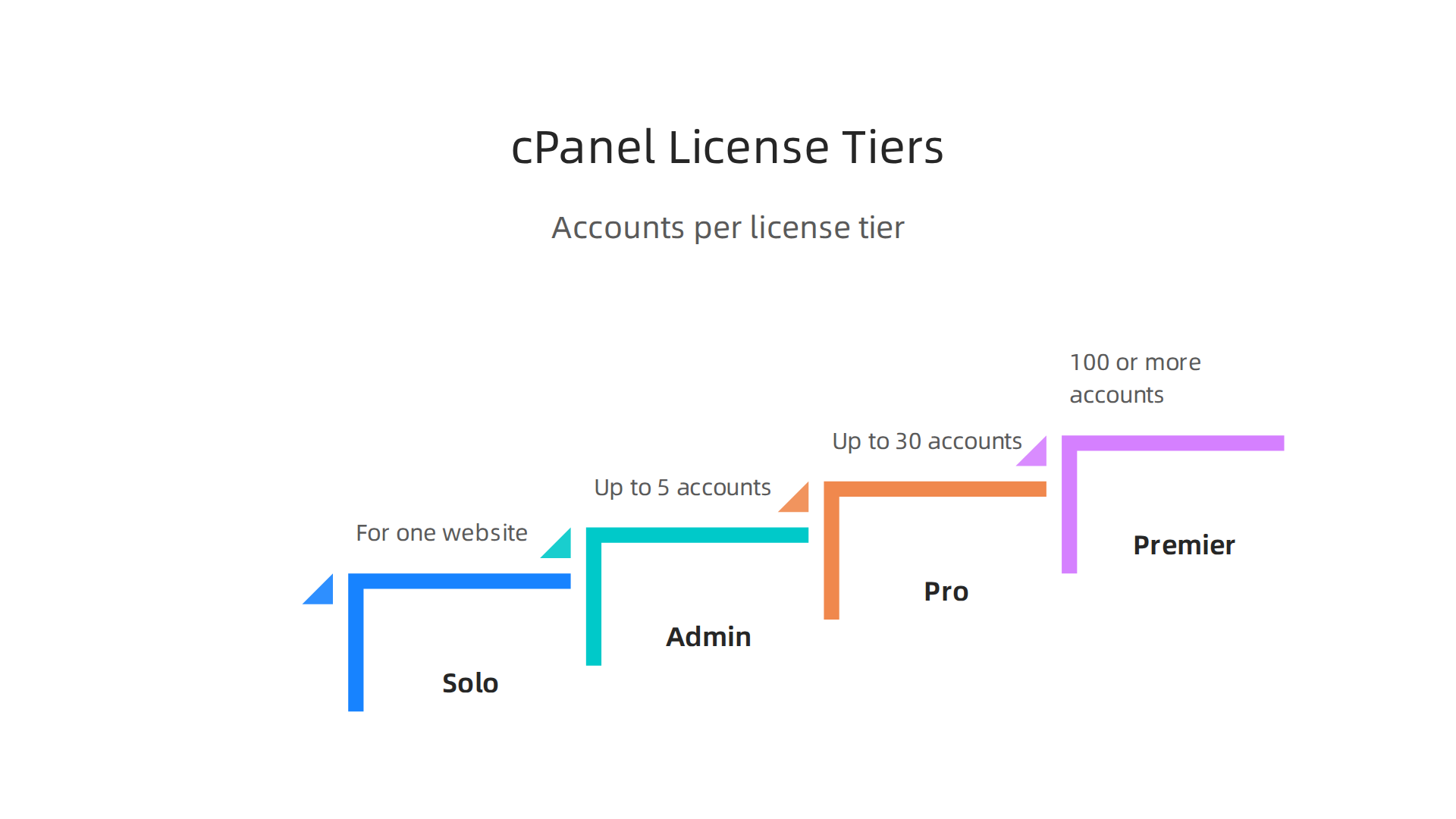
What are the different cPanel & WHM license types?. The license type determines how many websites or email accounts you can set up. It also controls whether you get access to Web Host Manager (WHM), which is a more powerful tool for managing multiple cPanel accounts.
So, understanding cPanel pricing is not just about the monthly fee. It’s about knowing what tools, support, and room for growth you get for your money.
Choosing the right cPanel license is a big step for managing your website.

It’s not just about the upfront cpanel pricing, but what features and growth options you get. Let’s look at the different types of cPanel licenses available in 2026 and how to pick the best one for your business.
How cPanel Licenses Are Different
cPanel licenses are often grouped based on two main things: the type of server you have and how many website accounts you need to manage.
-
Server Environment (Cloud/VPS vs. Dedicated):
- Cloud/VPS Licenses: These are for websites hosted on a Virtual Private Server (VPS) or cloud server. Think of a VPS as a part of a bigger computer that acts like its own separate machine. These are popular because they offer a good balance of power and cost.
- Metal/Dedicated Licenses: These are for websites hosted on a whole server just for you. This gives you the most power and control.
-
Number of Accounts: This is usually the main factor. cPanel offers different tiers based on how many individual cPanel accounts you need to manage. This is especially important for agencies or resellers.
- cPanel Solo: This license is perfect for one website. If you only have one website or project, like a personal blog or a small business site, Solo is a good fit. It typically costs around $18 to $27 per month depending on where you buy it from and in 2026, it lets you manage a single cPanel account.
- cPanel Admin: This license lets you manage a few more accounts, usually up to 5. It’s great if you have a couple of different websites or manage a few for friends or clients. Prices for an Admin license generally range from $21 to $36 per month.
- cPanel Pro: For businesses that manage more websites, the Pro license allows for up to 30 accounts. This is often chosen by small web design agencies or companies with several brand websites. You might see prices between $32 and $54 per month for this tier.
- cPanel Premier: This is the biggest license, designed for large hosting providers or businesses that need to manage 100 or more cPanel accounts. If you’re running a big web hosting service or have many websites under your care, Premier is what you’ll need. Premier licenses can cost around $50 to $70 per month, with extra fees for accounts over 100, which is often around $0.35 to $0.49 per extra account cPanel License Models Explained: Solo, Admin, Pro, Premier.
Choosing the Right cPanel License for Your Business
When you’re trying to figure out your cpanel pricing, think about these points:
- How Many Websites Do You Have Now? If it’s just one, a Solo license makes sense. If you have a few, Admin or Pro might be better.
- Do You Expect to Grow? Think about how many websites you might add in the next year or two. Upgrading your cPanel license later is possible, but it helps to plan ahead.
- Do You Need to Resell Hosting? If you plan to offer hosting services to other people or manage many client websites, you’ll need a license like Admin, Pro, or Premier that includes Web Host Manager (WHM) access. WHM lets you create and manage multiple cPanel accounts easily.
- What Kind of Server Are You Using? As mentioned, licenses are tied to your server type (VPS/Cloud or Dedicated). Services like Hetzner VPS Pricing 2026 might be a good fit for cloud licenses, while dedicated servers will need a Metal license.
- What’s Your Budget for Web Hosting Cost? cPanel pricing is a part of your overall master your web hosting cost in 2026. Compare different hosting providers and their cPanel offerings. Keep in mind that while some hosting providers bundle cPanel, others might have you buy it separately.
Understanding these options helps you choose a cPanel license that fits your current needs and also allows your online presence to grow smoothly. For reliable cPanel hosting and license options that support your business, explore providers that offer clear pricing and robust infrastructure.
Ready to see how Prism Web Host can simplify your website management with the right cPanel solution? Check out our range of hosting products and services.
Prism Web Host — cPanel Hosting & Licenses
Figuring out the exact cpanel pricing can be a little tricky because it’s not just one fixed amount. Actually, several things come together to make up your total cPanel cost. It’s like building with LEGOs; you start with a base and then add more pieces.
Pricing Models: How You Pay
cPanel licenses are priced in a few main ways:
- Per-Server License: At its heart, a cPanel license is for one server. Whether it’s a small cloud server or a big dedicated machine, you need a license for that specific server. This is your starting point. The type of server can affect the base price; for example, a Cloud/VPS license might have slightly different base pricing than a license for a dedicated server.
- Per-Account Tiers: This is where the Solo, Admin, Pro, and Premier licenses come in. They tell you how many website accounts you can manage on that one server.
- For 1 to 30 accounts: These tiers have a set monthly price. For example, in 2026, a Solo license (1 account) might cost around $29.99 per month, an Admin license (up to 5 accounts) about $35.99, and a Pro license (up to 30 accounts) around $53.99 per month. These figures can vary slightly depending on where you buy the license from [cPanel Pricing 2026].
- For 100+ accounts: The Premier license is for many accounts, usually up to 100. Its base cost in 2026 is often $69.99 per month. But here’s the thing: if you need more than 100 accounts, you pay a small extra fee for each one over that limit. This "overage" fee is typically around $0.49 per extra account per month [cPanel Price Increases]. This means your total cpanel pricing can go up with each new site you add past 100.
- It’s worth noting that [cPanel license costs] have seen increases over the past couple of years, so staying updated on [what changes when cPanel raises prices] is smart.
Billing Cycles: Monthly or Yearly?
Most cPanel licenses are paid for on a monthly basis. This is good for flexibility, as you can change your license if your needs grow or shrink. However, some providers might offer a small discount if you pay for a whole year upfront. This can save you a bit of money on your overall [web hosting cost in 2026] if you know your needs won’t change soon.
Common Modifiers and Add-ons
Your final cPanel invoice isn’t always just the license fee. Other things can add to your web hosting cost:
- Managed Services: Some hosting companies offer "managed cPanel" services. This means they take care of all the technical stuff for you, like updates, security, and making sure everything runs smoothly. This extra help costs more, but it can save you a lot of time and worry, especially if you’re not a tech expert.
- Support Levels: Depending on your hosting provider, you might have different levels of customer support. Basic support is usually included, but faster response times or more hands-on help might be an extra charge.
- Operating System Licenses: cPanel runs on a Linux operating system. Sometimes, the license for this OS (like CloudLinux or AlmaLinux) is included in your hosting package. Other times, it might be a separate small fee.
- Backup Services: While cPanel has backup tools, advanced or off-site backup services from your host can be an extra cost.
- Security Add-ons: Beyond cPanel’s built-in security, your hosting provider might offer extra firewalls, malware scanning, or DDoS protection services that add to your bill.
- Data Transfer (Bandwidth) and Storage: Your overall server resources, like how much data moves to and from your website (bandwidth) and how much space your files take up (storage), are part of your hosting plan. If you go over limits, your hosting provider might charge extra. This is part of the larger picture when you [calculate your true web hosting cost].
- Reseller or Volume Discounts: If you manage many servers or are a large hosting reseller, you might be able to get special pricing directly from cPanel or from large distributors, though these are not usually listed on public [cPanel Pricing Plans & Licensing Options].
For businesses considering hosting options, understanding all these elements helps you compare offerings from different providers, whether you’re looking at [Hetzner pricing] for a cloud setup or checking out [GoDaddy hosting prices 2026]. Knowing what each part of the cPanel pricing covers helps avoid surprises and manage your budget better.
When thinking about your hosting setup, it’s not enough to just look at the cPanel pricing. You really need to think about the Total Cost of Ownership (TCO). This means looking at all the costs that add up over time, not just the monthly license fee for cPanel. It’s like buying a car; the sticker price is just the start. You also pay for gas, insurance, and repairs.
Understanding the True Cost
Calculating your TCO for a cPanel setup means adding up all the parts. These include:
- cPanel License: This is your base fee, which changes based on how many website accounts you have. For example, in 2026, a Premier license for up to 100 accounts is often around $69.99 per month, with extra costs for more accounts beyond that limit cPanel Pricing in 2026: Solo, Admin, Pro and Premier Tiers.
- Server Hardware or VPS: This is the actual computer where your websites live. A Virtual Private Server (VPS) or a dedicated server will have its own monthly cost. You can look into options like Hetzner pricing to get an idea of server costs.
- Operating System: Some server operating systems, like CloudLinux, might need their own license, adding a small amount to your monthly bill.
- Managed Services: If you pay your hosting company to handle updates, security, and fixes for you, that’s an extra cost. This is often worth it if you’re not a tech expert, as it saves you time and stress.
- Extra Features and Add-ons: Things like advanced backup services, better security tools, or special performance boosters all add to the overall cost.
- Support: Basic support is usually included, but if you need faster help or more hands-on service, you might pay more.
It’s clear that the cPanel pricing alone doesn’t tell the full story. As cPanel license costs have been rising, comparing all these parts becomes even more important cPanel NOC License Costs Keep Rising.
cPanel vs. Other Options
You also need to compare cPanel’s total cost with other ways to host websites:
- Alternative Control Panels: There are other control panels like Plesk or DirectAdmin. They might have different pricing structures, sometimes based on domains instead of accounts, or offer lower base fees. It is smart to compare Hosting Control Panel Pricing Compared to see which fits your budget and needs.
- Managed Hosting Platforms: These are services that handle everything for you. You don’t get a control panel like cPanel, but you also don’t have to worry about server updates or security. Examples include specialized WordPress hosts or cloud platforms. When considering these, remember to factor in potential AWS hosting cost or other provider-specific pricing.
- No Control Panel (Self-Managed): For those who are very tech-savvy, running a server without any control panel can save on license fees. But this means you do all the work yourself, which takes a lot of time and skill.
Each option has its own pros and cons in terms of initial cost, ongoing effort, and features. To truly understand your options, it’s wise to review web hosting services reviews 2026 from trusted sources.
Realistic Monthly and Annual TCO Calculation
To get a clear picture of your total web hosting cost, use this simple checklist:
- cPanel License: (Monthly fee for your chosen tier)
- Server/VPS Cost: (Monthly fee for your server from a provider like Prism Web Host)
- OS License: (If separate, monthly fee)
- Managed Services: (Optional, monthly fee)
- Backup Solutions: (Optional, monthly fee)
- Security Add-ons: (Optional, monthly fee)
- Estimated Overage Costs: (For bandwidth, storage, or extra cPanel accounts)
- Hidden Costs: (Like the value of your time spent on server tasks or potential income lost due to downtime)
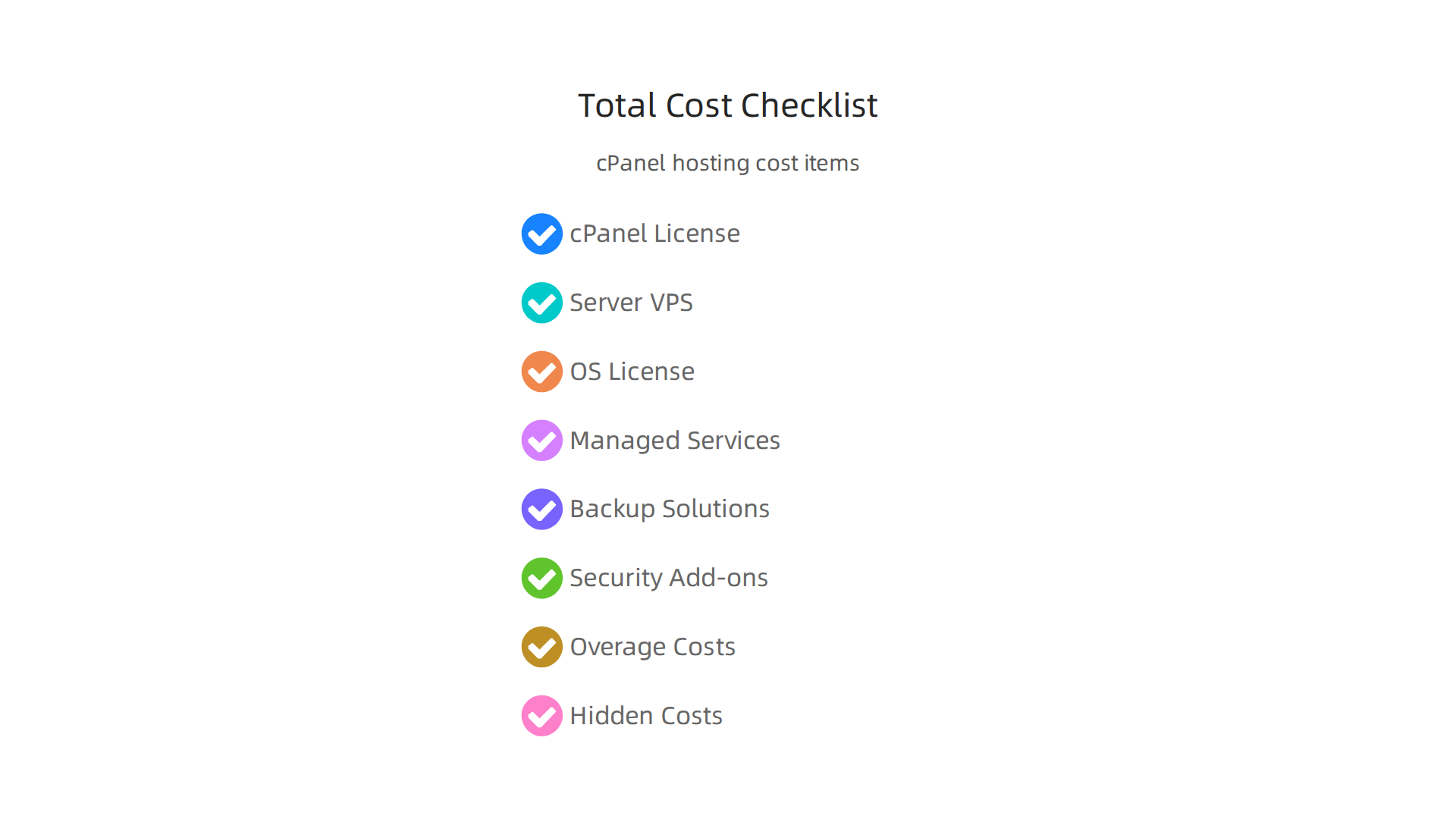
By adding these up, you can get a realistic monthly cost. Multiply that by 12 to see your annual total. Doing this helps you compare different hosting choices side-by-side, so you can choose the best fit for your budget and needs. For more details on this, you can learn how to compare pricing models and avoid hidden fees.
After understanding your total cost, the next step is to actually get and keep your cPanel licenses. This part is about making smart choices when you buy and manage your licenses, so you don’t spend more than you need to. It’s like planning your grocery shopping to get the best deals and avoid food waste.
A Practical Checklist for Buying cPanel Licenses
When you’re ready to buy a cPanel license, don’t just pick the first option you see. Here’s what to check:
- Look at Vendors and Resellers: You can buy cPanel licenses straight from cPanel or from other companies called resellers. Resellers often offer better cPanel pricing because they buy licenses in big groups. You might find reseller pricing to be much cheaper than buying directly, sometimes saving you a lot of money What changes when cPanel raises prices in 2026.
- Check Vendor Status: Make sure the company selling you the license is a real and trusted partner of cPanel. This helps you avoid problems later on. You can often find lists of official partners on cPanel’s own website.
- Compare Invoices Carefully: When you get an invoice, look closely at the cpanel pricing. Does it match what was advertised? Are there any hidden fees? Always compare the details to what you expected.
- Understand Support Agreements: How much help will you get if something goes wrong? This is called a Service Level Agreement (SLA). Some vendors offer better support, like quick help for emergencies, while others might be slower. Make sure their support matches your needs. If you’re looking to buy a cheap cPanel license, a good guide can help you find a reliable seller and plan How to Buy a Cheap cPanel License in 2026.
Remember, the goal is to get a fair cpanel pricing for your needs, whether you’re using it on a basic server or a more powerful one like those offered by Hetzner VPS pricing 2026.
Managing cPanel Licenses for the Long Term
Buying a license is just the start. You also need to manage it over time to keep your web hosting cost down.
- Renewals: Always keep track of when your license needs to be renewed. Some providers give you a discount if you pay yearly instead of monthly. For example, cPanel’s own site mentions saving around 8.4% with annual billing cPanel Pricing Plans & Licensing Options. Missing a renewal could cause your website to go offline.
- Transfers: If you move your website to a new server or a different hosting company, you might need to transfer your cPanel license. This process can be tricky, so it’s good to know the steps or have your new hosting provider help you.
- License Audits: Regularly check how many website accounts you have on your server. If you have fewer accounts than your cPanel license allows, you might be overpaying. You could move those accounts to another server or choose a smaller license tier. This is a smart way to reduce your cpanel pricing, as experts suggest auditing your usage to avoid unnecessary costs cPanel license cost – Ways to reduce it. Many businesses find that regular checks help them avoid spending too much on their web hosting cost.
- Combining with Managed Hosting: If you choose managed hosting, the company usually handles the cPanel license for you. This means they take care of renewals, updates, and making sure the license matches your server. It can simplify things a lot, even though it’s part of your overall web hosting cost. It frees you up from worrying about these technical details, letting you focus on your business instead.
Now, let’s look at clever ways to cut down your cPanel costs. The goal is to save money without making your websites slow or unsafe.

It’s like finding a good deal on a car that’s still reliable and safe to drive.
Smart Ways to Save on cPanel Licenses
When you want to lower your cpanel pricing, think about these practical steps:
-
Pick the Right License Size: cPanel licenses come in different sizes, based on how many website accounts you have on your server. For example, there’s one price for up to 5 accounts, another for up to 30, and so on. If you have 11 accounts, but your license covers up to 30, you’re doing well. But if you have 31 accounts, you’ll need the next bigger license. Always check your actual account numbers against the license tiers. You might find that moving just a few accounts can drop you to a cheaper tier, which can save a lot on your total cPanel license cost. One expert guide from 2026 even talks about getting a cPanel VPS license from $4.50 per month, emphasizing choosing the right size for your needs Cheap cPanel License From $4.50 | Beat Free Panels.
-
Look for Reseller or Volume Deals: You don’t always have to buy directly from cPanel. Other companies, called resellers, often sell licenses at lower prices because they buy many at once. Buying from a reseller can greatly reduce your cpanel pricing. Sometimes, switching to a reseller can cut your bill by 85% or more, especially for hosting providers Hosting Resellers: Save $600+/Year on cPanel Licenses.
-
Combine Your Website Accounts: If you have several servers, each with only a few website accounts, you might be paying more than you need to. Consider moving those accounts onto fewer servers. This is called account consolidation. For instance, if you have two servers, each with 5 accounts, you might be able to put all 10 accounts on one server and only need one license. This strategy helps avoid overpaying for multiple smaller licenses when one larger one could cover everything more cheaply 7 Ways to Cut Costs on cPanel Licensing.
Keeping Your Costs Low Over Time
Beyond initial buying choices, how you manage your cPanel setup day-to-day also impacts your cpanel pricing.
- Regular Checks (Audits): Make it a habit to check your server’s cPanel usage. This means looking at how many active accounts you have and what resources they are using. If you find old, unused accounts, delete them. This keeps your account count low and helps you stay in a cheaper license tier. Such regular audits are crucial for businesses in 2026 to plan their account structure and lower costs 2026年cPanel 主機成本與價格策略分析報告.
- Performance Tuning: Sometimes, slow websites or server issues make you think you need a bigger, more expensive server or cPanel license. But often, you can fix these problems by making your existing server run more efficiently. This is called performance tuning. Optimizing your website code, images, and server settings can make a big difference, preventing the need for costly upgrades to your web hosting cost. If you are also managing hosting on other platforms, similar cost-saving ideas apply, such as learning to understand and optimize your AWS hosting cost for small businesses.
- Consider Server Choices: The type of server you use also affects your license cost. Some licenses are cheaper for Virtual Private Servers (VPS) than for dedicated servers. Companies like Hetzner offer different server types, and understanding their Hetzner pricing 2026 can help you choose the most cost-effective solution for your cPanel needs.
Support, Security, and Scaling: FAQ for SMB Decision-Makers
Once you’ve looked at ways to manage your cPanel pricing, it’s good to know how your license affects other important things like getting help, keeping your website safe, and growing your business. Think of your cPanel license not just as a cost, but as a key to a stronger online presence.
How Does a cPanel License Help with Support?
Having a proper cPanel license means you can get official help when you need it. If you run into a big problem with your server or cPanel software, direct support can be very helpful. While many hosting providers offer their own support, having an active cPanel license means you’re connected to the source for more complex issues. Without a valid license, you might not get this direct, expert help, making it harder to fix problems quickly.
What About Security Updates and Tools?
Security is super important for any website in 2026. Your cPanel license makes sure your server gets all the necessary security updates. These updates fix problems and add new ways to protect your site from bad guys. cPanel constantly invests in making its software more stable, faster, and more secure, as noted in recent price adjustments. For example, newer versions of cPanel include better ways to manage security tools, making your website safer. This ongoing care helps protect your website data and your visitors. Choosing the right web hosting company is also key for speed and security.
Scaling Your Business and cPanel Pricing
As your business grows, your website usually needs more power. This is called scaling. Your cPanel license needs to match your growth.
- When to Upgrade Your License: If you add many new websites or your current sites get a lot more visitors, you might need to upgrade your cPanel license to handle more accounts. cPanel offers different plans, like Admin for up to 5 accounts or Pro for up to 30 accounts, so you can pick what fits your needs now and in the future. You can find out more about official cPanel license prices and options on their website. This helps keep your website running smoothly without slowing down.
- DDoS Protection and Backups: While cPanel itself helps manage your server, important features like protection from DDoS attacks and regular backups are often provided by your hosting company. Good hosting providers, like Prism Webhost, offer strong DDoS protection and automatic backups as part of their service. This means even if you have a cPanel license, your overall web hosting cost also covers these critical safety nets. To truly understand all the expenses involved, it’s a good idea to calculate your true web hosting cost to avoid unexpected fees.
Summary
This article explains why cPanel licensing directly affects the cost, performance, security, and growth of small business websites. It defines cPanel as a server control panel, describes common license tiers (Solo, Admin, Pro, Premier) and server environments (VPS/cloud vs. dedicated), and shows how per-server and per-account pricing combine with add‑ons like managed services, OS licenses, backups and overages to form your true hosting bill. You’ll learn realistic price ranges for 2026 tiers, how billing cycles and renewals change costs, and practical buying and management steps — from choosing trusted resellers to auditing accounts. The guide also covers TCO comparisons with alternatives (other control panels, managed hosting, self-managed) and gives concrete strategies to cut expenses without sacrificing security or scalability. By the end you’ll be able to calculate your hosting TCO, choose the right cPanel tier, and apply cost-saving tactics that keep your site fast and protected.
