




UK Web Hosting cPanel for Small Business Speed and Security
Article
If you run a small business in the UK, your website is often the first thing potential customers see. But keeping that site fast, secure, and online takes more effort than most people expect. Many business owners end up stuck with confusing control panels, slow loading times, or even security problems they do not know how to fix.

That is where smart hosting choices make all the difference.
The UK web hosting market is growing fast. According to the UK Web Hosting Services Market analysis, the industry was valued at over 5 billion USD in 2024 and is expected to climb to nearly 22 billion USD by 2032. More businesses than ever are moving online, and they need hosting that actually works for them.
Here is the reality: many small and medium business owners struggle with technical tasks like managing files, setting up email accounts, or installing security updates. This drains time and money. Slow sites cost you sales. Security gaps put your data at risk. And when you cannot log in and fix things yourself, you end up waiting on support just to get basic work done.
That is why choosing UK web hosting with cPanel matters. cPanel gives you a clean, visual dashboard where you can manage your entire website without touching code. You install apps, check storage, manage domains, and handle backups all from one place. It puts control back in your hands.
The goal of this guide is simple. We will walk through what UK web hosting cPanel plans actually include, what they cost, and how to pick one that fits your business. No technical background required. If you are tired of hosting headaches and want something that just works, you are in the right place. For a deeper look at what to consider before choosing a provider, check out our breakdown of 10 factors for choosing the best UK web hosting for small business.
Why UK Businesses Need Reliable Web Hosting
So why does picking the right host matter so much? Let us break it down into three big reasons that affect your bottom line every day.
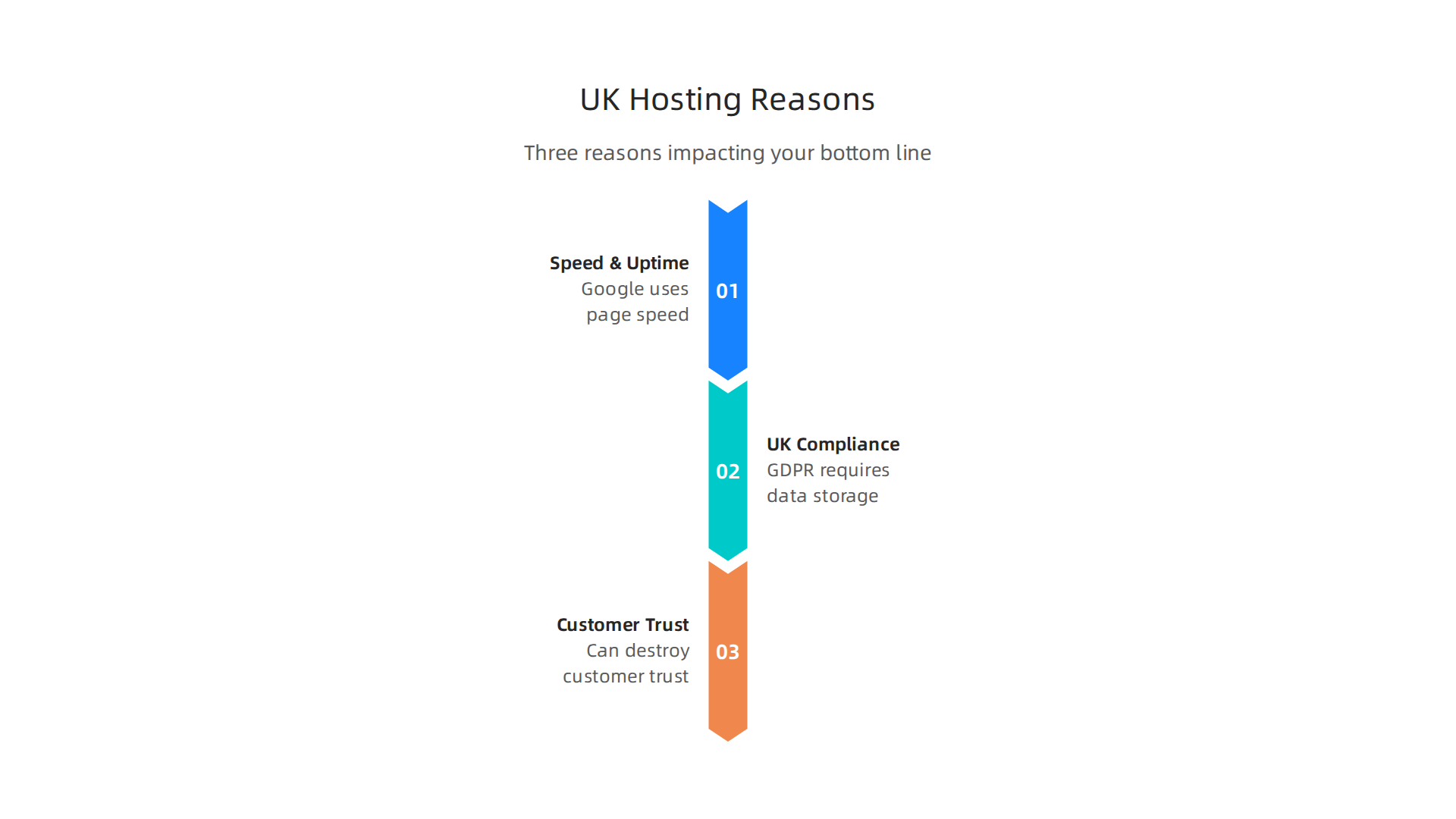
Speed and uptime directly shape your success online. Google uses page speed as a ranking factor. A slow site drops down in search results, and customers give up fast. In fact, a one-second delay in page load time can cause a 7% drop in conversions. And 53% of mobile users walk away from sites that take longer than three seconds to load. Those numbers come from a detailed look at the current state of web hosting. If your site is slow, you are losing sales and visibility. cPanel makes it easy to monitor performance and optimize settings so you do not leave money on the table.
UK businesses also face unique rules that affect hosting choices. The General Data Protection Regulation (GDPR) requires you to store and handle customer data carefully. Your hosting provider plays a big role in meeting those rules. You need things like data centres in the UK or European Economic Area, strong encryption, and clear data handling policies. A host that understands UK compliance saves you from headaches and potential fines.
A weak hosting environment can destroy customer trust fast. Cyber attacks on UK businesses are growing every year. Ransomware, phishing, and website hacks target small and medium companies because they often have weaker defenses. If your site goes down or gets infected, visitors notice. They might think you are unreliable or even unsafe. One bad experience can push them to a competitor for good. That is why choosing a provider with strong security features matters. For a closer look at what to look for, check out our guide to finding fast and secure UK web hosting that fits your budget.
At the end of the day, reliable hosting is not a luxury. It is the foundation of your online reputation. The right UK web hosting with cPanel gives you the tools to keep your site fast, secure, and always available.
What is cPanel and Why It Matters for Your UK Hosting
If you are new to running a website, the technical side can feel overwhelming. That is where cPanel comes in. cPanel is a web-based control panel that gives you a simple dashboard to manage everything about your hosting account.
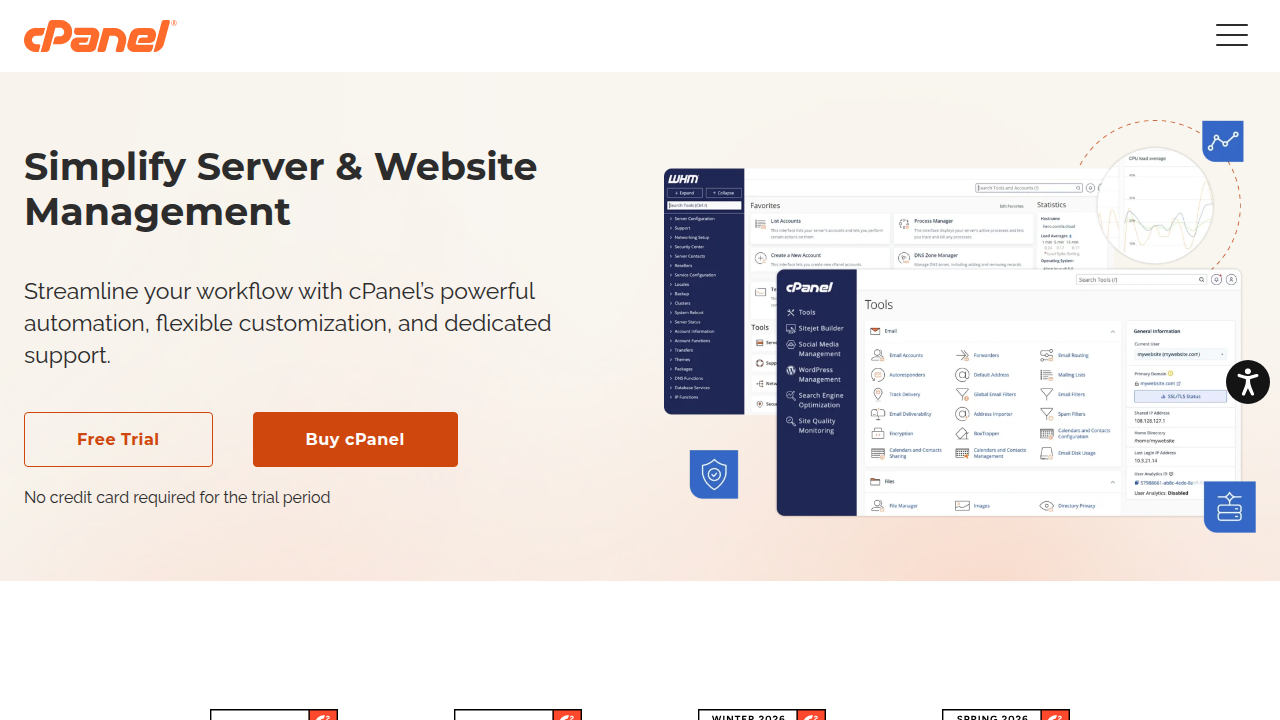
Instead of typing complicated commands, you click icons and fill in forms. In fact, this cPanel explained guide breaks down exactly how it works and why it is the industry standard.
What can you do with cPanel? A lot. You can manage your domain names, create email accounts, upload files, install applications like WordPress with one click, and set up databases. You can also check your site’s performance and see how much bandwidth you are using. All of these tasks are arranged in easy-to-find sections like Files, Email, Databases, and Security. You do not need to be a developer. The dashboard does the hard work for you.
Why does this matter for your UK hosting? cPanel gives you control over security and performance without needing extra help. You can install free SSL certificates to encrypt customer data, set up automatic backups, and monitor your site’s resource usage. That helps you stay GDPR compliant and keeps your site running fast. Plus, if you ever need to scale your site as your business grows, cPanel makes it easy to add more features or adjust settings. If you are looking for a host that combines cPanel with great performance, consider Prism Web Host — UK cPanel Web Hosting. Their platform uses LiteSpeed servers and NVMe storage for speed, and they include free SSL and daily backups.
Not all UK hosts offer the same cPanel experience. Some cut corners on performance or security features. That is why it pays to compare plans carefully. For example, if you run a WordPress site, check out our guide to best web hosting for WordPress UK to see which hosts pair well with cPanel for optimal speed and reliability.
In short, cPanel turns complicated hosting tasks into simple clicks. It saves you time, keeps your site secure, and helps you focus on growing your business. That is why it matters for your UK hosting.
Key Features to Look for in UK cPanel Web Hosting
Now that you know why cPanel matters, it’s time to look at what features your UK web hosting cPanel plan should include.
Not all hosts are the same. Some offer bare bones while others pack in tools that make your site faster, safer, and easier to grow. Here is what to check before you sign up.
Performance: Speed That Keeps Visitors Happy
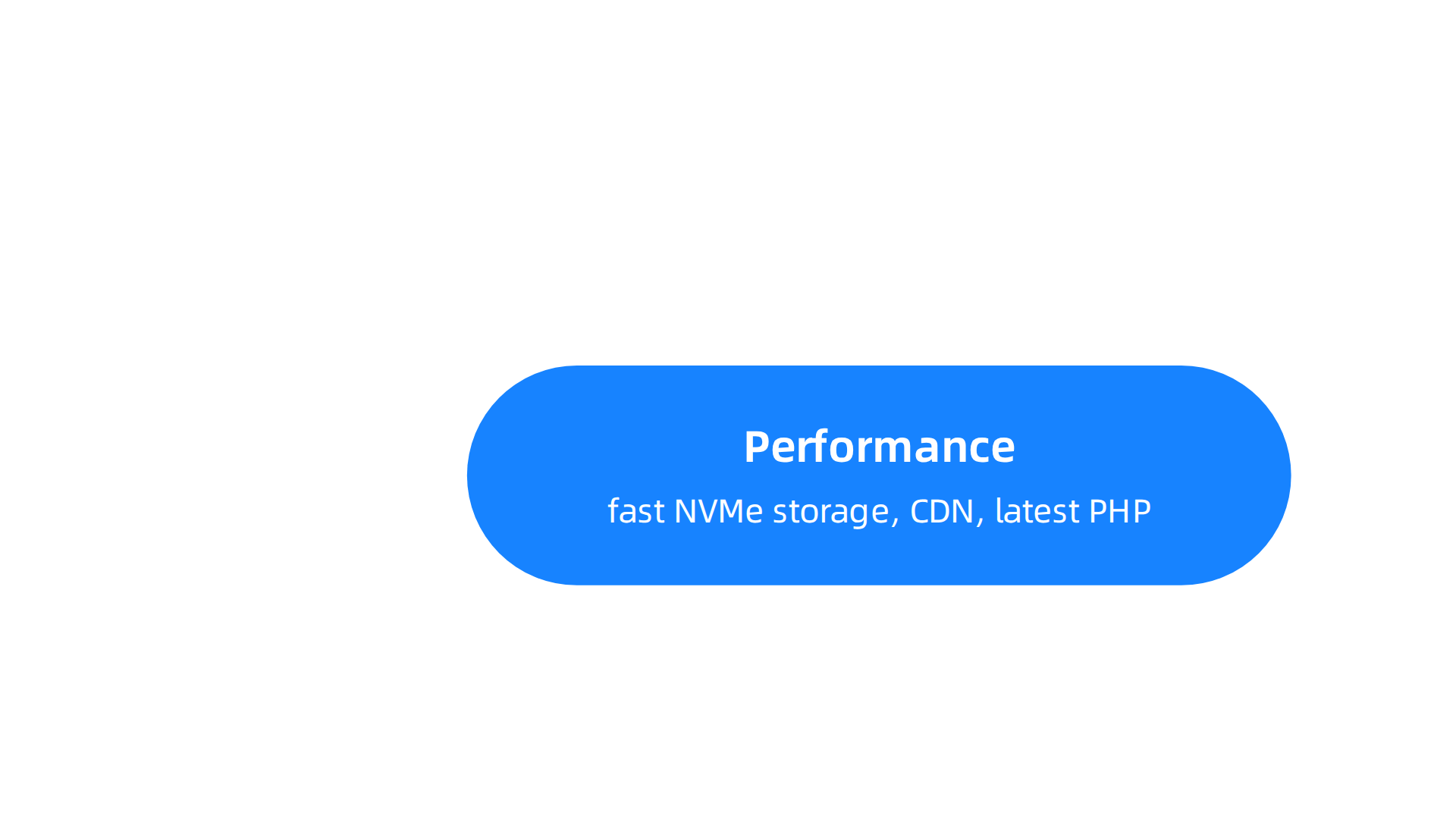
Your website needs to load fast. If it takes more than three seconds, most visitors leave. That hurts your sales and SEO. The best UK web hosting with cPanel gives you three things for speed.
First, solid-state drives (SSDs) or better yet, NVMe storage. These are much faster than old hard drives. Second, a content delivery network (CDN) integration. A CDN stores copies of your site in different locations so it loads quickly for visitors across the UK and beyond. Third, support for the latest PHP versions. Newer PHP makes your site run faster and more securely. Many hosts let you change PHP version right inside cPanel.
Also look at resource limits. Cheap plans may cap CPU or memory, which slows your site during traffic spikes. A reliable host with a 99.9% uptime guarantee ensures your site stays up. As one guide on the best UK web hosting services of 2026 points out, fast loading speeds are essential for both user experience and SEO. So confirm your plan includes these speed features.
Security: Protect Your Site and Your Customers
Security is not optional. UK law requires you to protect customer data. Your cPanel hosting should include several protections from day one.
Free SSL certificates are a must. They encrypt data between your site and your visitors. cPanel makes installing them easy with tools like AutoSSL. Next, DDoS protection. Attacks can take your site offline. Look for a host that offers at least basic protection. Automated daily backups let you restore your site if something goes wrong. And malware scanning catches problems before they hurt your business.
Some hosts also include a web application firewall (WAF) that blocks common attacks. As a 2026 hosting guide explains, features like free SSL certificates, automated backups, malware protection, and CDN integration help improve both performance and security. These aren’t extras. They are basics for any serious host.
Scalability: Room to Grow
Your business will grow. Your hosting should grow with it. When you pick UK web hosting cPanel, check how easy it is to upgrade.
Some hosts let you move from a shared plan to a VPS or dedicated server with just a few clicks. Others require you to migrate manually. You want the first kind. Also look at resource allocation flexibility. Can you add more storage or bandwidth without changing plans? Can you upgrade during a busy season and downgrade later?
A good host makes scaling feel seamless. They don’t lock you into long contracts or charge huge fees for upgrades. This means you never outgrow your hosting. You just adjust it.
If you want to understand the real cost of these features, including renewal prices, check out our article on web hosting UK cost in 2026 to avoid surprises.
To sum it up, pick a UK host that offers fast NVMe storage, free SSL, daily backups, DDoS protection, and easy upgrades. These features make cPanel truly powerful. Take your time comparing plans, and you will find the right fit for your website.

Comparing UK cPanel Hosting Providers: What Matters Most
Now that you know the features to look for, it is time to compare the options side by side. Not all UK web hosting cPanel providers are created equal. Some focus on low prices, others on premium support, and still others on raw speed. To make the right choice, you need to look past the marketing and compare a few key areas.
Pricing vs. Value
The cheapest plan is rarely the best deal in the long run. Many hosts lure you in with low introductory rates, only to triple the price at renewal. That is why it pays to look at the total cost over two or three years. For example, a plan at £2.99 per month might jump to £9.99 after the first term. Always check the renewal price before you commit.
That said, paying more does not always mean better value. Some premium hosts charge high fees for basic features that cheaper hosts include for free, like free SSL certificates or daily backups. The best web hosting UK cPanel plans balance upfront cost with long-term value. As a 2026 roundup of the best UK web hosting services notes, "the cheapest option is not always the best" when you consider performance and support. So compare the full package, not just the monthly price.
Customer Support That Actually Helps
When your site goes down at 2 AM, you need help fast. Look for hosts that offer 24/7 support through live chat, phone, or ticket systems. Ideally, the support team should be based in the UK or at least work on UK time. Response times matter. Some providers publish average response times on their websites. A host that responds in under 5 minutes is worth more than one that keeps you waiting an hour.
Also check the knowledge base. Does the host have helpful guides and tutorials? cPanel is powerful, but you might need help setting up email accounts, security tools, or backups. A good support system saves you hours of frustration.
Data Centre Locations
Where your data is stored affects speed and legal compliance. For a UK audience, you want servers physically located in the United Kingdom. This keeps your site fast for local visitors and helps you meet UK data protection laws. Some hosts have data centres in London, Manchester, or other UK cities. Others rely on European or US servers, which can add latency.
The best UK web hosting with cPanel providers often highlight their UK-based data centres as a selling point. As one 2026 hosting guide explains, “With lightning-fast and secure UK-based servers, it’s a top choice for reliable hosting services in the UK.” If a host does not clearly state where their servers are, ask before signing up.
Quick Comparison Table
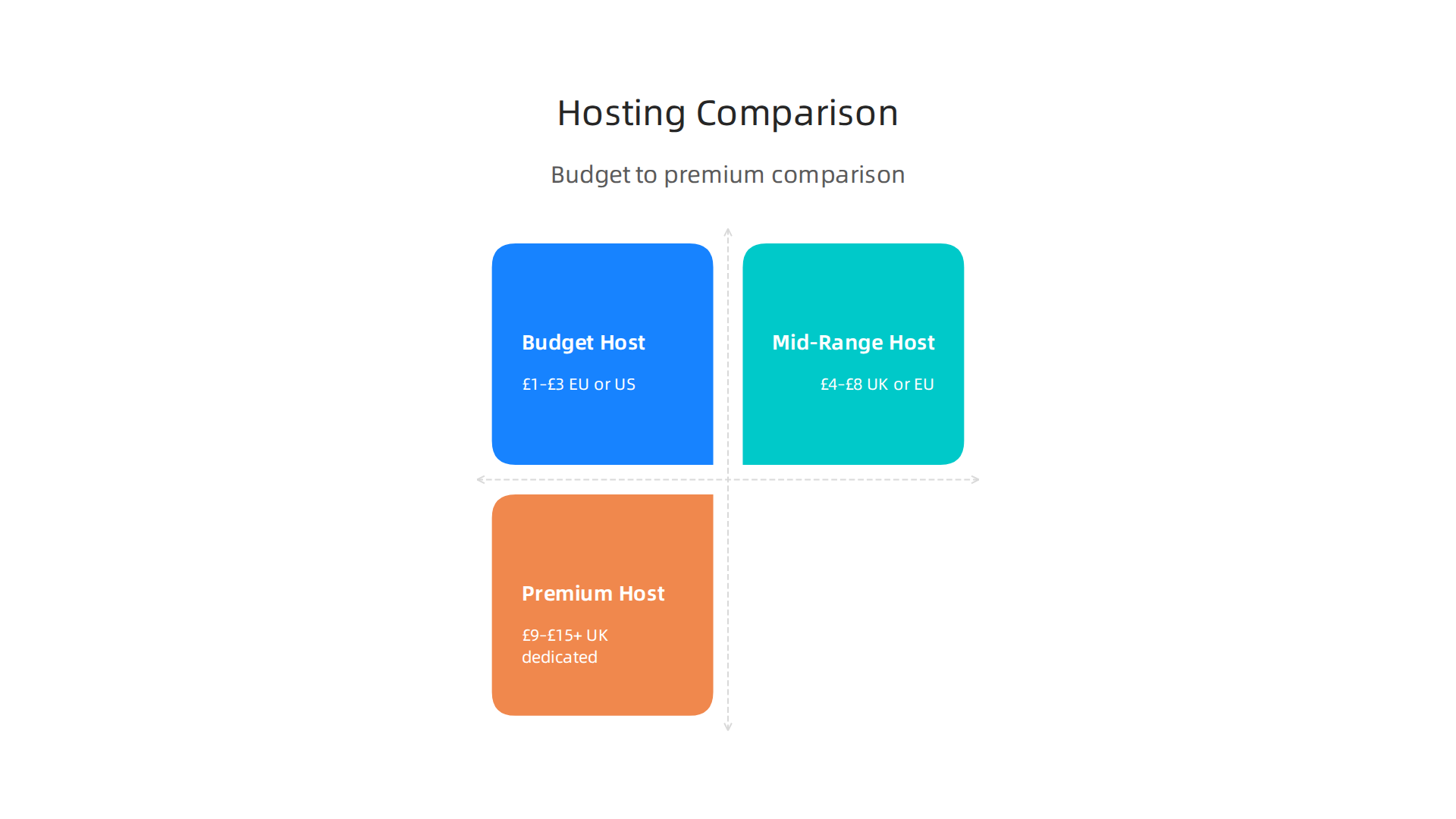
| Feature | Budget Host | Mid-Range Host | Premium Host |
|---|---|---|---|
| Monthly price (intro) | £1–£3 | £4–£8 | £9–£15+ |
| Renewal price | 2x–3x intro | 1.5x–2x intro | similar to intro |
| Data centre | Often EU or US | UK or EU | UK dedicated |
| Support | Chat only, slow | Chat + tickets, fast | 24/7 phone + chat |
| Uptime guarantee | 99.9% | 99.9% | 99.99% |
| Migration help | Manual or paid | Free basic | Free full migration |
| Money-back period | 14–30 days | 30 days | 30–60 days |
Hidden Factors That Make or Break Your Experience
Beyond price and speed, a few hidden details can make a huge difference.
Contract terms. Some hosts lock you into 12 or 24 months. Others offer monthly billing with no penalty. If you are just starting out, a month-to-month plan gives you flexibility to switch if things go wrong.
Migration assistance. Moving an existing site to a new host is stressful. Many providers offer free automatic migration. They move your files, databases, and email accounts for you. If a host does not include this, you either pay extra or do it yourself.
Money-back guarantee. A 30-day money-back guarantee is standard. Some hosts offer 45 or 60 days. This gives you a risk-free trial period. Use it to test support response times, speed, and cPanel ease of use.
Uptime SLA fine print. A 99.9% uptime guarantee sounds great, but check what the host actually credits you if they fail. Some only give a small account credit after hours of downtime. A host with a transparent SLA and real compensation is more trustworthy.
Before you decide, take a look at our detailed guide on choosing the best UK web hosting for small business. It covers these hidden factors in more depth and helps you avoid costly mistakes.
By comparing pricing, support, data centre locations, and contract terms, you can confidently pick the UK web hosting cPanel provider that fits your business. The next step is looking at how to actually set up your site.
How to Migrate Your Website to a UK cPanel Hosting Provider
So you have picked your new provider. Now comes the part that worries most people: moving your existing site. The good news is that migrating to a UK web hosting cPanel provider is much simpler than it sounds. The process follows the same basic steps whether you run a WordPress blog, an online store, or a custom site.
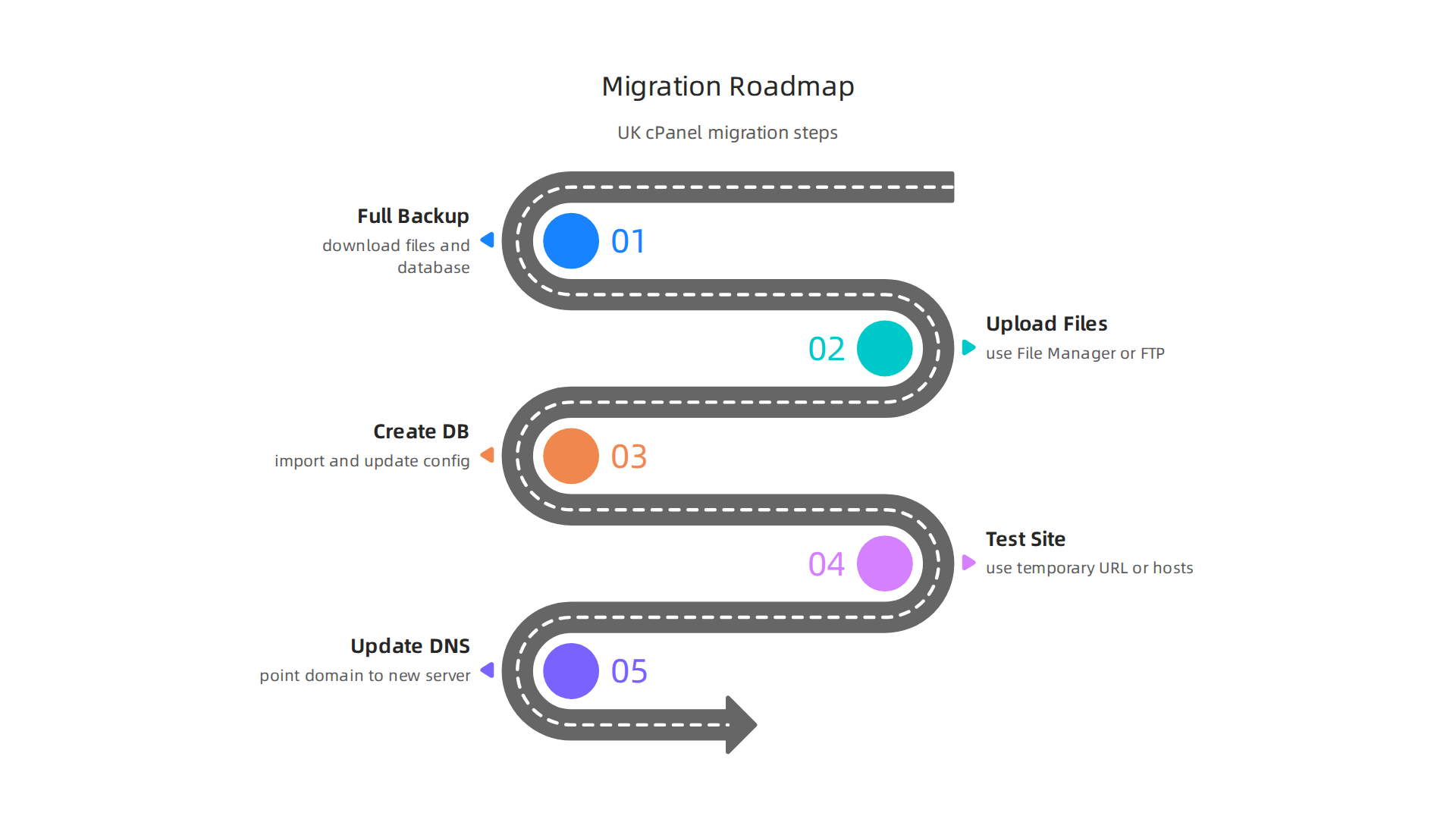
The Standard Migration Steps
First, make a full backup of your website. This means downloading all your files and your database to your computer. Most cPanel hosts give you a backup tool inside the control panel. You can create a full backup with just a few clicks.
Next, upload those files to your new hosting account. You use the File Manager in cPanel or an FTP program. Then create a new database on the new server and import your old database into it. You also need to update your website configuration file to point to the new database. A detailed guide on the WordPress Migration Between cPanel Hosting Providers 2026 walks through every step with screenshots.
After the files and database are in place, test everything. Visit your site using a temporary URL or by editing your computer’s hosts file. Check that pages load, forms work, and images display correctly. Only when you are satisfied should you update your DNS records to point to the new server. DNS changes can take up to 48 hours to spread across the internet, so plan for that.
Let Someone Else Do the Heavy Lifting
Many hosting providers offer free migration services. They transfer your entire site for you. You just provide your old account login details, and their support team handles the rest. This is especially helpful if you are not comfortable with the technical steps. Always ask your new host if they offer free migrations before you sign up.
Avoid Downtime During the Switch
The biggest fear during migration is losing visitors. To avoid downtime, schedule your move during a low-traffic period, like late at night or early in the morning. You can also use a staging environment on the new server to test everything without affecting your live site. Once you know everything works, flip the DNS switch quickly. With careful planning, your visitors will never know you changed hosts.
If you are still comparing host options before making the move, take a look at some cheap UK web hosting options that include free migration support. It might save you time and hassle right from the start.
Common cPanel Management Tasks for Beginners
Once your site is live on your new account, you need to learn the daily habits that keep it healthy. If you chose UK web hosting cPanel for your site, you are in a great spot. cPanel is designed to be easy. You do not need a degree in computer science to handle the basics.
Most everyday jobs are grouped into clear categories inside your dashboard. This simple interface organizes features into modules so you can find what you need fast. Let us look at the main tasks you will use most.
Handle Email and Domains
You can create professional email accounts that use your domain name, like hello@yourbusiness.co.uk. This builds trust with your customers. You can also add subdomains, like store.yourbusiness.co.uk, to run a separate part of your site without buying a new domain. Setting up redirects is also a breeze when you need to send visitors from one page to another. The cPanel explained in simple terms guide shows you exactly where to find these tools.
Manage Your Files and Backups
The File Manager in cPanel lets you upload, edit, and remove files right in your browser. You do not need a separate program. This is much faster for making small changes. You can also schedule automatic backups. If something breaks, you can restore your whole site in minutes. The cPanel guide for beginners walks you through how to protect your directories and manage your storage.

Install Software with One Click
One of the best features of any web hosting UK cPanel setup is the Softaculous installer. It gives you access to over 400 applications. With one click, you can install WordPress, an online store, or a booking system. The software handles all the hard parts. You just pick a theme and start adding content. If you are planning a new site, take a look at the best WordPress hosting in the UK options to see how they compare.
Monitor Performance and Stay Secure
You can view server logs and bandwidth reports inside cPanel to see your traffic and spot issues early. You can also manage SSL certificates to keep your data encrypted. The official cPanel features page shows you how to automate maintenance tasks like software updates and security checks. This helps you catch small problems before they turn into big headaches.
The more you play around in cPanel, the more comfortable you will feel. Learning these basics of UK web hosting cPanel management puts you in control. You will rely less on support teams and fix things yourself in minutes.
Security Best Practices for Your UK cPanel Hosting
Getting comfortable with cPanel is great, but comfort should never replace caution. Cyber threats are real and growing every year. According to recent research, AI-powered phishing and ransomware continue to be top dangers for UK businesses in 2026. Your website is a target, and cPanel gives you the tools to defend it. Let’s look at the simple steps you can take with your UK web hosting cPanel setup.
Enable Two-Factor Authentication and Strong Passwords
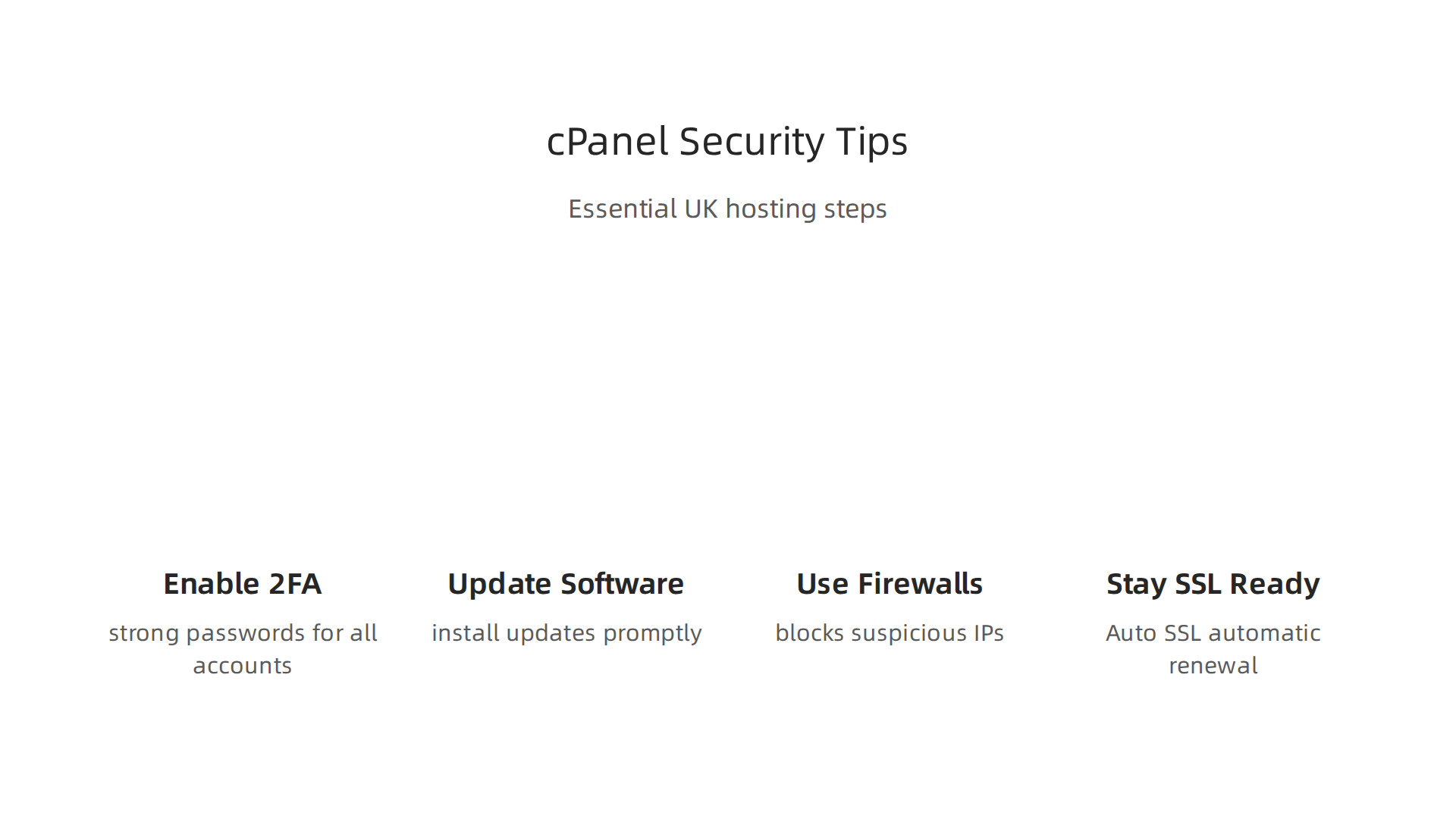
This is the single biggest thing you can do to lock down your account. Two-factor authentication (2FA) means even if someone steals your password, they cannot log in without a second code from your phone. Inside cPanel, go to the Security section and turn on 2FA. Also, set a strong password policy for your cPanel login and any email accounts you create. Use a password manager so you do not have to remember all of them.
Keep Your Software Updated
Outdated software is the number one way hackers get in. Whether you use WordPress, a custom CMS, or an e-commerce platform, always install updates as soon as they come out. cPanel makes this easier with tools to manage software updates. You can also schedule automatic backups from the Backup section. If something goes wrong, you restore your site in minutes.
Use Firewall Rules and IP Blocking
cPanel includes a tool called the IP Deny Manager. You can block entire countries or specific IP addresses that look suspicious. This stops a lot of automated attacks before they reach your site. Your host may also offer a web application firewall. For example, providers like Prism Web Host include enterprise-grade DDoS protection and firewall rules right out of the box.
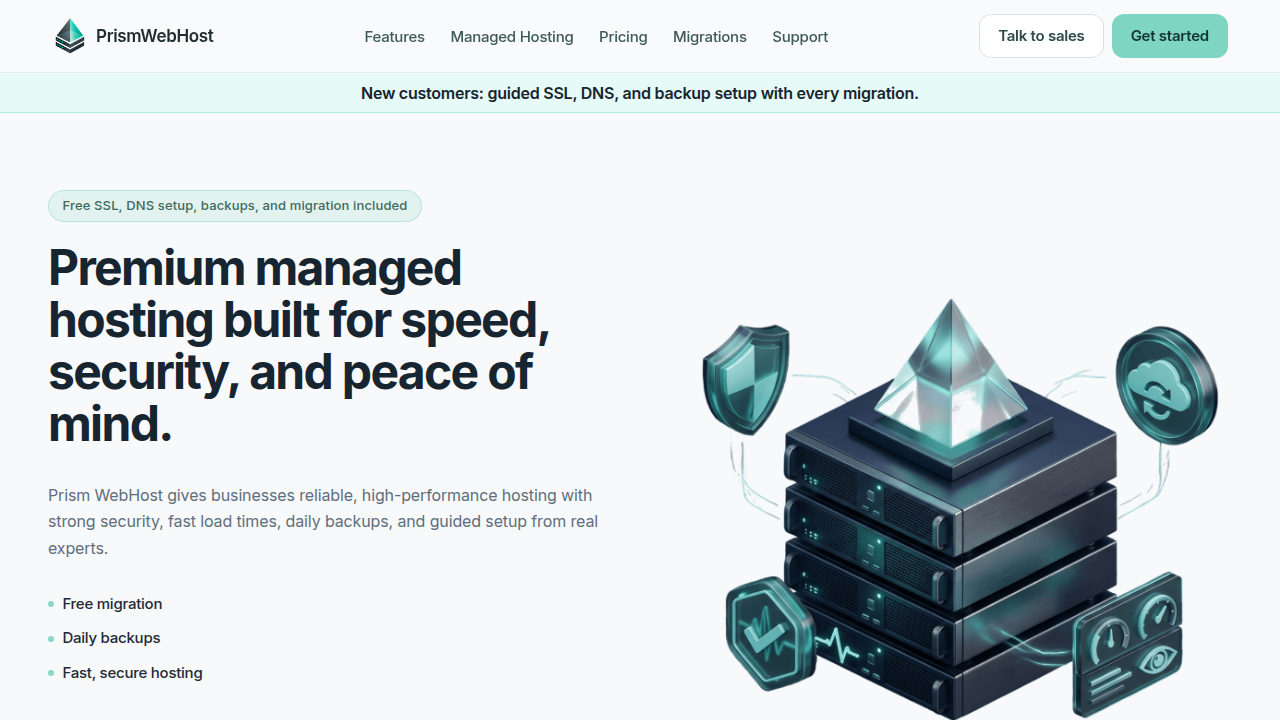
That extra layer keeps your site safe without you needing to be a security expert.
Stay SSL Ready
An SSL certificate encrypts data between your site and visitors. Most UK web hosting with cPanel providers now include free SSL through Let’s Encrypt. Make sure Auto SSL is enabled in cPanel so your certificates renew automatically. A secure site not only protects your customers but also builds trust.
These security habits do not take long and they block most common threats. If you are still choosing a host, check out the 10 factors for choosing the best UK web hosting for small business to see how security fits into the bigger picture. With the right setup, you sleep better knowing your site is locked down.
Scaling Your Online Business with cPanel Hosting
Your business is growing. More visitors. More products. Maybe even more websites. Your hosting needs to keep up.

The good news? With uk web hosting cpanel, scaling does not have to mean a painful move to a new provider.
Upgrade Resources Without the Headache
On many cPanel plans, you can increase CPU, RAM, and storage with just a few clicks. You do not need to migrate your site or rebuild anything. Your host handles the upgrade behind the scenes. This matters because downtime during a move can cost you money. According to recent research on types of web hosting for 2026, choosing a provider that supports easy upgrades helps you avoid lost revenue and brand trust. Look for a host that lets you add resources as you go, not one that forces you onto a completely new plan.
Manage Multiple Sites from One Dashboard
Once you launch a second website maybe a blog, a client portal, or a separate online store cPanel keeps everything organized. Its DNS tools let you point different domains to different folders. Its email management lets you create mailboxes for each site. You handle everything from one login. No jumping between control panels.
Choose a Host That Grows With You
Not all hosts offer a smooth path from shared to VPS to dedicated servers. Some lock you into shared hosting with no easy escape. Before you commit, ask if your host supports seamless upgrades. The best uk web hosting with cpanel providers, like Prism Web Host, make this simple. You start small and scale up to a VPS or dedicated server when you need more power. And because they use the same cPanel interface at every level, you never have to learn a new system.
If you are planning for growth, take a look at this web hosting template checklist for small business growth in 2026. It helps you map out exactly what you need at each stage.
A cPanel host that scales with you means one less thing to worry about. Your hosting just works, even as your business gets bigger.
Summary
This guide explains why choosing UK web hosting with cPanel matters for small and medium businesses, covering performance, security, cost and ease of management. It describes what cPanel does—managing domains, email, backups and one‑click installs—so non-technical owners can run their sites without coding. The article walks through key features to prioritise (NVMe/SSD storage, CDN, free SSL, DDoS protection, daily backups), how to compare providers on real value rather than intro prices, and which contract terms and data‑centre locations matter for UK compliance. You’ll also get a practical migration checklist, everyday cPanel tasks, and security steps like 2FA and automatic updates to reduce risk. Finally, the guide explains how to scale from shared hosting to VPS or dedicated servers with minimal downtime so your site grows with your business.
