




Top Rated Web Hosting Companies Evaluate and Choose Your Ideal Provider
Article
Introduction – Why ‘Top Rated’ Hosting Matters for SMBs and Online Brands
Having a great website is like having a perfect store on the busiest street. But what happens if your store keeps closing, loads very slowly, or isn’t safe from robbers? It hurts your business. This is how many small businesses, online brands, and everyday entrepreneurs feel about their web hosting. They often face big problems with their websites, such as:
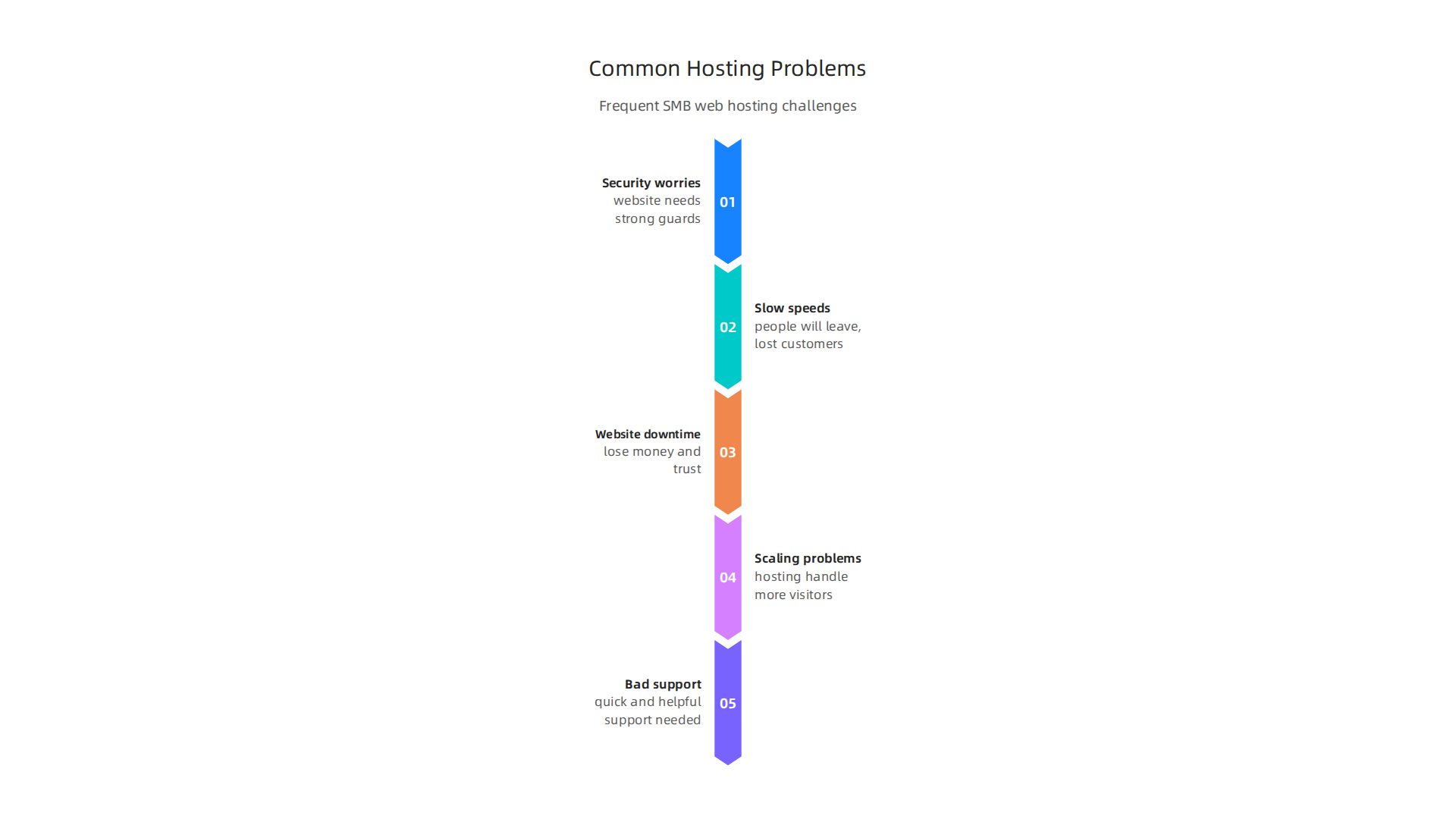
- Security worries: Your website needs strong guards to protect it from bad hackers and online attacks.
- Slow speeds: If your website takes too long to open, people will leave. This means lost customers and lower sales. Speed is super important for how people feel about your site and how well it ranks on search engines.
- Website downtime: Imagine your store just closing down without warning. If your website goes offline often, you lose money and trust. Experts suggest looking for hosts with a track record of 99.9% uptime or higher for reliable service in 2026 [Web Hosting Buying Guide | VettedSaaS]
(https://vettedsaas.com/guides/web-hosting-software-buying-guide/).
- Scaling problems: As your business grows, your website gets more visitors. Can your hosting handle it, or will it crash?
- Bad support: When something goes wrong, you need quick and helpful support, not long waits or confusing answers. In fact, many people say good support is a top reason for choosing a web host Web Hosting Trends in 2026: Insights from the CloudLinux Industry ….
Picking the right hosting company is not just about saving a few dollars. It’s about keeping your online business safe, fast, and always open. You need hosting that grows with you, not one that holds you back. Many people find that features like robust security, automatic backups, and fast storage are key when choosing a web host How to Choose a Web Host: The Ultimate 2026 Guide … – Elementor.
This guide will help you cut through the confusion. We will show you how to find the top rated web hosting companies that truly deliver for businesses like yours. You will get:
- Clear rules to judge how good a hosting company really is.
- Simple comparisons of different services, so you can see their pros and cons.
- A handy checklist to make your choice easier.
We promise to give you honest, fact-based advice to help you find the best web hosting for small business needs in 2026. This means no empty promises, just real facts to help you make a smart decision. To explore more about specific options, check out our guide on the best web hosting for small business. We want to empower you to choose from a list of web hosting companies that meet your needs, ensuring your online brand shines.
What ‘Top Rated’ Means: Key Metrics and Evaluation Criteria
When we talk about finding the top rated web hosting companies, we are not just looking for a popular name. We are looking for hosts that meet clear, strong standards.

Think of it like a report card for a hosting company. To truly be considered among the top web hosting companies in 2026, a provider must score high in several key areas.
Essential Metrics for Top Performance
Here are the most important things we look at to decide if a web host is top rated:
- Uptime and Reliability: This means how often your website is online and working. A truly great host will have a nearly perfect record. Look for a promise of 99.9% uptime or higher. Anything less can mean lost customers and money. Many experts agree that reliability is a key factor when choosing a web host Web Hosting Buying Guide 2026: Pick the Right Plan.
- Speed: How fast does your website load? This is super important!
- TTFB (Time To First Byte): This is how quickly the server starts sending information to your visitor’s browser. A lower number here means a faster start.
- LCP (Largest Contentful Paint): This measures how fast the main content of your web page shows up. Faster LCP means a better experience for your visitors.
- Slow speeds can make people leave your site and can even hurt your rank in search engines. In fact, more than half of hosting providers believe website speed is the most important factor for customers choosing a host Web Hosting Trends in 2026: Insights from the CloudLinux Industry ….
- Security Features: A top host acts like a strong guard for your website. This includes things like:
- SSL/TLS Certificates: These keep information safe between your site and visitors, like when they fill out a form or buy something. Many providers offer this for free.
- DDoS Protection: This stops bad attacks that try to flood your website with too much traffic to make it crash.
- Automatic Backups: If something goes wrong, you need easy ways to bring your site back online. Regular, automatic backups are a must.
- Customer Support: When you have a problem, you need help, and you need it fast. Top rated web hosting companies offer support that is available 24/7, quick to respond, and knows how to fix things. Good support can save you a lot of worry.
- Scalability: As your business grows, your website might get more visitors. Can your hosting handle this extra traffic without slowing down or crashing? A good host lets you easily add more power when you need it.
- Cost-Effectiveness: This isn’t just about the cheapest price. It’s about what you get for your money, especially when you think about renewal prices. Many users say that cost is a big factor in choosing a host, but it’s important to look at the full value Web Hosting Statistics 2026: New Survey Reveals Americans Are …. Make sure you understand all the features included and any hidden fees. To learn more about managing costs, see our guide on how to master your web hosting cost in 2026 compare pricing and avoid hidden fees.
Tailoring Your Hosting Choice to Your Needs
Different websites have different needs. What’s best web hosting for small business might change depending on what your business does:
- For a Simple Blog or Portfolio: You might not need huge amounts of space or super high traffic handling at first. Uptime, good speed, and ease of use are usually most important.
- For an Online Store (e-commerce): Speed and security become even more critical. Every second of delay can mean lost sales, and strong security protects customer payment information.
- For a Growing Business with Lots of Visitors: You will need excellent scalability, robust security against all kinds of attacks, and support that can help you with complex issues.
It is important to identify your specific website needs before diving into a long list of web hosting companies.
How to Verify What Hosts Claim
Hosting companies will always say they are the best. But how do you know what’s true?
- Service Level Agreements (SLAs): Look for an SLA document. This is a promise from the host about their uptime, support response times, and other key services. It often includes what happens if they don’t meet these promises.
- Real-User Metrics: Don’t just trust a single test from a website. Look for consistent performance over time, especially during peak traffic. Real-user feedback and long-term performance reports give a better picture Best Web Hosting in 2026: 12 Criteria That Matter More ….
- Third-Party Reviews and Tests: Check out independent review sites that test hosts over many months. These often provide honest results on speed, uptime, and support quality. Sites like Reddit can also offer community recommendations and insights into specific providers Best Web Hosting Providers in 2026: Community Recommendations ….
Finding the top rated web hosting companies means looking beyond flashy ads and focusing on these key measures. By understanding what each metric means for your business, you can make a choice that truly supports your online goals. If you are ready to find a provider that truly values these metrics, explore our main offerings at Prism Web Host — Web Hosting Plans & Services.
Finding the right web hosting is like choosing the right home for your online business. What works for a small blog might not be enough for a busy online store. The top rated web hosting companies offer different types of hosting to fit many needs. Let’s look at the main kinds of hosting and who they are best for.
Shared Hosting: Great for Beginners and Small Projects
Shared hosting is usually the cheapest and easiest option. It means your website lives on the same server as many other websites. Think of it as sharing an apartment building. Everyone shares the same resources like power and internet.
- Who it’s for: This is perfect for a personal blog, a simple portfolio, or a new business website that doesn’t expect many visitors yet. It’s often the best web hosting for small business just starting out.
- Key Features: It’s very affordable, easy to set up, and often comes with tools like cPanel.
- Trade-offs: Because you’re sharing, your site’s speed can sometimes slow down if another site on the same server gets a lot of traffic. Security is also shared, so good providers have strong safeguards in place for everyone. A good buying guide will help you understand these details, as noted in the Web Hosting Buying Guide from VettedSaaS.
VPS Hosting: For Growing Businesses Needing More Power
VPS stands for Virtual Private Server. It’s like having your own apartment in that shared building. You still share the physical server, but you get your own dedicated space and resources (like CPU and RAM) that no one else can use.
- Who it’s for: Businesses that are growing, have moderate traffic, or need to install special software that shared hosting doesn’t allow. If your shared hosting site feels too slow, it’s a sign to move to VPS.
- Key Features: Better performance and security than shared hosting, more control over your server, and easier to scale up.
- Trade-offs: It costs more than shared hosting and might need a bit more technical know-how to manage. For affordable yet powerful options, consider exploring cheap VPS hosting in 2026 that doesn’t sacrifice performance or security.
Cloud Hosting: Flexible Power for Busy Sites
Cloud hosting uses many connected servers instead of just one. If one server has a problem, your website just moves to another one without you even knowing. It’s like having many homes your site can instantly move between.
- Who it’s for: Websites with sudden traffic spikes, big online stores, or software services (SaaS) that need to handle many users at once.
- Key Features: Very flexible and scalable. You can easily get more power when you need it and often pay only for what you use. This makes it ideal for handling unexpected demand.
- Trade-offs: Pricing can be a bit tricky because it often depends on usage. But for businesses needing reliable, flexible hosting, it’s a top choice. The Ultimate 2026 Guide to Choosing the Right Web Hosting points out cloud hosting is great for startups and sites with unpredictable traffic.
Managed WordPress Hosting: Easy for WordPress Users
This is a special kind of hosting made just for WordPress websites. The hosting company handles many of the technical tasks for you, like updates, backups, and security specific to WordPress.
- Who it’s for: Anyone with a WordPress site, especially those who want to focus on their content or business without worrying about technical hosting details. Agencies often use this.
- Key Features: Automatic backups, fast speeds optimized for WordPress, strong security against WordPress-specific attacks, and expert support. It’s a great choice for those seeking the best web hosting for small business running on WordPress.
- Trade-offs: It usually costs more than basic shared hosting because you’re getting a lot of help and specialized services. To compare options, read our guide on how to choose the best WordPress hosting providers for 2026.
Dedicated Hosting: Full Control for Large Websites
With dedicated hosting, you get an entire physical server all to yourself. You don’t share any resources with anyone else. It’s like having your own private island for your website.
- Who it’s for: Very large websites, complex applications, or businesses with strict security and compliance needs.
- Key Features: Maximum power, control, and security. You can customize everything about the server.
- Trade-offs: This is the most expensive type of hosting and requires good technical skills to manage. You’re responsible for everything, or you pay extra for the host to manage it. To help choose wisely, check out our guide on choosing a dedicated server provider in 2026.
Choosing the Right Fit: Cost vs. Control
When looking at the list of web hosting companies, you will notice a clear pattern: the more control, power, and dedicated resources you want, the more it will cost.
- Shared hosting offers the least control but is the most budget-friendly.
- VPS hosting gives you more control and better performance for a higher but still reasonable price.
- Cloud hosting offers great flexibility and scalability, with costs that can change based on your usage.
- Managed WordPress hosting is a premium option that trades higher cost for hands-off management of a WordPress site.
- Dedicated hosting gives you total control and power, but it’s the most expensive and requires the most technical skill.
The key is to match your current and future website needs with the right hosting type. Don’t pay for more than you need, but also don’t settle for less if your business relies on a fast, reliable online presence. The top web hosting companies excel in providing clear options for each of these use cases.
Choosing the right web hosting means thinking about more than just how much it costs or what type it is. You also need to look closely at how secure and reliable the host is.

For any website, big or small, security and reliability are super important. The top rated web hosting companies make these things a top priority.
Security & Reliability: What to Look For in a Top Rated Host
When you pick a web host, you’re trusting them with your website’s safety and how well it runs. A good host will protect your site from bad actors and make sure it’s almost always online. Let’s look at what the best web hosting for small business and larger sites offers in terms of security and reliability.
Essential Security Features
A strong web host builds many layers of protection around your site. Here are the key security features to check for:
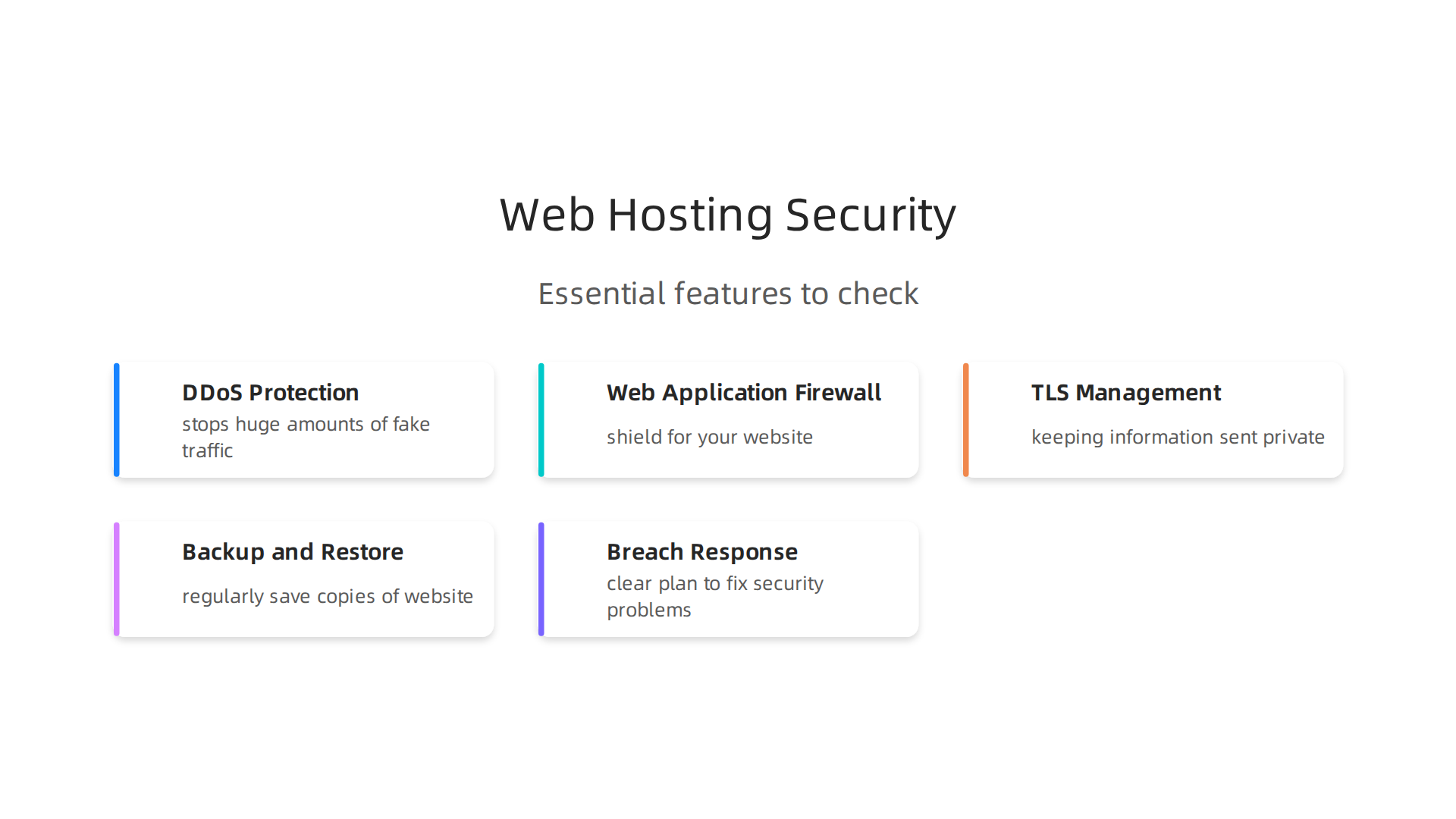
- DDoS Protection: This stops huge amounts of fake traffic from crashing your website. Think of it like a bouncer at a club, keeping out a mob of people trying to get in all at once. Blocking these kinds of attacks is a main concern for web services, as noted in the Volumetric DDOS Against Web Services Technical Guidance.
- Web Application Firewall (WAF): A WAF acts like a shield for your website. It checks all traffic coming in and out, blocking harmful requests before they can reach your site’s core. Many modern security setups include WAF to protect against attacks, according to the Statewide Innovation Web Portal document.
- TLS (SSL) Management: This is about keeping the information sent between your website and its visitors private. You’ll often see "HTTPS" in a website address. This means the connection is encrypted, which is a must-have for all sites in 2026. Using SSL/TLS helps encrypt data and keep it safe, as explained in Top NGINX Cloud Hosting Solutions for 2026.
- Backup and Restore Policies: Accidents happen. A good host will regularly save copies of your website (backups) and let you easily restore them if something goes wrong. This is your safety net.
- Breach Response Processes: If a security problem does occur, how does the host handle it? Do they have a clear plan to fix it, tell you what happened, and help you recover? A host should have good security measures like continuous monitoring and firewalls, as seen in how Pentest-Tools.com builds trust. Plus, hosts should always keep their systems updated and have strong firewalls in place, as discussed in a guide to deploying applications on VPS.
Key Reliability Indicators
Reliability means your website stays up and running when people want to visit it. Here’s what to look for:
- SLA (Service Level Agreement) Terms: This is a promise from your host about how much time your website will be online. Many top web hosting companies offer a 99.9% uptime guarantee, or even 99.99%.
- Historical Uptime: Don’t just trust their promise; check their past record. Do they usually meet their uptime goals?
- Multi-Region Redundancy: This means your website data is copied to servers in different places. If one server or even a whole region has a problem, your site can still run from another location.
- Incident Transparency: How honest is the host when things go wrong? Do they tell you about outages, what caused them, and how they fixed them? Being open builds trust. You can learn more about checking for these kinds of problems in a guide on how to check Epic Online Services status to prevent downtime and boost security. Knowing about key performance measures like "speed index" can also tell you about a site’s health, notes the Web performance glossary from USWDS.
Practical Steps to Validate a Provider’s Claims
Before you commit, it’s smart to do a little homework. You’re looking for a web host that truly cares about your site’s security and uptime.
- Read Reviews: Look at what other customers say about their experiences with different hosts. Are there common complaints about downtime or security issues?
- Ask Direct Questions: Don’t be shy. Ask the sales or support team about their DDoS protection, backup schedules, and how they handle security breaches.
- Check Certifications: Some hosts have security certifications that show they follow strict rules to protect data.
- Review Their Website: Often, the "About Us" or "Security" pages of a company on the list of web hosting companies will share their approach to keeping your site safe and fast.
By carefully checking these points, you can make a good choice that helps your online business grow safely and smoothly. For a broader overview, you can always check out web hosting services reviews for 2026 to find a reliable host. Comparing the top 10 web hosting companies of 2026 can also provide good insights.
After checking for a host’s security and reliability, the next big thing to look at is speed. Imagine waiting ages for a page to load or a picture to show up. Most people would just leave. This is why performance and speed are super important. The top rated web hosting companies know this well. They work hard to make sure your website is fast.
Important Numbers for Speed: What They Mean
When we talk about how fast a website is, we look at special numbers. These numbers help us understand how quickly your site gets ready for visitors.
- TTFB (Time To First Byte): This is how long it takes for your browser to get the very first piece of information from the server. A slow TTFB means the server is taking a long time to think, even before it starts sending your website’s content.
- TTI (Time To Interactive): This tells you when a visitor can actually click buttons and use your website. It’s not just about seeing the page, but being able to do things on it.
- LCP (Largest Contentful Paint): This measures how long it takes for the biggest and most important part of your website to appear on the screen. For example, the main image or a big block of text.
Why do these numbers matter? Because fast websites keep people happy, help you get more customers, and even rank higher on Google. If your site is slow, people will leave, and Google might not show your site as often. Learning how to track these key performance metrics can help boost your site’s health, as explained by the U.S. Web Design System.
How We Test Website Speed
Knowing the numbers is one thing, but how do we get them? There are smart ways to test how fast a website really is:
- Lab Tests: These are like science experiments. Websites are tested in a controlled setup, meaning everything is the same each time. This helps us see the raw speed of a host without outside problems.
- Synthetic Monitoring: This is like having a robot visit your website every few minutes, day and night. It checks the speed often and tells you if anything changes. It helps catch problems before real visitors notice.
- Field Data (RUM): This is the most real-world way to check speed. It collects information from actual people visiting your website. This shows what real users experience, not just what a test environment shows. Working with benchmarks and testing helps you understand performance, as noted in documents on Load Testing and Benchmarks.
How Your Host Makes Your Site Faster
A best web hosting for small business or a large enterprise does a lot behind the scenes to make your site snappy. Here are some key ways:
- Topology (Server Location): The closer your website’s server is to your visitors, the faster your site will load for them. Good hosts have servers in many places.
- CDN (Content Delivery Network): Imagine you have visitors all over the world. A CDN stores copies of your website’s files on many servers around the globe. When someone visits, they get the files from the closest server, making it much faster.
- Caching Strategies: Your host can save copies of parts of your website that don’t change often. The next time someone visits, instead of building the page from scratch, the host sends the saved copy. This is much quicker.
Many top web hosting companies use special tech like NVMe SSD storage and LiteSpeed servers to make sure your site loads very quickly. These tools are like giving your website a turbo boost. If you’re looking for hosting that prioritizes speed, checking out a service like Prism Webhost, with its advanced features and automated scalability, could be a smart choice to find the fastest WordPress hosting in 2026. They aim to help you launch and maintain a professional online presence without technical hurdles, and you can also learn more about how to maximize your business online with the best web hosting for small business.
After making sure a web host is secure and fast, there are still big questions to answer. How much does it cost? Can it grow with your website? And what kind of help can you get when things go wrong? These three things are super important for anyone looking for the best web hosting for small business or even a bigger online project in 2026.
How Web Hosting Costs Work
Web hosting prices can be tricky. It’s not always just one simple bill. There are different ways hosts charge you:
- Fixed Plans: This is like a set monthly fee. You pay the same amount each month for a certain amount of space and features. Many shared hosting plans work this way. In 2026, shared hosting can range from about $2 to $15 per month for basic plans, though intro rates might be lower and renewal rates higher, as discussed in the Web Hosting Costs: A Complete Pricing Guide for 2026.
- Pay-as-You-Go: This is common with cloud hosting. You only pay for what you use, like electricity. If your website gets more visitors or needs more power, your bill might go up. If it’s a quiet month, you pay less.
- Resource-Based: Some hosts charge you based on how much computer power (CPU), memory (RAM), or storage your website uses.
But watch out for hidden costs! Sometimes, the first price you see is a special offer. After a year or two, the price can jump up a lot when you renew. Also, some hosts charge extra for things like more security, daily backups, or even for people to download files from your website (called "egress fees"). Learning how to master your web hosting cost in 2026 compare pricing and avoid hidden fees can help you save money.
According to a Web Hosting Price Guide 2026, understanding these different pricing models is key to finding a host that fits your budget without surprises.
Making Your Website Grow (Scalability)
Imagine your small business website suddenly becomes very popular. Millions of people visit it! That’s great news, but your web host needs to be ready for it. This is what we call "scalability." It means your hosting can grow as your website grows.
There are a few ways hosts help your site handle more visitors:
- Vertical Scaling: Think of it like making a single car faster. You add a bigger engine or better tires. In hosting, this means giving your website’s server more power, like more memory or a stronger processor.
- Horizontal Scaling: This is like adding more cars to your fleet. Instead of making one server super powerful, you add more servers. When lots of people visit, the traffic can be split among these many servers.
- Autoscaling: This is super smart. Your host automatically adds more power or servers when your site needs it, and then scales back down when traffic is low. You don’t have to do anything.
- Managed Scaling Services: Many top rated web hosting companies offer plans where they manage all this scaling for you. You tell them how much you expect to grow, and they make sure your website is always ready.
Getting Help When You Need It (Support)
Even with the top web hosting companies, problems can happen. That’s when good customer support becomes priceless. You want to know you can get help quickly and easily.
Here’s what to look for in a host’s support:
- 24/7 Live Support: This means you can get help any time of day or night, usually through chat, phone, or email. This is really important if your website needs to be online all the time.
- Dedicated Account Managers: For bigger businesses or more complex websites, some hosts give you one person who knows your account well. This person can help with special requests or problems.
- Developer-Focused Tools: If you’re a web developer, you might want a host that gives you tools and support meant for coding and building websites.
- Managed Service Levels: Some top 10 web hosting companies offer "managed hosting." This means they take care of almost everything for you, from updates to security. It costs more but can save you a lot of time and worry.
When you’re choosing a host, think about the kind of support you’ll need. A small personal blog might be fine with email support, but a busy online store needs fast, always-on help. To learn more about reliable hosting options and services, you can explore the Prism Web Host website.
After thinking about how much web hosting costs, if it can grow with your website, and what kind of help you get, it’s time to make a choice. Picking the right web host in 2026 can feel like a big puzzle. But don’t worry! Here’s a simple checklist and a way to think about your decision.
How to Choose: A Practical Checklist and Decision Flow for 2026
To find the best web hosting for small business or any website, follow these steps.
Step 1: Know What Your Website Needs
First, think about what your website is all about.
- What kind of site do you have? Is it a simple blog, an online shop, or a place to show off your art?
- How many people will visit? A new blog might have a few hundred visitors, while a popular online store could have thousands or even millions.
- How much money can you spend? Web hosting costs can be very different, from just a few dollars a month to hundreds.
- Are you good with computers? Some hosting needs you to be a bit tech-savvy, while others do almost everything for you.
Knowing these things helps you find a host that fits like a glove. If you’re looking to grow your online business, understanding your specific needs is the first big step. You can find more helpful guides in a web hosting template checklist for small business growth in 2026.
Step 2: Make a Short List and Test Things Out
Once you know what you need, start looking at different hosting companies. Look for top rated web hosting companies that seem to fit your needs. You can find many lists of web hosting companies online that compare them.
- Check their speed: A fast website makes visitors happy. Look for hosts that use quick technology like NVMe SSD storage and LiteSpeed servers, which help sites load super fast.
- Look at uptime: This means how often your website is online. You want a host that promises your site will be up almost all the time, like 99.99%.
- Try their features: Many hosts offer special deals for new customers. See if they have a trial period or a money-back promise so you can test them out without risk. When choosing a cloud provider, it’s smart to test performance before you fully commit, as explained in a guide on how to choose a cloud provider in 2026.
Remember to look beyond the initial prices. A guide on website hosting cost per month in 2026 can help you understand the real long-term costs.
Step 3: Check Guarantees and Security
It’s super important to know what your host promises.
- Service Level Agreements (SLAs): This is a fancy name for the host’s promise about uptime and what happens if your site goes down. You want to see clear guarantees.
- Security features: Ask about things like DDoS protection (to stop bad guys from flooding your site with fake traffic), SSL/TLS certificates (to keep your website’s data safe), and regular backups (to save your site if something goes wrong).
- Ask questions: Before you sign up, ask the sales or support team specific questions about their security plans and guarantees. Asking the right questions is key for what to demand from your host.
A good host like Prism Webhost offers enterprise-grade security checks, isolated hosting, automated scaling, and point-in-time backups to keep your site safe and always working.
Step 4: Test Customer Support
Imagine your website has a problem at 2 AM. Can you get help? Good customer support is a must.
- Reach out to them: Before you sign up, send them a quick question. See how fast they reply and if their answers are helpful.
- Check their options: Do they offer live chat, phone support, or just email?
- Look for 24/7 help: For businesses, having help available at any time is very important.
Knowing you can get help easily will save you a lot of headaches later.
Step 5: Plan for Moving Your Website
What if your business grows so much that you need to switch hosts later?
- Migration help: Ask if the host helps you move your website to them or if they help you move away if you need to.
- Think ahead: Even if you don’t plan to move now, it’s good to know what the process would be like. A server migration checklist can help you understand what’s involved.
By following this checklist, you’ll be much closer to picking the right web host for your needs. It helps you consider all the important parts to ensure your website is in good hands in 2026 and beyond. If you want to learn more about selecting the right providers, check out the essential IT vendor selection criteria checklist.
Summary
This guide explains how to find top rated web hosting companies that keep small businesses and online brands secure, fast, and reliable. It covers the core metrics to judge a host—uptime, speed (TTFB, LCP, TTI), security features (WAF, DDoS, SSL), support, and scalability—and shows how different hosting types (shared, VPS, cloud, managed WordPress, dedicated) fit real needs. You’ll learn how to verify providers’ claims using SLAs, real-user metrics, and independent tests, and how to spot hidden costs in pricing models. The article also explains practical steps to test performance, validate security and uptime, and exercise migration and backup planning. By following the checklist and decision flow, readers will be able to shortlist suitable hosts, test them safely, and pick a plan that balances cost, control, and growth for 2026 and beyond.
