




Self Hosting Your Website Set Up Manage Secure Your Business in 2026
Article
Your business needs a great website in 2026 to reach customers and grow. But making that website work well online means making a big choice: how you host it. You might pick "managed hosting," where another company handles everything, or you might look into self hosting your website. This guide is here to help you understand that choice better.
For entrepreneurs and small businesses (SMBs), your website is like your online store or office. It has to be open, fast, and safe.
When you pick web application hosting, it’s not just about setting up a page. It’s about keeping your whole online business running smoothly. The average website can cost anywhere from $100 to $600 per year just for basic upkeep, with hosting being a big part of that expense. Some hosting plans can range from a few dollars to hundreds each month depending on what you need How Much Does a Website Cost in 2026? Full Breakdown.
However, many business owners face common worries with their web app hosting. These are the main problems we will help you solve:
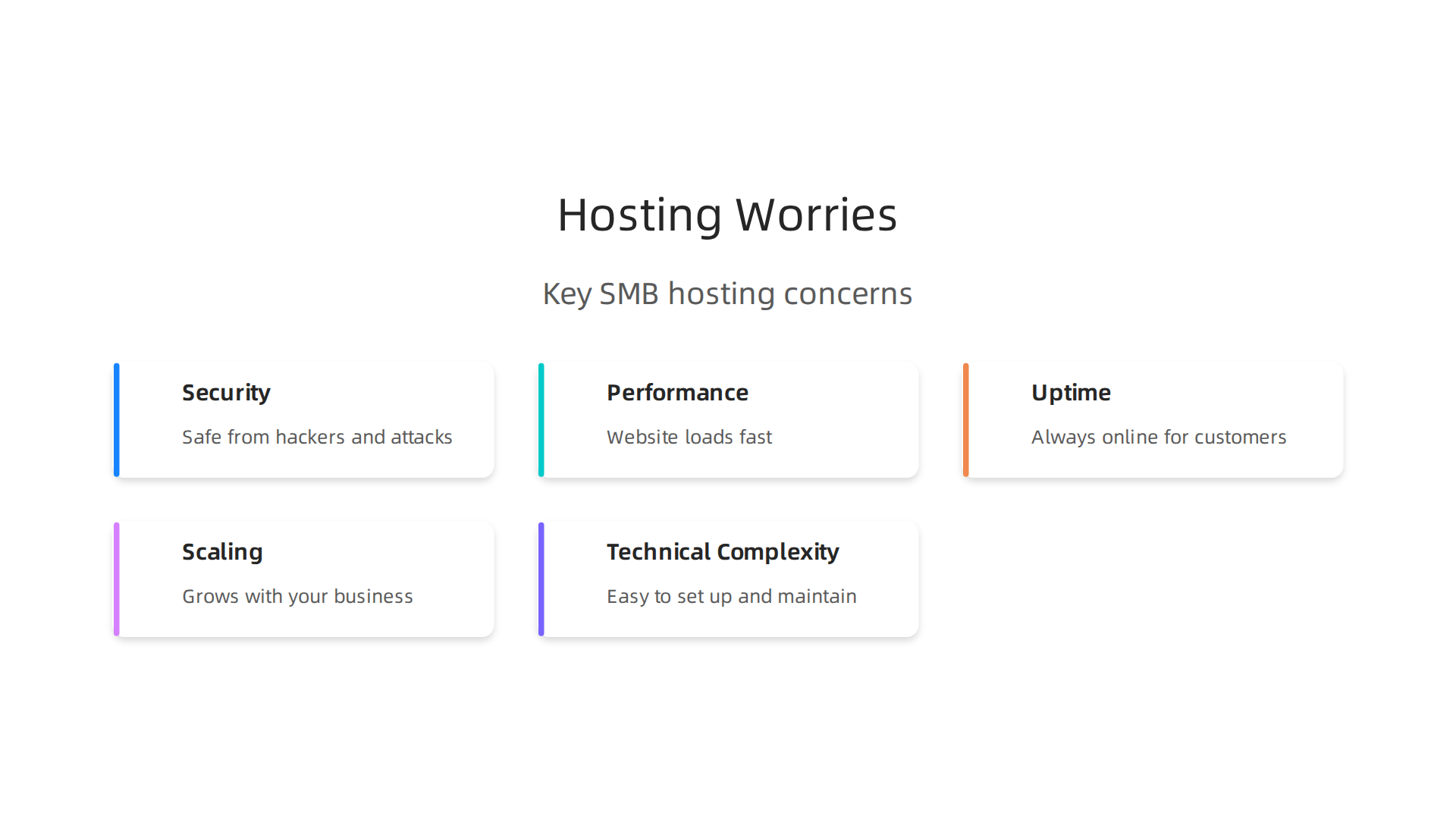
- Security: Is your website safe from hackers and online attacks? A breach can really hurt your business and trust.
- Performance: Does your website load fast? Slow sites make customers leave and can hurt your spot in search results.
- Uptime: Is your website always online when customers want to visit? If it’s down, you lose sales and trust.
- Scaling: Can your website grow with your business? If your business gets bigger, your website needs to handle more visitors without breaking. Sometimes, comparing options like a simple localhost/wordpress setup with bigger solutions like AWS hosting can show you different ways to scale, though AWS hosting cost can add up.
- Technical Complexity: Is setting up and keeping your website online too hard and confusing? Many business owners would rather focus on their business than on tricky computer stuff.
This guide will walk you through everything you need to know about self hosting your website. We’ll show you how to avoid these common problems, save money, and make sure your online business thrives. Ready to understand your website hosting costs and make smart choices? This guide will show you how to master your web hosting cost in 2026 and get real value.
Is self hosting right for your business?
Choosing how to host your website is a big decision for your business. It’s like deciding if you want to build and fix your own car or have a garage take care of it for you.

Self hosting your website means you are in charge of everything. But is that the right choice for you? Let’s look at a few things to help you decide.

First, think about your technical skills. Do you know a lot about computers and how websites work? If you enjoy digging into settings, updating software, and fixing problems, then self hosting might be a good fit. But if words like "servers" and "databases" sound scary, managing your own web application hosting could be very hard and take up too much of your time.
Next, consider your budget. Many people think self-hosting is cheaper, and sometimes it can be. However, there are often hidden costs. For example, a 2026 report showed that self-hosting can cost around $412 each year for things like computer parts and electricity Does Self Hosting Cost Money in 2026? Real Numbers & Truth. This doesn’t even include the value of your time if you have to fix things. It’s wise to calculate your true web hosting cost to see the full picture.
Then, there’s control. If you self-host, you get to decide everything. You pick all the software and settings for your web app hosting. This gives you a lot of freedom, but it also means you are responsible for every single detail.
Special rules for your business, known as compliance, are also important. Some businesses, like those handling health information or money, have very strict rules about how they store data. Self-hosting means you must make sure your setup follows all these rules, which can be complex.
Finally, think about how important it is for your website to be always online. If your website goes down when you self-host, you are the one who needs to fix it, no matter the time of day or night.
When Managed or Hybrid Hosting is a Better Fit
Self-hosting your website is a great option for some, but not for everyone. If you don’t have a lot of technical know-how or simply don’t want to spend your valuable time on server upkeep, then managed web application hosting is likely a better choice. With managed hosting, another company handles all the tricky parts like security updates, keeping your site fast, and making sure it stays online. This lets you focus on running your business.
For many small businesses, a good managed host provides peace of mind. While you might start with a simple localhost/wordpress setup for testing, moving to a fully managed service can save you from worrying about complex issues or the rising AWS hosting cost if your site grows quickly. Companies like Prism Web Host offer reliable and secure hosting solutions, making sure your online business runs smoothly without the technical headaches.
If you choose to self-host your website, it’s like setting up your own small office for your online business. You need the right tools and connections to make sure your web application hosting runs well. Let’s break down the important parts you’ll need for successful web app hosting.
The Right Computer Parts: Hardware
When you self-host, your website lives on a computer, often called a server. This computer needs to be strong enough to handle all the visitors to your site and run your web app smoothly. For 2026, a basic business computer for hosting should have at least a good processor, enough memory, and fast storage.
Think of the processor (CPU) as the brain of your server. For modern web applications, you’ll want at least an Intel Core i5 (11th gen or newer) or an AMD Ryzen 5 5000-series processor. This helps your website respond quickly.
Memory, or RAM, is like your server’s short-term workspace. For businesses in 2026, experts suggest at least 16GB of RAM. If your website gets a lot of traffic or uses complex features, you might even need 32GB to keep things running fast Business-Class Computers Guide 2026.

Storage is where all your website’s files and pictures live. A fast kind of storage called an NVMe SSD is best. You’ll want at least 512GB of space. This helps your website load quickly for your visitors Minimum Computer Specs Your Business Actually Needs in 2026. If you expect your site to grow, planning for more space from the start is a smart move.
Connecting to the World: Network
A great server is useless if no one can reach it. That’s where your network comes in. This includes your internet connection and the gear that manages it. For a small business doing self hosting website, you’ll need reliable internet, a business router, and devices to make sure your website is always connected. This network setup helps your web app hosting stay online and reachable for customers Minimum hardware requirements for a small business network.
Your Website’s Address: Domain and DNS
Every website needs an address so people can find it. This address is called a domain name, like "yourbusiness.com." You buy or "register" a domain name from a special company. Understanding the domain name meaning is key to choosing the right one.
Once you have a domain name, you need something called DNS (Domain Name System). Think of DNS as the internet’s phone book. When someone types your domain name into their browser, DNS translates that name into a special number (an IP address) that tells their computer exactly where your self-hosted server is. Setting up DNS correctly is very important so visitors can find your website. It’s wise to consider the cost to buy a domain name in 2026 as part of your overall hosting budget.
Managing all these parts for self-hosting can be a big job. If you’d rather focus on your business and leave the technical details to someone else, managed hosting services can take care of your hardware, network, and domain setup. Companies like Prism Web Host offer complete solutions that ensure your online presence is secure, fast, and always available, removing the headaches of managing these essential components yourself.
After you have picked out your server hardware, network gear, and chosen a domain name, the next big step for your self hosting website is to decide on the software. This includes the main operating system for your server, any special tools to help you manage it, and the server software that actually runs your website. These choices will greatly affect how easy it is to manage your web app hosting and how well it performs.
Choosing OS, Control Panels, and Server Software
Think of the operating system (OS) as the brain of your server computer. It controls everything your server does. For self-hosting, you usually have two main choices: Linux or Windows Server.
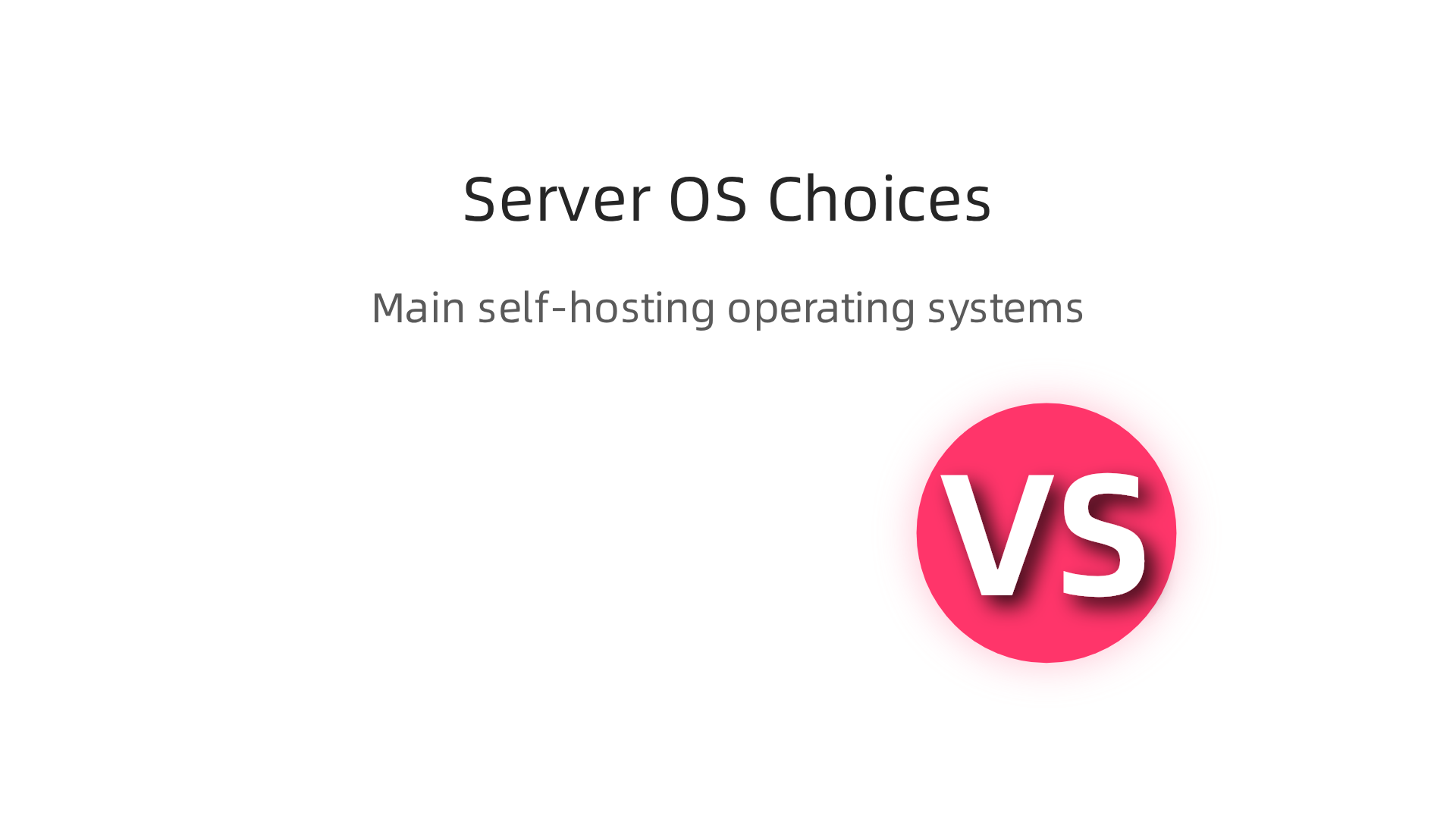
Operating System Choices
- Linux: Many people choose Linux for web application hosting because it’s usually free and very powerful. There are many different versions, like Ubuntu, CentOS, or Debian. Linux is great if you want a lot of control and don’t mind learning a bit about how things work. It’s often seen as very secure and stable for running websites.
- Windows Server: This is Microsoft’s operating system for servers. You might pick Windows Server if your web app needs special Microsoft tools, like ASP.NET or certain databases. However, Windows Server usually costs money for licenses, which adds to your overall self-hosting cost. Also, it might need more resources compared to Linux. According to Microsoft, Windows Server needs at least 2 GB of RAM for the Server Core version, or 4 GB for the desktop experience, and at least 32 GB of storage space for the system itself Hardware Requirements for Windows Server.
- Container-Based Approaches (like Docker): This is a newer way to run web apps. Instead of installing your app directly on an OS, you put it in a "container." Think of a container as a small, separate package that has everything your app needs to run. This makes your web app very easy to move around and ensures it works the same no matter where it’s hosted. Containers can run on top of both Linux and Windows Server, offering a lot of flexibility for your web app hosting.
Control Panels and Automation Tools
Once you have your OS, you might want tools to make managing your server easier. This is where control panels come in.
- What They Are: Control panels like cPanel or Plesk give you a friendly, web-based way to manage your server. Instead of typing in complex commands, you can click buttons to add websites, set up email accounts, manage databases, and even install popular software like WordPress. For example, many UK web hosting services use cPanel for small business. If you’re looking into managing a localhost WordPress site, a control panel can make things much simpler.
- When to Use Them: Control panels are great for beginners or small businesses because they save a lot of time and technical know-how. They automate many tasks that would otherwise be hard to do.
- When to Avoid Them: While helpful, control panels can use up some of your server’s resources, which might slow down your website if your server isn’t very powerful. Also, if you’re an expert and want full control over every little setting, you might prefer to manage your server directly without a control panel. This can give you more fine-tuned control over your web app hosting setup.
Choosing the right OS and whether to use a control panel depends on your comfort level with technology, your budget, and the specific needs of your web app. Always consider the long-term cost and effort involved when planning your self hosting website. For insights into understanding and managing server expenses, you can calculate your true n8n self hosted pricing.
After choosing your server software, the next big thing to think about for your self hosting website is keeping it safe. Security is super important. It stops bad people from messing with your website or stealing information. Thinking about security from the start will save you a lot of trouble later on.

Baseline Security Steps for Your Self-Hosted Website
To keep your web app hosting safe, you need to do a few basic things:
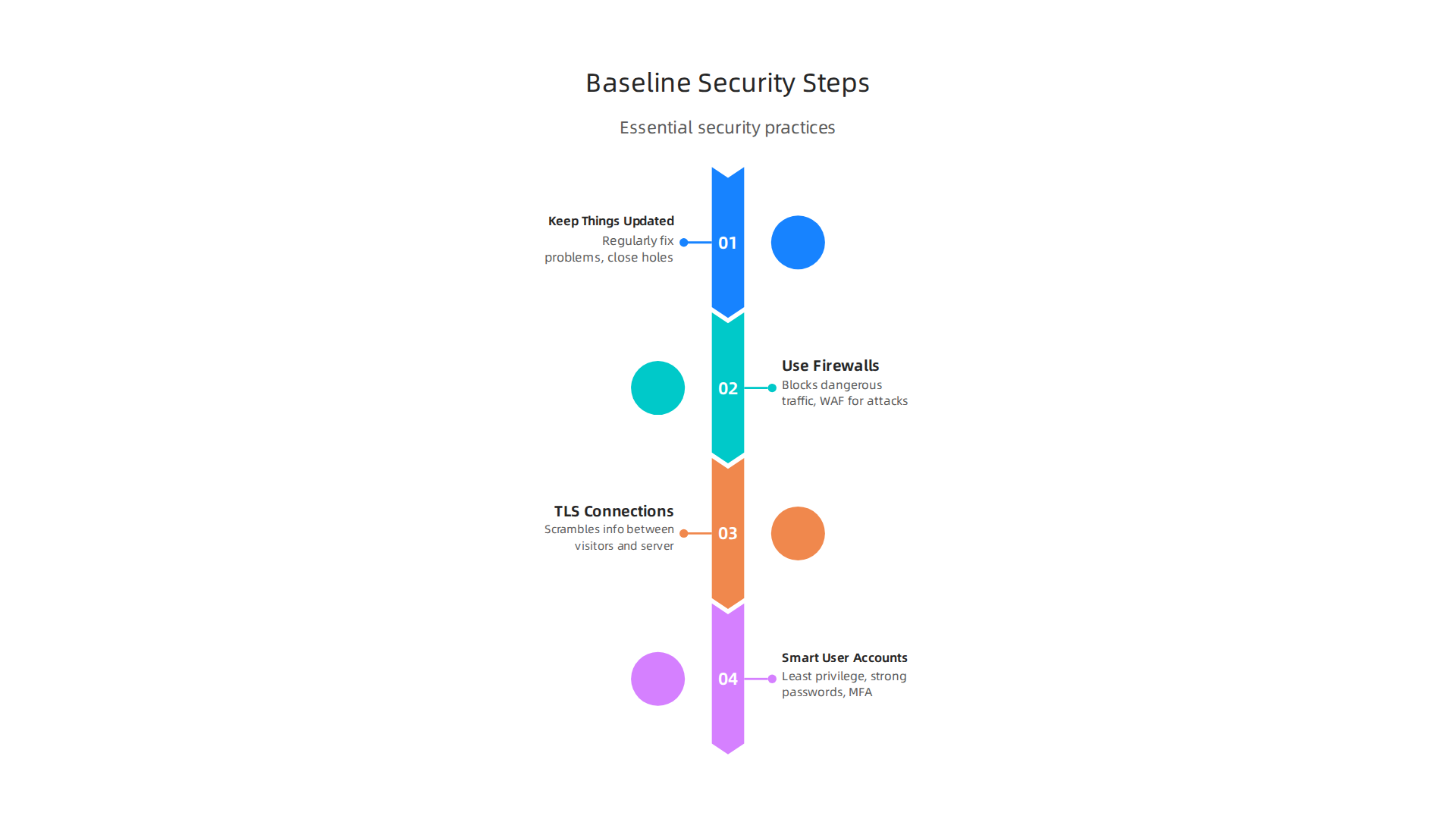
- Keep Things Updated: Just like your phone or home computer, your server needs regular updates. These updates fix small problems and close security holes that bad actors could use. Always make sure your operating system and all your website software are up to date. Many experts say to apply security patches as soon as they come out and even use tools to automate patch management to avoid mistakes.
- Use Firewalls: Think of a firewall as a guard that checks all traffic trying to get to your server. It blocks things that look dangerous. You should have one on your server itself and maybe another special one called a Web Application Firewall (WAF) that protects your website from common attacks like SQL injection. Installing a WAF can help prevent many issues, as noted in various web security checklists for 2026.
- Secure Connections with TLS: When you visit a website and see a little padlock in your browser, that means the connection is secure. This uses something called TLS (or HTTPS). You absolutely need to set this up for your self hosting website. It scrambles the information sent between your visitors and your server, so no one can snoop on it. Many guides, like this one on Web Security Best Practices for 2026, say to use TLS 1.2 or newer.
- Smart User Accounts: Give each user on your server only the power they need to do their job, no more. This is called "least privilege." Also, make sure to use strong passwords and turn on Multi-Factor Authentication (MFA) for all important accounts. MFA means you need two ways to prove who you are, like a password and a code from your phone. This makes it much harder for someone to break in.
Stopping Bigger Threats and Staying Safe
Beyond the basics, you need to be ready for more serious attacks on your web app hosting:
- DDoS Protection: Sometimes, bad people try to flood your website with so much fake traffic that it slows down or even crashes. This is called a Distributed Denial of Service (DDoS) attack. You can use services like Cloudflare or AWS CloudFront, which have ways to stop DDoS attacks before they reach your server.
- Look for Intruders: You should always be watching for strange things happening on your server. This is called intrusion detection. Tools can help you keep an eye on your server’s logs and alert you to anything unusual. You can also run regular scans to check for weaknesses in your system.
- Patching Plan: Even with automated updates, you should have a clear plan for how and when you apply patches. This "patching cadence" helps you keep your system secure without causing new problems. It is a good idea to check your patches on a test version of your site first.
By following these steps, you can greatly improve the safety of your self hosting website. It is an ongoing job, but a secure website builds trust with your visitors. For businesses, staying compliant with secure practices is also important, and you can learn more about how to achieve this with FTC Event Web in 2026: How to Stay Compliant with Secure Web Hosting. Taking security seriously helps prevent downtime and keeps your online presence strong. You can learn more about how to prevent downtime and boost security by checking your Epic Online Services Status.
Now that your self hosting website is secure, let’s talk about making it super fast and ready for lots of visitors. Keeping your website speedy is just as important as keeping it safe. A fast website makes people happy, helps your site show up better in search results, and keeps your online business running smoothly. This is all about performance and scaling.
Making Your Website Quick with Caching
Imagine your website gets asked for the same information many times. Instead of looking it up every single time, caching lets your server "remember" the answer. So, the next time someone asks, it can reply much faster.
There are different kinds of caching:
- Reverse Proxies (Server Caching): Think of a reverse proxy like a helpful gatekeeper right in front of your main server. When someone asks for a web page, the gatekeeper checks if it has a saved copy. If it does, it sends that copy super fast without bothering your main server. Tools like Nginx or Varnish are often used as reverse proxies. Using a reverse proxy with tools like Varnish can be a smart way to handle caching for your self-hosted website in 2026, especially for complex setups, as discussed in the CDN Self-Host Building Guide | Varnish/Nginx Practical Cache. This helps your main web app hosting server do less work.
- Application Caching: This type of caching happens inside your website’s software itself, like in WordPress. It saves parts of your website that don’t change often, so your website builds pages faster. Experts talk about different caching layers in 2026, from your database to your application. Combining both reverse proxy caching and application caching gives you the best results. For example, if you run a master localhost WordPress set up for testing, you’ll still think about caching for your live site.
Setting up advanced caching can greatly speed up how your website responds. This can include using advanced edge caching for self-hosted apps in 2026 to deliver content even faster.
Using CDNs and Load Balancing for Big Traffic
What if people from all over the world visit your self hosting website? Information takes time to travel. A Content Delivery Network (CDN) solves this. It’s a network of servers spread out in many places. When someone visits your site, the CDN sends them content from the server closest to them. This makes your website load much faster for everyone.
Using a CDN can really transform your self-hosted website performance. You can even build your own CDN or use a mix of services to get the best of both worlds.
Load balancing is another tool for when your web app hosting gets super busy. Imagine you have a few identical copies of your website running on different servers. A load balancer acts like a traffic cop, sending each new visitor to a server that isn’t too busy. This spreads out the work, so no single server gets overloaded and your site stays fast and available. This helps you handle more visitors without crashing. Learning to find the fastest WordPress hosting in 2026 often involves looking at how they manage performance and scaling.
By using caching, CDNs, and load balancing, your self hosting website can stay fast and work well, even when many people are visiting at the same time. This is key to a successful online presence. It also helps manage your overall master your web hosting cost in 2026 by making your servers work smarter.
After making your self hosting website super fast, you also need to keep a close eye on it and make sure your important files are always safe. Think of it like taking care of a garden; you have to watch it and make sure nothing bad happens, and always have a way to bring it back if something goes wrong. This part is all about watching, saving, and fixing.
Watching Your Website Closely
Keeping an eye on your website means knowing if it’s working right, using too many resources, or facing any bad stuff like attacks.
- Uptime Monitoring: This checks if your website is online and working for visitors. If your site goes down, you want to know right away so you can fix it. There are tools that will ping your site every few minutes and send you an alert if it stops responding.
- Resource Usage: Your
web app hostinguses things like CPU, memory, and disk space. If your website starts using too much of these, it could slow down or crash. Watching these numbers helps you see problems before they get big. - Security Alerts: This is super important. Your self hosting website needs to be safe from hackers and viruses. Tools can warn you if there’s a weird login attempt, a file changes without permission, or if any bad software tries to get on your server. Keeping your server software updated helps a lot with this, as mentioned in tips for server security best practices 2026. You should also check for any strange activity in your logs. Experts even talk about a full web server security guide in 2026 to help you keep your site safe.
Using good tools to monitor these things means you can spot issues quickly and fix them before your visitors even notice.
Saving Your Work with Backups
Imagine losing all your website’s photos, articles, and customer info. That would be a disaster, right? That’s why backups are a must. Backups are copies of your website’s files and database saved in a safe place.
- What to Back Up: You need to back up everything on your self hosting website. This includes all your website files (like images, code, and documents) and your database, which holds things like your blog posts and user details. For any
web application hosting, this complete backup is crucial. - Where to Store Backups: Don’t keep all your backups on the same server as your website. If that server fails, you lose everything. It’s best to store copies in a different location, maybe on another computer or in a cloud storage service. Having off-site backups is a key recommendation for self-hosting in 2026.
- How Often to Back Up: How often you back up depends on how often your website changes. If you add new content daily, you should back up daily. If it changes weekly, then weekly might be okay. The important thing is to have recent copies you can trust. It’s recommended to set up backups before you even start adding services, according to a complete self-hosting guide for 2026.
- Testing Your Backups: A backup is only good if you can actually use it to restore your site. So, you should test your backups every now and then to make sure they work.
Fixing Problems Quickly
Even with the best planning, sometimes things go wrong. This is where incident response comes in. It’s your plan for what to do when your website has a problem.
- Recovery Time Objective (RTO): This is about how quickly you need to get your website back online after something bad happens. For a small blog, a few hours might be okay. For a busy online store, you might need to be back up in minutes. You should decide your RTO ahead of time.
- Runbooks for Incidents: A runbook is like a step-by-step guide for fixing common problems. For example, what do you do if your website is slow? What if it’s completely down? Having these guides written down helps you or anyone helping you to fix things fast and correctly. This can be especially important if you run a VPS migration checklist and need to verify everything is working post-migration.
By monitoring, backing up, and having a plan for problems, you can make sure your self hosting website stays healthy and runs smoothly, no matter what happens. Remember, being prepared saves a lot of stress and keeps your online business thriving.
Moving your website from a managed hosting service to your own self hosting website might seem like a big job. But with a good plan, it can go smoothly. Think of it as moving from a rented apartment to your own house. You need to pack everything carefully, make sure the new place is ready, and then unpack without losing anything. This checklist will help you move your web application hosting without headaches.
Step-by-Step Migration Checklist
Here are the important steps to follow when you move your website:
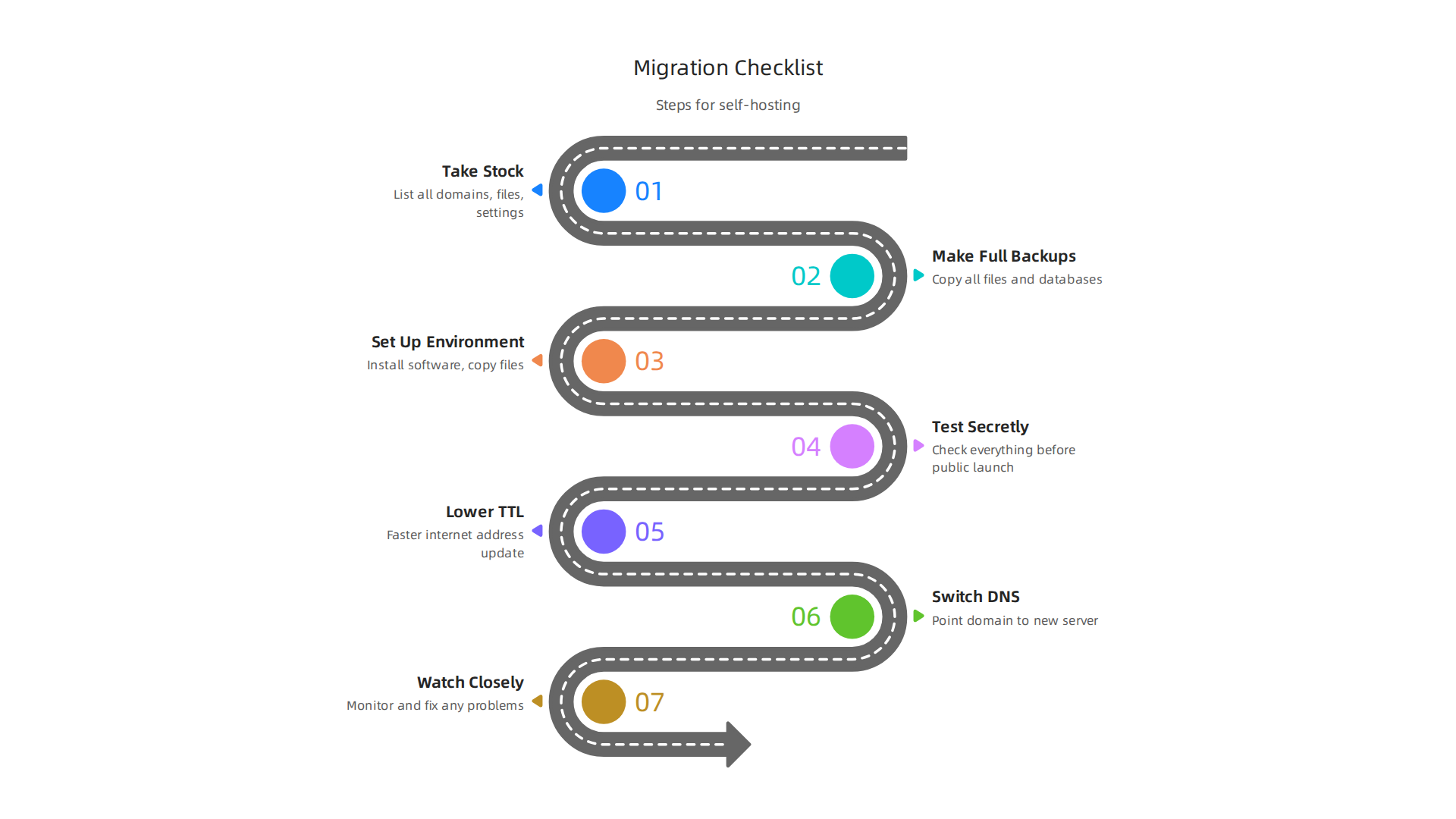
- Take Stock of Everything You Have: Before you move, you need to know exactly what’s on your current hosting. This means listing all your domains, subdomains, email accounts, databases, website files (like pictures and articles), and any special settings. For any
web app hosting, getting a full picture is key. Knowing all these details helps you make sure nothing gets left behind. Experts suggest making an inventory of things like control panel logins, SSH access, database details, and DNS settings before starting a hosting migration service in 2026.
- Make Full Backups: This is super important. You need to make a complete copy of all your website files and databases. Save these copies in a few different safe places, not just on your current server. This way, if anything goes wrong during the move, you have a recent copy to go back to. It’s like having a spare key for your new house. Having recent, restorable backups of all files and databases is a key step in a server migration checklist.
- Set Up Your New Environment: On your new
self hosting websiteserver, you’ll need to install all the software your website uses. This includes the web server (like Apache or Nginx), the database (like MySQL), and any programming languages (like PHP). Then, you’ll copy your website files and databases from your backups to this new server. For those using WordPress, learning how to migrate WordPress site to new domain safely in 2026 can be very helpful here. - Test Your New Site Secretly: Before you tell the world about your new
web app hosting, you need to check that everything works. You can do this by using a special setting on your computer that lets you see the new website before anyone else does. Test all pages, forms, and special features to make sure they work just like before. This private check helps avoid problems later. You should confirm admin logins, check error logs, and make sure scheduled tasks are running, according to a web hosting migration tutorial for 2026. - Lower Your DNS TTL: Think of DNS as the internet’s phone book. TTL (Time To Live) tells other computers how long to remember your website’s address. Before you switch, you lower this time. This means when you do change your address, the internet will learn the new one much faster, helping to avoid people seeing your old site for too long. It’s smart to lower the DNS records’ TTL to a short time, like 60 seconds, about 48 hours before the actual migration, as discussed in a web hosting transfer guide.
- Switch Over Your DNS: This is the moment you tell the internet your
self hosting websitehas a new home. You update your domain’s DNS records to point to your new server. Because you lowered the TTL, this change should happen quickly for most people. - Watch Closely and Fix Any Problems: After the switch, keep a very close eye on your website. Make sure it’s online, fast, and that visitors can use it without any issues. If any problems pop up, fix them right away.
Common Pitfalls and How to Avoid Them
Moving a website can sometimes hit a few bumps. Here are common problems and how to dodge them:
- Forgetting Parts of Your Site: If you don’t make a full list in step 1, you might forget an email account or a special script. To avoid this, be very thorough with your inventory.
- Bad Backups: Backups that don’t work are useless. Always test your backups to make sure you can actually restore your site from them.
- Not Testing Enough: If you skip private testing, your visitors might be the first to find problems, which looks bad for your business. Test everything before the public switch.
- Unexpected Downtime: Moving always means a little bit of downtime. Plan to do your migration during a time when very few people visit your site. Also, if you’re using services like
aws hosting costneeds to be thought through as any extra downtime can quickly add up. - No Way Back: Always have a rollback plan. This means if the move goes very wrong, you can quickly switch your DNS back to your old hosting and get your original site working again. Your full backups are key for this.
By following these steps, you’ll be well on your way to a successful website migration. If you’re looking for reliable hosting solutions for your self hosting website, you might want to check out Prism Web Host.
Summary
This guide explains whether self-hosting your business website is the right choice in 2026 and walks you through the full practical path if you decide to do it. It covers the core tradeoffs between self, managed, and hybrid hosting, how to calculate true costs (including hidden expenses and the value of your time), and what hardware, networking, and domain/DNS setup you’ll need. You’ll learn how to choose an operating system, when to use control panels or containers, and which baseline security steps—TLS, firewalls, patching, and DDoS protection—are essential. The article also explains performance strategies like caching, CDNs, and load balancing, plus monitoring, backup policies, and incident-runbook planning. Finally, it gives a clear migration checklist to move from managed hosting without losing data or downtime. After reading, you’ll be able to estimate costs, prepare a secure self-hosted environment, and execute a low-risk migration.
