




Select the Best Web Hosting for Small Business in 2026
Article
Having a website is like having an online store or office for your business. It’s where customers find you, learn about what you do, and buy your products or services. But just having a website isn’t enough. It needs a good place to live, and that’s what web hosting provides. Choosing the right web host is one of the most important decisions for any small to medium-sized business (SMB) or online brand in 2026.
What Happens When Your Web Host Isn’t Good?
Imagine your online store suddenly closing its doors for hours. That’s what happens when your website goes down.

This "downtime" can cost a lot. In fact, the average business can lose more than $300,000 for every hour their website is down, according to experts studying web hosting in 2026 Web Hosting Statistics 2026: 70+ Facts, Trends & Data. A lot of these outages, about two out of three, happen because of issues with the company hosting the website Uptime Announces Annual Outage Analysis Report 2026.
Beyond just being down, a slow website can also hurt your business. If your pages take too long to load, people will leave. A study found that 67% of businesses lost money because their website was too slow 67% of Businesses Lose Revenue Due to Poor Site Performance. This means lost sales and unhappy customers.
Then there are security worries. Your website holds important information, both yours and your customers’. A bad web host might not protect your site from hackers or cyberattacks, leading to big problems. And as your business grows, your website needs more power and space. If your web host can’t grow with you, it can become a real headache, slowing everything down.
What You’ll Learn in This Guide
Finding the best web hosting for small business can feel tricky. There are so many choices, and it’s hard to know which ones are truly good. In this guide, we’ll help you understand what really matters when picking a host. We will share clear ways to compare different providers and give you a helpful list of the top web hosting companies. You’ll find out which are the top rated web hosting companies and why, making it easier for you to make a smart choice for your online brand. We want to make sure you get a host that keeps your website fast, safe, and ready to grow. You can also explore our detailed guide on choosing a web hosting company for more help.
Web hosting, at its simplest, is like renting a spot on the internet for your website. Think of it as a home for all your website’s files, pictures, and words. When someone types in your website address, their computer connects to this home, and your website shows up. But not all homes are the same. In 2026, there are many kinds of web hosting, each best for different needs.
Let’s look at the main types of hosting and who they are best for.

Shared Hosting: Simple and Affordable
Shared hosting is like living in an apartment building. Many websites share one big server, which is the computer that stores all the website files. This makes it very affordable, but it also means you share resources like speed and power with other websites. If a neighbor’s website gets very busy, your website might slow down a bit.
- Best for: Small blogs, personal websites, new businesses, or portfolios that don’t get a lot of visitors yet.
- Use cases: A local bakery’s website, a photographer’s online portfolio, or a small informational blog.
- Fact: The shared hosting market is expected to reach $70.6 billion by 2026, showing how popular this choice still is for many people Web Hosting Statistics 2026: Growth & Market Leaders.
VPS Hosting: A Step Up in Power
VPS stands for Virtual Private Server. It’s like having your own apartment within that building. You still share a physical server with others, but your website gets its own dedicated section with guaranteed resources. This means more power, better speed, and more control than shared hosting.
- Best for: Growing small to medium-sized businesses (SMBs), e-commerce stores, or websites that need more speed and can’t afford any slowdowns from "noisy neighbors."
- Use cases: A mid-sized online store, a company’s main website with many features, or a busy blog.
Dedicated Hosting: Your Own Whole Server
Dedicated hosting means your website has its very own server all to itself. No sharing at all. This is the most powerful option and gives you full control over everything. It’s also the most expensive because you’re renting the entire computer.
- Best for: Very large businesses, websites with huge amounts of traffic, or special applications that need top-notch performance and security.
- Use cases: A major online retailer, a popular social media platform, or a big news site.
- Fact: Some of the best web hosting services in 2026 offer dedicated servers with high memory and storage for the biggest online needs The Best Web Hosting Services We’ve Tested for 2026 – PCMag.
Cloud Hosting: Flexible and Scalable
Cloud hosting is like having your website files spread across many connected servers. If one server has a problem, your website just switches to another. This means very good reliability and you can easily get more power when your website traffic grows, paying only for what you use.
- Best for: Businesses that need a lot of flexibility, websites with traffic that changes a lot, or apps that need to grow quickly. Many consider this the best web hosting for small business that expects fast growth.
- Use cases: A startup’s new app, a seasonal e-commerce business, or a company with a global audience.
- Insight: Providers like Atlantic.Net are known as some of the best cloud hosting providers for small and mid-size businesses in 2026, offering strong uptime and support Best Cloud Hosting Providers for Small and Mid-Size ….
Managed Hosting: Hands-Off Management
Managed hosting is a type of hosting where the provider takes care of all the technical stuff for you. This includes setting up, keeping software updated, security checks, and backups. You get to focus on your website content, not the server.
- Best for: Businesses or individuals who aren’t tech-savvy, busy entrepreneurs, or anyone who wants their host to handle the technical details, especially for platforms like WordPress.
- Use cases: A blogger using WordPress, a small business owner who wants a hassle-free website, or a developer-led team that wants to focus on coding.
- Example: Kinsta is often highlighted as one of the top rated web hosting companies for managed WordPress, offering a clean user experience built on Google Cloud Best Managed WordPress Hosting 2026: 5 Picks Compared.
Edge Hosting / CDN-Enabled Hosting: Speed for Everyone
Edge hosting or CDN-enabled hosting uses a Content Delivery Network (CDN) to make your website super fast for people all over the world. It stores copies of your website content in many places, so when someone visits your site, the content loads from the closest location to them.
- Best for: Websites with a global audience, large e-commerce sites, or any business where speed is extremely important for customer experience.
- Use cases: International online stores, streaming services, or large media websites.
Picking from this list of web hosting companies and types can seem like a lot, but knowing what each one offers helps you match it to your business needs. You want to choose a host that helps you maximize your business online with the best web hosting for small business. It really comes down to how much control you need, how much traffic you expect, and how much technical work you want to do yourself.
Picking the right home for your website is a big choice.

After learning about the different types of hosting, the next step is to look closely at what each web host offers. This means using a clear checklist to compare your options and find the best one for your business. Here are 8 important things to check when you’re evaluating web hosting companies in 2026.
1. Uptime and Service Level Agreements (SLA)
Uptime is how often your website is online and working. You want your website to be available almost all the time. A good web host will promise a high uptime, usually 99.9% or more. This promise is called a Service Level Agreement, or SLA. It often means if your website is down for too long, you might get some money back or credit. For example, a 99.9% uptime means your site should be down for less than 43 minutes a month, but some companies aim for even better, like 99.99% or 99.999% Web Hosting SLA Comparison: WP Engine, Kinsta, ….
2. Performance and Speed (TTFB)
How fast your website loads is super important for your visitors and for search engines like Google. A key measure of speed is called TTFB, which stands for "Time to First Byte." This is how long it takes for your server to send the very first piece of data to a user’s browser. Faster TTFB means a faster website. In 2026, a good TTFB for web hosting is often under 200ms, and some of the top web hosting companies achieve even faster speeds, especially with caching Web Hosting Core Web Vitals Test 2026: Which Hosts Pass Google’s SEO Performance Standards.
3. Scaling Options
As your business grows, your website traffic might grow too. You need a web host that can grow with you. This means they should offer easy ways to upgrade your hosting plan, like moving from shared hosting to VPS or cloud hosting without a lot of trouble. Look for hosts that offer flexible plans so you don’t get stuck.
4. Security Features
The internet can be a risky place, so good security is a must. A good web host will protect your website from attacks, like DDoS attacks, which try to overload your site. They should also offer free SSL certificates, which keep your website’s data safe, and other tools like firewalls and malware scanning. These features are key for any list of web hosting companies you consider.
5. Automatic Backups
Mistakes happen, and websites can break. Automatic backups are like having an undo button for your website. Your host should regularly save copies of your entire website so that if anything goes wrong, you can easily bring it back to an earlier working version. Make sure you understand how often they back up and how easy it is to restore your site.
6. Support Quality
When you have a problem, you want help quickly. Good customer support is vital. Look for hosts that offer help 24/7 through different ways like live chat, phone, or email. The best web hosting for small business often comes with quick, helpful, and friendly support. Some top rated web hosting companies are known for their excellent support teams, which can make a big difference when you need it most Hosting Uptime and Support — 2026 Audit | AHosting.
7. Pricing Transparency
Hosting costs can be tricky. Many companies offer low starting prices, but then the renewal price goes up a lot. Always check the long-term cost, not just the first-year discount. Look for hosts with clear pricing and no hidden fees. Understanding your web hosting cost in 2026 is crucial to avoid surprises later on. Read more about understanding prices and avoiding extra fees when you check out our guide on web hosting cost in 2026.
8. Developer Tools
If you or your team builds websites, you might need special tools. This could be things like different programming language support, staging environments (where you can test changes safely), or easy ways to manage databases. Even if you’re not a developer, knowing these options are there can be helpful for future growth.
When choosing from a top 10 web hosting companies list, you’ll need to decide which of these criteria are most important for your business. A small blog might value low cost and easy setup, while a growing online store will need top performance, strong security, and good scaling options. Thinking about these points will help you make a smart choice for your website’s home. To help you evaluate and choose your ideal provider, take a look at our guide on top rated web hosting companies.
When you are looking at different hosting options, it is important to match your needs to what the host offers. For small businesses and people just starting out, often called entrepreneurs, choosing the right web hosting company means finding a balance of cost, ease of use, and good help when you need it. Let’s explore what makes a host a strong choice for these growing businesses.
Many top web hosting companies offer plans just for small businesses. These plans usually focus on easy setup, affordable prices, and strong support. Shared hosting is often the first choice because it is budget-friendly. VPS (Virtual Private Server) hosting is another step up, offering more power and control for a little more money. Both are common picks for small businesses.
Here’s what small businesses and entrepreneurs should look for:
- Easy to Start: You want to get your website online without a lot of technical headaches. Look for hosts with simple control panels, like cPanel, and "one-click install" options for popular tools like WordPress. This means you can set up your website quickly, even if you are not a tech expert.
- Low Cost, Good Value: Every dollar counts when you’re running a small business. Shared hosting plans are usually the cheapest way to start. While prices can change after the first year, many reliable providers offer good value over time. Always compare the overall web hosting cost.
- Reliable Help (Support): When something goes wrong, you need quick and clear help. The best web hosting for small business often comes with 24/7 customer support. This means you can get help any time, day or night, through chat, phone, or email. Good support can save you a lot of stress and downtime.
- One-Click Applications: Many hosts let you install useful tools like online stores, blogs, or forums with just one click. This saves time and makes it easy to add new features to your website as your business grows.
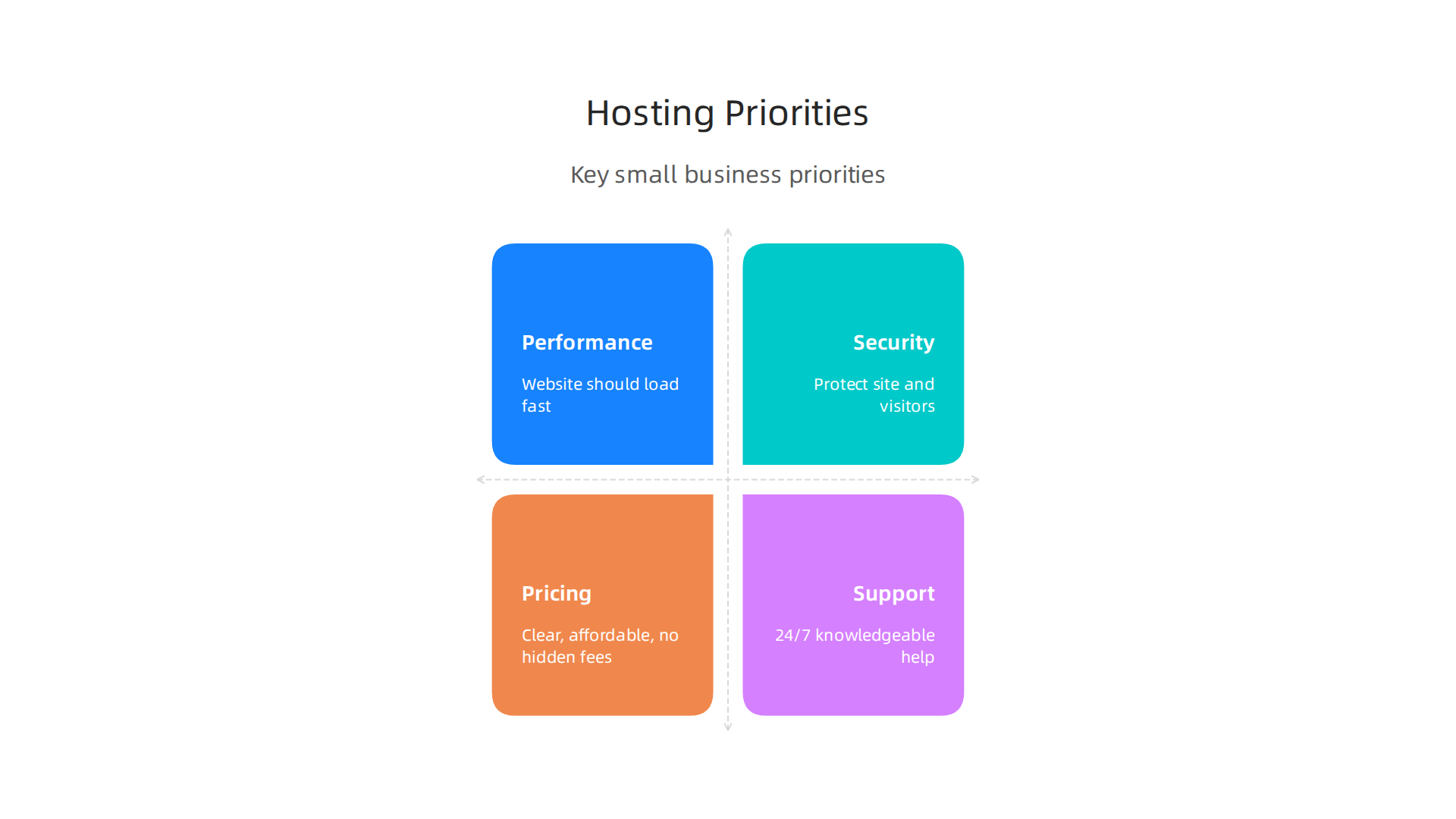
To help you decide, think about this simple comparison:
| Feature | What Small Businesses Need |
|---|---|
| Performance | Your website should load fast. Look for good speed ratings, often measured by how quickly the server sends the first piece of data. |
| Security | Essential to protect your site and your visitors. Look for free SSL certificates, daily backups, and protection against online attacks. |
| Pricing | Clear, affordable pricing with no hidden fees. Be aware of renewal costs, but focus on overall value for the features you get. |
| Support | 24/7 access to knowledgeable and friendly help. The easier it is to get support, the better. |
Finding the right host means looking at how these points fit your specific needs. Many reviews of top web hosting companies highlight providers that do well in these areas. For a general overview of reliable choices, consider looking at a list of web hosting companies that are known for offering cheap and reliable options.
Ultimately, you want a host that makes running your website easy, keeps it safe, and helps it load fast without breaking your budget. This allows you to focus on your business goals. To learn more about how to make the most of your online presence, check out our guide on how to maximize your business online with the best web hosting for small business. For a comprehensive comparison of providers that excel in these areas, see our breakdown of the top 10 web hosting companies of 2026. We at Prism Web Host also aim to provide secure, reliable, and high-performance website hosting with easy setup for businesses like yours.
When you run an online store, known as e-commerce, your web hosting needs are a bit different and more demanding.

It is not just about having a website; it is about keeping customer information safe, handling many shoppers at once, and making sure your store is always open. For e-commerce, the best web hosting for small business needs strong security, easy scaling, and solid backup plans.
Here are the key things e-commerce businesses must look for in top web hosting companies:
Top Security Features
E-commerce sites handle sensitive customer details, like credit card numbers. This means security is super important. You need a host that offers several layers of protection.
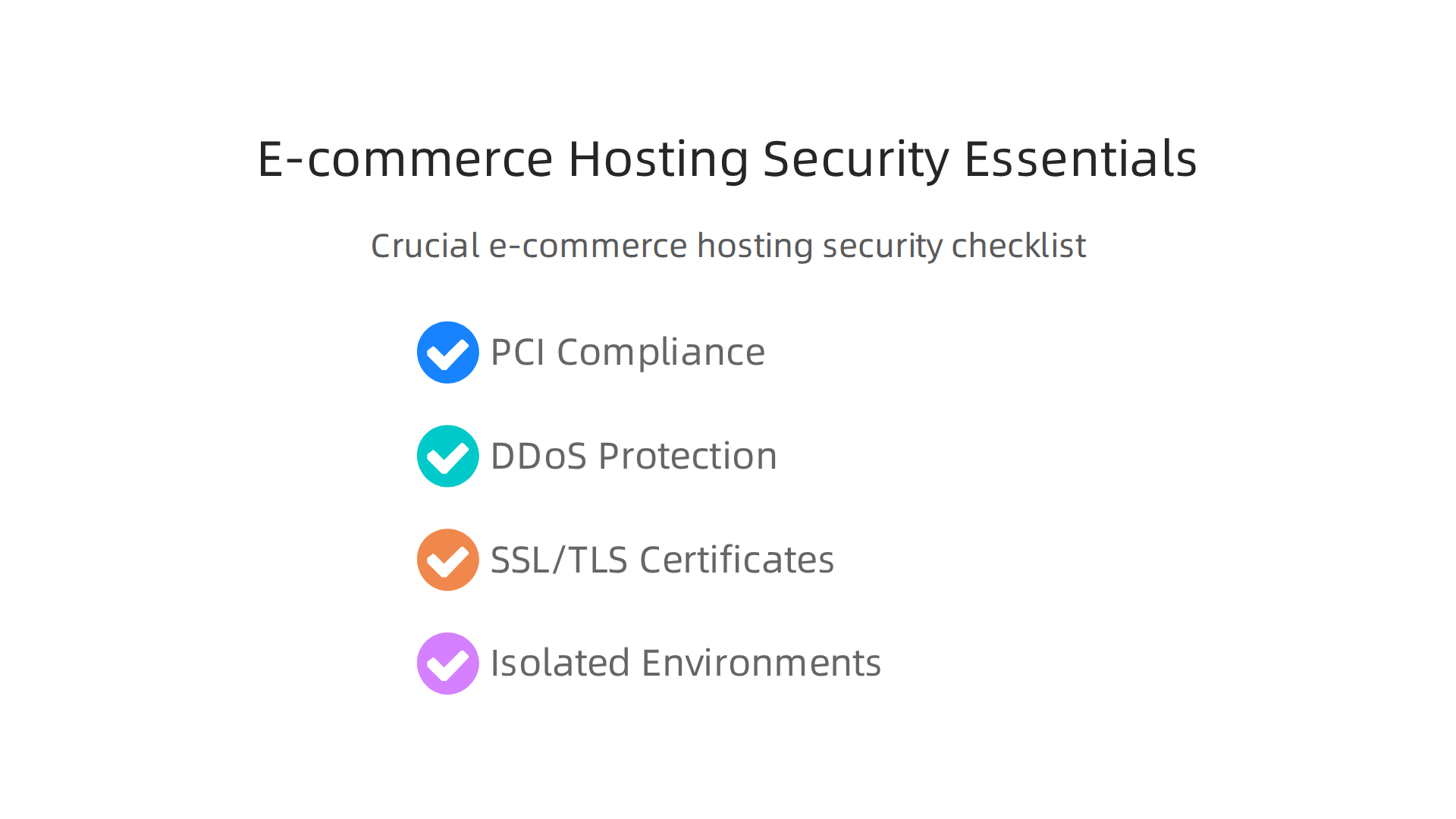
- PCI Compliance: This is a big one. PCI DSS (Payment Card Industry Data Security Standard) is a set of rules all online stores must follow to keep payment card data safe. In 2026, PCI DSS version 4.0 is mandatory for all assessments. Your hosting provider should help you meet these rules, for example, by isolating systems that handle card data and using strong encryption methods. You can learn more about making your hosting PCI compliant by checking guides like "PCI DSS 4.0 is Mandatory: A Hosting Checklist for 2026" from trusted sources.
- DDoS Protection: Imagine many bad actors trying to flood your website with too much traffic to shut it down. This is a DDoS attack. Good e-commerce hosting includes strong DDoS protection to keep your store online even during attacks.
- SSL/TLS Certificates: These create a secure lock between your customer’s browser and your website. Look for free SSL/TLS certificates that auto-renew, ensuring all data sent to and from your site is private. This is a must-have for any online store, as highlighted in a 2026 E-commerce Hosting Security Checklist.
- Isolated Environments: Your store should be kept separate from other websites on the same server. This way, if another site has a problem, it will not affect your store’s security or performance.
Reliable Backups and High Availability
What if something goes wrong with your website? You need to be able to get it back up and running fast.
- Automated Backups: Your host should make regular copies of your entire website. Look for "point-in-time" backups, which mean you can restore your site to exactly how it was at a certain time. This is a lifesaver if data gets lost or your site gets hacked.
- High Availability: This means your website should almost never go down. Top rated web hosting companies for e-commerce offer strong uptime guarantees, sometimes 99.99%. This might include things like automatic failover, where your site switches to a backup server if the main one has an issue.
Scaling for Growth
As your store grows, you might have more customers visiting at once. Your hosting needs to be able to handle this.
- Automated Scalability: This feature lets your website automatically get more power or resources when traffic goes up, and then scale back down when it is not as busy. This helps your site stay fast without you having to manually upgrade your plan all the time.
Managed vs. Self-Managed Solutions
For many e-commerce store owners, managing a server can be a headache. That is where managed hosting comes in.
- Managed Hosting: With a managed solution, the hosting company takes care of all the technical stuff for you. They handle updates, security, backups, and making sure everything runs smoothly. This is great for business owners who want to focus on selling products, not on being a server expert. Providers offering managed WordPress hosting, for example, do all the heavy lifting.
- Self-Managed Hosting: If you are a tech expert or have a dedicated IT team, you might choose a self-managed server. This gives you full control but also full responsibility for everything.
For e-commerce, most small businesses find that managed hosting is the better choice. It lets them leverage enterprise-grade security checks, isolated hosting environments, automated scalability, and point-in-time backups without needing deep technical knowledge. When looking at web hosting services reviews for 2026, be sure to weigh these e-commerce specific features heavily. If you’re still exploring how different hosts stack up, comparing top rated web hosting companies can help you find a provider that truly meets your e-commerce needs.
For many small businesses, especially those using WordPress, picking the right hosting can make a huge difference. While managed hosting handles the technical side for you, managed WordPress hosting goes a step further. It is specifically set up and optimized to make WordPress websites run fast and smoothly.
What Managed WordPress Hosting Adds
Managed WordPress hosting offers special features that are perfect for WordPress sites:
- Automatic Updates: The hosting company takes care of updating your WordPress software, themes, and plugins. This keeps your site safe and fresh without you needing to lift a finger.
- Specialized Caching: Caching makes your website load much faster for visitors. Managed WordPress hosts use advanced caching systems designed just for WordPress. These systems store parts of your site so they do not have to be rebuilt every time someone visits. This can lead to a big boost in speed. In 2026, benchmarks show that good caching can significantly improve your website’s Time to First Byte (TTFB), which is how fast your server responds when someone clicks on your site, often leading to a 10x improvement over uncached sites in tests, according to WordPress Hosting Benchmarks 2026.
- Staging Environments: This is like having a hidden copy of your website where you can test new changes or updates without affecting your live site. Once you are happy, you can easily push the changes to your real website. This is super helpful to avoid breaking things.
- Optimized Stacks: These hosts use server setups that are fine-tuned for WordPress. This means everything from the server software to the database is chosen and configured to give WordPress the best performance. This helps with overall website performance, which is key for keeping your customers happy and improving your search engine rankings. If you want to know more about how to get a fast site, you can read about how to find the fastest WordPress hosting in 2026 to boost sales SEO.
For most small businesses and online brands, managed WordPress hosting takes away the technical worries, letting you focus on your business. It is often considered one of the top web hosting companies for WordPress users.
Developer-Friendly Features vs. Turnkey Solutions
Sometimes, a business needs more hands-on control. That is where developer-friendly hosting comes in.
-
Developer Tools: If you or your team builds custom websites or does a lot of complex coding, you might need features like:
- SSH (Secure Shell) Access: This lets developers securely connect to the server to run commands and manage files directly.
- Git Integration: Git is a tool for tracking changes in code. Having it built into your hosting makes it easier for teams to work on website code together.
- CI/CD (Continuous Integration/Continuous Delivery): These tools help automate the process of testing and launching new website changes quickly and safely.
- Hosts that offer these features are often rated among the best managed WordPress hosting for developers in 2026.
-
When They Matter: These advanced tools are very important for bigger projects, custom web applications, or when a developer needs fine-tuned control over the server environment. For example, if you are running a complex e-commerce site with many custom features, developer-friendly options give you the power to make it work exactly how you want.
-
Turnkey Managed Solutions: On the other hand, "turnkey" managed hosting (including basic managed WordPress) means it is ready to use right away, with most things already set up for you. This is ideal for those who do not want to deal with technical details. They want a website that just works.
Choosing between them depends on your needs. If you want simplicity and performance without the technical hassle, a standard managed WordPress host is likely your best choice for your small business. If you have developers on your team who need deep control, then a developer-friendly host with advanced tools will be better.
For more information on choosing the right provider for your WordPress site, check out our guide on how to choose the best WordPress hosting providers for 2026.
Choosing a good web host means looking beyond the promises. You need to know how to check if a host truly performs well, stays secure, and keeps your website online. This is where benchmarking and testing come in. It helps you find the top web hosting companies that deliver on their word.
Performance Tests: Is Your Website Fast Enough?
Speed is key for happy visitors and good search rankings. Here is how to test it:
- Synthetic Load Tests: Imagine many people visiting your website at once. Synthetic load tests pretend to be these visitors to see how your site handles the traffic. This shows if your host can keep up when your business gets busy. For example, you can test at your usual visitor count or even higher to see how much your site can take.
- TTFB and P95 Response Times:
- TTFB (Time to First Byte) is how quickly your server sends back the first piece of information when someone clicks on your site. A lower TTFB means a faster start for your page. Many tools can measure this for your site. Good hosts aim for very low TTFB values.
- P95 response time looks at the slower side of things. It tells you that 95% of your visitors get a response within a certain time, but 5% might experience longer waits. You want both TTFB and P95 times to be as low as possible for a smooth user experience. Top hosts often show very fast TTFB, sometimes below 150ms in benchmarks, even for complex WordPress sites, according to a Web Hosting Performance Benchmark Guide 2026.
- CDN Effectiveness: A Content Delivery Network (CDN) helps your website load faster for people far away by storing copies of your site closer to them. You should test how much a CDN helps your site speed. Benchmarks show that using a CDN can make your website respond much faster globally compared to not using one, often by a factor of three or more, based on WordPress Hosting Benchmarks 2026. Look for a host that includes or works well with a good CDN, which is often a feature of the best web hosting for small business.
Security Scans and Backup Tests
Website security is a must, especially in 2026. You need to know your data and your customers’ data are safe.
- Security Scans: Your host should regularly scan for weak spots. This includes looking for malware and other threats that could harm your site. For e-commerce sites, this is extra important for meeting rules like PCI DSS 4.0, which is mandatory in 2026 for payment security. Regular scans, including external and internal checks, are part of staying compliant and safe online, according to PCI-Compliant Hosting with Vulnerability Scanning (2026).
- Backup and Restoration Tests: Accidents happen. A good host will make regular backups of your website. More importantly, you should know how to get your site back if something goes wrong. Test how easy and fast it is to restore your site from a backup. This helps you get back online quickly after an issue.
- Understanding Security Features: Look for a host that offers important security features such as SSL/TLS certificates (which make your site use "HTTPS" for secure connections), a Web Application Firewall (WAF) to block bad traffic, and strong protection against DDoS attacks. Many top web hosting companies also offer multi-factor authentication (MFA) for logins and tools to ensure your payment pages are safe, as detailed in a 2026 E-commerce Hosting Security Checklist.
Uptime: Keeping Your Site Online
Uptime means how much time your website is available to visitors. You want this number to be as close to 100% as possible.
- SLA (Service Level Agreement): This is a promise from your hosting company about how much uptime they guarantee. Many top 10 web hosting companies offer 99.9% or even 99.99% uptime. Understand what happens if they do not meet this promise.
- Incident Response Times: If your site goes down, how fast does the host react? Good support and quick help are vital. A hosting company should have clear steps for dealing with problems and getting your site back up fast.
- DDoS Mitigation Claims: DDoS attacks try to overload your website with too much traffic to make it crash. A good host will have strong defenses. For example, some hosts offer over 17Tbps of DDoS protection to keep your site safe from these attacks. This is a very important feature when looking at a list of web hosting companies.
When you are looking to choose a web hosting company for your business, knowing how to test these areas can really help. It makes sure you pick a provider that supports your goals for a fast, secure, and always-on website. For more help in selecting your provider, consider reading our guide on web hosting services reviews 2026 data backed guide to choosing a reliable host.
Summary
This article explains why picking the right web hosting in 2026 matters for small and medium businesses and online brands, and walks you through the hosting types and evaluation criteria you need. It defines shared, VPS, dedicated, cloud, managed and edge/CDN-enabled hosting and matches each to common business use cases so you can pick what fits your traffic, budget and technical skills. The guide covers critical evaluation points—uptime and SLAs, TTFB and other speed metrics, scaling options, security features (including PCI requirements for e-commerce), automatic backups, support quality, pricing transparency and developer tools. You’ll learn practical checks to compare providers, how managed and managed-WordPress plans ease maintenance, and why testing performance and backups before you commit is essential. By the end you’ll be able to shortlist hosts based on real needs, avoid renewal and hidden-cost traps, and choose a hosting solution that keeps your site fast, secure and ready to grow.
