




Choosing Web Application Hosting Secure, Fast, and Scalable Solutions
Article
Every small business owner and online brand knows that having a great website is key to success in 2026. But building a site is only half the battle. You also need the right web application hosting to make sure your site runs well and stays safe. Choosing the wrong web app hosting can cause big headaches later on.
Many entrepreneurs and small businesses face common problems with their hosting.
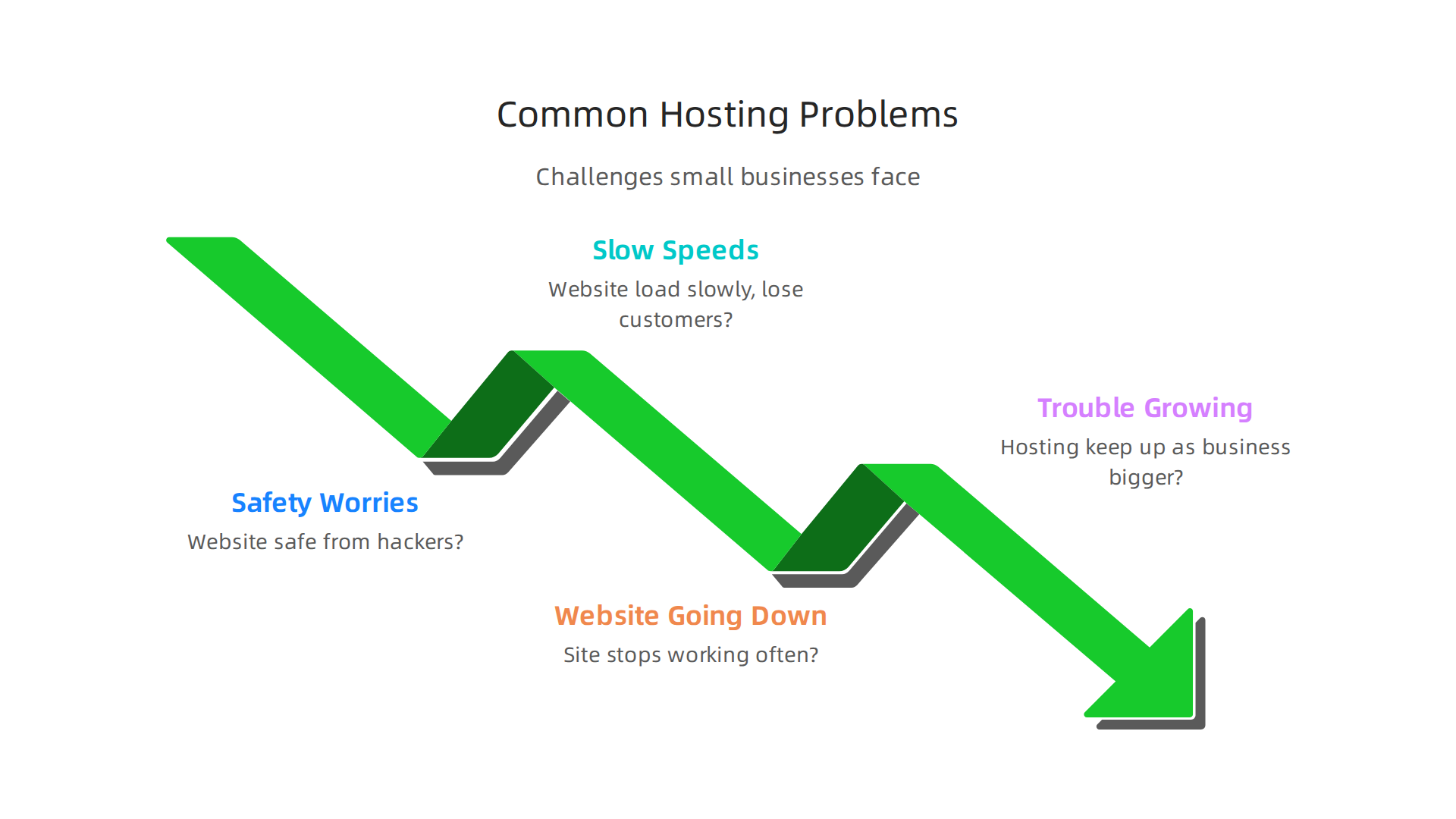
Think about it:
- Safety worries: Is your website safe from hackers or bad attacks? Getting hacked can hurt your brand and cost you money.
- Slow speeds: Does your website load slowly? People don’t like to wait, and slow sites can lose customers. It can also make it harder for people to find you on Google.
- Website going down: Does your site stop working often? Every minute your website is down, you might lose sales and trust from your visitors.
- Trouble growing: As your business gets bigger, can your hosting keep up? It should be easy to add more space or power when you need it, without causing problems. Maybe you’re thinking about moving from a basic setup to something more robust, or even trying to handle your own self hosting website.
These problems can be frustrating and take up a lot of your valuable time. This guide is here to help you understand web application hosting better and make smart choices.

We will share easy-to-understand tips for choosing the best hosting for your business. We’ll look at the good and bad parts of different hosting types, like if you’re using specialized services such as Webflow hosting for business websites or exploring options like Render web hosting for faster performance. We will also give you a clear plan for moving your website to a new host without any trouble. A good migration checklist is important to make sure everything moves smoothly, just like experts suggest to prevent issues when changing providers in 2026, by planning ahead and backing up your site fully before starting
the process Website Migration Checklist: Step-by-Step for 2026. Our goal is to make sure your online business runs smoothly and securely, today and in the future. If you want to learn more about what web hosting means for your business, you can check out our guide on web hosting meaning explained for business owners.
Now that you understand what web hosting is all about, let’s look at the different kinds of web application hosting you can choose. Each type has its own good and bad points, and knowing them helps you pick the right one for your business. Thinking about your website’s needs, how much money you want to spend, and how much control you want is key.
Types of Web Application Hosting: Shared, VPS, Dedicated, Cloud, and Serverless
Choosing the right web app hosting is like picking the right home for your online business. It depends on how much space you need, how much traffic you get, and how much control you want over your setup. Here are the main types:
Shared Hosting
Imagine living in an apartment building where everyone shares the same electricity and water. That’s a bit like shared hosting. Your website lives on a server with many other websites, and they all share the same computer power, memory, and storage space.
- Best for: Small blogs, personal websites, or new businesses that don’t get a lot of visitors yet. It’s often the cheapest way to start.
- Good parts: Very easy to use, and you don’t need much technical skill. The hosting company handles most of the hard work. It’s also very affordable, often costing just a few dollars a month in 2026 Web Hosting in 2026 — Shared, VPS, Cloud, or Serverless?.
- Bad parts: If another website on the same server gets very busy, your site might slow down. You also have less control over the server’s settings.
VPS (Virtual Private Server) Hosting
A VPS is like having your own apartment in that same building. You still share the physical server with others, but your part is walled off. You get your own guaranteed amount of computer power, memory, and storage. This makes your website more stable and faster.
- Best for: Growing businesses, online stores, or applications that need more power and security than shared hosting can offer. This is a great step up for many SMBs.
- Good parts: Better performance and more reliable than shared hosting. You get more control over the server environment. It’s also more private and secure.
- Bad parts: It costs more than shared hosting, and you need a bit more technical know-how to manage it. You can learn more about finding good deals on this type of hosting in our guide on cheap VPS hosting in 2026 that doesn’t sacrifice performance or security.
Dedicated Hosting
With dedicated hosting, you get the whole house to yourself! This means your website is on its very own physical server. No sharing at all. This gives you maximum power, speed, and security.
- Best for: Very large businesses, websites with huge amounts of traffic, or complex online applications that need a lot of resources and full control.
- Good parts: The best performance possible, top-level security, and complete control over every setting on the server.
- Bad parts: It’s the most expensive option and needs a lot of technical skill to manage properly. If you’re considering this, check out our list of the best dedicated hosting providers 2026 compared for speed, security, and value.
Cloud Hosting
Cloud hosting is like having your website stored across many connected computers instead of just one. If one computer has a problem, another one takes over, so your site stays online. It’s very flexible and can grow or shrink as your needs change.
- Best for: Websites with traffic that changes a lot, like online shops during sales events, or businesses that need very high uptime and can’t afford any downtime.
- Good parts: Very reliable and can handle huge spikes in traffic easily. You often only pay for the resources you actually use.
- Bad parts: Costs can be tricky to predict, and setting it up can be more complex than shared hosting.
Serverless Hosting
Serverless web application hosting is a newer way to host. Instead of managing servers, you just upload your website’s code, and the hosting provider runs it only when someone visits your site or uses a feature. You don’t have to worry about servers at all.
- Best for: Websites that have parts which only run sometimes, like special forms or tools, and for simple, static websites that don’t change often. It’s great for quickly building and launching applications without traditional server headaches Shared, VPS, Managed Cloud or Serverless—Performance.
- Good parts: You only pay when your code runs, which can save money for sites with low traffic. It scales up automatically when needed.
- Bad parts: Less control over the technical details, and can sometimes be slower to start up if your code hasn’t been used recently (a "cold start").
Understanding these different types of web application hosting helps you see why one option might be better than another for your business. It’s all about balancing cost, performance, and how much technical work you want to do yourself. If you’re looking to dive deeper into making the right choice, learning to select the best web hosting for small business in 2026 is a smart next step.
Choosing the right web application hosting for your business also means making sure it’s safe and follows important rules. You wouldn’t leave your physical shop unlocked, right? The same goes for your website. Security and compliance are super important for protecting your business and your customers.
Security & Compliance: Must-have protections for web apps
When you pick a web app hosting provider, you need to look for certain features that keep your website secure.

Think of these as the locks and guards for your online home.
Key Security Features to Look For
Here are some important protections your web application hosting should have:
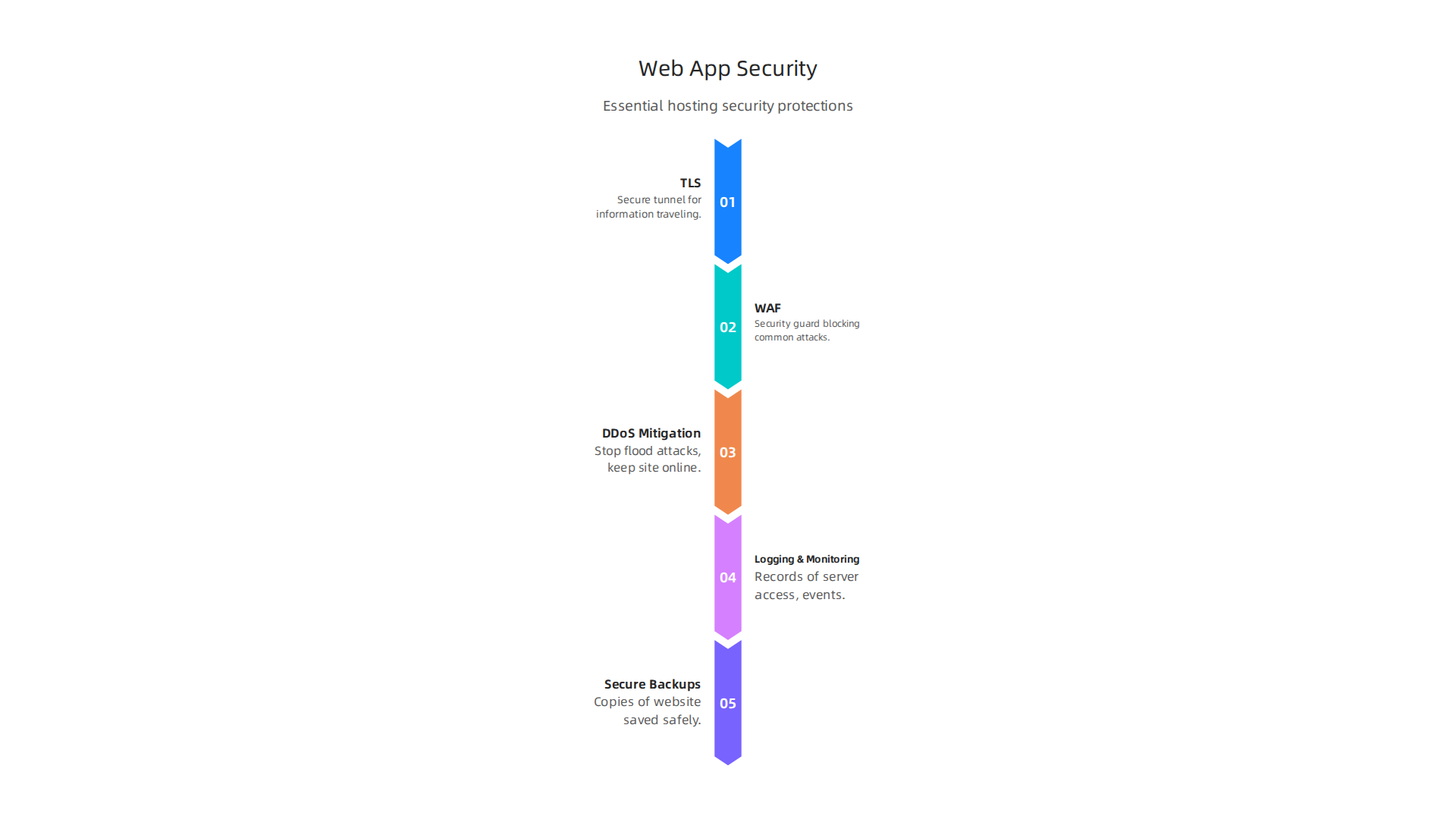
- TLS (Transport Layer Security): This is like a secure tunnel for information traveling between your website and your visitors. You’ll often see "HTTPS" in your browser bar and a padlock icon. It means data like passwords or credit card numbers are scrambled, so bad guys can’t easily read them. Your web hosting must offer this, usually as a free SSL certificate, to keep your site safe and trusted.
- WAF (Web Application Firewall): A WAF acts like a security guard specifically for your website. It watches all the traffic coming in and out, blocking common attacks that try to break into your site or steal information. This is very important for any web app hosting where sensitive data is handled.
- DDoS (Distributed Denial of Service) Mitigation: Imagine thousands of fake visitors trying to rush into your store all at once, blocking real customers from getting in. That’s a DDoS attack. These attacks are getting bigger and more common. For example, in the first three months of 2024 alone, there were 4.5 million DDoS attacks, a 50% increase from the year before ENISA Threat Landscape 2024. Another report showed that overall DDoS attacks went up by 53% in 2024 compared to 2023, hitting businesses like online stores and media sites particularly hard DDoS attacks, bots and BGP incidents statistics and overview 2024. Your hosting should have strong ways to stop these attacks so your website stays online.
- Logging and Monitoring: This means your hosting provider keeps careful records of who accesses your server and what happens on it. It’s like having security cameras and a detailed logbook. If something bad happens, these logs help figure out what went wrong and how to fix it.
- Secure Backups: What if your website gets hacked, or you accidentally delete something important? Secure backups are copies of your entire website saved in a safe place. A good web application hosting service will make these backups regularly and make it easy for you to bring your site back online if needed. This is key for peace of mind.
Compliance Considerations
Beyond just security, your web hosting also needs to follow certain rules and laws. This is called compliance.
- Data Residency: This refers to where your website’s data is physically stored. Some laws say that customer data from a certain country must stay within that country’s borders. If your business serves customers in Europe, for instance, you might need your web app hosting to be on servers located in Europe to follow those rules. This is a crucial point when you’re looking at providers, especially if you plan to self-host your website.
- Privacy Regulations: Laws like GDPR (General Data Protection Regulation) or CCPA (California Consumer Privacy Act) set strict rules about how you handle people’s personal information. Your hosting provider should have features and policies that help you meet these rules, like letting you control who can access data and how it’s protected. When choosing a company, it’s wise to consider a business guide to speed and security for web hosting.
Making sure your web application hosting has these security features and understands compliance rules is not just a good idea, it’s a must for any business today. It protects your brand, your customers, and helps avoid legal trouble.
After keeping your web application hosting secure and compliant with rules, the next big thing to think about is how fast and smooth your website runs. Just like a car, your website needs to perform well. This means making sure visitors don’t have to wait a long time for pages to load. Good performance keeps people happy and makes your business look professional.
Performance & Speed: CDN, caching, and resource planning
When choosing your web application hosting, speed is super important. A slow website can make visitors leave before they even see what you offer. This hurts your business and how high you show up in search results. Let’s look at what makes a website fast.
Key Performance Factors
There are a few main things that affect how fast your website feels to users:
- Latency: This is the tiny delay it takes for information to travel from your website’s server to a visitor’s computer and back. Think of it like talking on a phone: a long delay means you hear each other late. Lower latency means faster communication.
- Throughput: This is how much information can be sent at one time. Higher throughput means more data can flow, making your site load quicker.
- Edge Delivery (CDN): Imagine your website’s main home is far away from some visitors. A Content Delivery Network, or CDN, is like having mini-homes for your website all over the world. When someone visits your site, the CDN sends the information from the mini-home closest to them. This makes the website load much faster. For example, using a CDN can make websites about 2.7 times faster and cut page load time by about 63% in 2026, helping with important speed measures like Largest Contentful Paint (LCP) according to some studies Cdn And Core Web Vitals: Lcp…. Benchmarks from 2026 show that a CDN can greatly reduce page load times and lower how much your main server works The Relationship Between CDNs and Database Performance.
- Caching Strategies: Caching is like your computer remembering parts of your website. The first time you visit a page, your computer saves some of the pictures and text. So, the next time you visit, it doesn’t have to download everything again, which makes it much faster. Your web app hosting should use smart caching to speed things up for returning visitors. In fact, a good caching setup with a CDN can improve response times a lot, as shown in studies about web content delivery IJRTI. For more on choosing a provider, check out our guide on webflow hosting for business websites performance security scalability.
Setting Performance Goals and Measuring Impact
You can’t just hope your website is fast. You need to set clear goals and check regularly to make sure your web application hosting is meeting them.
- Setting Targets: Think about how quickly you want your pages to load. Most people expect a website to load in just a few seconds. If it takes longer, they might leave. You should aim for quick loading times for all your pages.
- Measuring Real-World Impact: There are tools that can measure how fast your website loads for actual visitors. These tools look at things like "Time to First Byte" (TTFB), which is how long it takes for the first piece of information to arrive from the server. They also check "Core Web Vitals," which are important measures of user experience that Google uses for ranking websites. Monitoring these numbers helps you see if your hosting is performing well. For instance, you can use benchmarks that compare different CDN providers to see their real-world latency and network performance in 2026 CDN Providers Compared in 2026: Real Latency Maps and Network …. Another key measure is "cache hit ratio," which tells you how often your CDN delivers content directly from its cache instead of going back to the main server Read CDN Analytics to Find Performance Bottlenecks (2026).
- User Experience (UX) and SEO: A fast website isn’t just nice, it’s a must. Visitors have a better experience (UX) when pages load quickly. This means they’re more likely to stay, read, and buy from you. Search engines like Google also favor faster websites, which helps your site show up higher in search results (SEO). So, good performance directly helps your business grow.
Choosing web app hosting that focuses on these performance factors is key. It helps you keep your customers happy, improve your search engine rank, and ultimately, build a stronger online business. If you’re looking for hosting that can keep up with your business growth, consider solutions like boost business with render web hosting performance security and scalability in 2026.
A fast website is great, but it’s only useful if it’s always online. Imagine having a super-fast shop that’s closed half the time. That won’t work, right? The same goes for your website. This is where reliability, uptime, and Service Level Agreements (SLAs) become super important when choosing your web application hosting.
Understanding Uptime and SLAs
When you pick a web application hosting service, you want to know your website will be online as much as possible. This is called uptime. An SLA, or Service Level Agreement, is like a promise from your hosting provider. It tells you exactly how much uptime you can expect and what happens if they don’t meet that promise.
Most providers talk about uptime using percentages, like "99.9% uptime." It sounds like almost perfect, but even a small percentage difference means a lot of downtime over a year.
Here’s what those percentages really mean for your website in terms of how much it could be offline each year:
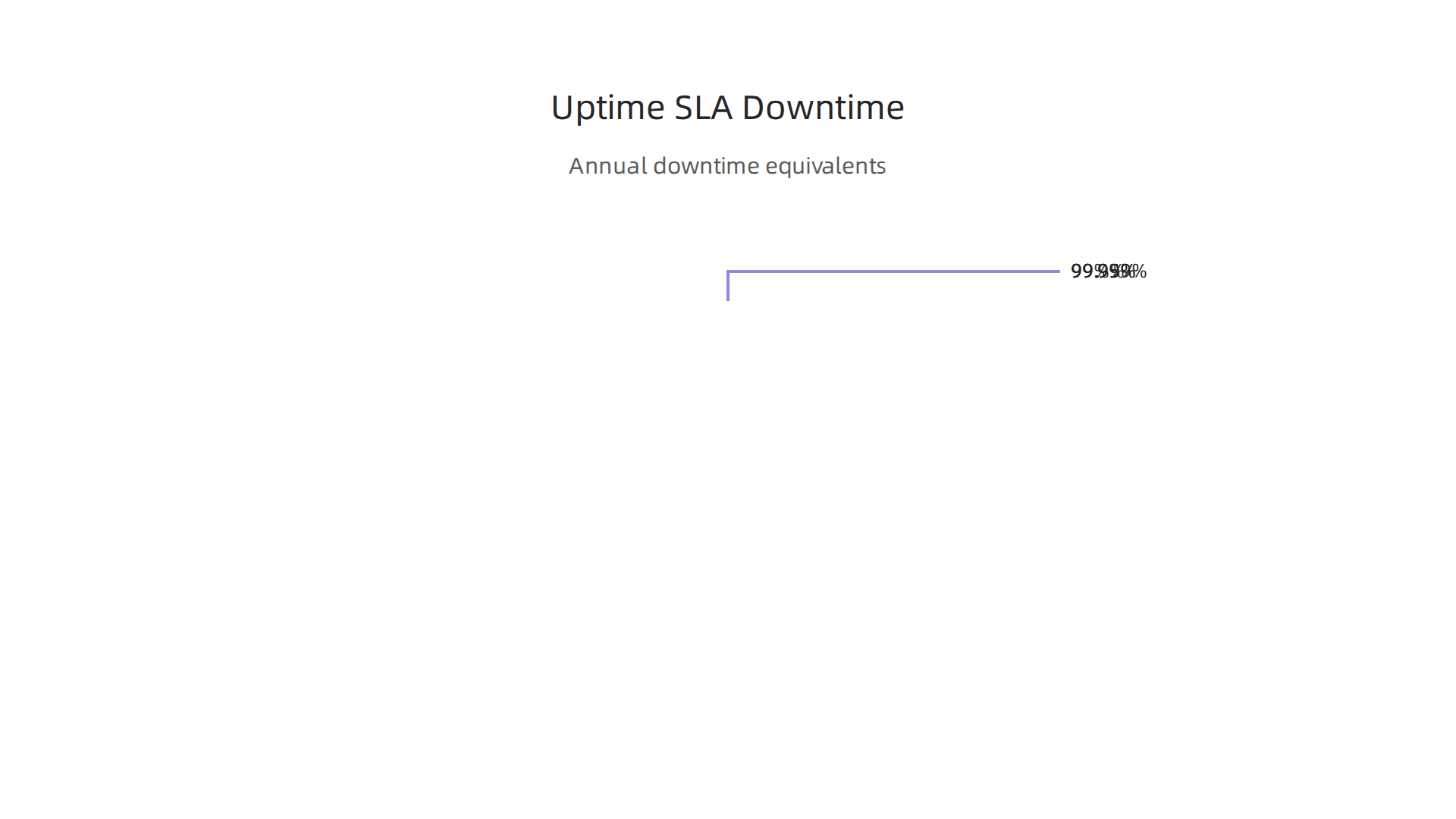
| Uptime SLA | Annual Downtime | Monthly Downtime |
|---|---|---|
| 99% | 3.65 days | 7.3 hours |
| 99.9% | 8.7 hours | 43.8 minutes |
| 99.95% | 4.4 hours | 21.9 minutes |
| 99.99% | 52 minutes | 4.4 minutes |
| 99.999% | 5 minutes | 26 seconds |
Most good web app hosting providers aim for 99.9% or 99.99% uptime. For example, 99.9% uptime means your site could be down for about 43 minutes each month, or roughly 8 hours and 45 minutes over a whole year WordPress Hosting Uptime 2026 — What 99.9% Means. This might seem like a small amount, but even short outages can be costly. For more details on what these numbers mean, you can check out this guide on the The Real Cost of Website Downtime (2026 Calculator & Data).
The High Cost of Downtime
When your website is down, it’s not just annoying; it costs you money. You might lose sales, customers, and even damage your brand’s good name. In 2026, the cost of downtime can be very high. For big companies, the average outage can cost as much as $9,000 per minute The Cost of Downtime in 2026: Statistics Every Engineering …. Even for small businesses, an hour of website downtime during business hours can mean losing around $427 The Real Cost of Website Downtime for Small Business in 2026. That’s a lot!
What If Things Go Wrong? Service Credits
A good SLA will also tell you what happens if your web application hosting provider doesn’t meet its uptime promise. Usually, they offer "service credits." This means you get a discount on your next bill, but it’s important to know that these credits might not cover all the money you lost from your website being down. Always read the fine print in the SLA to understand how these credits work.
How Good Providers Stay Online
Reliable web app hosting isn’t just about good intentions. It comes from smart planning and special tools:
- Multi-Zone Deployments: This is like having your website stored in many different places, not just one. If a problem hits one location, your website can still run from another. This makes your site much more reliable.
- Health Checks: Providers constantly check on their systems to make sure everything is working right. They use special tools to find small problems before they become big outages.
- Incident Response: Even with the best planning, problems can happen. Good providers have teams ready to jump into action quickly to fix any issues. They have clear plans for how to deal with problems and get your site back online fast.
- DDoS Protection: Websites are always at risk from cyberattacks, like DDoS attacks, which try to flood your site with too much traffic to make it crash. In 2026, web attack volumes continue to rise significantly Apps, APIs, and DDoS 2026. Strong web application hosting includes special protection to stop these attacks and keep your site running smoothly.
Choosing a hosting partner that takes reliability seriously means less worry for you and more consistent access for your customers. To learn more about selecting the right web hosting, including checking reviews, read our guide on web hosting services reviews 2026 data backed guide to choosing a reliable host. If you’re thinking about managing your own site, understanding these factors is also key for self hosting your website set up manage secure your business in 2026.
After making sure your web application hosting is reliable and stays online, the next big thing to think about is how it can grow. Imagine your website suddenly gets super popular! Can your hosting handle all those new visitors without slowing down or crashing? This is what we call scalability. It’s about designing your website’s home to grow with your success, without spending too much money.

Scalability & Architecture: Designing for growth without overspending
When you choose web application hosting, you’re not just picking a place for your site today. You’re choosing a home for its future. Your website needs to be ready for more visitors, more features, and more data. This is where thinking about how your site can scale and its basic design, or "architecture," comes in handy.
Growing Your Website: Vertical vs. Horizontal Scaling
There are two main ways to make your website hosting stronger:
- Vertical Scaling: This is like making one car engine more powerful. You upgrade your current server with more memory, a faster processor, or bigger storage. It’s simple, but there’s a limit to how big one server can get. Think of it as upgrading a single computer.
- Horizontal Scaling: This is like adding more cars to a fleet. Instead of making one server bigger, you add more servers. If one server gets too busy, the work can be spread across many servers. This is often better for very large and popular websites because it offers almost endless growth. Many modern hosting platforms, including those for Webflow hosting for business websites, use this method to handle lots of traffic.
Smart Growth with Autoscaling
The coolest thing about horizontal scaling in modern web app hosting is something called "autoscaling." This means your hosting setup can automatically add more servers when traffic is high and then remove them when traffic drops.
Think of it this way: on a busy holiday, your favorite shop might hire more staff. After the holiday, they let some staff go. Autoscaling does the same for your website. It makes sure you always have enough power without having to guess how much you’ll need. This saves you money because you only pay for extra resources when your website actually uses them. For businesses looking for efficient scaling, understanding different types of hosting like Shared, VPS, Cloud, or Serverless is key in 2026, as they offer varied scaling capabilities depending on your workload Web Hosting in 2026 — Shared, VPS, Cloud, or Serverless?.
Building for Easy Growth: Stateless Design
For horizontal scaling and autoscaling to work best, your website needs to be designed in a special way called "stateless." This sounds complex, but it just means that each part of your website’s process doesn’t "remember" what happened in the steps before it.
Imagine calling a customer service center. If each time you call, you have to explain everything from the beginning, that’s "stateful." If any agent can pick up your call and know exactly what’s going on without you repeating yourself, that’s "stateless."
For a website, it means that if a user sends a request, any available server can handle it without needing information from the last server the user interacted with. This makes it much easier to add or remove servers on the fly, which is perfect for flexible web application hosting.
Planning Ahead: Capacity and Cost
Even with autoscaling, it’s smart to have a good idea of how much traffic your website might get. This is called "capacity planning." Good web application hosting providers help you predict your needs so you don’t overspend when things are slow, but also ensure you’re ready for sudden surges in visitors. This careful planning helps you make sure your website is cost-effective as it grows. Services like boost business with Render web hosting performance security and scalability in 2026 are built with scalability in mind to help businesses manage fluctuating demand.
Speeding Up Globally with Content Delivery Networks (CDNs)
Another important part of designing for growth and speed is using a Content Delivery Network, or CDN. A CDN stores copies of your website’s files (like images and videos) in many different places around the world. When someone visits your site, the CDN delivers these files from the location closest to them.
This dramatically speeds up your website, especially for visitors far from your main server. It also takes some of the load off your main server, which is like having many mini-servers helping out. In 2026, CDNs can reduce page load times by a lot, making websites much faster CDN Strategy for E-commerce Performance 2026. This means your web app hosting can handle more users without breaking a sweat, improving both performance and scalability.
After understanding how important it is for your website to grow and stay fast, the next step is to pick the right home for it. Choosing a good web application hosting provider is like choosing a good partner for your business.

You need someone reliable, supportive, and fair. This section gives you a checklist to make sure you pick the best provider for your needs in 2026.
Choosing a Provider: Features, support model, and pricing checklist
When you look for web application hosting, it’s easy to get lost in all the technical words. But if you have a clear list of what you need, you can find a provider that truly helps your business succeed. Let’s break down the important things to look for.
Essential Hosting Features to Look For
First, let’s think about the main tools and services your hosting provider offers:
- Managed vs. Unmanaged Hosting: This is a big one.
- With managed hosting, the provider takes care of many daily tasks like keeping your server updated and secure. This is great if you don’t have a lot of technical know-how or time. It lets you focus on your business. Many small and medium businesses find that managed hosting is the right choice for them.
- Unmanaged hosting means you are in charge of everything on the server, from security updates to software installations. This gives you more control but also more work. It’s usually for people who are very comfortable with server management.
- Security: Your website needs to be safe from online threats. Look for features like strong firewalls, protection against DDoS attacks (which try to flood your site with too much traffic), and SSL/TLS certificates for secure connections. A good checklist for choosing a provider will always highlight security measures Secure Web Hosting for Small Business 2026.
- Automated Backups and Restores: Imagine if your website suddenly broke or you accidentally deleted something important. Backups are like having a save button for your entire website. Good web app hosting should offer automatic backups and an easy way to bring your site back if something goes wrong.
The Support Model Matters
Even the best hosting can have a hiccup. That’s when good support becomes super important.
- Availability: Can you get help whenever you need it? Look for providers that offer 24/7 support through different ways like chat, phone, or email.
- Service Level Agreements (SLAs) and Uptime: An SLA is a promise from your hosting provider about how often your website will be online. This is called "uptime." For example, a "99.9% uptime guarantee" sounds great, but it still means your site could be down for about 8 hours and 45 minutes a year. For more critical sites, you want "99.99% uptime," which cuts downtime to less than an hour a year Best Hosting with 99.99% Uptime Guarantee in 2026. This matters because when your website is down, you could be losing customers and money. In 2026, even a short outage can cost businesses a lot of money, with some losing as much as $9,000 per minute The Cost of Downtime in 2026.
Understanding Pricing Models
Hosting costs can be tricky. You want to make sure you’re getting good value without hidden fees.
- Flat Rate: You pay the same amount each month, no matter how much traffic your site gets. This is simple, but might not be best if your traffic changes a lot.
- Tiered Pricing: You choose a plan based on expected usage (like a certain number of visitors or storage space). If you go over, you might pay more or need to upgrade.
- Usage-Based Pricing: You only pay for what you use, similar to how your electricity bill works. This can be very cost-effective if your website’s needs change often, especially with services that offer easy scalability like those for render web hosting.
- Hidden Costs: Always check for things like renewal price hikes. Some providers offer low first-year rates that jump up significantly later. Make sure you understand the true cost over time. Learning to master your web hosting cost in 2026 is a smart business move.
Ease of Exit and Migration
Finally, think about what happens if you ever want to move your website to a different hosting provider.
- Simple Migration Process: A good provider should make it easy to move your site both to and from their service. They might even offer free migration help. You should always prepare with a website migration checklist before making any changes.
- Data Portability: Make sure you can easily download all your website files and databases without extra fees or complex steps. This is key for full control over your self hosting website options in the future.
By using this checklist, you can find a web application hosting solution that fits your business perfectly, giving you the performance, security, and support you need to grow. If you’re looking for hosting that focuses on robust features and reliable support, consider what Prism WebHost offers.
Summary
This article explains web application hosting for small businesses and online brands, covering the main hosting types—shared, VPS, dedicated, cloud, and serverless—and the trade-offs between cost, control, performance, and security. It walks through the must-have security features (TLS, WAF, DDoS mitigation, logging, backups) and compliance concerns like data residency and privacy rules. You’ll learn how hosting affects speed and SEO, with practical guidance on CDNs, caching, and performance metrics to measure success. The piece outlines uptime expectations, how SLAs translate into real downtime, and why multi-zone deployments and incident response matter. It also explains scalability patterns (vertical vs horizontal), autoscaling, and stateless design for growth. Finally, the article gives a clear provider checklist—managed vs unmanaged, support availability, pricing models, migration ease, and how to avoid hidden fees—so you can choose hosting that keeps your site fast, secure, and ready to scale.
