




Choose the Best Domain Registrar for Security and Value
Article
Having a strong online presence is a must for any business today, big or small.

Your website is often the first place customers look for you. But before you can even think about what your website looks like, you need an address for it on the internet. This address is called a domain name, and picking the right company to get it from is super important. These companies are known as domain companies or domain registrars.
Choosing and managing your domain name provider might seem like a small detail, but it can greatly affect your business. The wrong choice can lead to problems with your website’s security, how often it stays online (uptime), and even your ability to grow your brand. For instance, slow websites or those that go down often can frustrate customers and hurt your business. This is why understanding the different domain companies and what they offer is key for small to medium-sized businesses (SMBs) and online brands.
A domain name registrar is a company that helps you get and lease your domain name, like .com or .net, from the organizations that manage them globally [1]. Think of them as the go-between, connecting you to the internet’s addressing system. In 2026, the global domain name market is huge, with hundreds of millions of domain names registered worldwide.
In this article, we will explain everything you need to know about domain companies. We’ll cover what they do, how to pick the best domain registrar for your needs, and important steps for managing your domain to keep your online brand safe and running smoothly. We’ll look at popular options, compare things like godaddy domain price versus other providers, and discuss key features that truly matter for your business success. If you’re wondering more about what a domain name actually means for your business, you can learn more about its importance for your online identity and security in our detailed guide on domain name meaning the business guide to web identity seo and security.
To really understand domain companies, it helps to know that there are different types of players involved. It’s not just one kind of company. Think of it like a chain that helps you get your website address. Each part of the chain has an important job.
Here are the main types of domain companies and what they do:
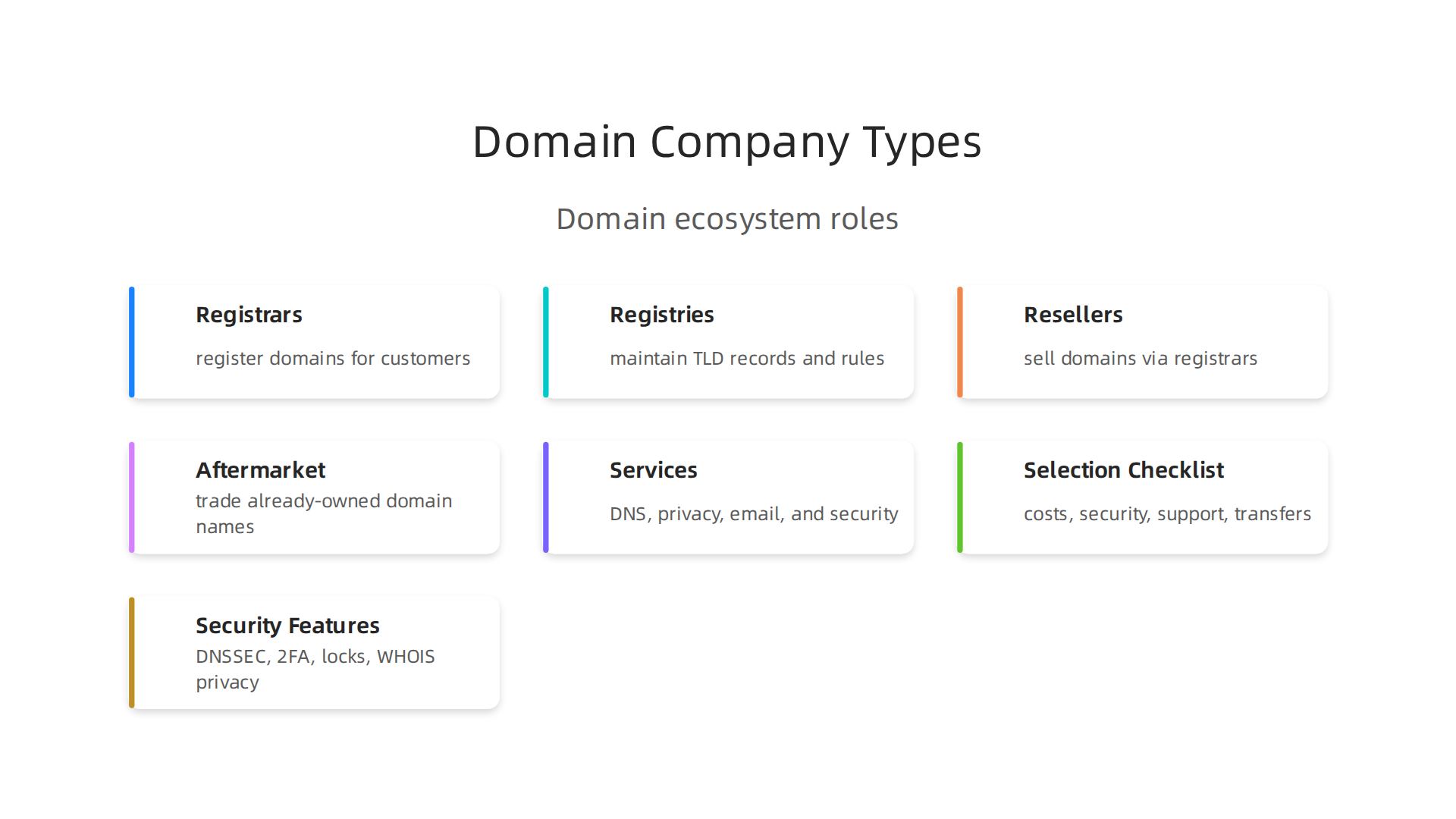
Registrars: Your Go-Between for Domain Names
A domain registrar is the company you usually deal with directly to buy your domain name. They are like the "middle man" between you and the official organizations that manage all domain names. Registrars are approved to offer and sell domain names, and they also handle things like renewing your domain. For example, well-known registrars include companies like GoDaddy and Name.com, which help people register names like .com or .net [1, 2]. These companies make it easy for anyone to get an internet address for their business or personal site. When people talk about finding the best domain registrar, they’re usually looking for one of these companies.
Registries: The Rule-Makers and Record-Keepers
Behind the registrars are the registries. A domain name registry is an organization that manages specific top-level domains, or TLDs. These are the endings of domain names, like .com, .org, or .net [3]. The registry sets the rules for its TLD and keeps a master list of all the domain names registered under it. They also make sure the internet’s addressing system works for those domains [4, 5]. For instance, VeriSign is the registry that manages all .com and .net domain names. Registries work with registrars to sell domains to the public. You don’t usually interact with a registry directly; your registrar does that for you.
Resellers and Aftermarket Marketplaces
Sometimes, you might come across domain resellers. These are smaller companies or individuals who sell domain names but they do it through a larger, accredited registrar. They don’t have direct ties to the registries themselves. They’re like a small shop selling goods from a big factory.
Then there are aftermarket marketplaces. These are places where people can buy domain names that are already owned by someone else. Think of it like buying a used car; someone might sell their domain name if they don’t need it anymore or if it’s a very popular name. These marketplaces can be useful if the domain name you want is already taken, but they can sometimes come with a higher price.
Important Services That Domain Companies Offer
Beyond just letting you buy a domain name, good domain companies offer extra services that are key for your website’s smooth running and safety.
These services are often bundled together with your domain purchase:
- DNS Management: DNS stands for Domain Name System. It’s like the internet’s phone book. When someone types your domain name, DNS translates it into a computer-readable address so their browser can find your website. Registrars provide tools to manage these settings, which is super important for your site to be found online.
- Domain Privacy Protection: When you register a domain, your contact information (name, address, email) becomes public in a database called WHOIS. Domain privacy protection hides your personal details from public view, replacing them with the registrar’s information. This helps protect you from spam and unwanted contact.
- Email Forwarding: Many domain companies also offer email forwarding. This means any email sent to an address at your domain (like yourname@yourbusiness.com) can be sent to your regular email account, like a Gmail address. It helps you look more professional.
- Security Features: Some of the top domain registrars provide stronger security tools, such as DNSSEC (Domain Name System Security Extensions) and SSL/TLS certificates. These help keep your website safe from attacks and protect the information shared between your site and your visitors. For small to medium-sized businesses, making sure your site is secure is very important. To understand more about securing your online presence, you might want to learn how to how to choose the best domain registrar that protects your site.
You now know about the different kinds of domain companies and the useful things they offer. But how do you pick the very best domain registrar for your business?

Choosing the right one is very important. It’s not just about finding the cheapest price. It’s about finding a partner that helps your website run well and stay safe for a long time.
Here are the most important things to look at when choosing among the many domain companies:
1. Security Features
Keeping your website safe is a top job. You need a domain company that offers strong security tools. This helps protect your website and your customers. Look for these features:
- Domain Privacy Protection: This keeps your personal contact information hidden from public view. It protects you from unwanted emails and calls.
- SSL/TLS Certificates: These are like a security badge for your website. They make sure any information exchanged between your site and its visitors stays private and safe. Many top domain registrars now give these to you for free.
- DDoS Protection: This protects your website from attacks that try to flood it with too much traffic and make it crash.
- DNSSEC: This adds an extra layer of security to your domain’s address book. It helps stop bad actors from sending your visitors to fake websites.
2. Pricing That Is Easy to Understand
This is a very important point. Many domain companies, like GoDaddy, might show you a very low price for the first year. But then, when it’s time to renew your domain name, the price can jump up a lot [^best-domain-registrar-2026]. Always check the renewal price, not just the first-year cost.
For example, while some companies have higher renewal rates, others like Cloudflare offer renewals close to the actual cost they pay [^domain-renewal-prices-compared]. Other good options, such as Spaceship and Dynadot, also have clear and fair renewal prices for .com domains [^cheapest-domain-registrar-renewals]. If you were using Google Domains before, you will need to find a new registrar now that those services have moved. Always look for clear prices with no hidden fees or sudden big jumps. To make sure you’re getting a fair deal, it’s a good idea to run a domain price comparison before you buy.
3. Good DNS Performance
DNS is like the internet’s phone book. When someone types in your website’s address, DNS helps their computer find where your website lives. A good domain company will have fast and reliable DNS services. This means your website will load quicker for your visitors, which makes them happy and helps your business.
4. Quality of Support
What happens if you have a problem with your domain? You will want help right away! Look for a domain company that offers great customer support. Can you chat with them online, send an email, or call them on the phone? Are they available to help all day, every day? Reading reviews from other customers can tell you a lot about how good their help really is.
5. Easy Transfer Policies
Sometimes, you might want to move your domain name from one company to another. This is called a domain transfer. It should be an easy and smooth process. Make sure the company you choose doesn’t make it difficult to move your domain if you decide to.
For a smooth transfer, you’ll need to make sure your domain is "unlocked," get a special authorization code, and have an up-to-date contact email address [^domain-transfer-guide]. Also, remember that you usually cannot transfer a domain if it was just registered or moved to another company within the last 60 days [^domain-transfer-checklist].
Your Simple Checklist for Choosing a Domain Company
To help you make the best choice, use this simple checklist:
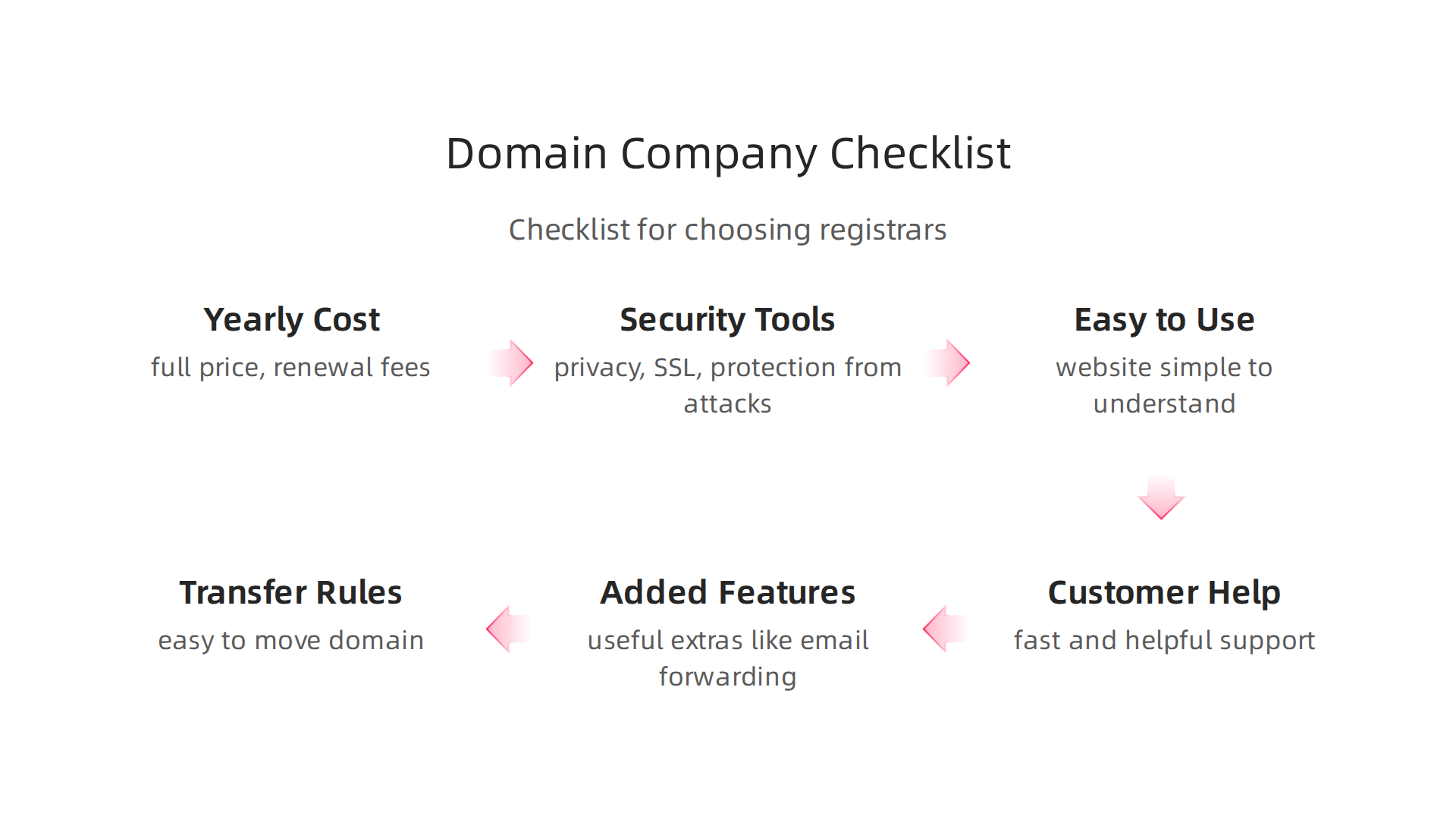
- Yearly Cost: What is the full price, including renewal fees and any extra charges?
- Security Tools: Does the company offer domain privacy, free SSL, and protection from attacks?
- Easy to Use: Is their website simple to understand and use to manage your domain?
- Customer Help: Can you get fast and helpful support whenever you need it?
- Added Features: Do they give you useful extras like email forwarding?
- Transfer Rules: Is it easy to move your domain in or out of their service?
By carefully looking at these points, you can pick the right domain company that best fits what your business needs. For reliable hosting services that include many of these important features, you might want to explore Prism Web Host. We help make sure your website is secure, fast, and simple to manage, so you can focus on your business with peace of mind.
Picking the right domain company is a big deal, and after thinking about things like security and support, it’s time to talk about money. This means looking closely at how much you’ll really pay, not just today, but for many years.
Pricing, renewal rules, and hidden fees: what to watch for
When you choose a domain for your business, you might see a super low price for the first year. This is a trick many domain companies use. They offer a cheap deal to get you in, but then the price jumps up a lot when it’s time to renew your domain name for the next year. It’s like a special sale that ends quickly! For example, some places might charge you $10 for the first year but then $20 or more every year after that. You need to always look at the renewal price, which is the true cost for keeping your domain.
Some top domain registrars are much clearer. Companies like Cloudflare are known for letting you renew your domain at a price very close to what they pay for it Domain Registrar Pricing — .com Register vs Renewal on …. Spaceship and Dynadot also offer fair renewal prices for .com domains, which helps you avoid big surprises later on Cheapest Domain Registrar for Renewals 2026 (Not Promos).
What Makes Up the Full Price?
It’s not just the yearly fee. Several things add to the total cost of owning a domain:
- Initial Registration Price vs. Renewal Price: As we talked about, the first year can be cheap, but renewal costs are usually higher. Always check both prices.
- ICANN Fees: This is a small, required fee that goes to ICANN, the group that helps manage domain names all over the world. It’s usually a small amount, like $0.18 per domain per year for .com domains ICANN Registry-Level and Registrar-Level Fees Adjustment. Most domain companies include this in their listed price, but it’s good to know it’s there.
- Add-ons: When you buy a domain, the company might try to sell you other things like email hosting, a website builder, or extra security features. These can be helpful, but they also add to your total bill. Make sure you only pay for what you truly need.
- Transfer Fees: If you ever decide to move your domain from one company to another, there’s often a small fee. This fee usually includes another year of registration, so it’s like buying a new year for your domain.
Finding the Real Cost Over Time
To really know what you’re paying, you need to look at the Total Cost of Ownership (TCO). This means figuring out how much you’ll spend over a few years, like three or five years, not just one.
Let’s say a domain is $5 for the first year and $15 for renewal.
- Year 1: $5
- Year 2: $15
- Year 3: $15
- Total for 3 years: $35
Now compare that to a domain that costs $10 every year:
- Year 1: $10
- Year 2: $10
- Year 3: $10
- Total for 3 years: $30
Even though the first one looked cheaper at first, the second one saves you money over time. When you are comparing domain companies, always do this math. For example, some companies like Spaceship offer a .com domain for about $10 a year, making a 5-year total around $48.80. Other companies can charge much more, like GoDaddy, which could total over $100 for five years Best Domain Registrar in 2026: Pricing, Renewals & Hidden …. Checking prices this way helps you avoid the "bait and switch" that some domain companies use. For more details on avoiding these traps, consider reading our guide on the real GoDaddy domain renewal price.
How to Spot Hidden Fees
Hidden fees are extra charges that are not clear upfront. Here are some common ones to watch out for:
- Higher renewal rates: This is the most common hidden cost. Always check the second-year price before you buy.
- Privacy protection fees: Some domain companies charge extra to keep your personal information private. Many good companies include this for free.
- Email forwarding or basic email accounts: Sometimes, these are free, but other times they cost extra.
- Cancellation fees: A good domain company won’t charge you to leave.
- Refund policies: Make sure you can get your money back if you change your mind early on.
By checking these things, you can get a better idea of the true cost to buy a domain name in 2026. Always read the fine print and choose a company with clear, upfront pricing for your business.
After checking prices and fees, the next very important thing to think about is how safe your domain name will be. This means looking at the security and privacy tools that domain companies offer. You want to pick a company that works hard to protect your business’s online home.
Security and privacy features to demand from domain companies
Choosing the right domain company means making sure your website is super safe from bad actors.
Good domain registrars offer special tools and rules to keep your domain out of trouble. Here’s what you should ask for:
Strong Technical Shields
The best domain registrar will have strong technical protections. These are like invisible shields for your domain.
-
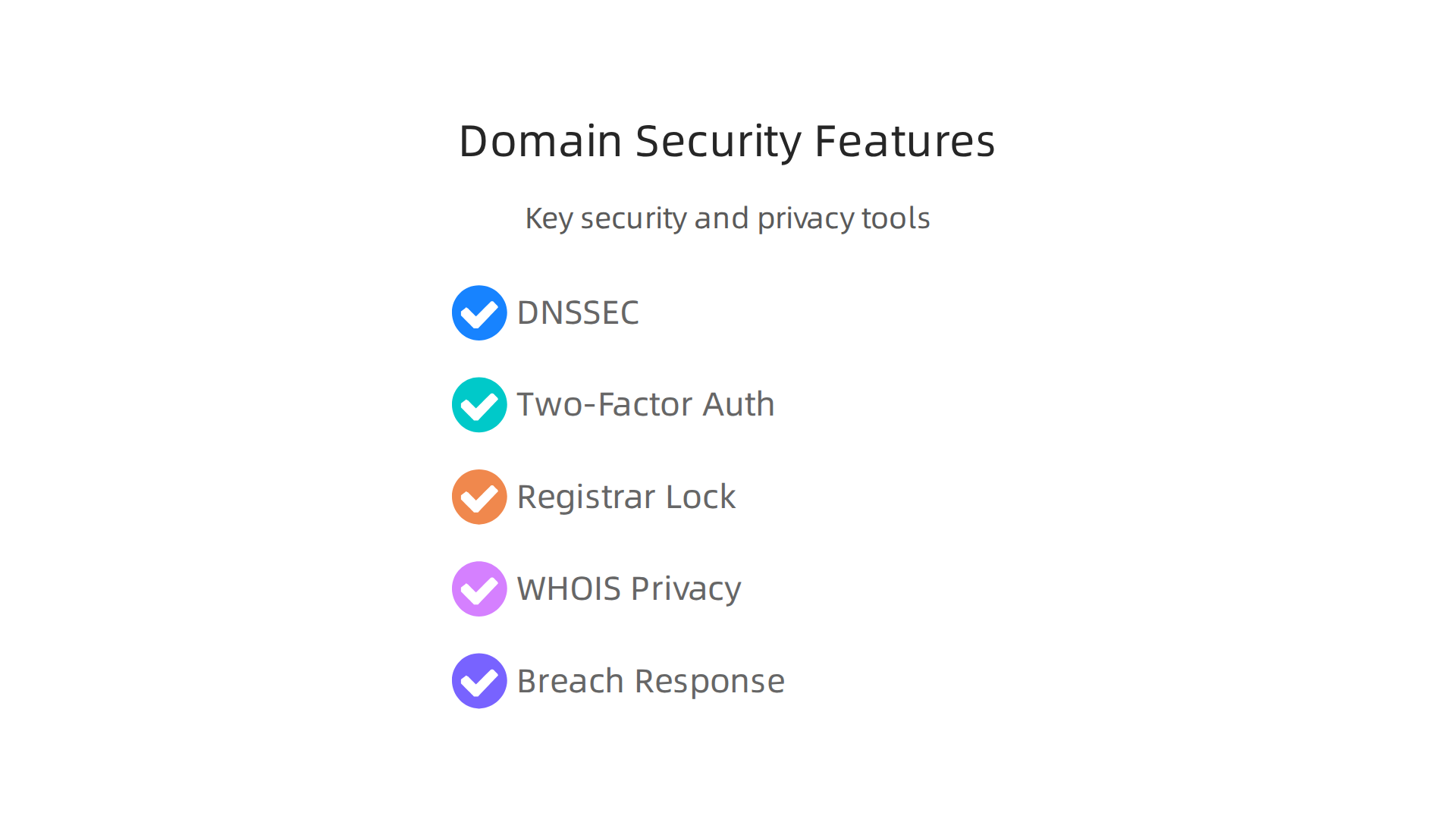
DNSSEC (Domain Name System Security Extensions): Imagine the internet as a phone book. DNSSEC makes sure no one can sneakily change your phone number (your website address) to send people to the wrong place. This tool uses digital signatures to make sure DNS information is real and has not been messed with. Experts say DNSSEC should be a basic safety feature, not just an extra bonus in 2026 NIST Just Released Its 2026 DNS Security Guide: What Every…. When choosing domain companies, check that they fully support and recommend enabling DNSSEC. The National Institute of Standards and Technology (NIST) even offers guides on how to make sure DNSSEC is set up right to keep your domain safe Secure Domain Name System (DNS) Deployment Guide.
-
Two-Factor Authentication (2FA): This is like having two locks on your door instead of one. When you log in to your domain company account, 2FA asks for two different ways to prove it’s you. Maybe it’s your password and a code sent to your phone. This makes it much harder for someone to break into your account, even if they guess your password Good security practice for domain registrars. Many top domain registrars now offer 2FA, and some even let you use a special hardware key for extra safety Registrar Security & Registry Locks | SEAL. Always use a strong, unique password too.
-
Registrar Lock (or Domain Lock): This feature stops anyone from moving your domain name to another company or making big changes without your say-so. It’s like putting a "do not move" sign on your domain. This simple lock protects your domain from being stolen or changed by hackers. You should always enable this. Some companies also offer a "registry lock" for even more security, which is great for very important domains Domain Security Best Practices: Registrar Lock, DNSSEC, Whois….
Keeping Your Information Private
When you own a domain, some of your personal or business contact details have to be listed in a public database called WHOIS. This is required by ICANN, the organization that oversees domain names.
- WHOIS Privacy Protection: Many good domain companies offer a service called WHOIS privacy protection. This hides your personal details from the public eye and shows the domain company’s information instead. This keeps your address and phone number private, helping you avoid spam and unwanted contact. Often, the best domain registrar will offer this for free or at a very low cost.
What Happens If Things Go Wrong?
Even with the best protections, bad things can sometimes happen. A good domain company should have a plan for how they deal with security issues.
- Clear Breach Response: If there’s a security problem or a "breach," you want your domain company to tell you quickly and clearly what happened. They should have a plan to fix the problem fast and help you get things back to normal. Look for companies that are transparent and have good customer support to guide you through any issues. The Internet Corporation for Assigned Names and Numbers (ICANN) works to make sure domain companies follow rules to prevent abuse and handle security matters correctly ICANN strengthens DNS abuse governance as domain security….
By demanding these security and privacy features, you’re not just buying a domain name; you’re investing in the safety and future of your online business. Making sure your chosen provider, whether it’s one of the top 10 web hosting companies of 2026 or a smaller specialist, meets these standards is key.
After making sure your domain name is safe and private, the next big thing to think about is how fast and reliable your website will be. This often comes down to the technical features and DNS management your chosen domain companies offer. These features directly impact how quickly people can reach your site and how often it stays online, which is super important for any small business.
Performance, DNS management, and technical features that impact site speed and reliability
When you pick a domain company, you’re also picking how well your website performs. The way your domain’s "phone book" or DNS (Domain Name System) is set up makes a huge difference. Good DNS management means your website is fast and always working.
How DNS Helps Your Site Stay Fast and Reliable
Think of DNS as the internet’s GPS. When someone types your website address, DNS tells their computer exactly where to find your site. How fast and smart this GPS works changes how visitors experience your website.
-
DNS Propagation: When you make a change to your domain, like moving your website to a new host, it takes time for this information to update across the entire internet. This is called DNS propagation. Some domain companies help this update happen faster than others. A quicker update means less downtime for your website.
-
Anycast DNS: This is a fancy way of saying your website’s address information is stored in many places around the world. When someone tries to visit your site, their request goes to the closest server. This makes your website load much faster for people everywhere. It also helps your site stay online even if one server has a problem. Experts say using Anycast DNS can make your site’s lookup times much quicker, sometimes 20-30 milliseconds instead of over 100 milliseconds Enhance Your Corporate Website’s Performance with Professional DNS Management. It works by sending traffic to the nearest server, which also helps spread out attacks, making your site more resistant to problems Anycast DNS: What It Is and Why It Matters (2025).
-
TTL (Time To Live) Strategies: Every piece of information in the DNS system has a "Time To Live" (TTL). This number tells other computers how long they should remember your website’s address before checking for updates. A short TTL means changes happen fast, which is good if you need to quickly move your site. A longer TTL means fewer checks, which can make your site feel faster for returning visitors because their computers already have the address saved. Common TTL settings can range from 300 seconds (5 minutes) for fast updates to 86400 seconds (24 hours) for info that rarely changes DNS Deep Dive 2026 — Optimize Web Speed from the First Step …. Choosing the right TTL is part of smart DNS management.
Helping Your Site With CDNs and DDoS Protection
Besides basic DNS features, the best domain registrar and its tools can also team up with other services to make your site even better.
-
Content Delivery Networks (CDNs): A CDN works by storing copies of your website’s content (like pictures and videos) on many servers around the world. When a visitor comes to your site, the CDN delivers the content from the server closest to them, making your site load much faster. Your domain company’s DNS settings help direct traffic to the CDN correctly. This is vital for improving website speed and user experience.
-
DDoS Protection: DDoS attacks try to flood your website with too much traffic, making it crash. Many top domain registrars and their DNS services offer ways to help stop these attacks. Anycast DNS, for example, helps spread out attack traffic so it doesn’t all hit one spot DNS Security: DNSSEC, CAA Records, and DDoS Protection. Some domain companies also integrate with special services that filter out bad traffic before it reaches your site. Knowing about these features when choosing between domain companies is a must for your online brand’s safety.
Choosing domain companies that offer great DNS management and integrate well with performance and security tools can truly make or break your online success. It helps with SEO (how easily people find you on Google), reduces latency (how long it takes for your site to respond), and increases uptime (how much time your site is actually working). It’s all about providing a smooth experience for your visitors, no matter where they are. If you’re looking to understand more about getting your business online, consider reading about what a web hosting service actually means.
Thinking about how well your website works is important. But what if you need to move your website or if your business grows a lot? That’s when you need to think about how easy it is to transfer your domain and if your domain company can keep up with your needs.
Transfers, support, and scaling: moving domains and growing with your provider
Even if you pick the best domain registrar right now, things can change. You might want to move your domain to a different company, or your business might get so big that you need more help. This section will talk about how to move your domain safely and how to make sure your provider can help you as you grow.

Moving Your Domain Safely
Changing your domain company might seem tricky, but it’s a common step for many businesses. This process is called a domain transfer. Here’s what you need to know:
- Unlocking Your Domain: Before you can move your domain, you usually need to "unlock" it with your current provider. Think of it like taking a lock off your front door so you can move your house.
- Getting an Authorization Code: You’ll also need a special code called an Auth-Code or EPP key. This code proves that you own the domain and gives permission for the transfer. If you don’t have the right code, your transfer will fail Common Reasons for a Domain Transfer to Fail.
- Updating Contact Info: Make sure the email address linked to your domain (the administrative contact) is up to date. The new company will send important emails there to confirm the transfer 7 Causes of Domain Transfer Failure and Their Solutions.
- Submitting the Transfer: You’ll start the transfer with your new domain company. They will guide you through the steps to formally request the move.
- Approval and Waiting: After you submit the request, your old company will often send you an email asking you to approve the transfer. The whole process can take a few days, sometimes up to a week.
Common Transfer Holds and How to Avoid Them
Sometimes, a domain transfer might get stuck or fail. Here are a few common reasons:
- 60-Day Lock: If you just registered your domain or moved it recently, you might have to wait 60 days before you can move it again. This is a rule set by ICANN, the group that oversees domain names Domain Transfer Checklist: What You Need Before Starting.
- Locked Status: If your domain is still "locked" with your old provider, it can’t be moved. You need to unlock it first Top 10 Domain Transfer Mistakes & How to Avoid Them.
- Wrong Authorization Code: As mentioned, an incorrect Auth-Code is a common reason for failure. Always double-check this code Why Domain Transfers Fail: Avoid Common Mistakes.
- Domain Privacy Issues: Some domain companies offer privacy protection, which can hide your contact details. You might need to turn this off temporarily during a transfer.
By being careful with these steps, you can make sure your domain moves smoothly. If you’re looking for new domain companies, consider researching how to find reputable domain name registrars that protect your business.
Support and Growing with Your Provider
When choosing between domain companies, think about the future. Will they be able to help you as your online brand grows?
- Customer Support: Look for providers with good customer support. Do they offer help 24/7? Can you reach them by phone, chat, or email? Good support means you won’t be stuck if something goes wrong. Some of the top domain registrars are known for their helpful teams.
- Managed Services: If you’re not very technical, some companies offer "managed services." This means they take care of many technical tasks for you, like making sure your website is always fast and secure. This can save you a lot of time and worry.
- Scalability: As your business gets bigger, your website might need more power. Can your domain company offer easy upgrades to better hosting plans? Do they have options for automatic scaling, so your website can handle more visitors without you having to do extra work? For example, services from Prism Web Host provide automated scalability to handle growing traffic. You want a provider that can grow with you, whether you’re starting small or aiming to be the next big thing like a "google domains" competitor or a strong alternative to the sometimes complicated "godaddy domain price" structure.
Summary
This article explains what domain companies (registrars, registries, resellers and aftermarket marketplaces) do and why the choice of provider matters for small and medium businesses. It covers the core services registrars offer—DNS management, privacy protection, email forwarding and security tools like DNSSEC and 2FA—and explains how those services affect site speed, uptime and customer trust. You’ll learn how to compare providers beyond headline prices by checking renewal rates, hidden fees and total cost of ownership, and how DNS features (Anycast, TTL, CDN integration) influence performance. The guide also walks through safe domain transfer steps, common transfer holds, and a practical checklist for picking a registrar that supports growth and strong support. After reading, you’ll be able to evaluate domain providers on security, price transparency, DNS performance and scalability so you can choose and manage a domain that protects and accelerates your online brand.
