




Bluehost Pricing Unveiled Master True Costs And Avoid Renewal Surprises
Article
Choosing web hosting for your small business or new idea can feel like a big puzzle.

It’s often hard to know the real cost upfront. Many businesses get a low price at first, then face much higher bills when it’s time to renew. This can make planning your money really tough. You want good speed and reliable service without breaking the bank, right? But sometimes, a cheap option can lead to a slow website that scares customers away.
Getting your website online means thinking about more than just the first payment. You also need to look at how much it will cost later on. For example, some web hosts might offer a low introductory rate, but then your renewal pricing goes up a lot after the first year or two. It’s important to know these details from the start, as unexpected jumps can lead to expensive migrations later on. In 2026, comparing web hosting providers means looking closely at everything, especially renewal rates, to avoid surprises down the road. Some experts even say that clear renewal pricing disclosure is one of the most important things when picking a host for a small business [1].
This guide will help you understand Bluehost pricing clearly. We will look at what each plan offers and what the actual costs are, so you can pick the best option for your business. We’ll show you how different parts of Bluehost’s services add up, making sure you know what you’re paying for. This way, you can choose a hosting plan that helps your business grow without any costly surprises. We’ll cover everything from the basic shared hosting plans to more powerful options, helping you understand how Bluehost pricing compares to other services and what truly impacts your overall web hosting cost.
Bluehost offers many types of web hosting to fit different needs and budgets. Understanding what each plan gives you is key to picking the right one.

Let’s look at the main options and what they include.
Shared Hosting
This is Bluehost’s most popular option, perfect for new websites, blogs, and small businesses. It’s like living in an apartment building where you share space with others. You get your own area, but the main resources like power and internet are shared.
- Who it’s for: People just starting out, small blogs, personal websites, and small businesses that don’t get a ton of visitors yet.
- Key features: Shared plans often come with a free domain name for the first year and a free SSL certificate to keep your site secure
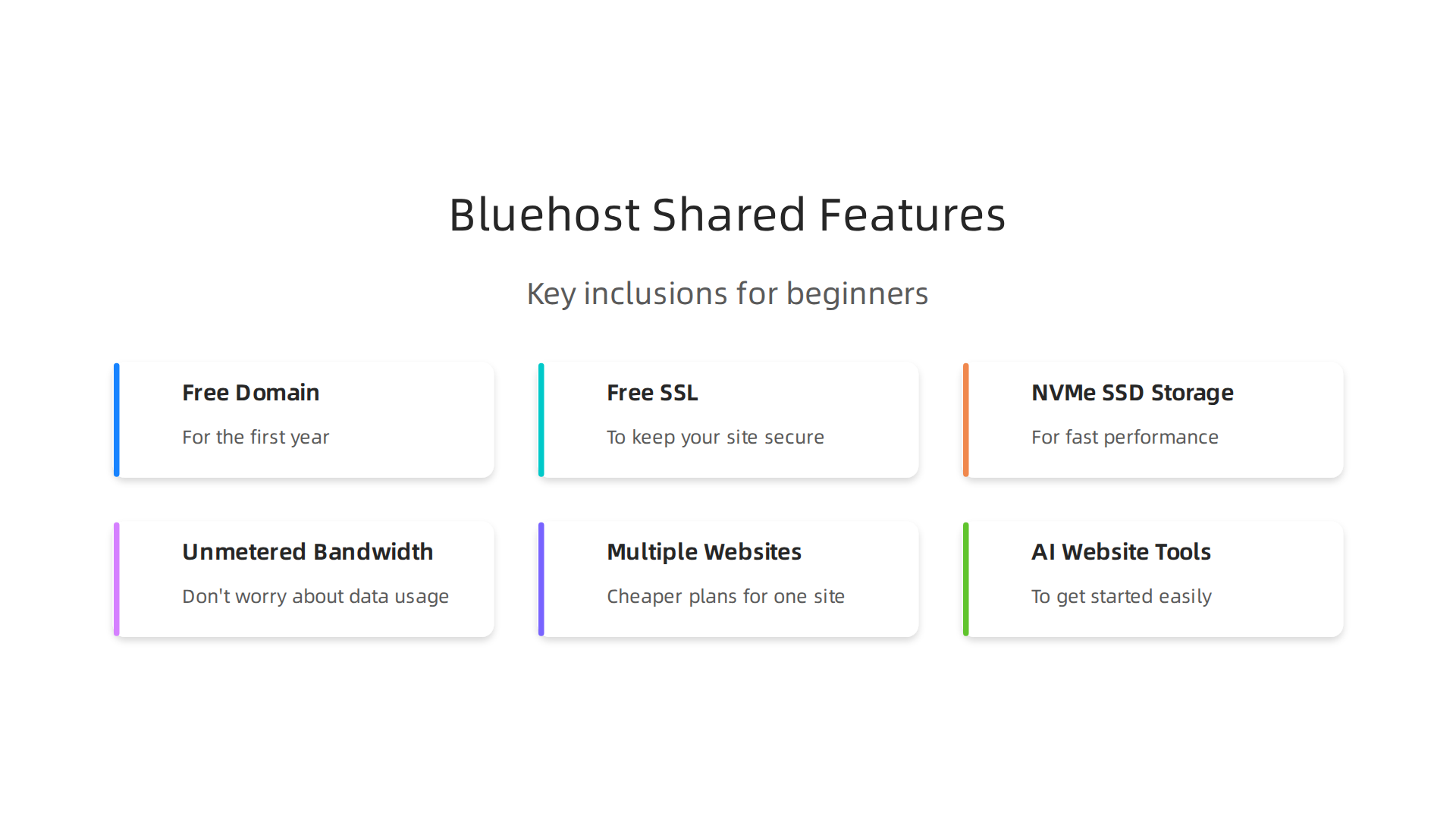
[1]. They also provide fast NVMe SSD storage and unmetered bandwidth, meaning you don’t have to worry too much about how much data your visitors use [2]. You can usually host multiple websites, but the cheapest plans are often for one site [3]. Many plans also include AI website-building tools to help you get started easily [1].
WordPress Hosting
If your website uses WordPress, Bluehost has special plans just for you. These plans are set up to make WordPress run smoothly and securely.
- Who it’s for: Anyone building a website with WordPress, from bloggers to small online stores.
- Key features: These plans include automatic WordPress installation and updates, so you don’t have to do it yourself [4]. They often feature managed WordPress hosting, which means Bluehost takes care of many technical details. You’ll also get weekly backups, a free SSL, and a free domain for the first year on many plans [5]. This makes it easier to focus on your content. To learn more about making your WordPress site fast, consider looking into fastest WordPress hosting.
VPS Hosting (Virtual Private Server)
VPS hosting is a step up from shared hosting. Think of it as having your own condo in the apartment building. You still share the building, but you get more dedicated resources and control over your space.
- Who it’s for: Growing businesses, online stores, or websites that need more power and can’t share resources as much. It’s for those expecting more traffic.
- Key features: VPS plans come with more CPU power, DDR5 RAM, and plenty of NVMe SSD storage for quicker page loads [6]. You get full root access, which means you can change more settings on your server. They also offer unmetered bandwidth and a free cPanel for the first term to help you manage your site [6].
Dedicated Hosting
Dedicated hosting is the most powerful option. This is like having your own entire house, with all resources just for your website.
- Who it’s for: Very large businesses, popular e-commerce sites, or websites with extremely high traffic that need top performance and security.
- Key features: You get a whole server to yourself, offering maximum control, privacy, and performance. Like VPS, these plans often include robust hardware like multi-core AMD EPYC CPUs and NVMe SSDs. They’re designed for serious online presence and give you complete control over your server environment.
Other Important Features
No matter which type of hosting you pick, Bluehost generally includes some helpful features across many of its plans. These often impact the overall bluehost pricing.
- Security: Most plans include a free SSL certificate, which encrypts data between your website and visitors. Many also offer malware scanning and DDoS protection to keep your site safe from attacks [1, 7].
- Backups: Bluehost provides weekly backups with most plans, which is important for keeping your website data safe [8].
- Support: They offer 24/7 customer support to help you if you run into any issues.
- Website Migration: Bluehost also helps with moving your existing website to their platform, often for free with specific plans or services [9, 10]. However, complex migrations like email might not be included for free [11].
Knowing these options and what’s included helps you compare bluehost pricing and choose a plan that truly fits your business needs, helping you avoid unexpected web hosting cost later on. You should always look at the full picture, not just the starting price, especially when thinking about things like wix domain cost or Squarespace domain cost, as these can add up with any provider. If you’re looking for an alternative with enterprise-grade features and competitive pricing, consider exploring Prism Web Host for your business.
Understanding the types of hosting is just the start. Actually, a big part of knowing your total bluehost pricing comes from understanding how they charge. It’s not always as simple as the first price you see.
Bluehost pricing overview: list prices, introductory vs renewal rates, and billing cycles
When you first look at Bluehost, you’ll see some attractive low prices. These are called introductory or promotional rates. They are special deals for new customers who sign up for the first time. For example, a shared hosting plan might start at just a few dollars a month if you sign up for a long term, like 36 months Bluehost Review 2026: Plans, Renewal Costs and Real Speed.
Here’s the thing: these prices don’t last forever. Once your first contract term ends, the cost goes up a lot. This is called the renewal rate. For example, a basic shared plan that starts at $3.99 per month for 36 months might renew at $9.99 per month for the next 36 months. That’s a 150% increase Bluehost Review 2026: Honest Take on Renewal Prices. It’s like a special discount that runs out. This is a common practice in the web hosting world, so it’s important to always check the Bluehost Pricing 2026 Explained: Renewals, Refunds & 78% OFF … to avoid surprises.
Billing Cycles: Monthly, Annual, and Multi-Year
Bluehost offers different ways to pay, known as billing cycles:
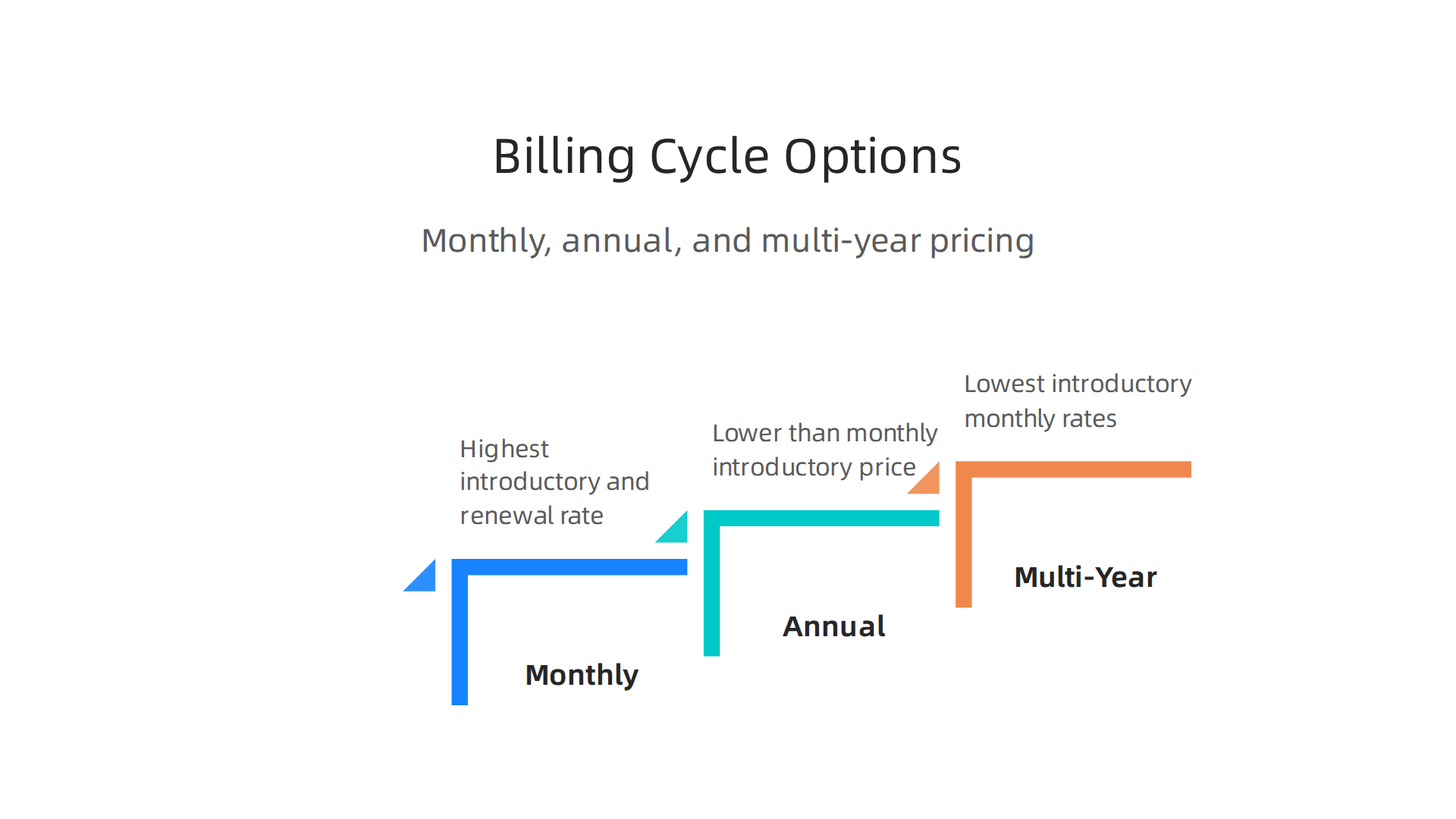
- Monthly: Some plans might offer monthly payments, but these usually have the highest introductory price and renewal rate. It’s less common for the cheapest shared plans.
- Annual (12-month): Paying for one year at a time. The monthly cost is usually lower than paying month-to-month for the introductory price.
- Multi-Year (24 or 36-month): These are where you’ll find the lowest introductory monthly rates. You pay for two or three years upfront. While this locks in a low price for a longer time, it also means you’re committing to the higher renewal rate for that same long period later.
For many users, choosing a 36-month plan gives the best initial bluehost pricing. However, it’s very important to remember what the web hosting cost will be when it’s time to renew. Always look at the total cost over several years, not just the starting price.
Common Fees and Add-ons
Besides the main hosting fee, other costs can affect your total bluehost pricing:
- Domain Registration: Bluehost often gives you a free domain name for the first year. But after that, you’ll need to pay to keep it. This
domain cost per yearwill be added to your bill. If you’re comparing providers, it’s wise to run a domain name renewal price comparison to understand future costs. - Domain Privacy: This service hides your personal information from public records for your domain name. It’s usually an extra charge but helps keep your info private.
- Advanced Backups: While Bluehost provides weekly backups with most plans, you might want more frequent or robust backup options for an extra fee Bluehost Pricing | View the Cost of All Hosting Plans.
- Site Migration: Moving your website from another host to Bluehost might come with a fee depending on your plan and how complex the move is.
Understanding these details helps you calculate the true web hosting cost and compare Bluehost to other providers like HostGator pricing or even the hidden costs with a Squarespace hosting in 2026. To make sure you’re getting the best value and avoiding unexpected bills, it’s smart to truly calculate your true web hosting cost.
Now that you know how Bluehost charges and what extra fees can pop up, the next big step is picking the right plan for what your business needs. It’s like choosing the right size shoes; too small, and it hurts; too big, and you trip. Your bluehost pricing depends a lot on this choice, so let’s look at how to pick the best fit.
Comparing Bluehost plans: which plan fits your business needs?
Bluehost offers different plans, mainly shared hosting, which is popular for many small businesses and blogs. To pick the right one, you should think about a few things: how many people will visit your site, if you plan to sell things online, and how comfortable you are with website tech. Each plan has different features and limits that affect the total web hosting cost.
Let’s break down the main factors:
- Website Traffic: This is about how many visitors you expect. A small personal blog won’t need as much power as a busy online shop. Bluehost’s basic shared plans can handle around 40,000 visits per month, while higher plans can support up to 200,000 monthly visits or more, according to a Bluehost Business Plan 2026 overview. If your site grows past these limits, you might need to upgrade to avoid slow speeds.
- E-commerce Needs: If you plan to sell products or services online, you’ll need special features. This often includes tools for an online store, better security for payments (like free SSL certificates which Bluehost includes with all plans), and more storage. Some plans are made just for online stores using platforms like WooCommerce, offering dedicated support for sales features.
- Technical Skillset: How much do you know about managing a website behind the scenes? Bluehost makes things easy with a simple control panel. If you are new to web hosting, a plan that includes managed WordPress updates and simple setup tools can save you a lot of headaches.
Scenario-Based Recommendations for Bluehost Plans
Let’s look at some common business types and which Bluehost plan might be best for them in 2026:
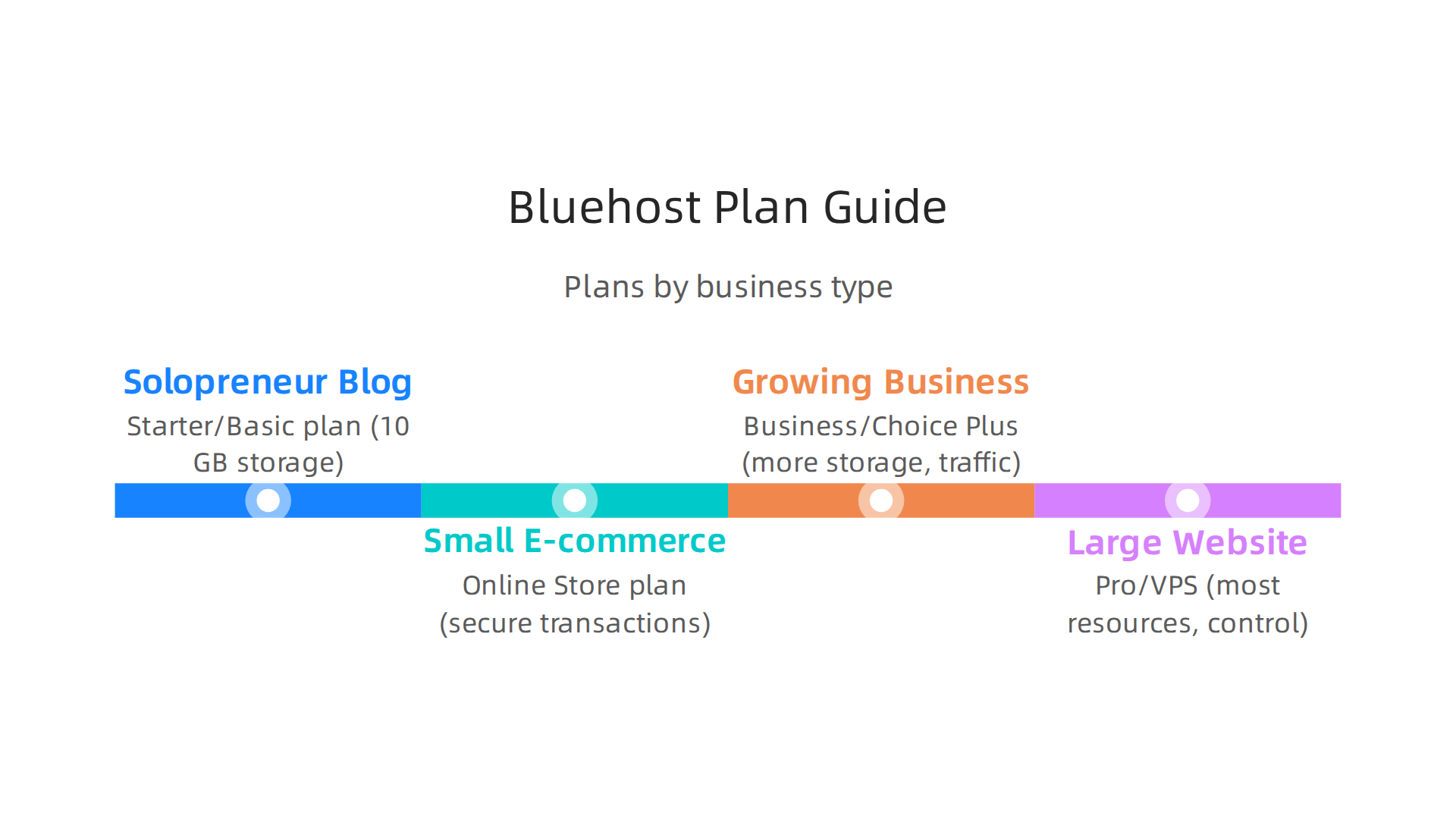
- For the Solopreneur Blog or Personal Website:
If you’re just starting a blog, an online portfolio, or a small personal site, the Starter (sometimes called Basic) plan is usually enough. It gives you 10 GB of storage and supports up to 10 websites, which is plenty for most beginners Which Bluehost Plan is Best in 2026: Best Plan for Beginner?. This is the most affordablebluehost pricingtier to get started. You’ll get a free domain for the first year and a free SSL certificate. - For a Small E-commerce Store:
If you want to sell products online, the Online Store plan (or a similar e-commerce specific plan) is a smart choice. These plans are set up for online shops, offering more storage and tools needed for secure transactions and product listings. They typically come with added security features like malware scanning and a Web Application Firewall, which are very important for protecting customer data and preventing attacks, as noted in a Bluehost Review 2026. - For a Growing Business or Active Blog:
When your website starts getting more visitors and you need more power, the Business plan (or Choice Plus) is a good step up. It offers more storage, allows for more websites, and can handle a higher amount of traffic. This plan often includes advanced features like better daily backups and improved security measures to keep your growing site safe and fast. For example, some plans can include unlimited pages scanned for malware and proactive malware removal. - For a Large, Demanding Website (like a Growing SaaS site):
If your website is very large, gets a lot of traffic, or needs very specific settings, you might look at Bluehost’s Pro plan or even consider Virtual Private Server (VPS) hosting. The Pro plan gives you the most resources in shared hosting, like 100 GB of SSD storage and more processing power. For even more control and power, Bluehost Managed VPS hosting plans offer NVMe SSD storage and strong performance with multi-core CPUs, which is great for very busy sites that need a lot of dedicated resources. You can explore more about Bluehost Web Hosting Plans, Pricing, and Performance Benchmarks to see if these advanced plans fit your needs.
Choosing the right bluehost pricing plan means finding a balance between features, performance, and your budget. Remember to consider not just the introductory price, but also the renewal rates and any extra features you might need. If you’re looking for hosting solutions that prioritize reliability, security, and top-notch performance for your business, consider checking out Prism Web Host’s offerings.
Setup, Migration, and Support: What to Expect and Common Costs
Once you have picked the right Bluehost plan, the next step is often getting your website moved over or set up. This is called migration. It’s important to know what Bluehost offers for help with this, and what kind of support you can expect if things go wrong. These services can affect your overall bluehost pricing and how easy it is to manage your website.
Moving Your Website to Bluehost
Moving your website from an old host to Bluehost can be done in a few ways:
- Free Migration for WordPress Sites: If your website is built on WordPress, Bluehost makes it quite easy. They offer free tools and services to help you move your WordPress site without much trouble. You can often move up to five WordPress sites for free within the first 30 days of signing up, and they aim for zero downtime during the process, meaning your site stays online for visitors WordPress Hosting. Many reviews highlight that Bluehost provides these free migration services for WordPress, which is a big help for people switching providers Expert WordPress Migration Services – Bluehost.
- Paid Migration Services: For websites that are not WordPress, or for more complex setups like moving an entire cPanel account, Bluehost has paid options. For example, a Pro cPanel Migration might cost around $199.00 in 2026 Bluehost Migration: Important Things You Must Know. These services help move all your files and databases safely. However, it’s good to know that email migration is often not included with these services and might need separate steps Migration Services: Website and Email Migration – Bluehost. Also, Bluehost does not offer migration help for some types of hosting like Reseller or Dedicated Server accounts Website Migration Services.
- One Free Migration for Shared Hosting: Even with shared hosting plans, Bluehost usually includes one free migration. This means if you have just one website to move, it can often be done without extra
bluehost pricingsurprises Free Bluehost Migration: 2026 Offer WordPress Websites – WPism.
Understanding these choices helps you budget for the full web hosting cost of moving your site. If you’re looking to move your WordPress site, learn how to do it safely with our guide on how to Migrate WordPress site to new domain safely in 2026.
Support Channels and Uptime Guarantees
Good support is very important, especially if you’re new to website management.

Bluehost offers a few ways to get help:
- 24/7 Support: Bluehost provides help around the clock through live chat and phone support. This means you can get assistance whenever you need it, day or night.
- Knowledge Base: They also have a large online library of articles and guides where you can find answers to common questions and learn how to do things yourself.
When choosing a web host, you also need to think about how often your website will be online. This is called "uptime."
- Uptime Guarantee: Bluehost aims for high uptime, typically offering a 99.9% uptime guarantee. This means your website should be available almost all the time. Good web hosts know that keeping your site online is key, as downtime can cost businesses money Top 10 Web Hosting Tips for Small Businesses and Startups 2026.
High uptime and helpful support are big parts of the value you get for your bluehost pricing. These features help keep your website running smoothly and your business online. It’s smart to calculate your total hosting expenses, so you know exactly what you’re paying for. You can learn more about how to Calculate your true web hosting cost and avoid hidden fees in 2026.
After looking at how to set up your website and what support to expect, it’s also very important to think about how well Bluehost actually performs. Does it deliver good speed and strong security for its bluehost pricing? Let’s check the value you get for your money.
Website Speed and Performance
A fast website keeps your visitors happy and helps with how well your site shows up in search results. Bluehost works to keep websites speedy. They use things like caching, which helps your site load quicker by saving parts of it so they don’t have to be fetched fresh every time someone visits. They also offer a Content Delivery Network (CDN) service, like Cloudflare, which helps deliver your website content to visitors from servers closer to them, making it load faster no matter where they are in the world Bluehost Review 2026: Is It Still Worth It for WordPress? – Rankplot.
When we look at numbers, some tests in 2026 showed that Bluehost had an average page load time of about 812 milliseconds. Other tests found server response times around 312 to 501 milliseconds Bluehost Review 2026: 380ms TTFB, EIG Ownership & the WordPress ‘Recommended’ Label Explained. These speeds are okay for many small websites, but performance can vary. If you need a super-fast site, especially for WordPress, you might want to consider specific hosting optimized for speed. You can learn more about how to find the fastest WordPress hosting in 2026 to boost sales SEO.
Uptime and Reliability: Keeping Your Site Online
Just as we mentioned, uptime is how often your website is working and available to people. Bluehost usually promises a 99.9% uptime. Some reports even say they aim for 99.99% uptime on shared hosting plans Bluehost Review 2026: Is Bluehost Still Worth It for Websites Today?. This means your site should almost always be online. Independent checks in 2026 often show Bluehost reaching 99.96% to 99.98% uptime, which is very good and means very little downtime for your site Bluehost Review 2026: Features, Pricing + More. For many businesses, this level of reliability is crucial to avoid losing customers or sales due to an inaccessible website.
Strong Security Features for Your Website
Website security is a big deal in 2026, and Bluehost includes several features to protect your site from online threats. These are often part of your bluehost pricing, though some advanced options might cost extra.
- Free SSL Certificates: All Bluehost plans come with free SSL (Secure Sockets Layer) certificates. This makes your website address start with "https" and shows a padlock icon, telling visitors your site is safe for sharing information. This is very important for trust and search engine rankings.
- Malware Protection: Bluehost provides tools to scan for and remove malware, which are harmful software that can attack your site. Basic plans usually include scanning, but more advanced plans like Choice Plus or Pro often come with daily scanning and automatic malware removal Bluehost Malware Protection and WAF Review (2025). You can find more details on their specialized AI-Powered Website Security solutions.
- DDoS Protection: Distributed Denial of Service (DDoS) attacks try to flood your website with too much traffic to take it down. Bluehost plans often include protection against these attacks, sometimes through services like Cloudflare Related Articles.
- Backups: Regular backups are key. Bluehost includes weekly backups with many plans, and higher-tier plans (like Business+ plans) may offer automated backups to help you restore your site if something goes wrong Bluehost Review 2026: Is It Still Worth It for WordPress? – Rankplot.
Understanding these performance and security features helps you decide if Bluehost’s offerings match your web hosting cost expectations. If you’re looking for hosting with similar enterprise-grade security and strong performance, consider exploring what Prism Web Host offers for Web Hosting Plans & Services. It’s always a good idea to compare different providers to ensure you’re getting the best value.
When you first pick a web host, the starting price often looks really good. But it’s super important to look at the full bluehost pricing over time, especially how it changes after your first billing period. Many people get surprised by how much more they pay later.
Understanding Renewal Costs
Bluehost often offers very low starting prices for new customers, especially if you sign up for a long time, like 36 months. For example, a Starter plan might begin at around $3.99 per month. However, once that first period ends, the price jumps a lot. This is called the renewal price.
Some reports in 2026 show that a Starter plan that began at $3.99 per month could renew at $9.99 per month for a 36-month term Bluehost Pricing 2026: Breakdown of Hosting Costs & Fees. Another popular plan, the Basic shared hosting plan, might go from $3.99 per month to $11.99 per month upon renewal Bluehost Renewal Jump & True Yearly Cost 2026. These increases can be as high as 100% to 150%, meaning you pay much more for the same service than when you first signed up Bluehost Review 2026: Honest Take on Renewal Prices.
It’s always a good idea to check the "Bluehost Hosting Renewal Price List" to know what to expect Bluehost Hosting Renewal Price List. This big jump in web hosting cost is something many providers do, not just Bluehost. You need to plan for these higher prices in your budget. If you want to learn more about how hosting costs change, you can calculate your true web hosting cost and avoid surprises.
When Your Site Needs More: Scaling Up
As your website grows, it might need more power than what a basic shared hosting plan offers. This is called scaling. Bluehost, like other hosts, has different types of hosting for growing needs:
- VPS Hosting: If your website starts getting a lot more visitors, you might need a Virtual Private Server (VPS). This is like having a part of a server all to yourself, which gives you more control and better performance than shared hosting. Bluehost’s VPS pricing will be higher than shared plans. If you are looking for more affordable yet powerful options, check out cheap VPS hosting in 2026.
- Dedicated Hosting: For very large websites with tons of traffic, you might need a whole server just for your site. This is called dedicated hosting and it’s the most expensive option, but it gives you the most power and control. You can compare options for best dedicated hosting providers 2026.
Moving to a bigger plan means a higher bluehost pricing. It’s an important step for a growing business, but it’s crucial to know the full financial impact.
Other Add-ons and Potential Hidden Costs
Besides renewal prices and scaling up, other things can add to your total web hosting cost:
- Advanced Backups: While Bluehost offers some backups, you might want more frequent or detailed backup services. These can be an extra cost.
- Site Migrations: If you need help moving your website from another host to Bluehost, or vice versa, there might be a fee for that service.
- Premium Support: Basic customer support is usually free, but some hosts offer faster or more specialized support for an extra charge.
- Domain Renewal: Don’t forget the cost of your domain name itself. Providers like Bluehost, or even others like Wix, have renewal costs for domain names that can also increase over time. For example, you can learn about Wix domain cost to see how domain renewals vary.
- Extra Licenses: If you use special software or themes that require licenses, these are usually not part of your basic hosting and add to your overall spending.
It’s wise to consider all these factors when looking at bluehost pricing or any web hosting cost. For a clear overview of Bluehost’s offerings, including their plans and how they perform, you can check out their Bluehost web hosting plans pricing and performance benchmarks. Knowing these potential expenses helps you manage your budget better and avoid surprises. If you are exploring various web hosting services and their features, you might want to visit Prism Web Host — Web Hosting Plans & Services to see if their solutions align with your long-term needs and financial expectations.
While Bluehost is a popular choice, it’s smart to know when another web host might be a better fit for your website. This is especially true as your business grows or if you have special needs. Looking at other options can help you control your overall web hosting cost and ensure your site performs its best.
When to think about other options
Sometimes, Bluehost or similar general hosting providers might not be the perfect match. Here’s when you should explore alternatives:
- You need top-tier performance: If your website needs to be super fast or handle many visitors at once, you might need a different kind of host. While Bluehost guarantees good uptime, like 99.9% of the time your site is online, some tests in 2026 showed that its loading speed, measured by TTFB (Time To First Byte), could be around 312 milliseconds. This might not meet the highest speed needs for very busy websites or those focused on Google’s Core Web Vitals for best search ranking Bluehost Review 2026: 380ms TTFB, EIG Ownership & the WordPress ‘Recommended’ Label Explained.
- You have special security rules: Bluehost provides good basic security features, like free SSL certificates and ways to fight against online attacks. But if your business has very strict security needs, such as managing sensitive customer information or following certain industry rules, you might need a host that offers more specialized security tools and support beyond what’s usually included What Does Bluehost Include for Website Security in 2025?.
- You’re tired of renewal surprises: As we talked about,
bluehost pricingcan go up quite a bit when it’s time to renew. If you want more clear and steadyweb hosting costwithout big price jumps, you might look for hosts that are more open about their long-term prices from the start.
Other types of hosts to consider
If Bluehost isn’t quite right for your current or future needs, there are many other kinds of hosting services:
- Managed WordPress Hosting: If your website runs on WordPress, a managed WordPress host handles all the complex parts for you. This means they take care of updates, backups, and security specifically for WordPress. These hosts can make your WordPress site faster and more secure, but they often come with a higher
web hosting costthan basic shared plans. - Cloud Hosting: This is a very flexible type of hosting. It uses many servers working together, so your website can easily handle sudden increases in visitors without slowing down. Cloud hosting is great for large, fast-growing websites, but it can be more complex to set up and manage, and its pricing might change based on how much you use it.
- Other Shared Hosts or Website Builders: If you’re looking for different pricing, other shared hosting companies like HostGator offer similar basic plans. You might also think about website builders like Squarespace, where your hosting and your
squarespace domain costare often part of one simple package. Just remember to compare the fullweb hosting cost, especially renewal prices, for any service you consider. To learn more about comparing hosts, you can check out how to choose your ideal host with trustworthy web hosting reviews.
Making the right choice for your hosting depends on your website’s specific needs, your budget, and how much technical help you want. It’s always a good idea to research and compare to avoid unexpected web hosting cost down the line. To avoid hidden fees, you can master your web hosting cost in 2026.
Summary
This guide explains Bluehost pricing in plain terms so you can pick a plan without nasty surprises. It covers the main hosting types—shared, WordPress, VPS, and dedicated—what each includes, and which businesses they suit. You’ll learn how introductory promotional rates differ from renewal prices, how billing cycles affect the per‑month cost, and which add‑ons (domains, privacy, backups, migrations) raise the bill. The article also explains migration options, support and uptime guarantees, real performance expectations, and basic security features included with plans. Practical scenarios show which Bluehost plan fits a blog, small store, growing business, or high‑traffic site. Finally, it gives rules of thumb for when to scale up and how to compare Bluehost to alternatives so you can budget and avoid unexpected hosting costs.
