




Cheapest Domain Hosting in 2026 Avoid Price Traps and Get Real Value
Article
Introduction
Looking for the cheapest domain hosting in 2026? It sounds like a simple question. But the answer is trickier than you might think.
Many web hosts lure you in with rock-bottom prices. You see a plan for $1.99 per month and think, "That’s perfect for my budget." But here’s the catch.

That low price often only lasts for the first year. When it’s time to renew, the cost can jump to $10 per month or more. According to the web hosting statistics for 2026, those cheap intro plans often miss important features like speed tools, security plugins, and backups.
You end up spending extra money just to get a site that works well.
Whether you’re a student searching for web hosting for students on a tight budget or a small business owner trying to keep costs low, this trap catches everyone. To figure out what you’ll actually pay, check out our guide to calculate your true web hosting cost and avoid hidden fees.
The good news is you can find affordable hosting that still delivers on performance, security, and support. Many plans even include a free website domain for the first year.
In this guide, we will show you how to spot the real deals. We’ll talk about what to look for beyond the price tag. You’ll learn how to compare plans, understand renewal rates, and choose a host that fits your needs without hidden surprises.
We’ll cover specific recommendations later. But first, let’s dive into the key factors that make cheap hosting actually worth your money. Understanding these will save you time and frustration down the road.
Understanding the True Cost of Cheap Domain Hosting
Let’s look deeper at what happens when you sign up for that $1.99 deal. The sticker shock usually comes a year later.
Most cheap hosting plans work on a simple strategy. They offer a very low introductory price to get you in the door. Then, when it’s time to renew, the rate triples or even quadruples. For example, a plan that starts at $1.99 per month might jump to $9.95 or more upon renewal. According to a detailed comparison of web hosting prices in 2026, many popular providers have renewal rates that are four to five times higher than the intro price. Bluehost, for instance, renews at about $9.99, which is five times the introductory $1.99 rate.
When you’re comparing cheapest domain hosting options, never look only at the first year’s price. Always check the renewal price. Some hosts hide this in the fine print. Others don’t show it until checkout. But it makes a huge difference over time.
The Add-On Trap
Here’s another hidden cost that catches many people. Cheap plans often strip out essential features. You might need to pay extra for:
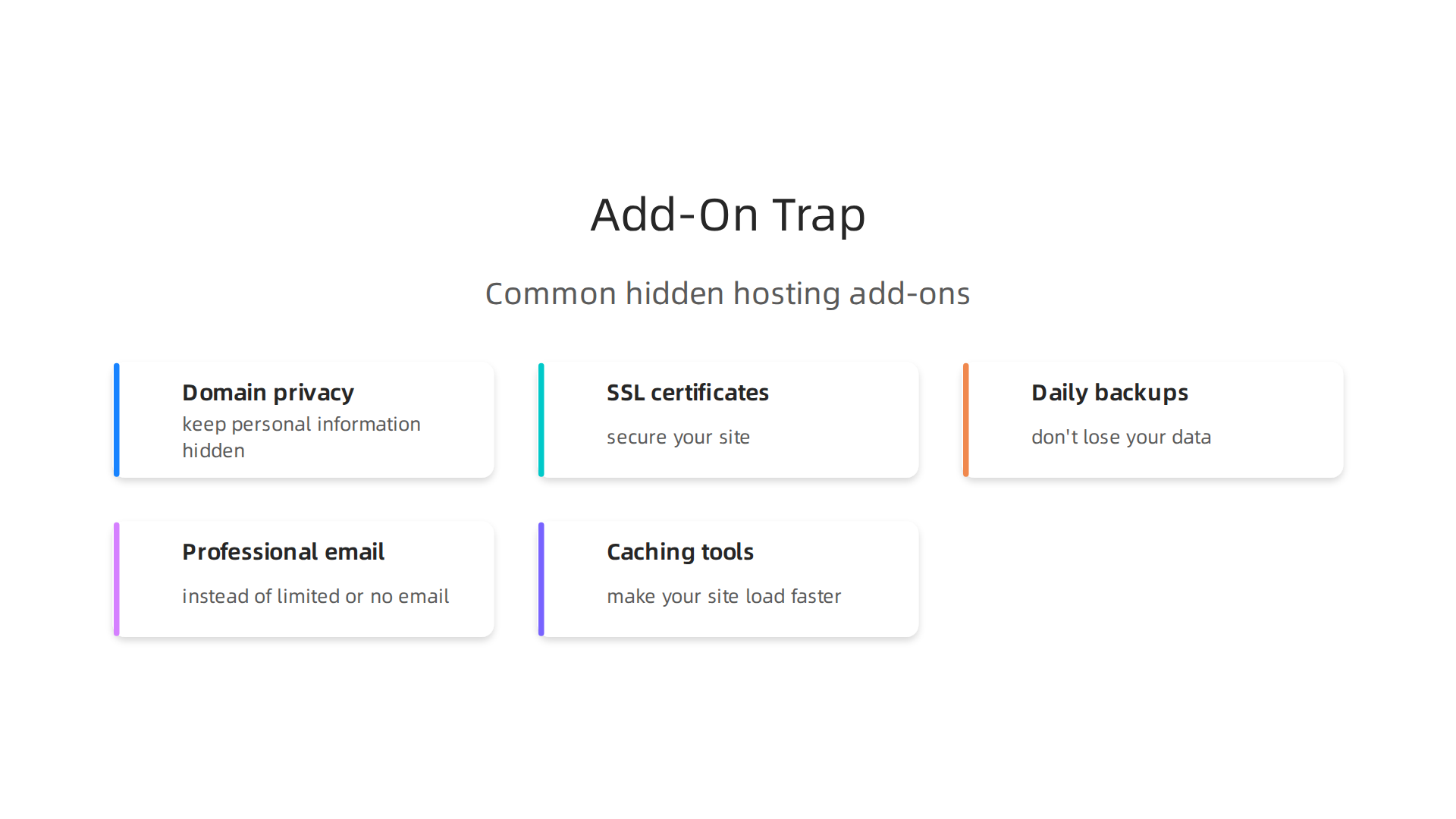
- Domain privacy protection to keep your personal information hidden
- SSL certificates to secure your site (though many now include basic SSL for free)
- Daily backups so you don’t lose your data if something goes wrong
- Professional email accounts instead of limited or no email
- Caching tools to make your site load faster
These small add-ons can add up fast. A hosting plan that looks cheap quickly becomes expensive once you add everything you actually need. As highlighted in the PCMag analysis of cheap web hosting services for 2026, a truly affordable host should be judged by its regular annual pricing, not just the first-year deal.
The Performance Trade-Off
There is another cost that is harder to measure. Your time.
When you pick the very cheapest option, you often get overcrowded servers. Your website loads slowly. It might go down during traffic spikes. You spend hours on support chat trying to fix problems.
Think about what your time is worth. If you spend even two hours troubleshooting hosting issues, that time has a real dollar value. A slightly more expensive plan that just works might actually save you money in the long run.
The goal is not to find the absolute lowest price. It is to find hosting that balances cost with performance and reliability. Before committing, check out our guide on web hosting cost in 2026 to compare pricing models and spot hidden fees before you sign up.
If you want a hosting partner that keeps things transparent from day one, explore what Prism Web Host offers. With clear pricing, solid performance, and features like free SSL and daily backups included, it is designed to give you real value without surprises.
Remember, the cheapest price on paper is rarely the cheapest price in reality. Understanding these hidden costs now will save you headaches and money later.
Key Features to Compare in Cheap Domain Hosting Plans
When you shop for the cheapest domain hosting, it is easy to stare only at the dollar amount. But that low price means nothing if the plan cannot support your website.

You need to look at what you actually get for your money. Here are the features that separate a good deal from a bad one.
Storage, Bandwidth, and Account Limits
Start with the basics. How much disk space do you get? This is where your website files, images, and emails live. Many cheap plans advertise unlimited storage, but read the fine print closely. Some cap the number of files you can store (inode limits) or throttle your speed after a certain point. As shown in the InMotion Hosting shared hosting plans 2026, even budget plans now offer NVMe SSD storage, which is much faster than older hard drives.
Look for at least 50 GB of SSD space for a small website.
Bandwidth matters too. Most budget hosts offer unmetered bandwidth, which sounds great. But if your site gets a sudden spike in traffic, some hosts will restrict your resources or ask you to upgrade. Check if there are soft limits hidden in the terms of service.
Also check how many websites, databases, and email accounts you can create. For example, a plan that supports only two websites may force you to buy a second hosting account later. A plan with unlimited hosted domains gives you more room to grow. If you are a student managing multiple projects, this flexibility is key.
Security Features You Cannot Skip
Security is not a luxury. It is a necessity. Even on a budget plan, you need:
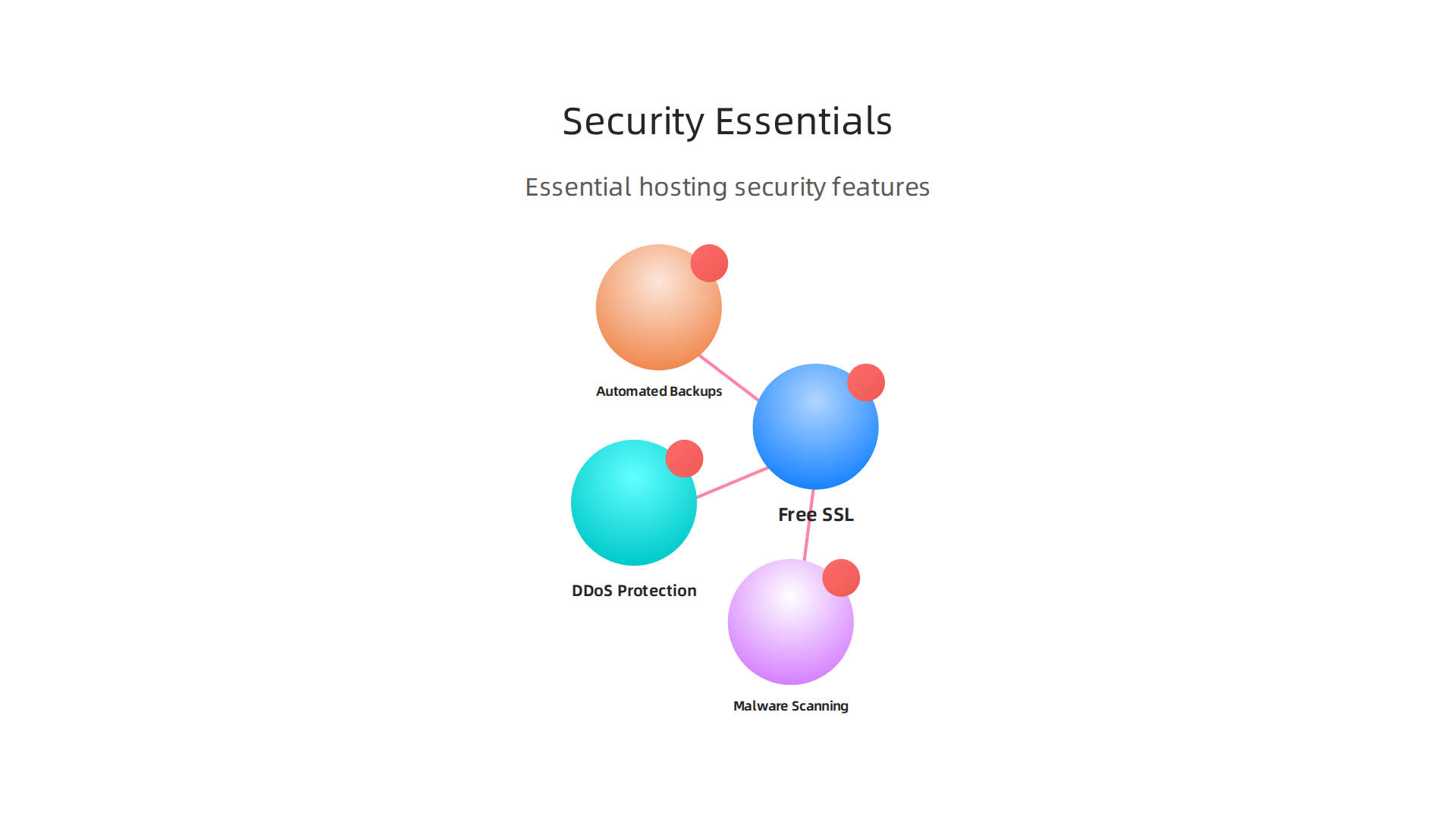
- Free SSL certificate – encrypts data between your site and visitors. Most hosts include it now, but double check.
- DDoS protection – keeps your site online during an attack. The Namecheap shared hosting security features include basic DDoS protection and a free CDN to help absorb traffic.
- Automated backups – daily or weekly backups so you can restore your site if something breaks. Some cheap plans make backups a paid add-on.
- Malware scanning – tools that detect and remove malicious code. Without this, a small vulnerability can take down your entire site.
Do not assume these are included. Read the feature list carefully. A plan that lacks basic security will cost you more in the long run when you have to hire someone to clean up an infection.
Customer Support Quality
Here is another area where cheap plans often cut corners. You might only get email support or a basic knowledge base. But when your site goes down at 2 AM, you need help fast. Look for hosts with 24/7 live chat or phone support. The PCMag best shared web hosting services 2026 highlight that the top budget hosts offer near instant responses and helpful agents. Also check if they have a thorough self-help library with tutorials and guides. Good support saves you hours of frustration.
Quick rule: test the support team before you buy. Send a pre-sales question and see how fast and helpful the reply is. That experience tells you a lot about how they will treat you after you are a customer.
If you want to see how different features stack up across real providers, read our data backed guide to choosing a reliable web host. It breaks down exactly what to compare so you can pick the cheapest domain hosting that still delivers on performance and security.
Top 5 Cheapest Domain Hosting Providers in 2026
You have a lot of options when you look for the cheapest domain hosting. The key is to find a provider that offers low introductory pricing without hiding big renewal jumps or missing essential features. After reviewing the market in 2026, here are five budget-friendly hosts that stand out.
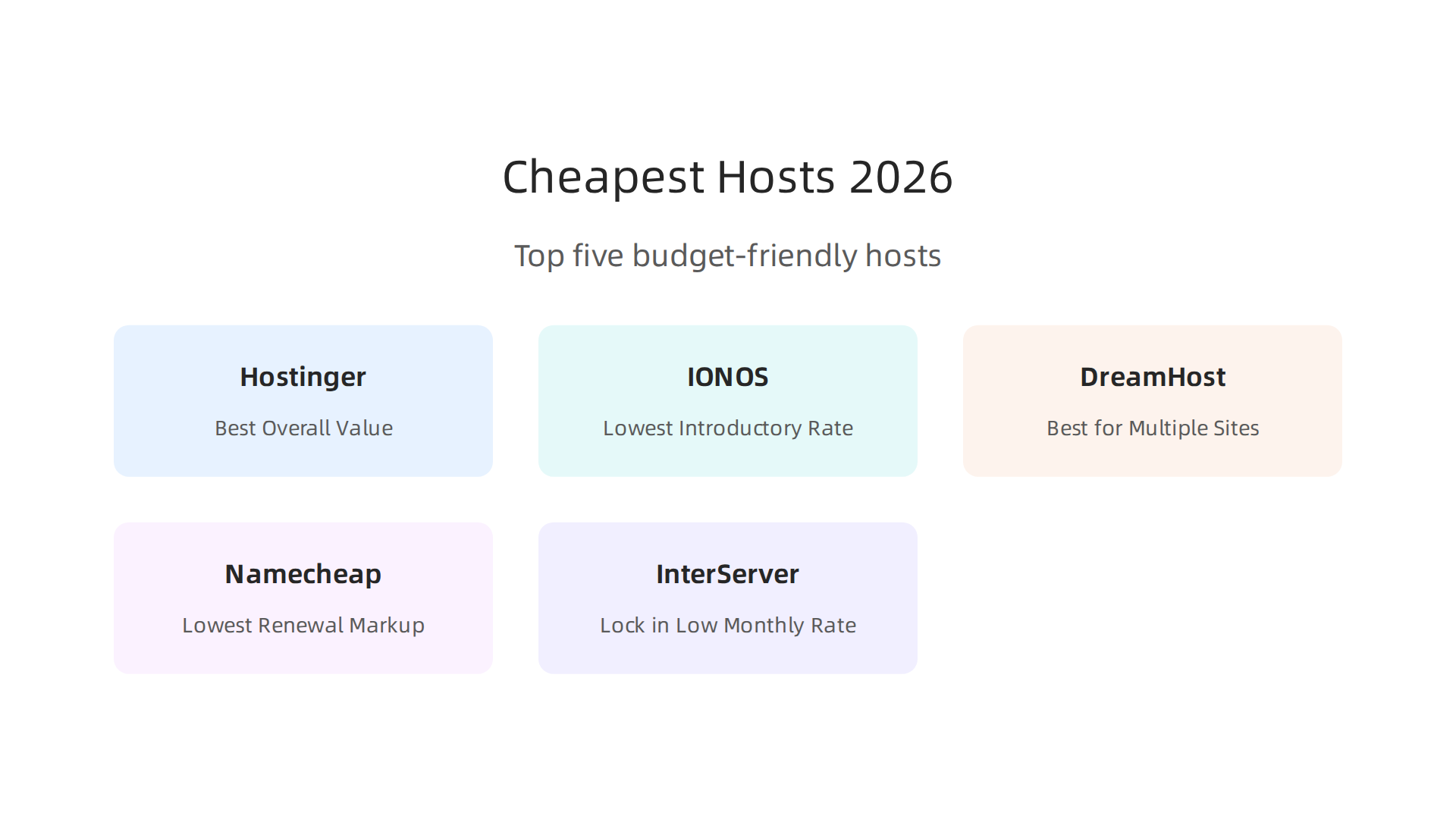
Each one has a low starting price, but you need to watch the renewal rates.
1. Hostinger – Best Overall Value
Hostinger consistently ranks as the top cheap web host in 2026. Its single web hosting plan starts at just $1.99 per month when you commit to a four year term. That gives you one website, 50 GB of NVMe storage, 100 GB of bandwidth, and weekly backups. The Premium plan is $2.99 per month and includes a free domain, unlimited bandwidth, and more websites. According to the best cheap web hosting of 2026 review, Hostinger earns a 4.8 rating for its balance of price and performance. But be careful. After the intro period, renewal prices jump. The basic plan renews at around $7.99 per month, and the business plan goes much higher. Lock in the best rate for the longest term you can afford.
2. IONOS – Lowest Introductory Rate
IONOS offers the cheapest first year you will find. Its Business plan is only $1 per month for the entire first year. That includes 10 websites, unlimited storage, a free domain, free SSL, and daily backups. The best web hosting services 2026 expert tested and ranked report calls IONOS the best cheap web host introductory rate. The catch? After year one, the Business plan renews at $10 per month. That is 10 times higher. IONOS also charges higher renewal fees on its higher tier plans. If you only need hosting for a short term project, this deal works great. For a long term site, factor in the steep renewal cost.
3. DreamHost – Best for Multiple Sites
DreamHost is ideal if you want to host several websites for a low price. Its Web Hosting Launch plan costs $2.89 per month and supports up to 25 websites. That works out to just $0.11 per site. You get free SSL, unlimited traffic, a free domain for the first year, and a strong uptime guarantee. The best web hosting 2026 20 tested 5 recommended review gives DreamHost a 4.6 rating for value and features. But the renewal price jumps to $10.99 per month. Even at that rate, hosting 25 sites for $10.99 is still cheap per site. Just plan for the renewal before you sign up.
4. Namecheap – Lowest Renewal Markup
Namecheap is the only host in this list that keeps its renewal prices reasonable. The Stellar shared hosting plan starts at $1.98 per month for the first year. After that, it renews at $4.88 per month. That is a markup of only 2.5 times, much lower than most competitors. According to the web hosting reviews from Namecheap, the Stellar plan includes free website builder, free SSL, auto backups, and a free domain for the first year.
Performance is solid for small to medium sites. If you want predictability in your hosting budget, Namecheap is your best bet.
5. InterServer – Lock in Low Monthly Rate
InterServer stands out because its low price is not just for the first year. The basic shared plan starts at $2.50 per month, and you can lock in that rate for 6, 12, or 24 months. That means no surprise renewal spike for two years. The plan includes unlimited storage, bandwidth, email, and free SSL. The best web hosting services 2026 expert tested and ranked report notes that InterServer has one of the lowest monthly rates on the market. However, you do not get a free domain, and WHOIS privacy costs extra. Factor in about $12 per year for the domain and privacy, and the total still stays very competitive.
The Bottom Line on Introductory Prices
Every provider on this list offers a tempting cheap first year. But never sign up without checking the renewal price and contract term. Lock in the longest term you can to keep the low rate. For a deeper look at how each host performs in real world tests, read our data backed guide to choosing a reliable web host. It covers speed, uptime, and security so you can pick the cheapest domain hosting that still meets your needs.
Security Considerations for Budget Hosting
You found a deal for $1 per month hosting. Great price, right? But before you sign up, think about this: cheap shared servers are also a magnet for hackers. When your site lives on a server with hundreds of other websites, one weak neighbor can put you at risk. The good news is you do not need to spend a fortune to stay safe. You just need to know what to look for.

The Real Risks of Cheap Shared Hosting
Shared hosting puts your website on a single server with many other users. Everyone shares the same CPU, memory, and bandwidth. That keeps costs low, but it also creates security challenges. If one site on that server gets infected with malware, the infection can spread to others through shared files or databases. This is called cross site contamination. According to a breakdown of shared hosting security risks, outdated server software is a top threat because hackers look for old versions of PHP or MySQL to break in.
Budget hosts are also prime targets for DDoS attacks. A bad actor floods the server with traffic, and because your site shares that server, your visitors cannot get through either. Even if you have a tiny site, you still feel the impact.
Must Have Security Features That Often Come Free
You do not need to pay extra for basic protection. Every reliable budget host should include these features at no additional charge:
- Free SSL certificate – This encrypts data between your site and visitors. Look for it in any plan, including the cheapest domain hosting deals.
- Server level firewall – Blocks malicious traffic before it reaches your site.
- DDoS protection – The provider should absorb attack traffic so your site stays online.
- Automatic backups – At least weekly backups so you can restore your site if something goes wrong.
Check the plan details before you buy. If a host charges extra for SSL or backups, that cheap monthly rate is less of a bargain. You can also read our guide on how to stay compliant with secure web hosting practices for a deeper look at what regulations expect from your host.
How to Size Up a Provider’s Security Without Paying More
You do not have to be a tech expert. Here are three quick checks:
- Ask about account isolation – The host should use tools like CloudLinux or cageFS to separate each account. That way, if one site gets hacked, yours stays safe.
- Look for automatic patching – The provider should update server software (cPanel, Apache, PHP) as soon as security fixes come out. Ask support directly.
- Check the uptime guarantee – A host that promises 99.9% or higher is usually more serious about security because they monitor their servers closely.
Remember: the cheapest domain hosting can work fine, but only if your host takes security seriously. Spend extra time reading the fine print. Look for the features listed above. In the long run, a few minutes of research can save you from a hacked site, lost data, or a damaged reputation.
Performance and Uptime: What to Expect from Cheap Hosting
You did the security check, and now you are probably thinking about speed. Will your site be slow because you chose the cheapest domain hosting? The short answer is: not necessarily. Many budget providers actually offer solid performance. But you need to understand what "uptime" and "speed" really mean on a shared server.
Uptime Guarantees vs. Real World Performance
Most cheap hosts advertise a 99.9% uptime guarantee. That sounds great, but let’s break it down. A 99.9% guarantee still allows about 43 minutes of downtime per month. For a personal blog or a small business that does not process orders at 3 AM, that might be fine. For an online store? That could cost you real sales.
The trick is that actual uptime often differs from the guarantee. Some budget hosts beat their own SLA. For example, 2026 benchmarks show that several shared hosting providers maintained 99.99% uptime or higher during testing, while others struggled to hit even 99.9%. When you compare web hosting cost and promises, always look for independent test data. A quick search for actual uptime records can save you big headaches later.
How Resource Sharing Affects Your Site Speed
Shared hosting spreads resources across many websites. When one site on your server gets a traffic spike, your site can slow down because it has to compete for CPU and RAM. That is the biggest downside of budget shared hosting.
But here is the good news: modern cheap hosting providers have caught up. Many now use LiteSpeed web servers and NVMe SSD storage instead of old Apache and SATA drives. These technologies speed up loading times dramatically. According to a 2026 affordable web hosting analysis, LiteSpeed shared hosting can hit a time to first byte (TTFB) under 200 milliseconds, matching some VPS plans. That means your visitors will not wait around, even on a budget plan.
To minimize slowdowns, choose a host that uses account isolation tools like CloudLinux or cageFS. These tools limit how much CPU and RAM any single account can use. Your site stays faster even when your server neighbors are busy.
Does Paying More Always Mean a Faster Site?
Not always. Some premium hosts charge $20+ per month but deliver similar speed to a well optimized budget host. The main difference usually comes down to consistency and support. Premium hosts tend to handle traffic spikes better and respond faster when something breaks.
For most beginners, web hosting for students or small personal sites, the cheapest domain hosting from a reputable provider is more than enough. You can get a free website domain in the first year and still enjoy load times under one second. The key is to pick a host that invests in modern infrastructure, not just a low price.
If you are still unsure about what to look for, check out our guide on how to calculate your true web hosting cost and avoid hidden fees. That article walks you through the real price of performance, including renewal rates and upgrade costs.
To wrap up: yes, you can get fast and reliable performance from cheap hosting. Just read the fine print, check independent benchmarks, and prioritize hosts with LiteSpeed and NVMe. Your wallet and your visitors will thank you.
How to Scale Your Hosting as Your Business Grows
You started with the cheapest domain hosting, and it worked great. Your site loaded fast, your visitors grew slowly, and you kept costs low. But one day, your admin panel feels sluggish. Or a small traffic spike takes your site down. That is the first sign: you have outgrown your shared plan.
Signs You Need to Move Up
Pay attention to these clues:
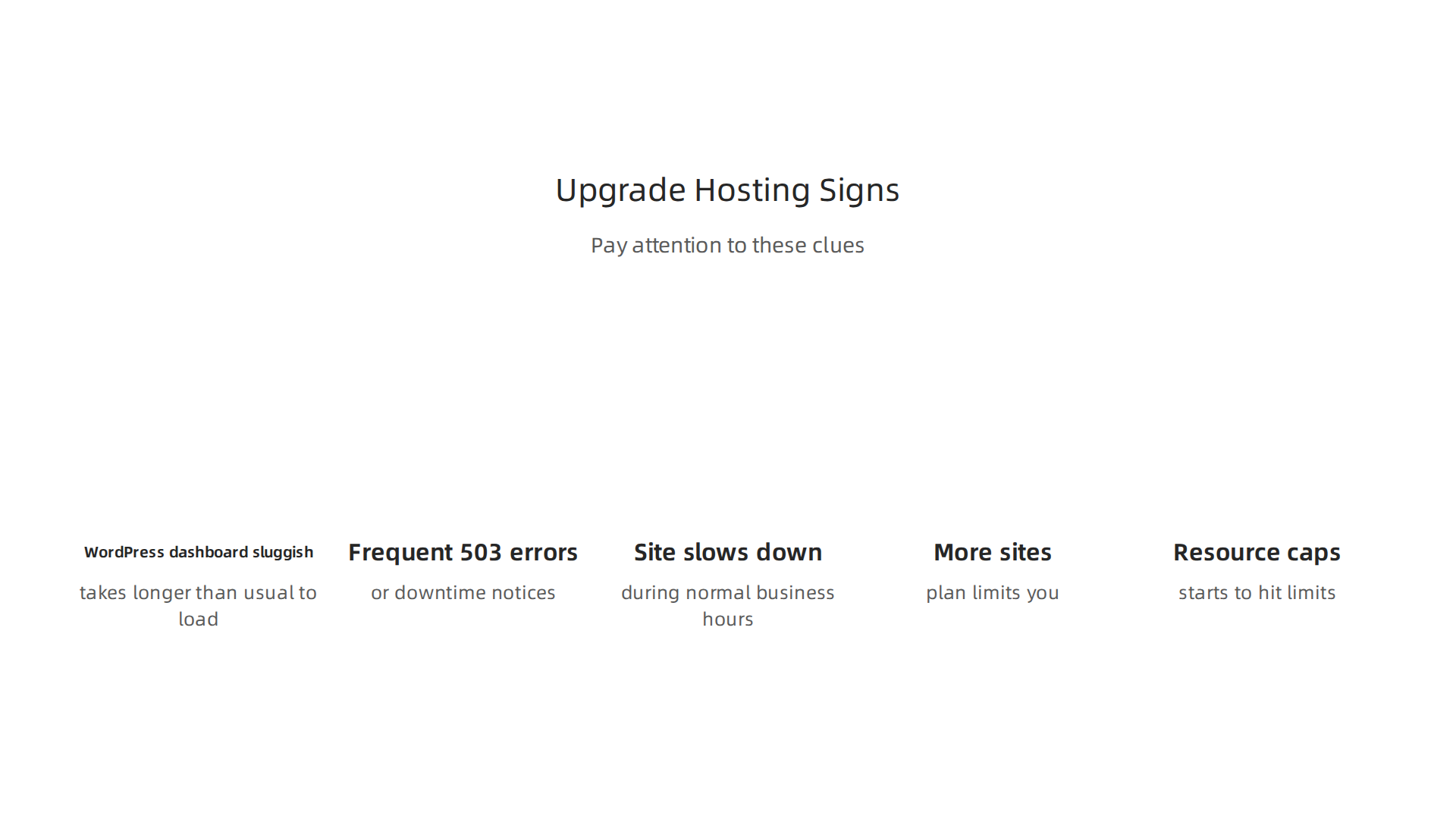
- Your WordPress dashboard or cPanel takes longer than usual to load.
- You see frequent 503 errors or downtime notices.
- Your site slows down during normal business hours.
- You need more than one website but your plan limits you.
- Your email or database starts to hit resource caps.
If any of these sound familiar, your web hosting cost becomes less about saving money and more about keeping your business running. At this point, a cheap shared plan can actually cost you sales.
According to 2026 performance data, shared hosting remains a good option for sites with fewer than 500,000 monthly visitors. Once you pass that number, or if you run resource heavy applications, it is time to upgrade.
Upgrade Paths That Protect Your Investment
The good news is you do not have to throw away everything you built. Most good cheap hosting providers offer simple upgrade paths. You can move from shared to VPS or cloud hosting without starting from scratch.
Your first step could be a VPS plan. VPS gives you dedicated resources without the high price of a dedicated server. Many hosts offer VPS upgrades for just a few dollars more per month. For example, some providers let you move from a $3 shared plan to a $6 VPS plan seamlessly.
If you need even more power, cloud hosting might be the answer. Cloud plans scale automatically as your traffic grows. You pay only for what you use. This makes them great for businesses with seasonal spikes.
To prepare for growth, choose a host that offers free or low cost migration when you upgrade. That way you never lose your initial investment. Also look for hosts that use cPanel, because migrating between cPanel servers is usually fast and simple.
If you are already thinking about serious growth, check out our best dedicated hosting providers comparison to see what top tier options look like.
Plan for Scalability from Day One
Even when you buy the cheapest domain hosting, you should think about tomorrow.

Ask these questions before you sign up:
- Can I upgrade to VPS or cloud without switching companies?
- Does the host offer free site migration?
- Are my files and databases easy to export?
- Will my current plan’s renewal price jump when I upgrade?
A host that makes scaling easy saves you time and money later. Avoid hosts that lock you into long contracts without an upgrade path.
For students or beginners, the cheapest domain hosting is perfect to start. Just remember that as your business grows, your hosting needs will too. By planning ahead, you can upgrade smoothly and keep your site fast no matter how big you get.
Summary
This article helps you find genuinely cheap domain hosting in 2026 by looking beyond the headline price. It explains the common bait-and-switch of low introductory rates that spike at renewal and the add-on costs—like privacy, backups, and caching—that turn a bargain into a burden. You’ll learn which features matter (storage, bandwidth, security, and support), how performance and uptime are affected on shared servers, and practical checks to test a host before you buy. The guide also compares five budget-friendly providers, shows how to size up security on a tight budget, and explains when to upgrade as traffic grows. Read it to calculate real lifetime costs, avoid hidden fees, and pick a cheap host that still delivers reliability and safety.
