




Hostinger Cheap Web Hosting The Honest Cost and Value in 2026
Article
Why ‘cheap’ hosting deserves a careful look (and what this guide promises)
Many small business owners and entrepreneurs in 2026 want to save money. Finding affordable web hosting is often a top goal. When you look around, you might quickly see the name Hostinger pop up, known for its seemingly low prices.
It sounds great to find "hostinger cheap web hosting," right?
Actually, here’s the thing: "cheap" can sometimes hide bigger costs or problems down the road. A very low starting price might mean slower website speed, less protection from online threats, or not enough help when you need it. These things can cost your business more in the long run. It is important to look at the full picture of your web hosting cost in 2026, not just the first small price tag.
This guide is here to help you truly understand the value. We will look closely at Hostinger’s budget options in 2026. We will dive into the real Hostinger pricing. This includes the very low starting price you see and what you actually pay when you renew your plan. For example, some Hostinger plans begin as low as $1.99 or $2.99 per month for a long initial period, but they can renew for much more, like $10.99 or $16.99 per month after that special offer ends, according to pricing guides from 2026 Hostinger Pricing 2026: Premium ($1.99→$10.99), Business, and the Cloud Startup Jump. For more on these changes, you can check out Hostinger cost what you actually pay after the promo period ends.
We’ll help you understand if Hostinger truly gives good value for your money. You will learn if it is the right choice for your business website or your needs for cheapest domain hosting in 2026. We will also look at important parts like the Hostinger domain registration cost and how that adds to your overall web hosting cost. Our goal is to give you clear facts so you can make a smart choice for your business in 2026. For those looking for robust, secure, and high-performance options, consider Prism Web Host as a benchmark for what good hosting can offer.
When you look at Hostinger, you will find different kinds of plans. These plans are usually called tiers. Each tier offers different things for different needs. The "hostinger cheap web hosting" you often hear about usually points to their Shared Web Hosting plans. These are the most common and cheapest options, great for starting a simple blog or a small business website.
Hostinger has three main types of hosting plans:
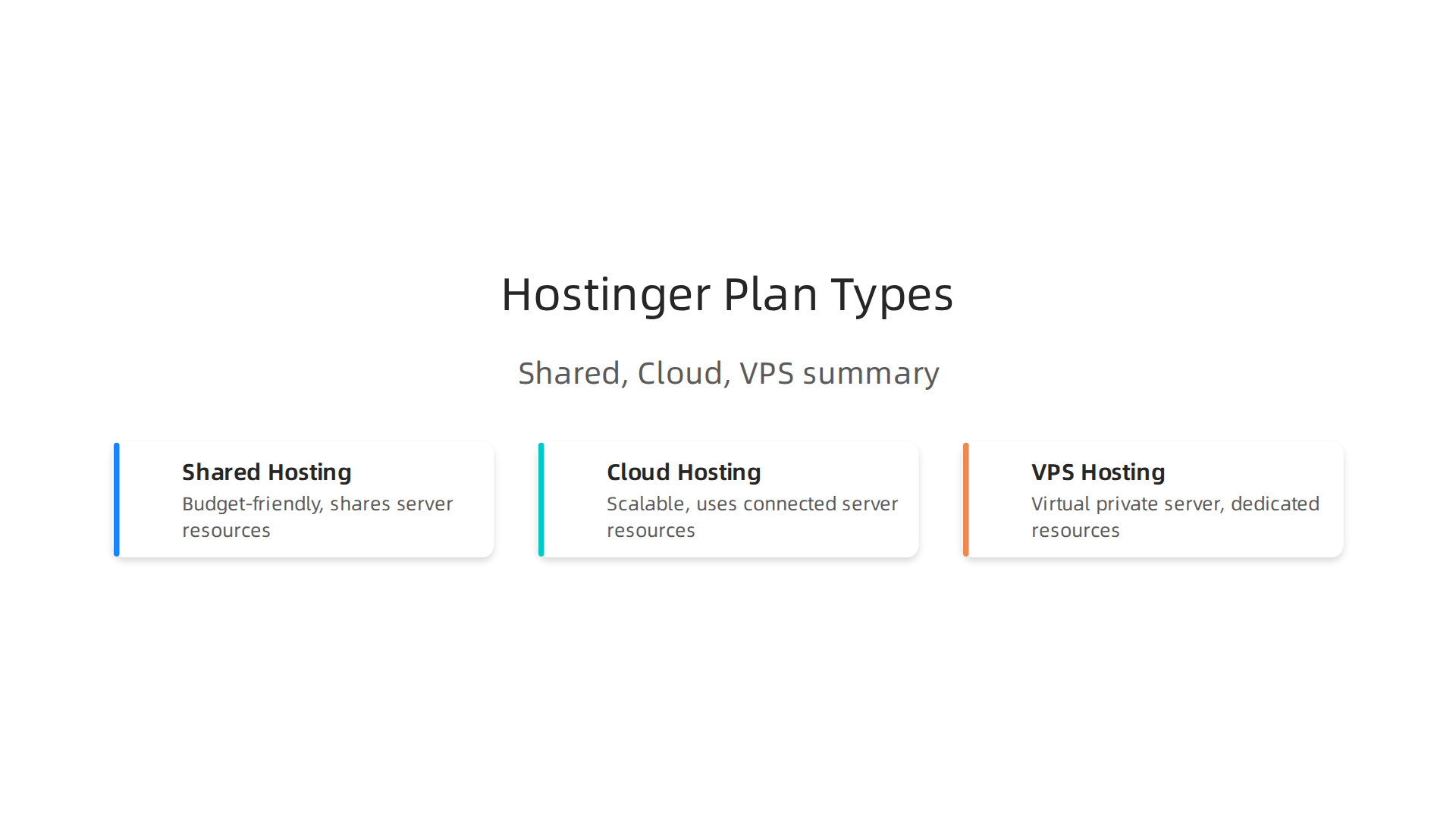
- Shared Web Hosting: This is like sharing an apartment building with many others. It is the most budget-friendly choice. Your website lives on a server with many other websites. This saves you money because everyone shares the server’s resources. Hostinger’s Premium and Business Shared plans are popular choices here.
- Cloud Hosting: This is a step up. It is like having a private apartment in a very large, flexible building. Your website uses resources from many connected servers, which means it can handle more visitors and has better speed.
- VPS Hosting: This stands for Virtual Private Server. It is like having your own house. You get a dedicated part of a server all to yourself. This gives you more power and control, but it is also more technical and costs more.
When looking for hostinger cheap web hosting, you will mostly see their Shared Hosting plans advertised. For example, in 2026, their Premium plan might start as low as $1.99 or $2.99 per month if you sign up for a very long time, like 48 months. The Business plan might be advertised for a bit more.
However, it is really important to look beyond that first low price. The introductory price is usually a special offer.

After your first payment period ends (which could be 1 year, 2 years, or 4 years), the price goes up quite a bit. For instance, the Premium plan that started at $1.99 or $2.99 per month could renew at around $10.99 per month. The Business plan, which might start at $2.99 per month, could renew for about $16.99 per month, as shown in pricing details from 2026 Hostinger Pricing 2026: Real Cost After Renewal. This means your web hosting cost will jump significantly.
You also need to think about other costs. For example, some domain names might be free for the first year with certain plans, but then you will pay for the Hostinger web domain renewal. There might also be costs for extra features or services you need later on. It is wise to calculate your true web hosting cost to avoid surprises. Understanding these renewal prices and possible add-ons is key to knowing the true Hostinger pricing over time, especially if you are looking for the cheapest domain hosting solutions.
After understanding the true web hosting cost for Hostinger, you might wonder about the speed and performance you actually get for your money. When you choose a hostinger cheap web hosting plan, like their Shared Web Hosting, it’s important to have realistic expectations.
Think of it this way: sharing a web server’s resources means your website shares its power with others. This can affect how fast your site loads, especially during busy times. Key things that make a website fast or slow include the server’s brain (CPU), its short-term memory (RAM), and how quickly it can read and write information (I/O). When many websites share these, it’s like many people trying to use one shared computer.
However, Hostinger does a good job of trying to keep things speedy, even on their budget plans. They use good technology like LiteSpeed servers and offer caching features. Caching is like your website remembering parts of itself so it doesn’t have to build everything from scratch each time someone visits. This helps your site load faster for visitors, especially if they are looking at the same pages often.
Independent tests in 2026 show that Hostinger generally provides good performance for its price. For example, many reviews highlight Hostinger’s strong uptime, meaning your website stays online most of the time. Some tests found Hostinger delivers 99.9% uptime, and often even higher, up to 99.99% Hostinger Review 2026: Real Performance Data + The …. This is really good for a cheap web hosting service.
When it comes to speed, a key measure is called "Time To First Byte" (TTFB). This is how long it takes for your server to send the very first piece of data to a visitor’s browser. Hostinger often shows good TTFB numbers. For example, tests in 2026 noted average TTFB under 200 milliseconds on their shared plans for optimized WordPress sites Hostinger: Sub-200ms Hosting for $1.99/Mo … – ThePlanetTools.ai. Faster TTFB means your website feels quicker to load.
Hostinger’s Business Shared plan also tends to perform better than the Premium plan, especially when many people visit your site at once. It handles more visitors better and has faster global speeds, according to tests in 2026 Hostinger Review 2026: Premium vs Business Tested 243 ….
Another helper for speed is a Content Delivery Network (CDN). A CDN stores copies of your website’s content in many places around the world. So, when someone visits your site, the content is served from the location closest to them. This makes your site much faster because the data doesn’t have to travel as far. Hostinger offers a free CDN with some of its plans, which is a great boost for performance and part of what makes it a good option for cheapest domain hosting in 2026 avoid price traps and get real value.
Overall, while Hostinger pricing makes it a leader in cheap web hosting, its performance, especially with features like LiteSpeed and CDN, is quite good for small and medium-sized websites. If you keep your website simple and use good practices, you can expect a solid user experience without breaking the bank. Just remember that shared hosting has limits, so if your site grows very big, you might need to upgrade your web hosting cost plan later. If you want to dive deeper into making your website faster, you might find more helpful information on how to optimize your Patreon website for speed security and growth in 2026.
After thinking about how fast your website can be with Hostinger’s budget plans, it’s also super important to talk about safety. You might wonder, "Are these cheap web hosting plans safe enough for my website and my visitors?" The simple answer is that while Hostinger offers good basic security, how safe your site truly is also depends on the plan you pick and how you manage your website.
Every good web host, including Hostinger, should offer some key security features.
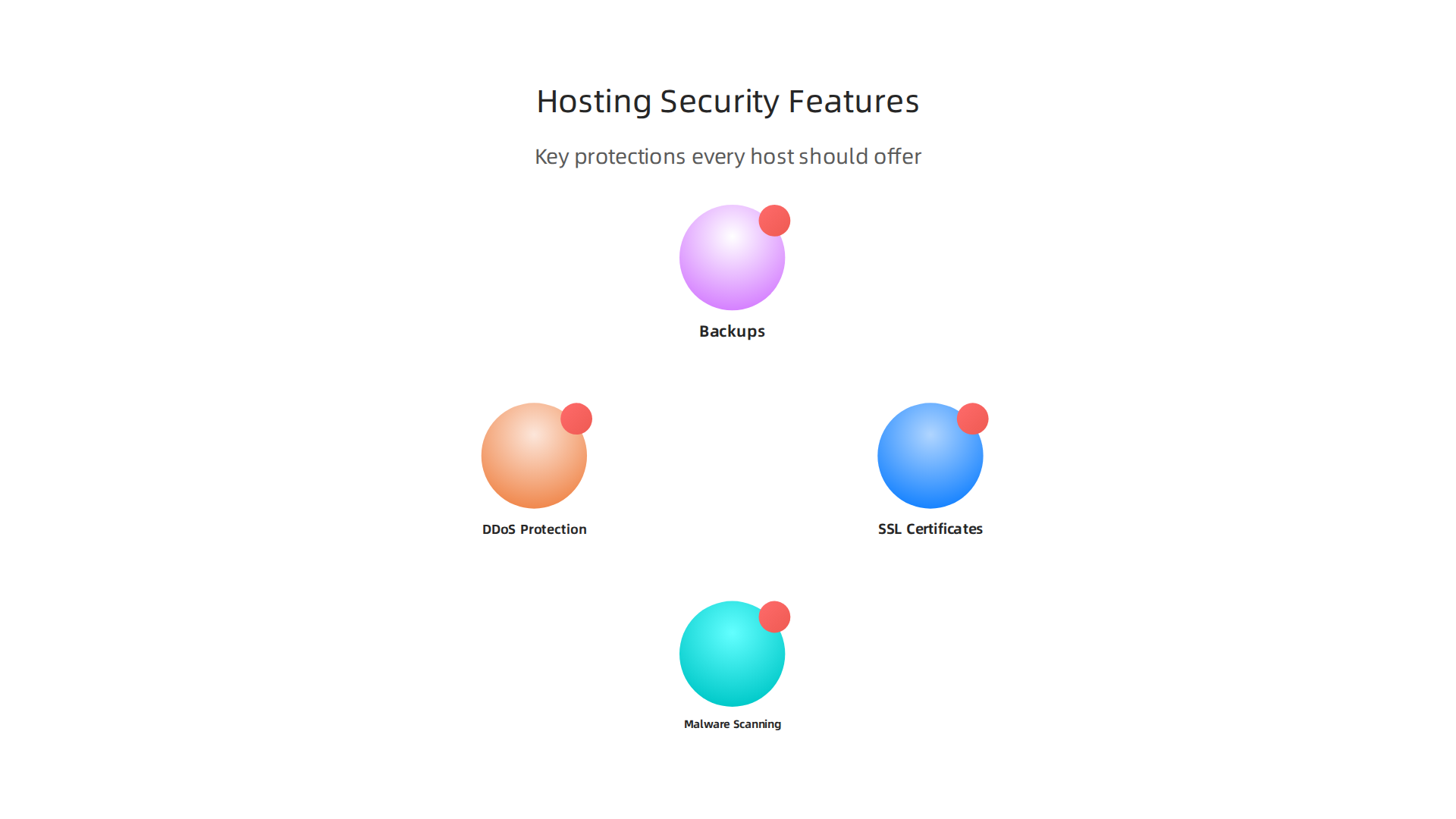
Think of these as the basic locks and alarms for your online home.
- SSL Certificates: This makes sure that information sent between your website and your visitors’ computers is private and safe. It’s why you see "https" in a website address instead of just "http." Most Hostinger plans, even the cheaper ones, include a free SSL certificate. This is a must-have for all websites in 2026 to protect user data and rank well in search engines, as explained in guides about Top 10 Website Security Best Practices for 2026. You can also learn more about managing these with a guide on Godaddy SSL certificate cost 2026 avoid hidden fees and renewal surprises.
- Malware Scanning: This is like a security guard checking your website for bad programs (malware) that can harm your site or steal information. Regular scanning helps catch these threats early.
- DDoS Protection: DDoS attacks try to overwhelm your website with a flood of fake traffic, making it crash or unavailable. Good hosting plans should have ways to stop these attacks, like having big digital fences. Hostinger offers protection against DDoS attacks.
- Backups: This is like having a spare copy of your whole website. If something goes wrong, you can bring your site back online quickly. Many hosts offer daily or weekly automatic backups.
For a hostinger cheap web hosting plan, you typically get these basic security tools. Hostinger, for example, is known to include free SSL, malware scanning, and DDoS protection even on its shared hosting tiers. They also offer features like server monitoring and firewalls to keep things secure. This helps make sure your web hosting cost includes important protections.
However, where budget plans might have limits is in the advanced features. For small to medium businesses (SMBs), relying only on basic protection can be a risk. For example:
- Frequency of Backups: While backups are there, you might get fewer options for how often they run or how long they are stored on cheaper plans. More frequent backups mean less data loss if an issue occurs.
- Advanced Malware Removal: Some attacks are tricky. While basic plans scan for malware, removing complex threats might require more advanced tools or manual work that’s not always covered.
- Dedicated Security Tools: More expensive plans often come with a Web Application Firewall (WAF) or other specific tools that give an extra layer of defense against very targeted attacks. These are often not part of the standard hostinger pricing for the lowest tiers.
- Account Isolation: On shared hosting, your website shares a server with others. While hosts try to keep accounts separate, a security issue on one website could possibly affect others if not properly isolated.
So, while Hostinger’s budget plans provide a solid baseline for security, they might not offer the same deep defenses as their higher-priced plans or dedicated hosting solutions. Small businesses should still take their own steps, like using strong passwords, keeping their website software up to date, and reviewing their website security regularly. Learning about broader Web Hosting Security Best Practices and What to Look For can also help you understand what’s missing and what you can do yourself.
To truly protect your online presence, especially as your business grows, it is vital to balance your web hosting cost with robust security features. Checking out various Web hosting services reviews 2026 data backed guide to choosing a reliable host can also give you more ideas on what to prioritize.
Reliability & support: Downtime risk and customer service expectations
After thinking about how safe your website can be, it’s also really important to know if your website will stay online and if you can get help when you need it. This is about reliability and support. When you pick a hostinger cheap web hosting plan, you need to know what to expect.
What Is Uptime and Why Does It Matter?
Uptime means how much time your website is live and working for visitors. No website can be online 100% of the time, but good hosting providers aim for very high uptime. Hostinger, for example, promises 99.9% uptime in their official guarantee. This means your website should almost always be available.
But what does 99.9% uptime really mean? It’s like having your shop open for nearly every minute of the year. If a website is down for even a little while, it can be a big problem for small to medium businesses (SMBs). When your site is down:
- Customers can’t find you or buy from you. This means lost sales.
- Your reputation can get hurt. People might think your business isn’t serious.
- Search engines might see your site as unreliable, which can make it harder for new customers to find you.
In 2026, many independent tests show that Hostinger often does even better than its 99.9% promise. Some reviews have shown Hostinger’s uptime can be around 99.95% to 99.99% for their business plans, which is quite strong for the web hosting cost you pay, even outperforming some competitors at similar hostinger pricing points, as noted in a Hostinger Review 2026: Is Hostinger Good? (Real Test Data). The industry average uptime for WordPress hosts in 2026 is around 99.9573%, so Hostinger generally keeps up or does better than many, according to WordPress Hosting Benchmarks 2026. For specific plans, a Hostinger Review 2026: Premium vs Business Tested even found business plans reaching 99.99% uptime. This high reliability is a big plus when considering hostinger cheap web hosting options.
What to Expect from Customer Support
Even with great uptime, sometimes you’ll need help. Maybe you have a question about your hostinger web domain or you need to fix a small issue. How quickly and easily you can get support is a key part of your hosting experience, especially with budget plans.
With hostinger cheap web hosting, you typically get support through a few main ways:
- Live Chat: This is usually the fastest way to get help. You can type your questions and get answers in real time.
- Ticket System: For problems that are not urgent or are more complex, you can send a support ticket. You’ll get a reply, but it might take a bit longer than live chat.
- Knowledge Base: Hostinger has many helpful articles and guides you can read to solve common problems on your own.
What you might not always find on the cheapest plans is phone support. Many budget providers save money by focusing on online chat and tickets. This means you need to be okay with getting help mainly through text. Hostinger is known for its responsive customer support through these channels, aiming to help you quickly.
When you’re looking at different web hosting cost options, remember to think about the long-term value. While Hostinger offers good support for its price point, understanding the limits of budget hosting means you’ll know what kind of help to expect. It’s important to calculate your true web hosting cost and consider what you get beyond the initial low price.
When you first start out, a hostinger cheap web hosting plan can be just what you need. It’s a great way to get your website online without spending too much money. But as your website grows, you might find that these starter plans can’t keep up. This is when cheap hosting becomes a bottleneck. It means your hosting plan starts to slow down your website’s growth instead of helping it.
Signs You’re Outgrowing Your Cheap Hosting
How do you know if your hostinger cheap web hosting is holding you back? Here are some clear signs:
- Slow Website Speed: If your website takes a long time to load, especially during busy times, your hosting might be the problem. Your visitors might leave before seeing your content, which is bad for business. While caching strategies can help for a while on shared hosting, there are limits to how much they can do Caching for Shared Hosting: Page, Object, and Browser Strategies.
- Frequent Downtime or Errors: You might see your site go offline more often, or users might report seeing error messages. This can happen if your cheap plan can’t handle too many visitors at once.
- Hitting Resource Limits: Your hosting control panel might show warnings about using too much CPU or RAM. Shared hosting plans divide resources among many users, and if your site gets popular, you’ll need more.
- Not Enough Storage or Bandwidth: As you add more content (like pictures and videos) or get more visitors, you might run out of space or the amount of data your site can send out (bandwidth).
These issues mean your current web hosting cost is no longer providing good value, because the limitations are hurting your business.
Upgrade Paths for Growing Websites
When you hit these limits, it’s time to think about upgrading. Luckily, there are many options that offer more power and flexibility than entry-level cheapest domain hosting plans.
- VPS Hosting (Virtual Private Server): This is like having a shared apartment where you get your own room. You still share a server with others, but you have dedicated resources (CPU, RAM) just for your website. It gives you more power and control. You can find options for cheap VPS hosting in 2026 that doesn’t sacrifice performance or security.
- Cloud Hosting: This uses a network of servers. If one server has a problem, another one can take over, making your site super reliable. It’s also very flexible, letting you easily add more resources as needed.
- Dedicated Hosting: This is like owning your own house. You get an entire server just for your website. It’s the most powerful and expensive option, best for very large or high-traffic sites. If you’re looking at this level, you’ll want to compare best dedicated hosting providers 2026.
- Managed Hosting: This means the hosting company handles all the technical server stuff for you, like updates and security. It’s often available for WordPress and other popular platforms.
Moving your website from a basic hostinger cheap web hosting plan to a more advanced one can seem tricky, but many hosts, including Hostinger, offer tools or help with migration. This makes the move smoother so you can keep focusing on your business as it grows. Understanding your current hostinger pricing and future needs is key to making the right choice for your website’s long-term success.
When you pick a new home for your website or decide to move it, getting set up can feel like a big job. This is true whether you’re starting fresh with hostinger cheap web hosting or moving from one host to another. Knowing what to expect makes it much easier.
What You Do When You Start
When you first get a hosting plan, you’ll have a few key things to do:
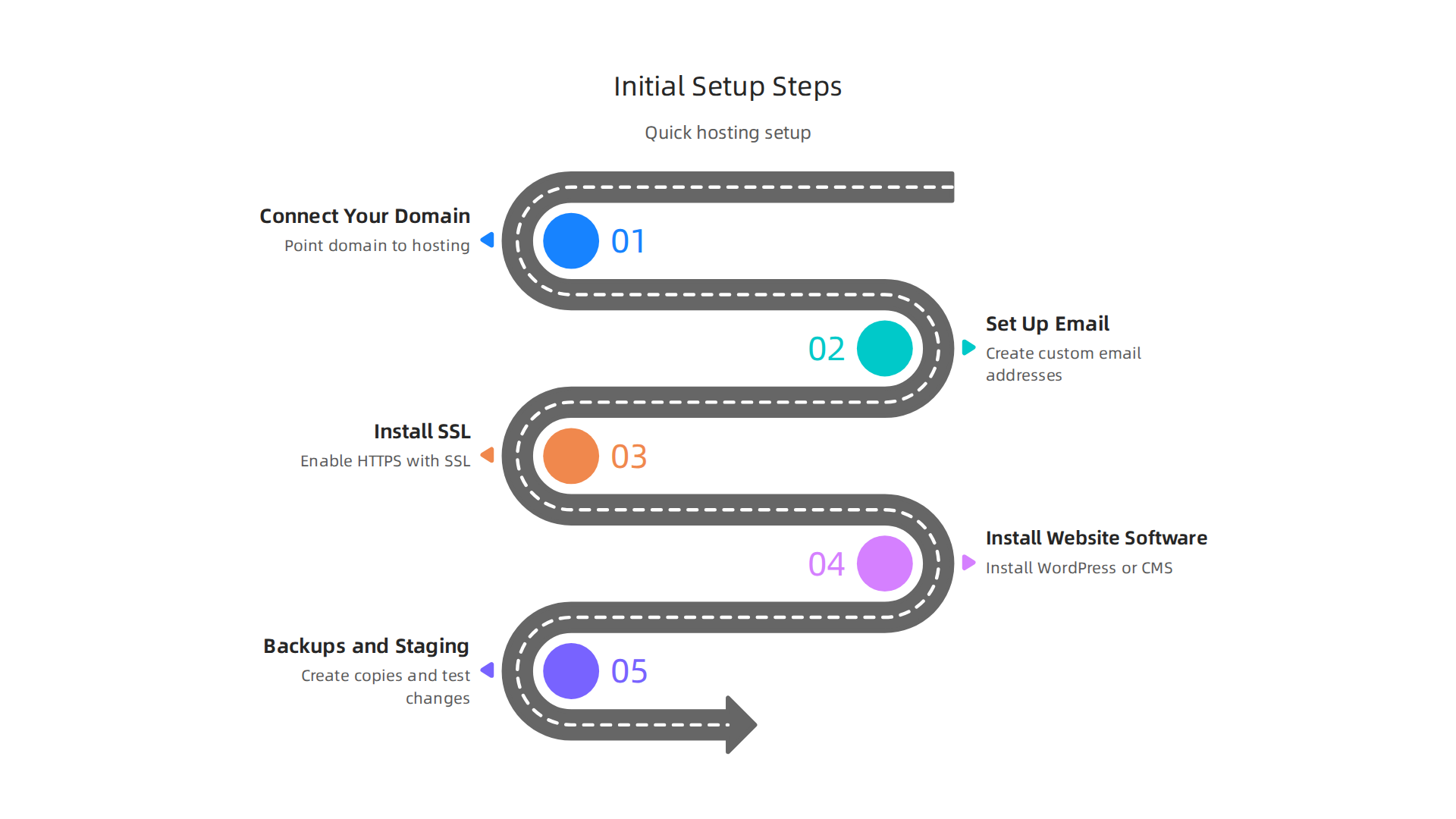
- Connect Your Domain: This means telling your domain name (like yourwebsite.com) where your website files are stored. You do this by changing something called DNS settings.
- Set Up Email: Most hosting plans let you create custom email addresses (like hello@yourwebsite.com). You’ll need to set these up and link them to your email program. If you’re moving, you’ll need to know how to migrate emails to a new provider so you don’t lose any important messages.
- Install SSL: An SSL certificate makes your website secure, showing "https://" in the web address. This is very important for keeping visitor information safe and for good search engine ranking.
- Install Your Website Software: If you use a system like WordPress, you’ll need to install it on your hosting. Many hosts, including Hostinger, have easy one-click install tools for this.
- Backups and Staging: Good hosts let you easily make copies of your website (backups) and test changes in a private "staging" area before they go live. This keeps your site safe if something goes wrong.
Understanding these steps can help you prepare for your new web hosting cost and setup.
Moving Your Website: Is It Hard?
Moving a website, or migration, can be a bit tricky, but it’s gotten much easier over the years. Many hosts, even those offering cheapest domain hosting like Hostinger, now provide tools or help to make the process smooth.
For example, Hostinger has services to help you migrate a website to Hostinger or even migrate a WordPress site with several methods. Sometimes, it’s as simple as giving them your old website’s login details, and they handle the rest. They even have an effortless Hostinger website migration guide to walk you through it.
However, if you’re using a very basic hostinger cheap web hosting plan, some advanced migration help might cost extra or require you to do more work yourself. This is where understanding your hostinger pricing and what’s included becomes important. You might have to manually move files and databases. Afterward, you need to update your Hostinger web domain’s DNS settings to point to the new hosting server.
Finding a host that offers clear, easy setup and helps with migrations can save you time and headaches. For a reliable and secure hosting experience tailored for growth, consider exploring the solutions available at Prism Web Host. They focus on making sure your website is always up, fast, and protected.
Choosing a home for your website is a big decision, and while hostinger cheap web hosting is a popular choice for many, it’s wise to look at other options too. In 2026, many budget hosts offer similar services, so knowing the differences can help you pick the best fit for your needs.
Price, Performance, and Support
When comparing Hostinger to other budget web hosts, think about these main points:
- Price: Hostinger often gets attention for its very low starting prices, especially if you sign up for a long time, like four years. For example, some plans might start as low as $1.99 or $2.99 per month for the first term. However, it’s important to remember that these
hostinger pricingdeals usually renew at a much higher rate, sometimes around $10.99 to $16.99 per month for shared hosting plans. This is a common practice amongcheapest domain hostingproviders. Always check the renewalweb hosting costto avoid surprises Hostinger Pricing 2026: Premium ($1.99→$10.99), Business, and the Cloud Startup Jump | StackScored. Other budget hosts like Bluehost or SiteGround might have similar introductory offers and renewal jumps. It’s smart to compare these true costs over time. If you want to learn more about how hosting costs add up, you can check out how to calculate your true web hosting cost and avoid hidden fees in 2026. - Performance: This means how fast your website loads and how often it stays online (uptime). Many budget hosts, including Hostinger, use good technology like NVMe SSD storage and LiteSpeed servers to help websites run fast. Most aim for a 99.9% uptime, meaning your site is almost always available. For small websites and blogs, Hostinger’s performance is usually very good. If you have a growing business or an online store, you might need a plan with more power, which will increase your
hostinger pricingor lead you to other hosts. - Support: Good customer support is key, especially if you’re new to websites. Hostinger offers 24/7 chat support. Other budget hosts also provide chat, email, or phone support. When picking a host, look for reviews about how helpful and quick their support team is. Some hosts might offer more hands-on help, which can be a huge benefit.
Security and Features
Security is super important for any website. Hostinger includes a free SSL certificate, which makes your site secure (https://). They also offer daily or weekly backups and protection against attacks. Many other cheapest domain hosting providers offer similar basic security features. For higher security or more advanced features like special firewalls, you might need a more expensive plan. It’s also wise to consider what services they offer for your specific needs, like if you’re looking for the top 10 web hosting companies of 2026.
When to Choose Hostinger or Another Host
- Choose Hostinger if: You’re on a tight budget for your first website, a personal blog, or a small portfolio. Their low introductory
web hosting costis appealing for new projects. You don’t mind signing up for a longer term to get the best deal. - Consider Other Budget Hosts if: You need very specific features, have a website that gets a lot of visitors, or want to make sure the renewal price is not too big of a jump. Some other hosts might specialize in certain types of websites, like e-commerce, or offer slightly better performance for the price.
Ultimately, the best choice depends on what your website needs and how much you want to spend, both now and in the future.

Always do your homework on the hostinger web domain and hosting plans before you commit.
Summary
This article walks small business owners and site builders through what
