




Drupal Hosting That Keeps Your Site Fast Secure and Ready to Grow
Article
Introduction
Has your Drupal website ever felt sluggish even after you optimized every module and theme? You are not alone. Many entrepreneurs and small business owners choose Drupal because it is a powerful content management system. But here is the thing. Drupal is not like a simple blog platform. It is a full featured web application hosting environment with unique demands.
If you pick the wrong drupal hosting plan, you will face slow load times, security holes, and frustrating downtime.

Why does that matter? Because a slow site loses customers. A hacked site loses trust. And downtime loses revenue. According to the official Drupal system requirements page, your database server needs specific versions of MySQL or PostgreSQL to run smoothly.

Ignoring these details is a recipe for trouble.
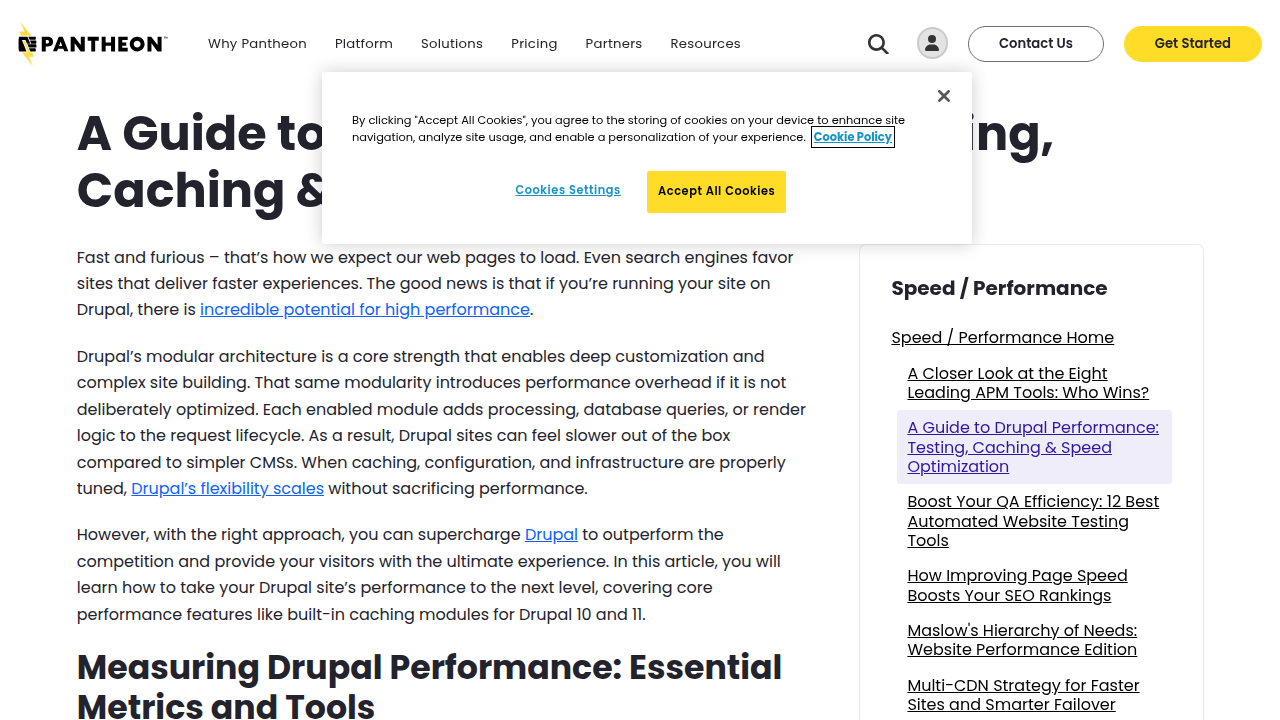
Drupal performance depends on many components. From your hardware setup to your caching system, every piece matters. A Drupal performance guide from Pantheon explains that testing and caching are key to keeping your site fast.
You deserve hosting that handles all of that without headaches.
That is exactly why we wrote this guide. We want to help you find the right drupal hosting solution for your business. We will walk through what matters most. So you can focus on growing your brand, not fixing hosting problems.
If you are unsure where to start, check out our detailed guide on choosing the best UK web hosting for small business for a broader foundation.
Why Performance Is the Foundation of Great Drupal Hosting
You might think all web hosting is basically the same. Here is the thing. Drupal hosting is not like hosting a simple blog. Drupal is a full web application hosting environment with a modular architecture that demands specific server resources. If your host skimps on CPU power, RAM, or database versions, your site will drag. According to the Drupal performance overview from Drupalize.me, performance depends on multiple components including hardware setup, caching system configuration, and contributed modules. Plus, your database server must meet exact version requirements. The official Drupal database requirements specify MySQL 5.7.8+ or PostgreSQL 12+ for Drupal 10. Getting that wrong slows everything down.
Adequate caching and a CDN are your best friends. They reduce server load and speed up response times dramatically. Tools like Varnish Cache can supercharge your Drupal site. One guide on optimizing Drupal 10 with Varnish shows how to compare it with Nginx for better scalability. The Pantheon performance guide for Drupal also emphasizes testing and caching as keys to peak speed. Without these, your web app hosting setup will struggle during traffic spikes.
Why does all this matter for your business? Performance directly affects how users experience your site, and that drives conversion rates and SEO rankings.

A slow site pushes visitors away and signals poorly to search engines. The performance checklist from Five Jars explains that optimizing Drupal performance improves user engagement and search visibility.

So when you choose a drupal hosting plan, look for one that provides caching solutions, CDN integration, and enough resources. Your customers will thank you.
If you want to compare options that truly deliver on performance, check out this data-backed guide to web hosting services reviews in 2026. It will help you avoid paying for slow, unreliable hosting.
Server Specifications That Matter
So what should you actually look for in your drupal hosting plan? Let us break down the server specs that really move the needle.
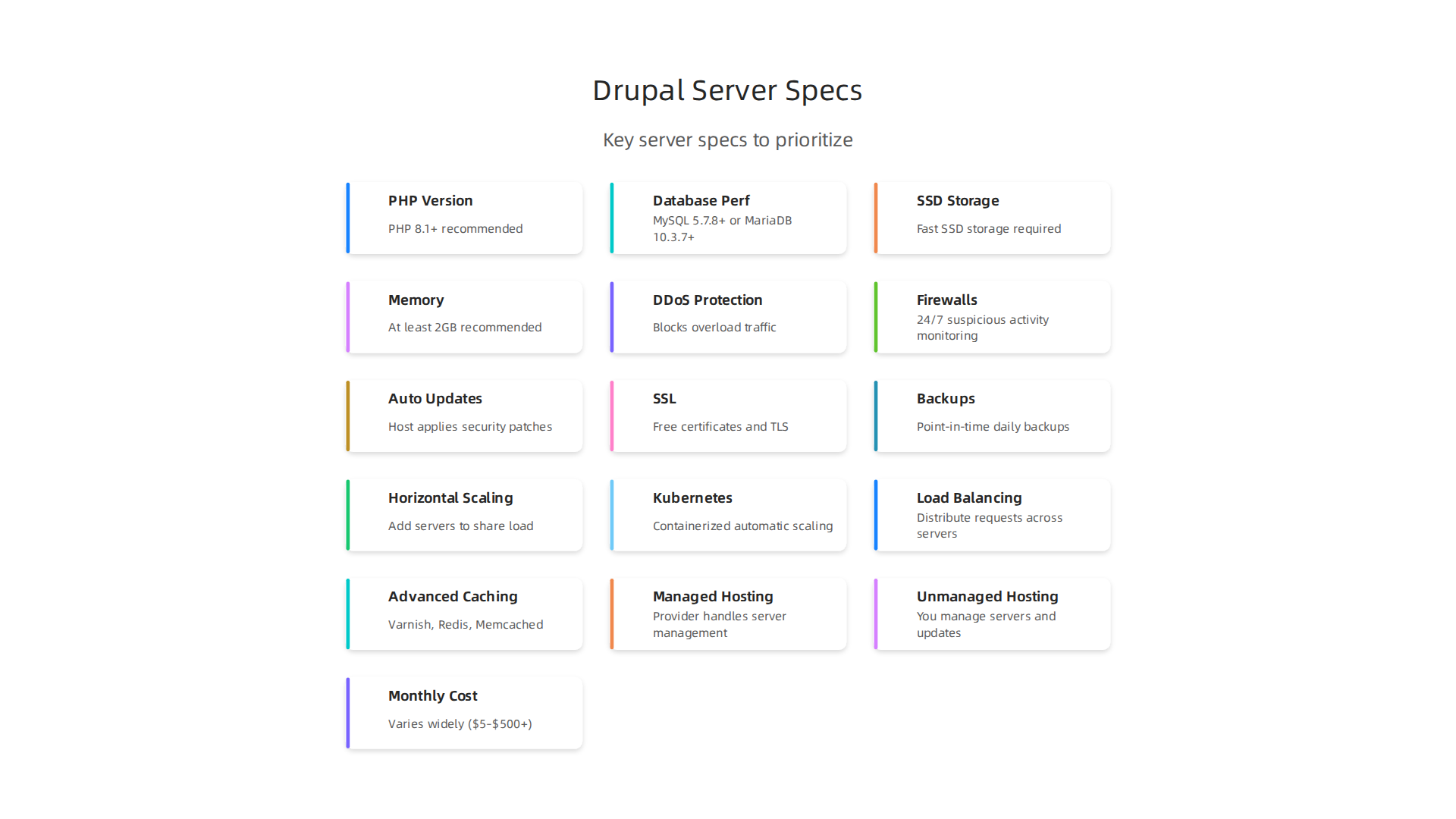
First, PHP version and memory limits. Drupal 10 runs best on PHP 8.1 or higher. Many cheap hosts still use older PHP versions, which slows down your web application hosting environment. Always check that your host offers the latest PHP and gives you enough memory. The Drupal performance overview from Drupalize.me confirms that memory allocation is a key factor.
Second, database performance. Your database is the engine room. If it is not tuned, everything lags. The official Drupal database requirements specify MySQL 5.7.8+ or MariaDB 10.3.7+. And make sure your host uses fast SSD storage for database files, not old hard drives.
Third, SSD storage and plenty of RAM. These are non-negotiable for modern web app hosting. SSDs cut load times by a huge margin, and enough RAM (at least 2GB for a small site) lets your caching layers work properly.
A reliable host will cover these basics. If you are shopping around, take a look at cheap VPS hosting that doesn’t sacrifice performance. That way you get the server specs your Drupal site actually needs.
Caching and CDN Integration
You already picked a host with great specs. Now you need to make sure every visitor gets a fast page. That is where caching and CDN come in.
Drupal has built in caching for pages, blocks, and views. These save copies of your content so the server does not have to rebuild them every time someone visits. The Pantheon guide on Drupal performance shows how these simple settings can cut server load a lot.
But your visitors might be all over the world. A CDN (Content Delivery Network) stores copies of your static files on servers in different regions. That way someone in Europe gets the same speed as someone in Asia.
For even bigger boosts, use a reverse proxy cache like Varnish. It sits in front of your server and serves cached pages instantly. The Drupal 10 Varnish optimization guide explains how this can dramatically improve throughput.
If you want all this without the headache, look for a hosting provider that handles caching and CDN for you. Check out fast, secure, and reliable UK web hosting in 2026 to see how a good host takes care of the technical details.
Security Features That Protect Your Drupal Site
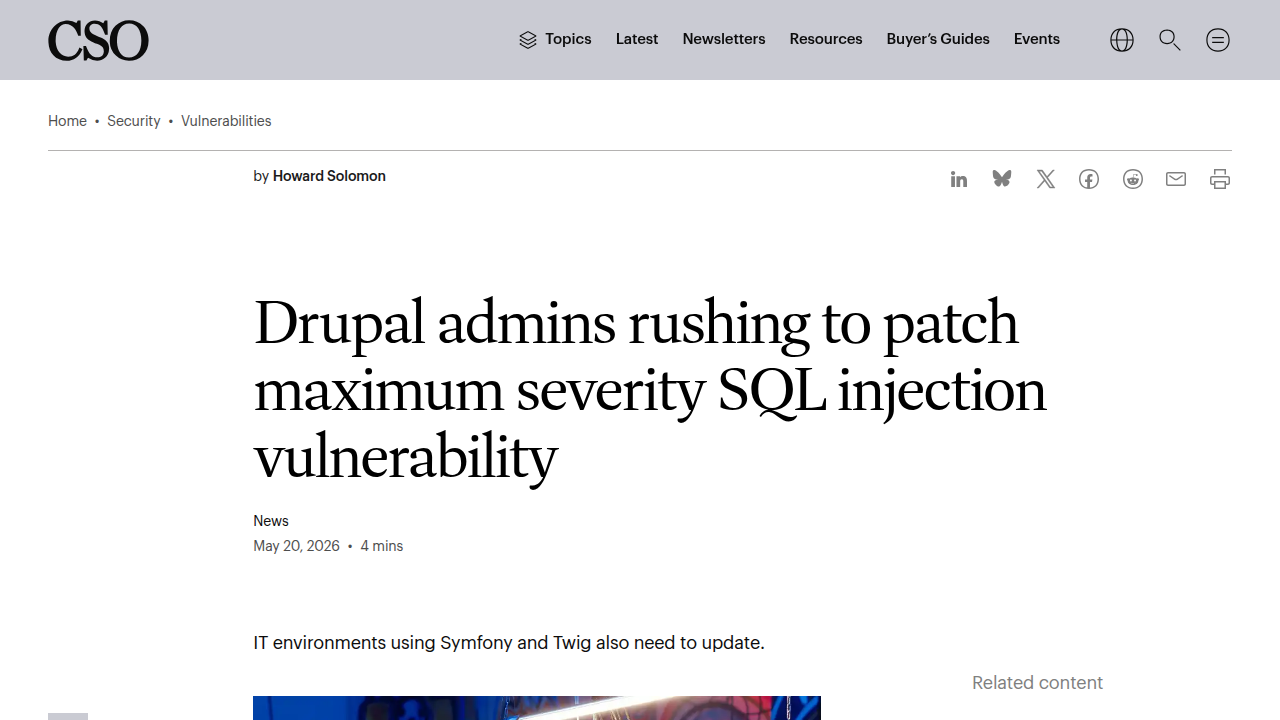
You may have heard the news. In May 2026, a serious security flaw was found in Drupal core. It was a SQL injection bug. Hackers went after it fast. More than 15,000 attack attempts hit websites across 65 countries. That is a huge number.
So here is the truth. Drupal sites are big targets. Automated bots scan for weaknesses all the time. That is why your Drupal hosting choice matters more than you might think.
A good hosting provider does not just give you space on a server. They build security into everything. Look for these key things when comparing web application hosting options.
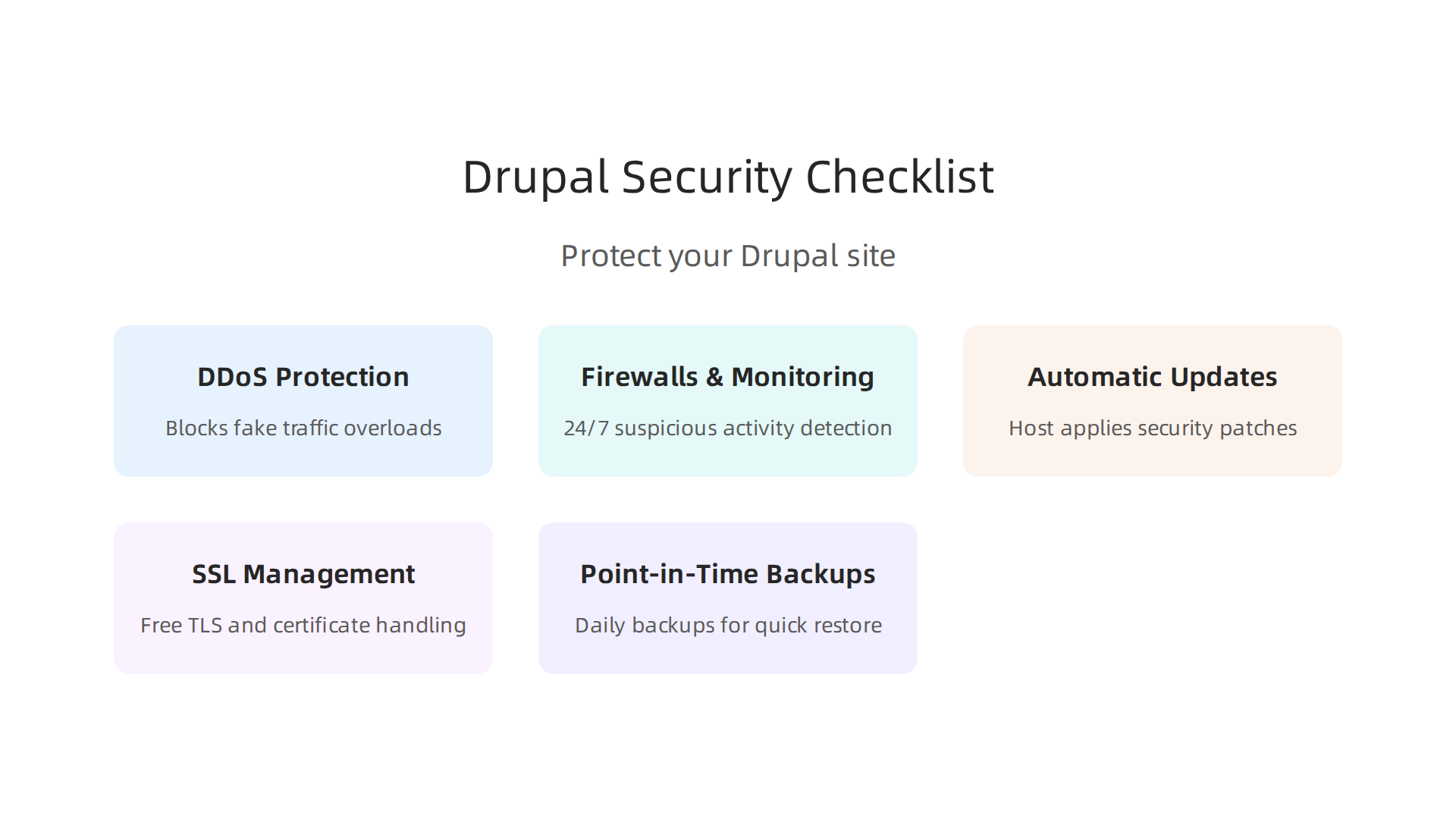
DDoS protection. This blocks fake traffic that tries to overload your site. A provider with DDoS protection can absorb these attacks so real visitors still get through.
Firewalls and proactive monitoring. Your host should watch for suspicious activity around the clock. They should also block common attack patterns before they reach your site. Some hosts even add defenses specifically for Drupal.
Automatic security updates. Remember that SQL injection bug I mentioned? The Drupal Security Team put out a critical patch on May 20, 2026. Drupal officials warned admins to update right away.
A good host applies these updates for you. They do not wait.
SSL management and strong encryption. Free SSL certificates are standard now. But your host should also handle things like TLS configuration so your data stays safe in transit.
Point in time backups. If something goes wrong, you need to restore quickly. A solid host keeps daily backups you can roll back to.
All of these features work together to protect your site and your visitors. But not every host delivers them equally. For a deeper look at what separates the best from the rest, read our guide on 10 factors for choosing the best UK web hosting for small business.
A secure drupal hosting setup is not optional in 2026. It is how you keep your site running and your users safe.
DDoS Protection and Mitigation
A DDoS attack tries to drown your Drupal site in fake traffic. It floods your server until it crashes. Real visitors cannot get through. That is bad for your business. And in 2026, attacks are constant. Just weeks ago, security firms saw attackers go after more than 15,000 Drupal sites across 65 countries right after a critical bug was disclosed under a SecurityWeek article. DDoS is another weapon they use.
So you need a host that blocks DDoS at multiple levels.
Layer 3 and Layer 4 protection stops large volumetric attacks. These floods try to clog your network pipe. A good provider scrubs this traffic before it hits your server.
Layer 7 protection is trickier. This targets your actual application, like your Drupal login page or search functions. It looks like normal traffic to basic filters. But your host should have smart rules to spot and drop these requests.
Premium hosts also offer automatic mitigation. You do not have to flip a switch. The system detects an attack and starts scrubbing within seconds. Your site stays up while the bad traffic is removed.
This kind of protection is exactly what you need when choosing drupal hosting that can handle real threats. If you are also looking at web application hosting options, make sure DDoS protection is built in, not an add-on.
For more on getting the right security without overspending, check out this guide on cheap VPS hosting that doesn’t sacrifice performance or security. It can help you compare hosts that actually protect your site.
SSL Certificates and Data Encryption
DDoS protection stops attacks from the outside. But what about the data moving between your visitors and your site? That is where SSL/TLS certificates come in. They encrypt all data in transit. Without SSL, anyone on the same network can read passwords, credit cards, or private messages.
In 2026, SSL is not optional. Google flags sites without it as "Not Secure." Your SEO will tank and visitors will leave. Plus, automated renewal is a must. A certificate that expires is as bad as no certificate at all. Your host should renew it for you, no manual work needed.
But encryption should not stop at the browser. Your backups and database connections need encryption too. If a hacker gets access to your server storage, encrypted backups are useless to them. That is why you need drupal hosting that covers all three layers: web traffic, stored data, and database links.
Even with recent critical vulnerabilities like CVE-2026-9082 forcing urgent patches CSOonline, encryption adds a last line of defense. When choosing a web application hosting provider, make sure they include free SSL, auto-renewal, and encrypted backup storage. For a full checklist on what to look for, see this guide on 10 factors for choosing a secure hosting provider.
Scaling Your Drupal Hosting as Your Business Grows
Your site is secure. Your data is encrypted. Now, what happens when your business takes off and traffic pours in?
Here is the hard truth. Shared hosting and underpowered plans crumble under sudden growth. A viral post, a seasonal sale, or a marketing campaign can crash your site in seconds. And when your site goes down, you lose sales and trust. This is why scalable infrastructure matters more than ever in 2026.
The key to handling growth is horizontal scaling. This means adding more servers to share the load instead of just upgrading a single server (which is called vertical scaling).

As the official Drupal documentation explains, horizontal scaling distributes traffic across multiple servers and drastically reduces the load any single server receives Drupal.org. This approach improves both availability and reliability Abbacustechnologies.
For true high scalability, many top web application hosting providers now use Kubernetes and containerization to manage this automatically Amazee.io. When you combine horizontal scaling with auto-scaling and dynamic load balancing, you get a system that handles traffic spikes without breaking a sweat Serverion.
Caching also plays a huge role. Tools like Varnish, Redis, and Memcached speed up your site by serving stored content instead of hitting the database for every request New Target. A good Drupal hosting provider will have these ready to go.
When you choose a hosting partner, make sure they support auto-scaling, offer load balancing, and include advanced caching. You need infrastructure that grows with you, not one that forces a painful migration later. For a practical roadmap on evaluating hosting options, check out this web hosting template checklist for small business growth.
Vertical vs. Horizontal Scaling
So when you look at scaling options, you really have two paths. Understanding the difference helps you pick the right Drupal hosting setup from the start.
Vertical scaling means adding more power to your existing server. More CPU cores. More RAM. Faster drives. It is simple and does not require changing your site architecture. But here is the problem. Every server has a physical limit. You can only stack so much power into one machine. And if that single server fails, your whole site goes down.
Horizontal scaling takes a different approach. Instead of making one server stronger, you add more servers to share the workload. The official Drupal documentation explains that horizontal scaling spreads traffic across multiple servers and greatly reduces the load any single server handles Drupal.org. This gives you near-infinite room to grow.
There is a catch though. Drupal is database-heavy. For horizontal setups to work well, you usually need read-replication and strong caching tools like Varnish or Redis New Target. Many modern web application hosting providers now use Kubernetes to automate this process Amazee.io.
For most growing businesses, a horizontal-ready plan is the smarter long-term choice. If you are evaluating hosts and want to know what to look for, this web hosting template checklist can help you compare options clearly.
Load Balancing and Resource Allocation
Once you have multiple servers in a horizontal setup, you need a smart way to direct traffic. That is where load balancers come in. They act like a traffic cop, spreading requests across your server group so no single machine gets overwhelmed. This approach boosts uptime and keeps performance steady even during traffic spikes. For example, combining horizontal scaling with auto-scaling and dynamic load balancing creates a highly resilient system Serverion.
Resource allocation should also be dynamic. Your Drupal hosting setup needs to adapt as demand changes. Many modern platforms like web application hosting providers use Kubernetes to automatically add or remove resources based on real-time needs Amazee.io. Monitoring tools like New Relic or built‑in host dashboards help you spot bottlenecks before visitors feel the slowdown New Target.
If you are still comparing hosts, check out our guide on the 10 factors for choosing the best UK web hosting for small business to see how load balancing and resource allocation fit into the bigger picture.
Managed vs. Unmanaged Drupal Hosting: A Detailed Comparison
Once you have load balancing and dynamic resources in place, the next big question is: who handles the day to day server work? In Drupal hosting, you will typically choose between two approaches: managed hosting or unmanaged hosting. Each has its own trade offs.
Managed Drupal hosting means your provider takes care of server maintenance, core and module updates, security patches, and technical support. This hands off approach gives you peace of mind. As one 2026 comparison puts it, managed hosting brings automatic maintenance and expert support so you can focus on your content and business goals rather than server admin Eighthats. The cost is higher. Managed VPS plans run from $30 to $100 per month, and managed dedicated servers start around $150 to $500 per month Ecommerce Paradise. But for many small businesses, the time saved is worth the extra spend.
Unmanaged Drupal hosting gives you full root access and complete control. You handle everything: installing the server software, applying security updates, monitoring performance, and troubleshooting issues. This is a good fit if you have a skilled sysadmin on your team or you enjoy tinkering with servers. Unmanaged plans cost much less, but the hidden cost is your time. The trade off is clear: you trade money for convenience or control for technical effort Hostrunway.
| Feature | Managed Hosting | Unmanaged Hosting |
|---|---|---|
| Server management | Provider handles it | You handle everything |
| Updates & patches | Automatic | Manual |
| Technical support | 24/7 included | Limited or none |
| Typical monthly cost | $30 – $500+ | $5 – $50 |
| Best for | Non-technical owners | Developers with sysadmin skills |
Your choice depends on three things: your budget, your in house technical expertise, and how much time you want to invest in server upkeep.

If you are a small business owner who just wants a fast, secure Drupal site without the admin headaches, managed web application hosting is the smarter route. It frees up hours each month that you can spend on growing your business.
Many providers now offer managed Drupal hosting that includes automated scaling, built in caching, and proactive security scans. This is especially important for web app hosting environments where uptime and speed directly affect user experience and SEO. Before you decide, take a close look at your total hosting costs. Our guide on web hosting cost in 2026 can help you see the full picture when comparing managed versus unmanaged plans.
If you are leaning toward a worry free setup, explore our managed Drupal hosting plans designed for performance, security, and ease of use. They take care of the server work so you can focus on building a great site.
The Role of Technical Support in Drupal Hosting Success
Once you decide between managed and unmanaged drupal hosting, the next factor that can make or break your site is technical support. Drupal is not like a simple website builder. It has its own quirks. You might run into issues with module conflicts, cache settings, or database queries that require someone who really knows the platform.
That is why 24/7 support with fast response times matters so much. A small problem at 3 AM can turn into hours of downtime if nobody is there to help.

Top providers now offer guaranteed uptime service level agreements (SLAs) of 99.95% or higher, and they back that promise with expert teams who understand web application hosting environments. For example, enterprise level SLAs often include proactive monitoring that catches issues before you even notice them.
Good support also means regular guidance. Your host should not just fix things after they break. They should help you avoid common pitfalls in the first place. This kind of ongoing care is especially valuable if you run a business site where every minute of slowdown costs you money.
Before you pick a provider, check what kind of support they actually deliver. Do they have a dedicated Drupal team? Can you reach them by phone or chat at any hour? A reliable host will make you feel like you have a partner, not just a server.
If you want to see how different hosting options compare in real world use, our guide on web hosting services reviews breaks down what to look for in support quality and performance.
How to Evaluate and Select a Drupal Hosting Provider
Once you know what strong support looks like, the next step is to pick the right host for your Drupal site. The options can feel endless, but a simple checklist helps you stay focused on what actually moves the needle.
Start with performance benchmarks. Look for modern infrastructure like NVMe SSD storage and LiteSpeed servers. Check uptime SLAs and real speed test results. Some of the best Drupal hosting services for 2026 already publish clear performance data, which makes comparisons easier.
Next, review security features. Your site needs SSL/TLS certificates, DDoS protection, and automated backups as standard. Business sites also benefit from DNSSEC and DMARC checks. Comparing major providers shows how different hosts handle security and how that affects your total cost over time.
Then consider scalability options. Your traffic will grow if you do things right. The provider you pick today should handle that growth without forcing a painful migration later. The best hosts let you upgrade resources on the fly.
Finally, revisit support quality. A dedicated Drupal team available around the clock is non-negotiable for serious sites.
Once you have a shortlist, read independent reviews and ask for trial periods. Testing performance with your actual content gives you real answers that marketing pages never will. For a full breakdown of what to check before signing up, our web hosting template checklist for small business growth covers every detail you need.
Think about the long term too. The cheapest plan today might cost you more later if you outgrow it. Choose a provider that can scale with your business. If you want a host that checks all these boxes, Prism Web Host’s Drupal and web application hosting delivers the performance, security, and expert support your site deserves.
Summary
This guide explains how to choose Drupal hosting that keeps your site fast, secure, and reliable by focusing on the infrastructure and services that matter most. It covers required server specs (PHP versions, database engines, SSDs, and memory), caching and CDN strategies, and real-world security needs highlighted by recent Drupal vulnerabilities and mass attack attempts. You’ll learn why DDoS mitigation, automatic security patches, encrypted backups, and proper SSL management are non-negotiable in 2026, and how scaling choices—horizontal versus vertical—affect availability and growth. The article also compares managed and unmanaged hosting, outlines the role of technical support and SLAs, and gives a practical checklist for evaluating hosts so you can pick a provider that frees you to focus on your business rather than server maintenance.
