




Hover Web Hosting Review Performance and Security for Growing Businesses
Article
Imagine you are ready to launch your business website. You have a great idea and a domain name picked out.

But now you need a place to host it. That is where choosing the right provider matters. Hover web hosting is one option that many small business owners and entrepreneurs turn to. They offer both domain registration and hosting in one place. That simplicity is a big draw.
In this guide, we will look at Hover’s performance, security, domain management tools, and how easy it is to scale your site as you grow. We will also cover how to get started. Our goal is to give you honest, evidence-based insights so you can decide if Hover is the right fit for your online presence.
According to 2026 web hosting benchmarks, uptime guarantees should be at least 99.9% for any serious website.
We will keep that standard in mind as we review Hover.
If you want to compare other options, check out our guide on domain cost per year to understand renewal pricing. And for reliable hosting that includes enterprise-grade security and a 99.99% uptime SLA, take a look at Prism Web Host.
Hover Web Hosting Overview: Performance and Reliability
When you pick a hosting provider, speed and uptime matter most. Hover offers three main hosting options to cover different needs. You can start with shared hosting for a simple site. As you grow, you can move to VPS or dedicated hosting for more control and power.
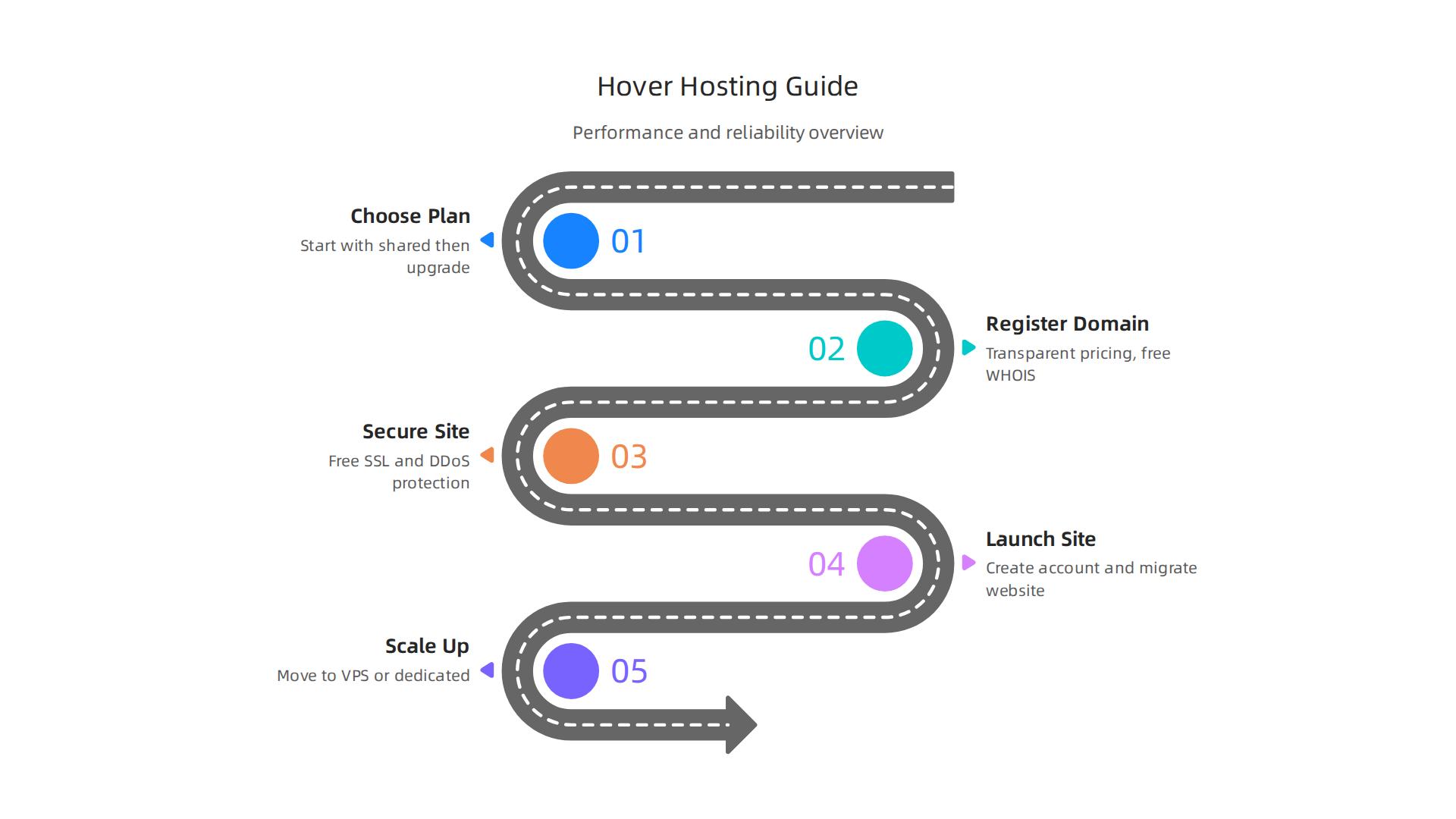
Hover builds its infrastructure with SSD storage on all plans. That means your site loads faster because data reads and writes happen quickly. They also include Cloudflare integration. Cloudflare acts like a global network that caches your content closer to visitors. This cuts down load times no matter where your audience lives.
But how does Hover stack up in real testing? Independent benchmarks show a mixed picture. According to Hover’s Q4 2025 uptime data, the platform hit 99.86% uptime. That is close to the 99.9% standard we mentioned earlier, but it is not quite there. A gap of even 0.04% can mean several extra hours of downtime per year.
On the positive side, Hover’s page load times often compete well with other shared hosts. The use of SSD storage and Cloudflare helps keep things snappy. But for mission-critical sites, that uptime number is worth noting.
If you expect your traffic to grow fast, you might want to compare Hover’s VPS plans with other options. Our guide on cheap VPS hosting that maintains performance breaks down what to look for when scaling up.
For now, here is the bottom line on Hover’s performance. You get decent speed for basic sites. But if your business depends on 99.99% uptime every month, you may want to weigh other providers too.
Server Performance and Uptime Guarantees
Hover promises a 99.9% uptime guarantee for most of its plans. This number sounds impressive, but what does it actually mean for your site? A 99.9% service level agreement (SLA) allows up to 8.76 hours of downtime per year. To put that in perspective, that is nearly an entire business day your website could be offline before Hover owes you credit.

The WordPress hosting uptime 2026 guide breaks down the real impact of each SLA tier.
Now, real-world performance matters more than promises. Earlier we saw Hover’s tested uptime came in at 99.86% in Q4 2025. That is slightly below their own guarantee. While still decent, it means your site could experience more downtime than the SLA technically permits.
On the speed side, Hover works to improve server response times through built-in caching and Cloudflare CDN integration. These tools help deliver your content faster to visitors around the world. Regular hardware upgrades also help keep things running smoothly when traffic spikes hit. But these optimizations can only do so much if the underlying uptime is not rock solid.
If you run a business where every minute of uptime counts, compare Hover with providers that have stronger track records. Check out our guide on the best web hosting for small business 2026 for data-backed recommendations.
Data Center Locations and Speed Optimization
Beyond uptime, where your site’s data is stored also affects performance. Hover runs data centers in North America, Europe, and Asia. This helps reduce the distance data has to travel to reach your visitors. Closer servers mean faster load times.
Hover includes integration with Cloudflare’s content delivery network (CDN) on its plans. A CDN stores copies of your site on servers around the world. When someone visits, they get the version from the server nearest them. That cuts down loading delays. Many top hosting providers use a similar approach to boost speed, as the best web hosting services in 2026 guide notes.
You also get customizable caching rules and PHP opcache built into Hover’s backend. These tools store frequently used data in memory so your server does not have to rebuild every page from scratch for each visitor. That keeps response times lower during traffic spikes.
If you are looking for a host that prioritizes rock-solid performance with strong uptime commitments, check out our best dedicated hosting providers for speed and security comparison.
Domain Registration with Hover: Simplicity and Control
Great performance needs a solid starting point. And that is exactly what Hover web hosting delivers with its domain registration service. It focuses on making the process simple and giving you full control right from the start.
Hover supports hundreds of top-level domains (TLDs). You can check their domain names and pricing page to see if your favorite .com, .net, or .org is available.
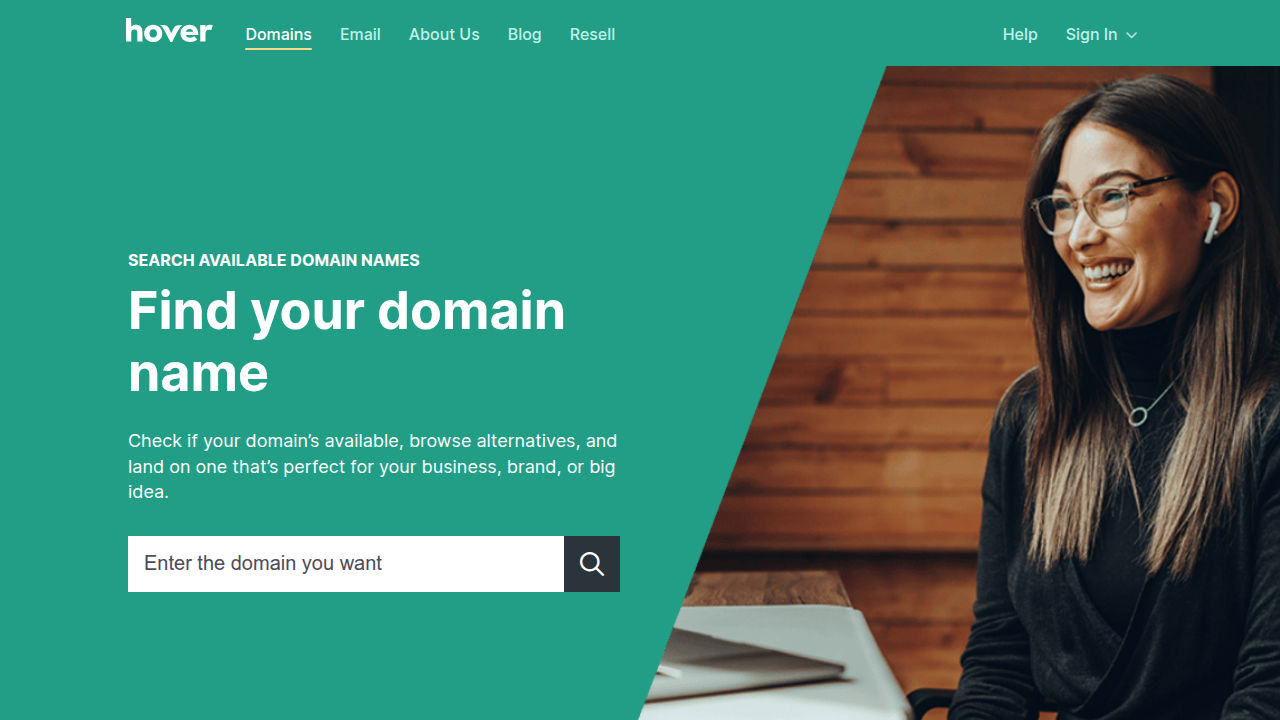
They also offer newer and country-specific extensions. The management dashboard is clean and easy to navigate. You won’t feel lost trying to change your DNS settings or renew a domain.
One of the best parts about using Hover for your domain is the honest pricing. The price you see is close to what you pay. For example, .com domains are clearly priced for registration, renewal, and transfer. According to this detailed Hover domains review, their pricing table is very transparent. They also include free WHOIS privacy protection. This keeps your personal address, email, and phone number hidden from public lookups. It is a standard feature you do not have to pay extra for.
Once you have your domain locked in, the next step is finding a home for your website. Prism Webhost provides secure and fast hosting infrastructure that pairs perfectly with your new domain.
If you are still exploring the numbers to make the best choice for your budget, reading up on domain cost per year can help you compare long-term expenses across different providers.
Domain Management Interface
Managing a domain should not feel like rocket science. Hover keeps the control panel clean and simple.

From the dashboard, you can make quick edits to your DNS records. Want to point your domain to a new hosting provider? A few clicks and you are done. You can also set up email forwarding or redirect your domain to another URL without any hassle. The interface is designed for people who want to get things done fast.
For those who need more control, Hover includes advanced options. You can enable DNSSEC for extra security or set up custom name servers. These features are tucked away so they do not clutter the main view, but they are there when you need them. You can explore more tools like DNS management and subdomain settings on Hover’s platform.
If you own multiple domains, the bulk management tools are a lifesaver. You can update settings, renew domains, or change DNS records for several domains at once. This saves a ton of time compared to editing each one separately. Hover’s straightforward management tools keep everything organized in one place.
For a step-by-step look at how to handle your account settings after registering, check out this guide on managing your account and website. The same principles apply no matter who you registered your domain with.
Pricing and TLD Availability
Now let’s talk about what you actually pay for a domain with Hover and what extensions you can choose from. Hover keeps pricing straightforward. A standard .com domain costs $15.99 to register and renews at $17.99 per year. That rate includes free WHOIS privacy, so your personal details stay hidden from spammers. No hidden fees or upselling tricks.
Hover offers over 300 top-level domains (TLDs) including popular picks like .org, .net, .co, and .io. You can see the full list of available extensions and their clear renewal rates on their domain pricing page. If you own more than 10 domains, Hover drops your renewal rates through a bulk discount program. And every now and then, they run special promotions that can save you a few extra dollars on registration or transfers.
Of course, it always pays to compare renewal costs across the best domain registrars before committing. For a deep look at how renewal prices stack up over time, check out this domain name renewal price comparison guide.
Once you lock in the right domain, you need a solid place to host your site. Prism Web Host — Hosting & Domain Services offers reliable, fast hosting with top-notch security so your new domain performs at its best. Their plans include free SSL, LiteSpeed servers, and 24/7 support, making it easy to launch without the tech headaches.
Security Features: Protecting Your Online Presence
You put time and effort into your website. The last thing you need is for hackers to mess it up. That’s why security matters when you pick a provider for hover web hosting. Hover keeps things simple but effective.
First, every Hover hosting plan gives you a free Let’s Encrypt SSL certificate. Your site runs on HTTPS right out of the box. Visitors see that padlock icon in their browser bar. That builds trust and helps your search ranking too. No extra fees. No fiddling with settings.
Second, Hover builds DDoS protection right into its network. If someone tries to overload your site with junk traffic, the system stops it before it reaches your pages. Your site stays up even during an attack. That kind of protection used to cost extra. Hover includes it for free.
Third, Hover runs automatic daily backups of your site. If a plugin breaks something or you delete a page by accident, you can restore everything with one click. No waiting for support to fix it. No lost data.
For a full list of what to check when choosing a secure provider, read Hover’s own guide on security features you need to know.
And if you want to compare SSL costs across different hosts, this SSL certificate renewal cost guide breaks down where hidden fees show up.
Hover gives you the security essentials without the upsells. That’s a rare find in the hosting world.
SSL Certificates and Encryption
We touched on SSL in the last section, but let’s dig deeper. An SSL certificate creates a secure tunnel between a browser and your server. Without it, any data a visitor sends is exposed.
Every hover web hosting plan includes a free, auto-renewing SSL certificate through Let’s Encrypt. You do not need to install it or remember to renew it. It just works. That saves you time compared to some top domain registrars that charge extra for this basic feature.
If you run a larger site or an online store, look into wildcard SSL. It covers your main domain and every subdomain under one certificate. Hover offers wildcard SSL support on its higher-tier hosting plans.
The whole setup is powered by Let’s Encrypt integration, which handles domain validation automatically. Need to connect Hover with a site builder? This Integrate Hover with Webflow guide walks you through the steps.
When you compare domain name registration cost and hosting fees, remember to factor in the value of included security. If you want a provider that puts this level of protection into every plan, check out reliable web hosting and domain services. And if you are still shopping around, see how Hover stacks up against the best web hosting for small business 2026 options on the market.
DDoS Protection and Firewalls
SSL encryption keeps data safe in transit, but what about the traffic itself? A Distributed Denial of Service (DDoS) attack floods your site with junk traffic until it crashes. That is where DDoS protection comes in.
Hover filters out bad traffic at the network level. Before any request reaches your website, their system checks it against known attack patterns. Malicious traffic gets blocked. Legitimate visitors get through. This happens automatically on every hover web hosting plan.
Firewalls add another layer. Hover uses advanced firewall rules and rate limiting to stop common attacks like brute force logins. If someone tries to guess your password too many times, the system slows them down or cuts them off. For even better protection, you get access to Cloudflare’s web application firewall, which blocks threats like SQL injection and cross-site scripting before they reach your server.
These security measures run in the background so you can focus on your business. If you want a deeper look at what sets secure web hosts apart, read this guide to security factors when choosing a web host. And if you are evaluating different providers, you can compare hosting security and performance features for 2026 side by side.
Scalability and Support: Growing Your Business with Hover
When your business starts to grow, your website needs to grow too. A host that offers flexible plans and reliable support can save you a lot of stress down the road.

Hover web hosting gives you exactly that, which is why many consider it one of the best domain registrar options for growing companies.
You can start on a shared hosting plan. As your traffic increases, you can move to a VPS or a dedicated server. This way, you only pay for what you need. If you are comparing domain name registration cost and features, evaluating your hosting options is a smart move. Take a look at this comparison of the best web hosting for small business 2026.
Hover’s support team is available 24/7 through live chat and a ticket system. Higher-tier plans even include phone support during business hours. This kind of help is important when you run into a problem and need a quick fix.
They also provide clear guides for connecting your domain to other services. For instance, their integration guide for Webflow and Hover makes DNS setup simple.
For businesses that want a hosting partner focused on security and growth, exploring reliable and scalable hosting solutions is a great place to start.
Scaling Resources as You Grow
Once your site starts pulling in more visitors, your hosting needs to keep up. Hover makes that easy. You can add extra CPU power, RAM, or storage on demand. No need to sign a long-term contract or worry about hidden fees. This kind of flexibility lets you grow at your own pace.
Upgrading from a shared plan to VPS or dedicated hosting is smooth. Hover helps with data migration so you don’t lose anything during the move. If you’re thinking about moving to a dedicated server, check out this comparison of best dedicated hosting providers 2026 for more options.
Hover also lets you scale your email storage as you grow. You can start with a small mailbox and upgrade to a bigger one when your team needs more space. The Hover Domain Registrar Review notes that you can move from a 10GB plan to a 1TB plan for just a few extra dollars per year. That kind of simple scaling helps you avoid overpaying early on.
With hover web hosting, you pay only for what you use right now. As your business expands, you add resources without restarting your contract or switching providers. It’s a stress‑free way to keep your site fast and your team happy.
Customer Support Quality and Availability
Even the best hosting setup means little when something goes wrong and you cannot get help fast. Hover takes support seriously.
Users report average response times of under five minutes for live chat during peak hours. That is fast for a provider that does not overload you with upsells. In the Namecheap vs Hover comparison, reviewers praise Hover for its simple interface and helpful support team.
Beyond chat, Hover keeps a knowledge base with hundreds of articles, tutorials, and video guides. You can find answers to common questions about DNS setup, email forwarding, and domain transfers without waiting for a human. If you prefer self‑service troubleshooting, that library saves you time.
For customers who need extra attention, premium support gives you priority handling and direct access to senior technicians. That comes in handy when your site is down and every minute matters.
Still, no provider is perfect. If you want to compare how different hosts stack up on support and reliability, take a look at these web hosting services reviews 2026 to see real benchmarks.
Hover keeps its support simple and responsive. That matters when you are running a business and cannot afford long waits. And if you value rock‑solid support with enterprise‑grade security, consider hosting with Prism Web Host for a setup that stays fast and protected around the clock.
Getting Started: A Step-by-Step Guide to Hover Hosting
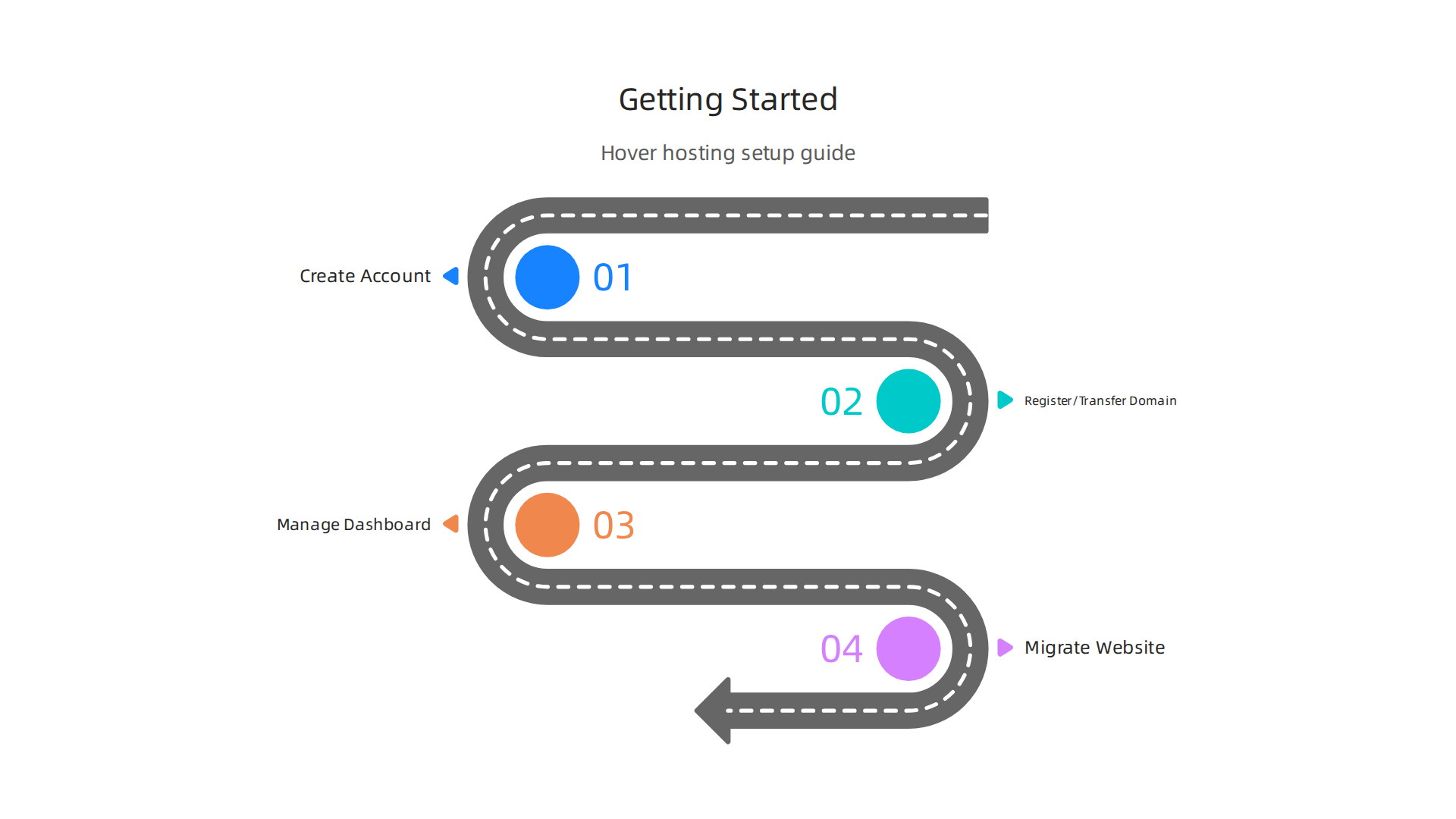
Getting started with hover web hosting is simpler than you might expect. The whole process takes just a few minutes, thanks to a guided onboarding wizard that holds your hand from the very first click.
You start by creating your account. From there, you can either register a brand new domain or transfer an existing one. Hover makes both options straightforward through its clean control panel.
The dashboard clearly shows your domains. Clicking on any domain opens up DNS settings, email forwarding, and the "Connect" tab that links directly to popular website builders. If you are new to this, you can follow the official guide on setting up hosting with Hover to get everything pointed in the right direction.
One thing that really sets Hover apart is how they handle migration. If you are moving a site from another host, Hover provides free tools to transfer your files and databases. For more complex setups, their team offers professional migration assistance so you do not have to tackle the technical heavy lifting alone.
Before locking in a domain, it helps to understand exactly what you are buying. We put together a guide on domain name meaning and choosing the right one to make sure your web address works hard for your business.
Account Setup and Domain Connection
Once you understand what makes a good domain, the actual signup process with hover web hosting moves fast. After creating your account, the system walks you through two simple steps: picking a plan and entering your billing info.
You can choose from several hosting plans depending on your needs. The interface clearly shows what each plan includes, so there are no surprises. Enter your payment details, and you are ready to move on.
Next comes the domain part. You have two options. You can register a brand new domain directly through Hover. Or you can transfer an existing domain you own from another registrar. The control panel makes both easy. If you need step-by-step help, check out this Hover domain setup guide for connecting your domain to a website builder.
The whole process typically takes under 10 minutes for a standard setup. That includes selecting your plan, entering billing, and pointing your domain. No waiting around.
And if you are still shopping around for the best value, knowing the domain cost per year helps you compare top domain registrars before committing.
Once your domain is connected, you will want reliable hosting behind it. We offer Prism Web Host — Hosting & Domain Services with enterprise-grade security and fast speeds to match your new setup.
Migrating Your Website to Hover
Moving an existing site to a new hosting provider sounds stressful. But with hover web hosting, you have options that make the switch painless.
If you run a WordPress site or use another common content management system, Hover offers a free automated migration plugin. This tool handles most of the heavy lifting for you. You install the plugin, enter a few details, and it moves your files and database over automatically. No technical expertise needed.
Prefer the hands-on approach? Manual migrations work too. You can export your site through cPanel backups or download your files via FTP and upload them to your new Hover account. The platform provides step-by-step guides for each method. For more help on getting your site live after the move, the Hover hosting setup support page covers DNS configuration and connection steps.
Need someone else to do the work? Hover offers a premium migration service. Their support team handles the entire transfer for a fee. You just tell them what to move, and they take care of the rest.
No matter which path you choose, your site will be running on your new domain in no time. Once it is live, checking out the best web hosting for small business helps you compare what other providers offer for long-term growth.
Summary
This article reviews Hover as an all‑in‑one domain registrar and web hosting provider, covering performance, security, domain management, pricing, scalability, migration, and support. It evaluates Hover’s infrastructure—SSD storage, Cloudflare integration, caching—and compares real uptime results (Hover reported about 99.86% in Q4 2025) with standard SLAs so you can judge reliability for your site. The guide explains Hover’s domain tools, transparent pricing (example .com rates), free WHOIS privacy, and easy DNS management for both beginners and power users. It also details built‑in security: free Let’s Encrypt SSL, DDoS mitigation, firewalls, and daily backups, plus how to scale from shared hosting to VPS or dedicated servers. Finally, it walks through getting started and migration options, and notes when a business should consider hosts with stronger uptime guarantees. After reading, you’ll know whether Hover meets your speed, security, and growth needs and how to set up or move a site there with minimal downtime.
